Operating Instructions_VF335_en.pdf - 第422页
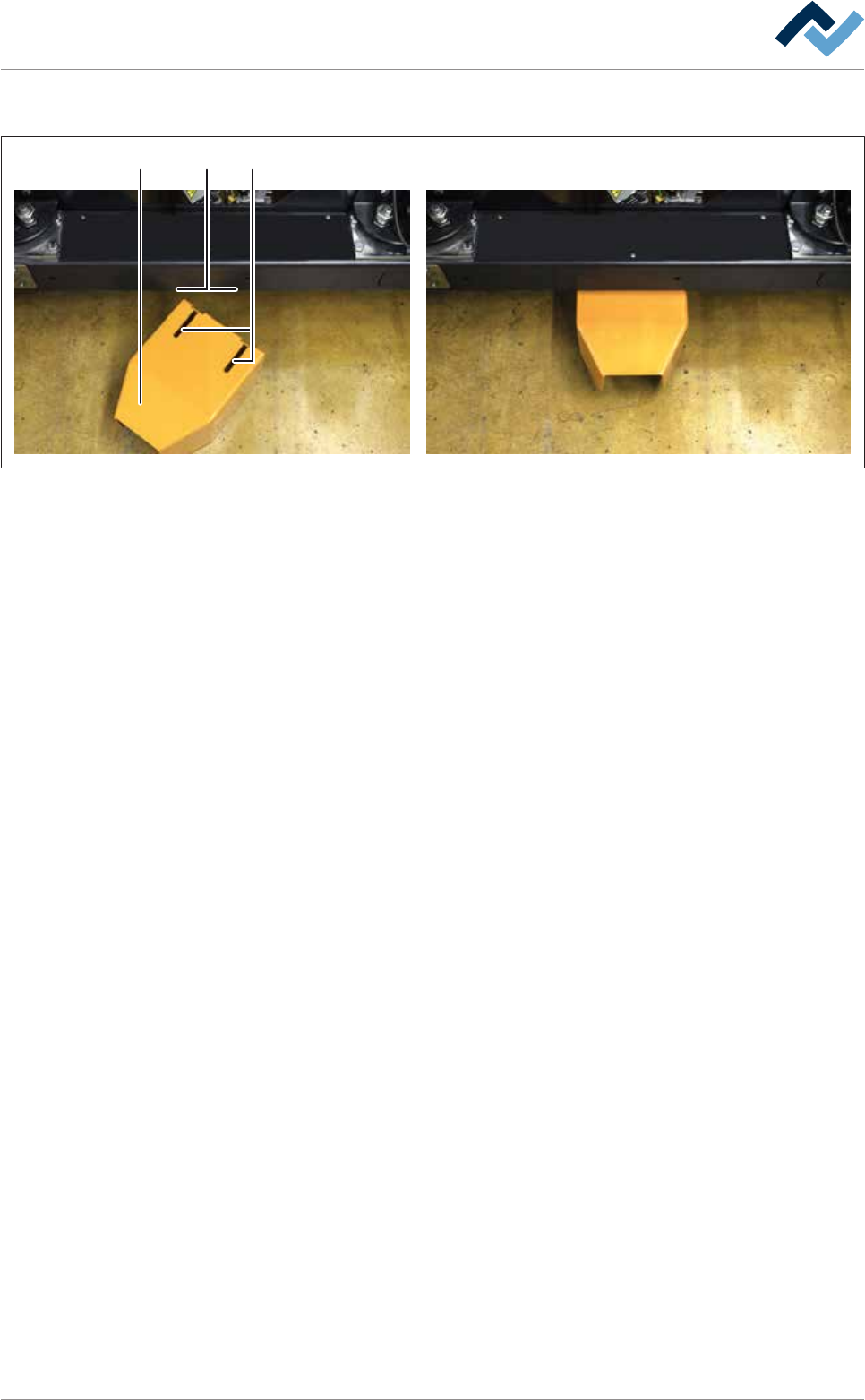
8|Service and maintenance 8.11.9.2 Mounting the traction aid on the machine 1 2 3 Fig.160: Mounting the traction aid on the machine. Mounting the traction aid on the machine Before replacing the solder pot, a traction…

8|Service and maintenance
8.11.9.1 Preparation for solder pot replacement
NOTE
Let the solder cool off before replacing the DIP solder pot
Let the solder cool off before replacing the DIP solder pot. To do so, it must be solidi-
fied. A safety switch prevents the extraction of the DIP solder pot in case the solder is
still too fluid or too hot.
ü Cool down the DIP solder pot to the necessary set temperature.
ü The machine is in the [Maintenance mode].
a) Open the start dialog.
b) Open the input dialog for the DIP soldering module.
c) Click on the button
.
ð The DIP soldering module is moved to the [Service] position.
d) Now, if necessary, remove the nozzle plate of the DIP soldering module. For
more information, please also read the relevant chapter DIP soldering module
(multiwave) with induction pump: Clean the solder pot [}386].
ð Use the support provided.
ð After removing the nozzle plate, and before replacing the solder pot, insert
the solder pot into the machine, as described.
e) In the [Solder pot], click on the button
to switch off the heating.
ð The button is then displayed in grey.
ð The heating is switched off, and the solder will slowly cool down.
f) To avoid any unnecessary delay in the solder pot replacement procedure,
check whether the cold solder pot is already connected to the optional heating
station, and whether it is preheated so that it can reach the required set tem-
perature. For more information, please also read the relevant chapter Connect-
ing the cold solder pot to the (optional) heating station and preheating it
[}425].
g) If the machine has the [Hold Down] option, remove the [Hold Down].
h) If the machine has the [Solderbar feeder] option, remove the [Solderbar
feeder] and place it in the storage compartment on the corresponding DIP
solder pot.
i) Wait until the solder of the DIP solder pot has cooled down to the required set
temperature.
ð The process has now been completed.
Ersa GmbH Operating Instructions_VF335_en|Rev. 14|30/11/2017 421/695
8|Service and maintenance
8.11.9.2 Mounting the traction aid on the machine
1 23
Fig.160: Mounting the traction aid on the machine.
Mounting the traction aid on the machine
Before replacing the solder pot, a traction aid must be mounted on the machine.
Thanks to this device, using the lifting cart it is possible to bring the replacement
rack to the correct position for replacing the solder pot on the machine. The lifting
cart is securely bolted to the replacement rack.
a) Insert the traction aid (1) under the DIP soldering module into the holder. In-
sert the holding screws (3) into the elongated holes (2).
ð Make sure that during this procedure the traction aid is not canted.
b) Slide the traction aid (1) backwards until it stops.
ð The process has now been completed.
Ersa GmbH Operating Instructions_VF335_en|Rev. 14|30/11/2017 422/695
8|Service and maintenance
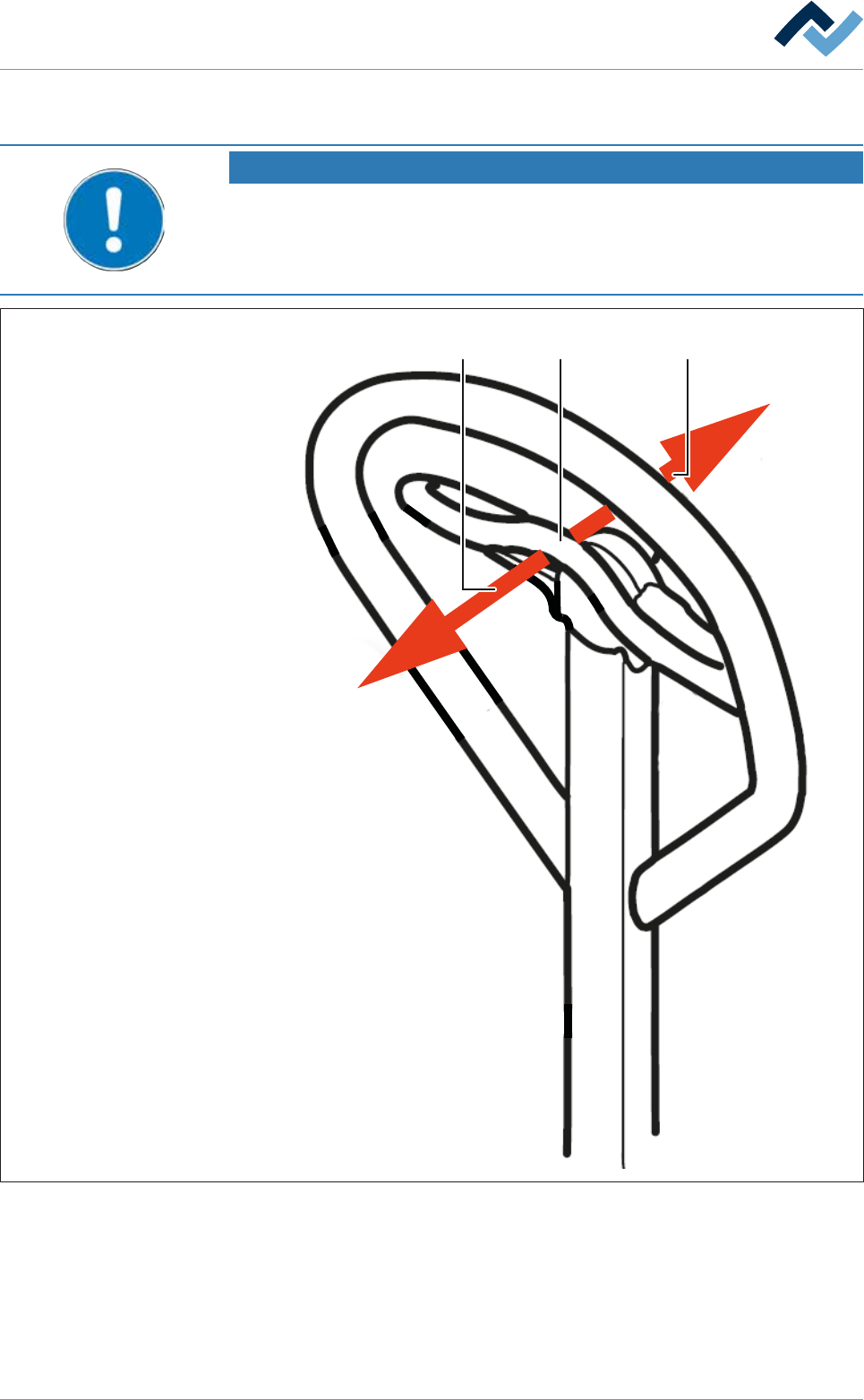
8.11.9.3 Operating the lifting cart with the replacement rack
NOTE
Supplementary documents
Before using the lifting cart for the first time, and in case you have any doubts about
its use, please read the corresponding manuals provided by the manufacturer to be-
come more acquainted with the relevant operating modes.
1 32
Fig.161: Operating the lifting cart
ü To operate the lifting cart.
ü The lifting cart is securely bolted to the replacement rack.
a) Before using the lifting cart for the first time, and in case you have any doubts
about its use, please read the corresponding manuals provided by the manu-
facturer.
Ersa GmbH Operating Instructions_VF335_en|Rev. 14|30/11/2017 423/695