Operating Instructions_VF335_en.pdf - 第240页
6|Function description 6.14.8 The settings dialog [Width adjustment] În this dialog you can set the width adjustment. NOTE Are any changes possible? To access this dialog, the [Module properties] and [Set value pages] …
6|Function description
NOTE
Why are the [Positioning] and [Special positions] frames not displayed?
a) This can have several causes:
ð Your machine does not have a program-controlled width adjustment.
ð The program-controlled width adjustment has not been configured.
ð The [Enable only step mode] checkbox is enabled in the settings dialog.
Ersa GmbH Operating Instructions_VF335_en|Rev. 14|30/11/2017 239/695
6|Function description
6.14.8 The settings dialog [Width adjustment]
În this dialog you can set the width adjustment.
NOTE
Are any changes possible?
To access this dialog, the [Module properties] and [Set value pages] user rights are re-
quired. The settings can only be displayed, without user name and password. In this
case, while the password prompt appears, press the [ESC] key on your keyboard or
click on the [Cancel] button.
ü To open the [Conveyor width adjustment] input dialog:
a) In the [Conveyor width adjustment] frame, click on the
button.
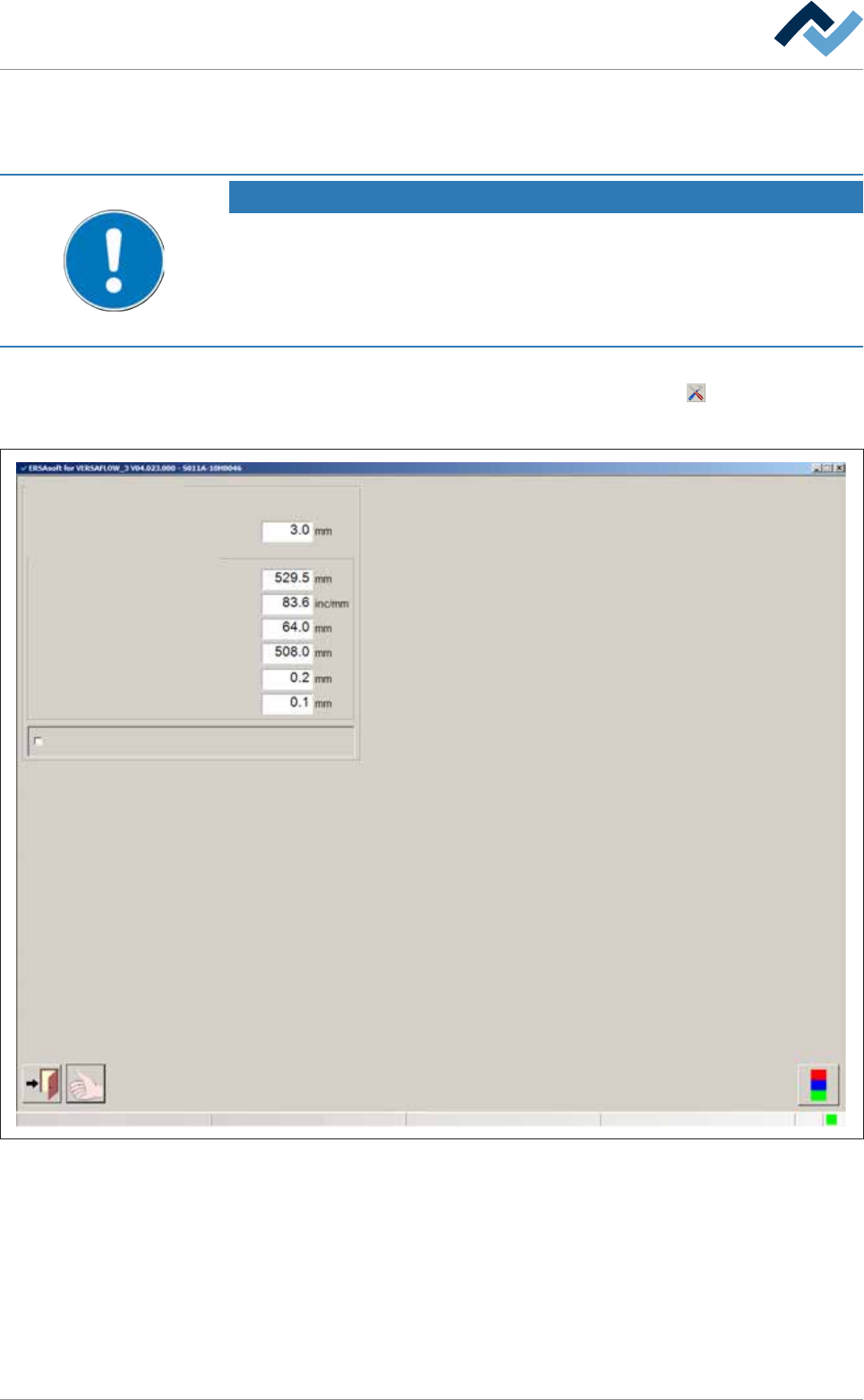
ð The [Conveyor width adjustment] input dialog is displayed:
Conveyor width adjustment
User ersa
Position measuring and ranges
Conveying edge
Offset
Gradient
Position min.
Position max.
Min. difference for positioning
Position window
Enable only step mode
Maintenance mode
Fig.60: The settings dialog [Width adjustment].
ü To set the [Conveying edge]:
a) Enter the width of the conveyor supports (length of chain pins) in [mm] into
the input field.
ð The travel range of the soldering units is limited by this value in order to pre-
vent a collision between the solder nozzle and the conveyor chains. The dia-
meter of the solder nozzle is therefore taken into account. If a conveyor chain
is used with longer chain pins, you need to adjust this value.
Ersa GmbH Operating Instructions_VF335_en|Rev. 14|30/11/2017 240/695

6|Function description
ü To enter the offset value of the width adjustment:
a) After referencing, measure the actual distance between the conveyor rails and
compare it with the displayed [Actual value]
b) If differences result, enter the actual distance into the [Offset] input field.
c) Perform referencing again.
ð The difference will now be taken into account.
ü To change the slope of the characteristic curve:
a) This input field is used for service and diagnostic purposes.
ð It influences the actual value display (slope of the characteristic curve) in the
input dialog [Conveyor width adjustment]
ü To set the minimum/maximum conveyor width:
a) Enter the minimum and the maximum conveyor width into the [Position min.] /
[Position max.] input field.
Ersa GmbH Operating Instructions_VF335_en|Rev. 14|30/11/2017 241/695