Operating Instructions_VF335_en.pdf - 第370页
8|Service and maintenance 8.10.4 Turret bar container (option) Visual inspection, cleaning In the optional turret bar container, the optical cable must be cleaned and the cog- wheel must be checked for wear. Preparatio…

8|Service and maintenance
f) Open the nitrogen supply tap (5) carefully. Check the pressure gauge (7), then
set a pressure of 0.5 bar on the valve (13).
g) Lift the flux material tank (3) and carefully move it back and forth.
ð Prevent any flux material leakage.
h) In the event of flux material leakage or audible wind noise, depressurize the
system.
i) Tighten up leaking connections.
j) Have defective connections replaced by qualified staff.
ð The process has now been completed.
Ersa GmbH Operating Instructions_VF335_en|Rev. 14|30/11/2017 369/695
8|Service and maintenance
8.10.4 Turret bar container (option) Visual inspection, cleaning
In the optional turret bar container, the optical cable must be cleaned and the cog-
wheel must be checked for wear.
Preparation for maintenance
ü The machine is in the operating mode [Maintenance mode] checkbox.
ü The solder is fully melted in the soldering unit.
a) The solder wave is off.
b) Activate the module servicing mode on the console.
ð The solder pot is moved to position [Service].
WARNING
Hot surfaces, hot gases! Burn hazard!
NOTE
Wear protective gloves!
a) Open the hood in the area of the soldering module.
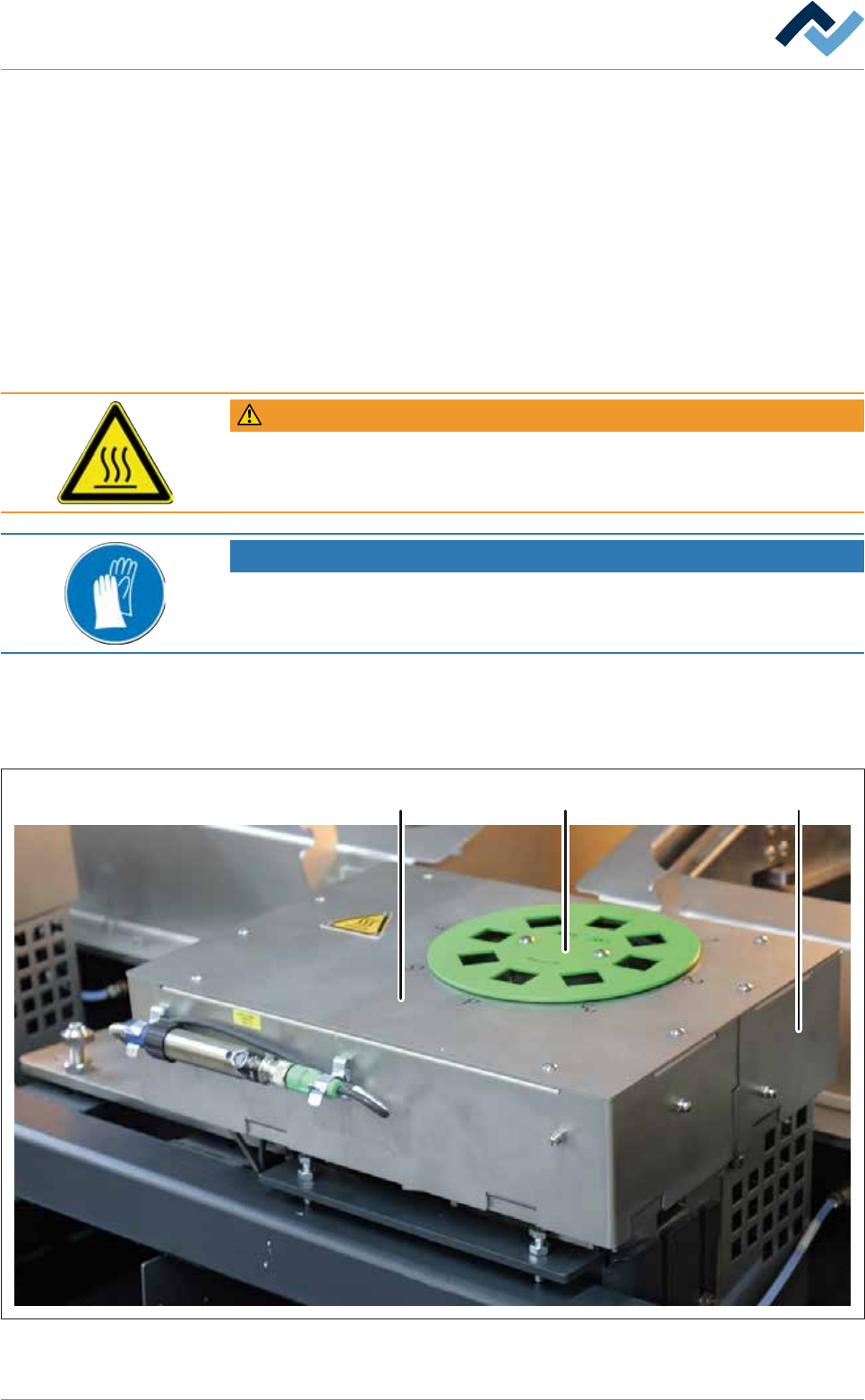
Open the turret bar container, check the cogwheel and clean the optical
fibre
2 31
Fig.130: Turret bar container
Ersa GmbH Operating Instructions_VF335_en|Rev. 14|30/11/2017 370/695
8|Service and maintenance
a) Remove any bars left in the container.
ð A message will appear, stating that the bar container is empty.
a) Unscrew the coding disk (2) using a suitable tool.
b) Unscrew the cover of the bar container (1) using a suitable tool.
(The edge cover (3) can be unscrewed on the rear right edge in order to remove the
optical cable.)
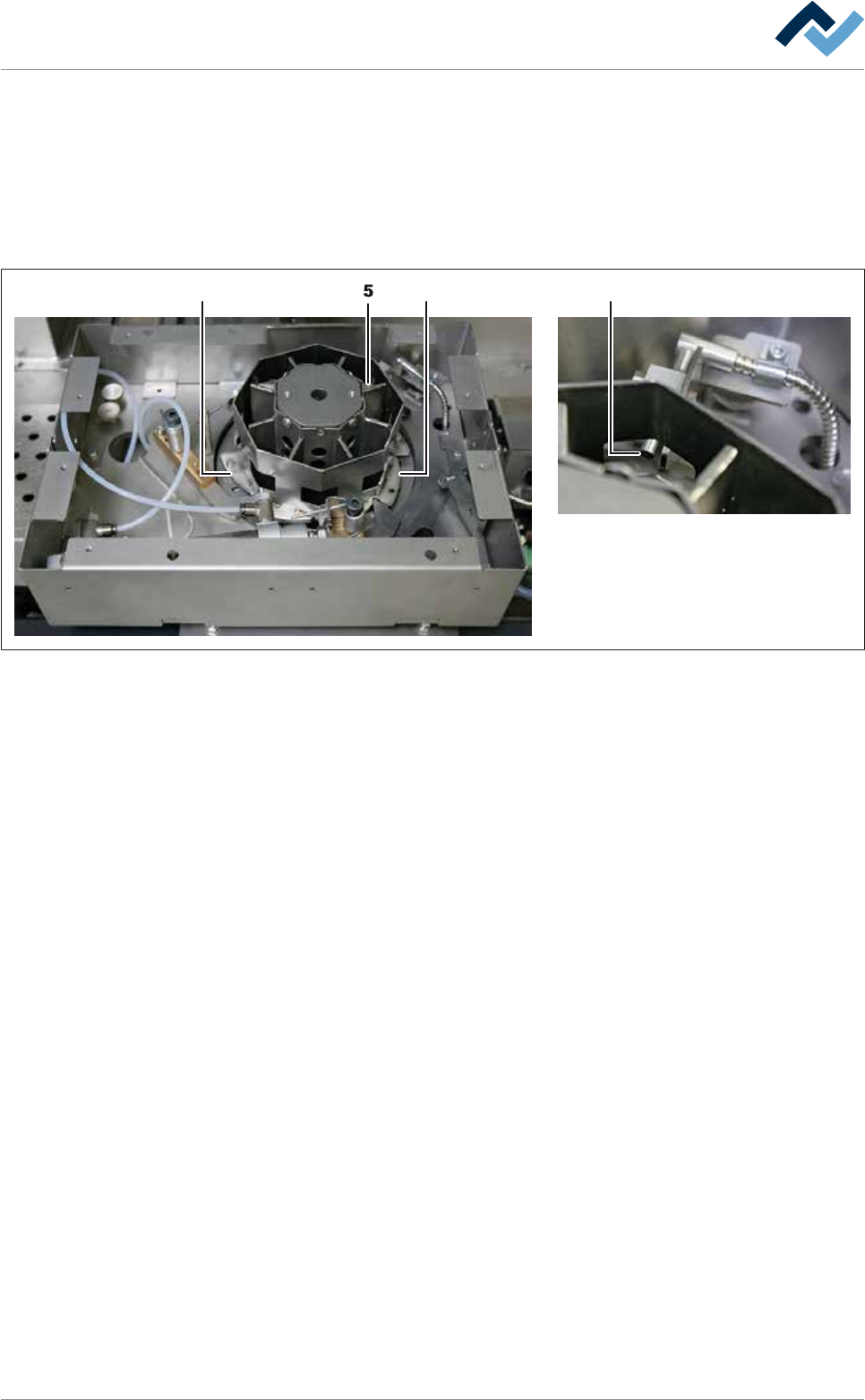
54 4
Fig.131: Turret bar container open
a) Check the cogwheel (4) for wear. If the cogwheel needs to be replaced, have a
specialised technician perform this operation.
b) Clean the opening of the optical cable (5) carefully with a soft, lint-free cloth.
c) Screw the cover of the bar container.
d) Reinstall the optional coding disk.
e) Fill the bar container.
f) Close the hood.
g) Terminate the module service.
h) Open the [Messages] input dialog and check and acknowledge all existing mes-
sages.
ð The process has now been completed.
Ersa GmbH Operating Instructions_VF335_en|Rev. 14|30/11/2017 371/695