Operating Instructions_VF335_en.pdf - 第206页
6|Function description ü Opening the [Code table] edit dialogue: a) click on the button in the top toolbar of the start dialogue. ð The edit dialogue [Code table] is opened: Edit dialog user: none Code table Code table…
6|Function description
6.10 Working with code tables
6.10.1 What are [Code tables]?
This function allows the programme controlled >editing of different, consecutive
components. A code reader at the machine infeed reads the barcode labels on the
PCBs. Depending on the code reader design, standard or 2D codes can be read.
A code table contains data sets which define the assignment of codes to soldering
programmes. Each data set defines the relation of a code to a soldering pro-
gramme. If the read code was assigned to a soldering programme in the code table,
this soldering programme is started. In the [Code table] dialogue, you can create
code tables, fill them with data sets or edit and change existing code tables.
NOTE
Supplementary documents
Please also read the documents in the [Code_Scanner] folder on the data carrier
[product_data_selective], which is included in the delivery.
NOTE
Requirements for automatically soldering with code tables:
ü A board has been placed at the machine infeed
ü The board is provided with a code which has been read correctly
ü The code has been assigned to a soldering program
ü The code reader has been correctly set in the [Code reader] setting dialog. The
[Assignment: code - soldering program] checkbox is active in the [Assignment]
frame.
a) Enable the [Code mode] checkbox.
NOTE
Are any changes possible?
The [Select soldering program] user rights are required to access this dialog. Settings
can only be displayed if no name and password are logged in. In this case, press the
[ESC] key on your keyboard, or click on the button [Cancel] when a password is re-
quired.
Ersa GmbH Operating Instructions_VF335_en|Rev. 14|30/11/2017 205/695
6|Function description
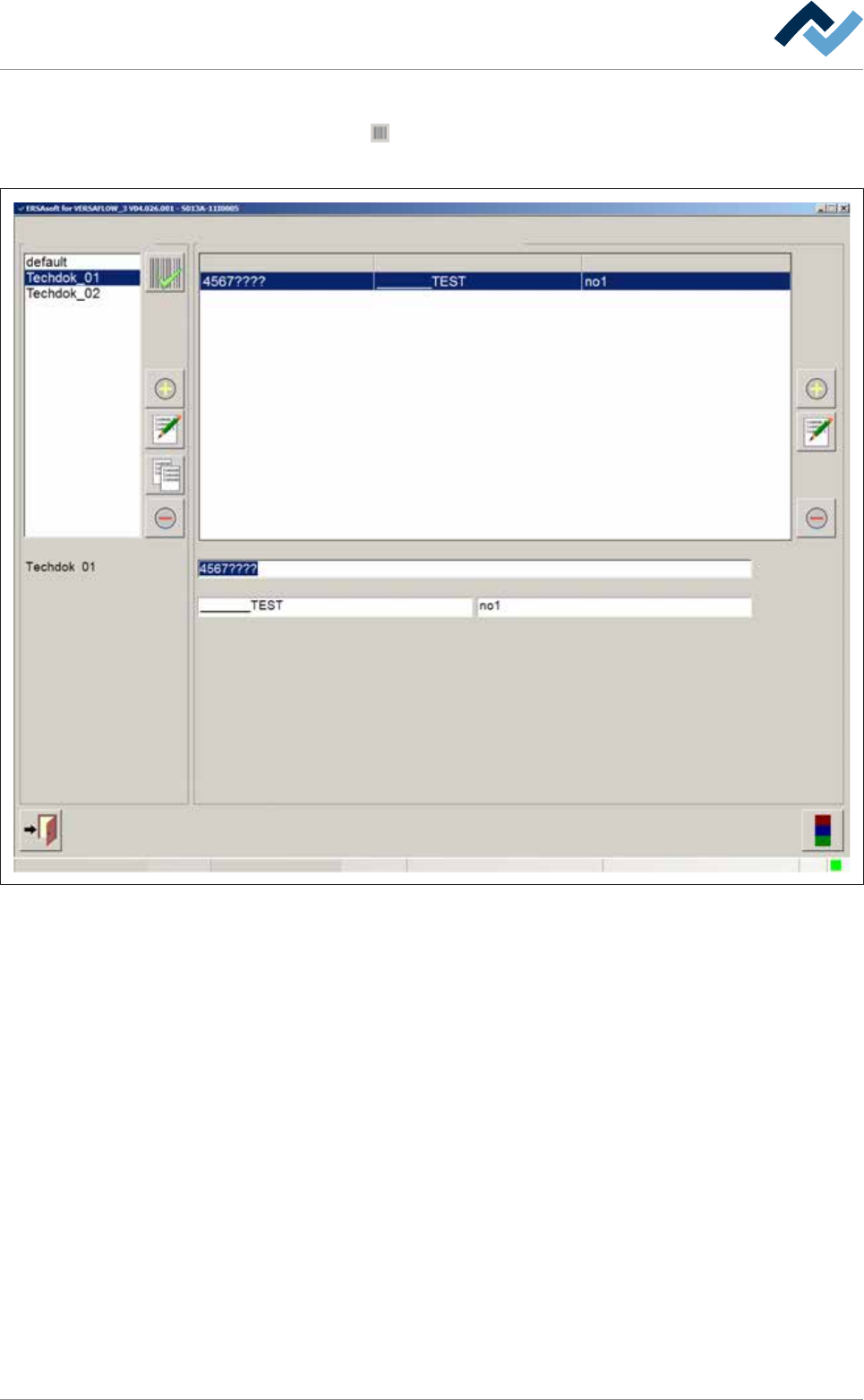
ü Opening the [Code table] edit dialogue:
a) click on the
button in the top toolbar of the start dialogue.
ð The edit dialogue [Code table] is opened:
Edit dialog
user: none
Code table
Code table Assignment: code - soldering program
Code Library Soldering program
Code
Library Soldering program
Activated code table:
Maintenance mode
Fig.49: The input dialog [Code table]
Ersa GmbH Operating Instructions_VF335_en|Rev. 14|30/11/2017 206/695
6|Function description
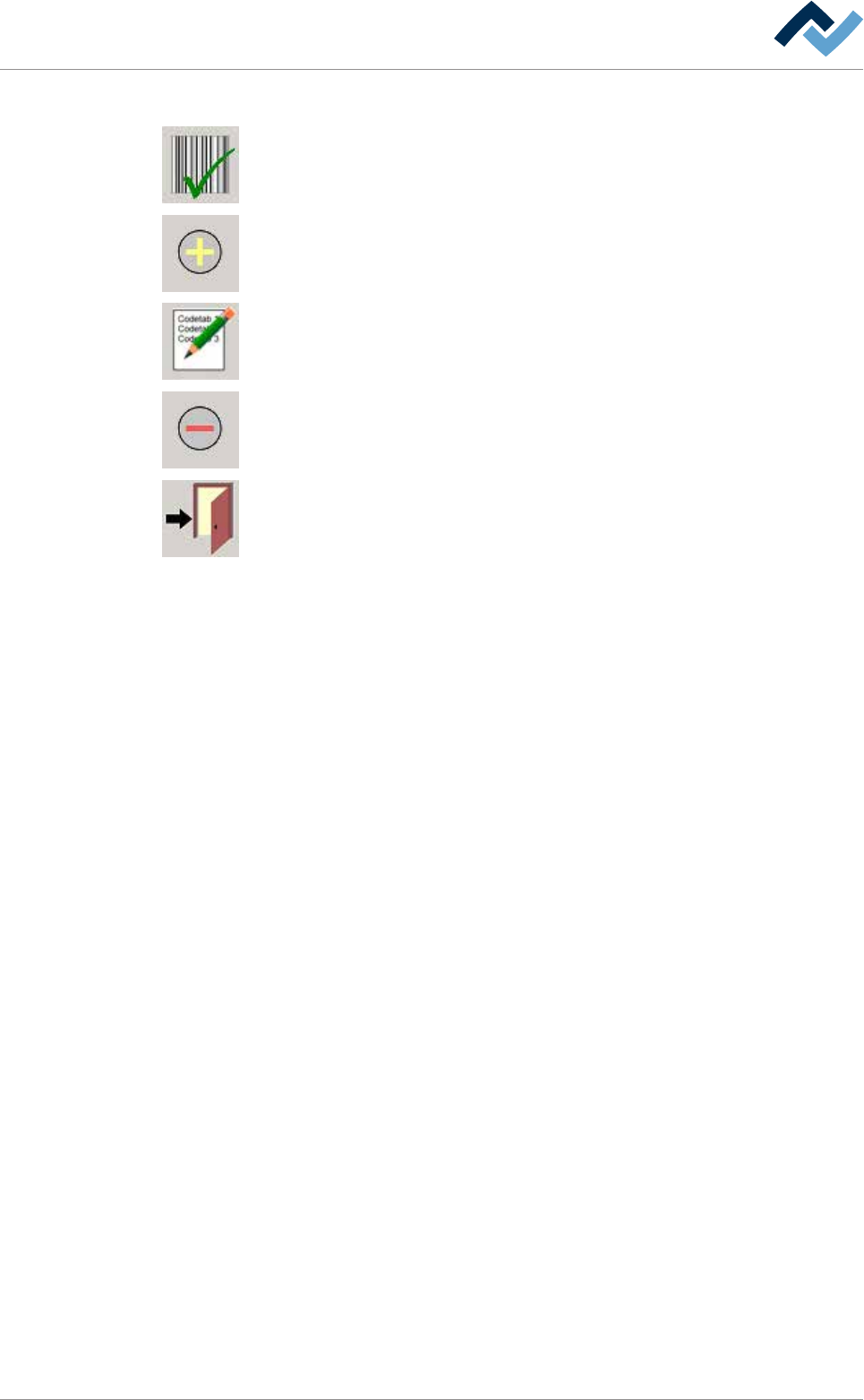
The following buttons are located in the [Code table] input dialog:
Enabling a code table: Clicking on this button enables the selected code tables. The
currently active code table is displayed in the input line.
Adding code tables. Adding code tables and data sets.
Renaming code tables. Renaming code tables and data sets.
Deleting code tables. Deleting code tables and data sets.
It closes the dialog.
Ersa GmbH Operating Instructions_VF335_en|Rev. 14|30/11/2017 207/695