Operating Instructions_VF335_en.pdf - 第158页
6|Function description 6.8 The process recorder The process recorder is used to record readings and to graphically display the re- corded measurement results. You can filter out individual readings to improve clar- ity…
6|Function description
ð The time has been set. If a message is displayed, the horn will signal it for the
time set.
ü Accept settings, close dialogs
a) Click on
to accept a setting.
b) Click on
to close a dialog.
Lamp test
ü Testing the lamps and the horn:
a) Click on the
button.
ð All lights of the signal lamp must be lit. The horn must sound.
The [Search for message text] frame
The [Search for message text] frame is used for service and allows the service per-
sonnel to specifically look for a help text for a displayed message.
ü To select a second language:
a) Select a second language in the dropdown menu.
ð The selected message text is displayed in a second language.
ü To display a message help text:
a) Select a message from the dropdown menu.
b) Click on the
button.
ð If a help text is available for a message, the former is displayed in a new win-
dow.
Ersa GmbH Operating Instructions_VF335_en|Rev. 14|30/11/2017 157/695
6|Function description
6.8 The process recorder
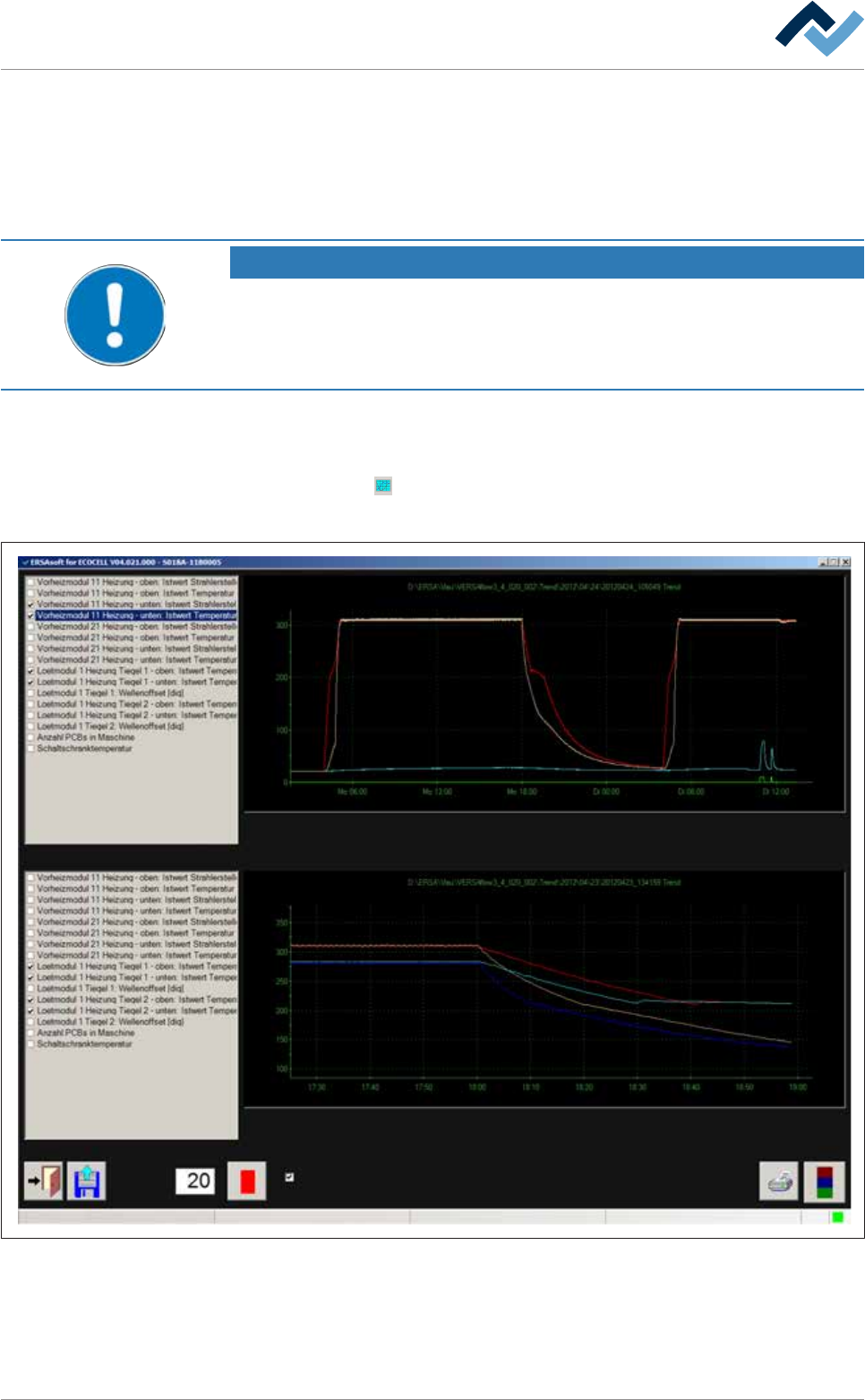
The process recorder is used to record readings and to graphically display the re-
corded measurement results. You can filter out individual readings to improve clar-
ity. Readings are saved automatically and can later be retrieved and printed for
comparison.
NOTE
Are any changes possible?
The [Process recorder] user rights are required access this dialog. Settings can only be
displayed if no name and password are logged in. In this case, press the [ESC] key on
your keyboard, or click on the [Cancel] button when a password is required.
Open the [Process recorder] dialogue
ü Opening a dialogue:
a) Click on the
button in the top toolbar of the start dialogue.
ð The [Process recorder] is opened:
User ersa
Interval
Zoom in
Maintenance mode
Fig.31: The [Process recorder] dialog. Depending on your machine equipment, this illustration may differ from the actual display.
Ersa GmbH Operating Instructions_VF335_en|Rev. 14|30/11/2017 158/695
6|Function description
6.8.1 The bottom toolbar of the process recorder
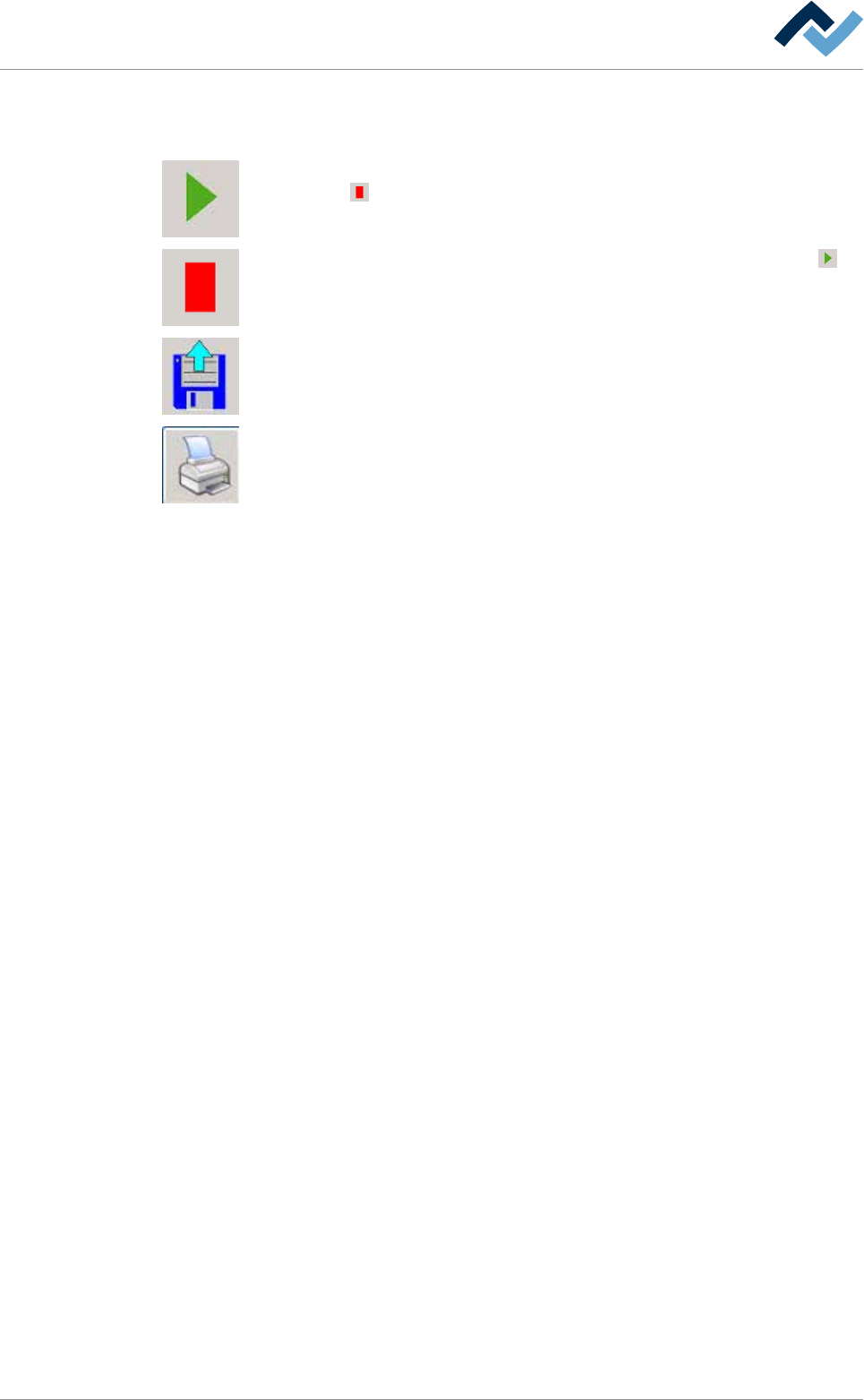
The following buttons are located in the bottom toolbar:
By clicking on this button you can start recording. During recording, the button
changes into
.
By clicking on this button you can stop recording. The button will change into .
By clicking on this button you can import data from a previously recorded process
into the bottom frame of the process recorder.
By clicking on this button you can print the process data.
Ersa GmbH Operating Instructions_VF335_en|Rev. 14|30/11/2017 159/695