Operating Instructions_VF335_en.pdf - 第95页
5|Commissioning Within the Op tion [blu e RESET butto n] Main switch ON Electro nic OFF Electro nic Init Powe r OFF V oltage supply OK V oltage supply OK Check eme rgency-stop Check eme rgency-stop Movemen t OFF Moveme…

5|Commissioning
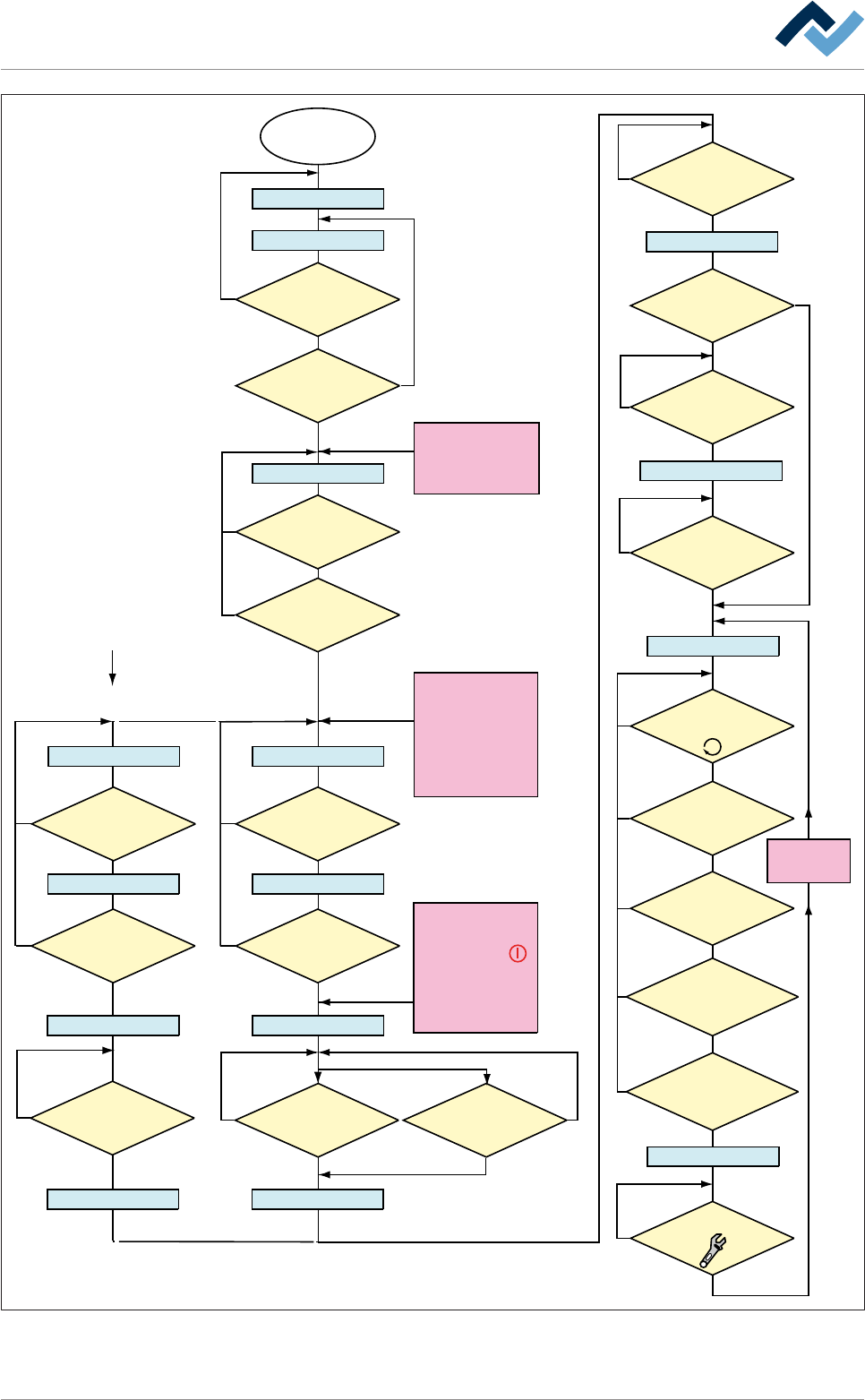
5.2 Machine operating modes
The machine operating modes are shown on the next page.
Ersa GmbH Operating Instructions_VF335_en|Rev. 14|30/11/2017 94/695
5|Commissioning
Within the Option
[blue RESET button]
Main switch
ON
Electronic OFF
Electronic Init
Power OFF
Voltage supply OKVoltage supply OK
Check emergency-stopCheck emergency-stop
Movement OFF Movement OFF
Maintenance mode
Button
[Movement ON] pressed?
No
NoNo
No
No
No
Yes
Yes
Yes
Referencing off all
servo axes OK?
No PCB inside the
machine?
No
Yes
NO message is
pending which prevents the
change to [Automatic]
No
Yes
Has the operator
selected a soldering program?
No
Yes
Yes
No
Yes
Yes
Yes
Has a pre-activate
point been reached, e.g.
[Heating]?
No
Yes
Weekly timer
in ON phase?
Has the blue
RESET button been
pressed?
No
Yes
Yes
Emergency-off OK?
No
Emergency-off OK?
No
Yes
Exhaust air OK?
The following condition also
directly results in
[Voltage supply OK]:
- Emergency-off pushed
OR emergency-off
error
- Weekly timer in OFF
phase AND machine
empty
No error for
[Electronic OFF]
pending?
CAN initializ
ing AND PLC
initializing OK?
Button [Automatic]
pressed?
No
No
Movement ON
Button
[Movement ON] pressed?
No
Yes
Movement ON
Machine Init
Referencing servo axes
Internal: PLC OK?
Referencing
Servo axes OK?
No
Yes
Yes
Yes
No
Yes
Has the
operator started the
referencing of the Servo
axes?
No
Are servo axes
availabe?
No
Supply
voltage OK?
Button
[Maintenance] pressed?
The following condition also
directly results in [Power Off]:
- The
visualization
software version is
outdated.
The following condition also
directly results in
[Movement OFF]:
- The [Movement Off]
key has been pushed
- An error is pending which
results in [Movement off];
e.g. optional CAN device
not configured
The dialog
[...................]
is displayed
Automatic
Flussdiagramm: Die blauen Rechtecke definieren die Betriebsarten der Maschine. Diese Betriebsarten
werden auch in der Statusleiste der Bedienoberfläche angezeigt.
Ersa GmbH Operating Instructions_VF335_en|Rev. 14|30/11/2017 95/695
5|Commissioning
5.3 First commissioning
When all the work described in chapter Transport, installation, storage, disposal
[}59] has been properly done, commissioning can be carried out. Perform the fol-
lowing activities and/or checks in sequence:
5.3.1 Connecting the machine
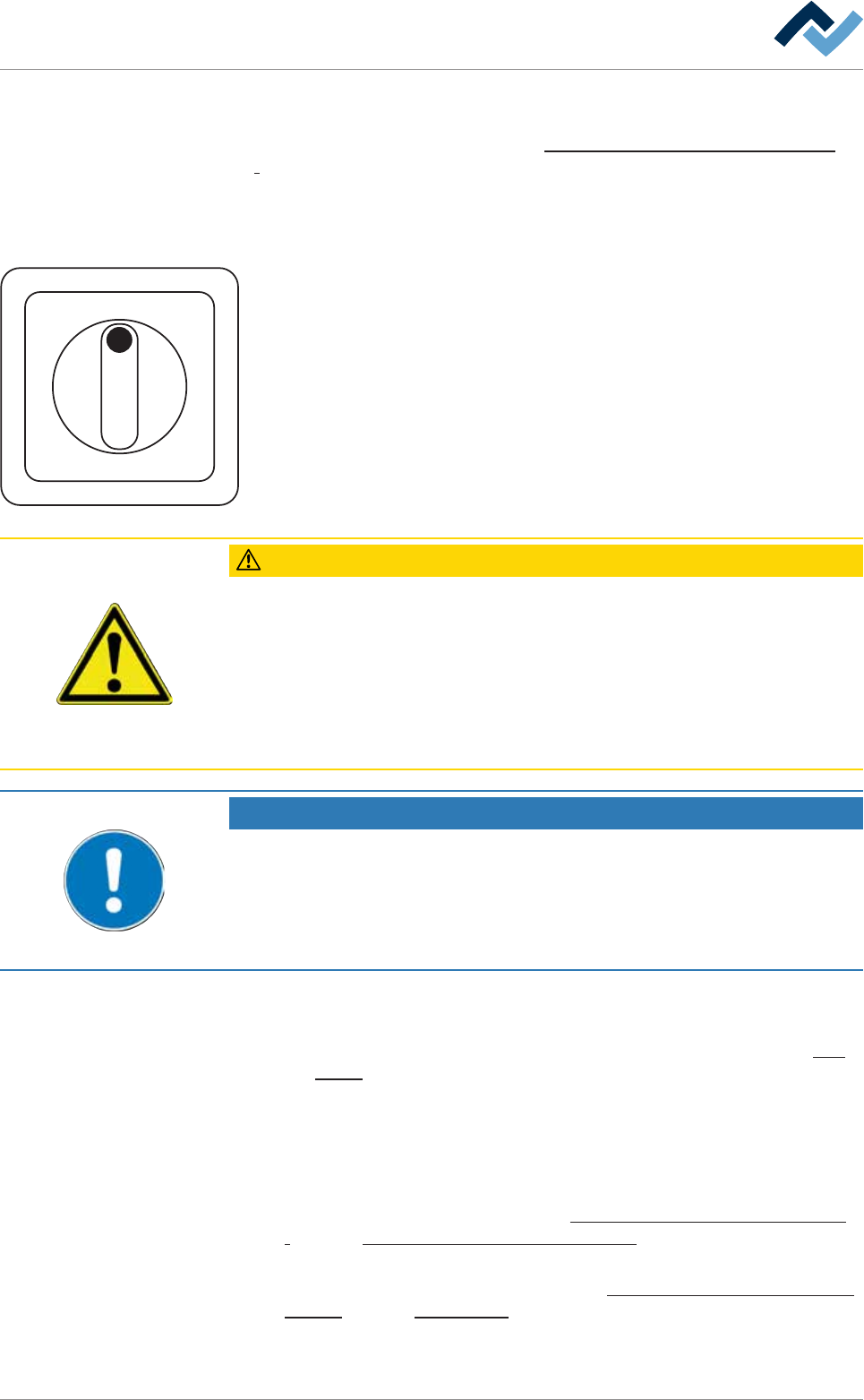
I ON
0 OFF
a) Remove the lock from the main switch. Turn the main switch to the ON posi-
tion.
b) Switching on the undervoltage supply (UVS, optional)
c) Switch on the PC.
ð The following operations are now running automatically:
a) The PC operating system is started.
b) The machine software is started.
c) Die PLC is started.
ð This process can take up to five minutes.
CAUTION
Risk of property damages!
ü If the machine has been switched off via the main switch, do not restart it imme-
diately.
a) Wait at least for three minutes!
b) Only when this time has elapsed is it possible to restart the machine!
ð Failure to observe this requirement may lead to damages to the electronic equip-
ment of the machine, to the PC and to the UPS!
NOTE
Charge the battery
If the error message [battery empty] is displayed after turning on the machine, the
battery of the undervoltage supply unit must be charged for approx. three hours.
a) Leave the machine in this state.
b) Proceed to commissioning only after this process.
ü If the blue RESET key is present on the terminal:
a) Press the blue RESET key.
ð The machine is now in[Power off] operating mode; see status bar or flow
chart [}94].
ð The process has now been completed.
5.3.2 Adjust pneumatic and nitrogen pressure
a) Adjust the correct pressure of the nitrogen supply on the maintenance unit.
With regard to this, also read Chapters Connection to an inert gas supply unit
[}86] and Protective gas technology (nitrogen) [}26].
b) Adjust the correct pressure of the compressed air supply on the maintenance
unit. With regard to this, also read Chapters Connection to the compressed air
supply [}85] and Pneumatics [}26].
Ersa GmbH Operating Instructions_VF335_en|Rev. 14|30/11/2017 96/695