Operating Instructions_VF335_en.pdf - 第322页
8|Service and maintenance 8.6.2 Suction in the process room visual inspection 1 ü To check extraction: a) With the extraction system activated, reach with your hand into each extrac- tion nozzle (1). ð If extraction is…
8|Service and maintenance
8.6 Maintenance work to be performed weekly
8.6.1 Checking the EMERGENCY STOP function
Activation of the EMERGENCY STOP pushbutton stops dangerous movements im-
mediately. The EMERGENCY STOP function is available at any time and in all opera-
tion modes.
DANGER
Dangerous electrical voltage!
Serious injury or death from electric shock!
ü The emergency STOP pushbutton does not disconnect the machine power supply!
Individual parts of the system are energized even if the emergency stop pushbut-
ton has been activated!
a) Do not use the emergency STOP pushbutton to disconnect the machine from
voltage!
b) Always switch the machine off using the main switch.
Checking the function
ü Checking the EMERGENCY STOP function
a) Set the machine to the [Maintenance mode] operating mode.
b) Activating an EMERGENCY STOP pushbutton.
c) Opening the edit dialogue [Messages]:
ð the [Emergency stop] message must be displayed.
ð The red light of the signal lamp must flash.
ð If the EMERGENCY STOP button has been pressed, dangerous machine
movements are no longer possible. The machine must then be in the
[Voltage supply OK] operating mode.
d) Release the EMERGENCY STOP pushbutton again.
ð If the blue RESET button is available on the terminal:
e) press the blue RESET button.
f) Acknowledge the machine software message.
g) Repeat the procedure for all available EMERGENCY STOP buttons.
ð The process has now been completed.
When EMERGENCY STOP is triggered due to a malfunction,
ü reset the EMERGENCY STOP:
a) eliminate the malfunction.
b) Close all doors, hoods and covers of the machine.
c) Opening the edit dialogue [Messages]:
d) release the EMERGENCY STOP pushbutton again.
ð If the blue RESET button is available on the terminal:
e) press the blue RESET button.
ð The process has now been completed.
Ersa GmbH Operating Instructions_VF335_en|Rev. 14|30/11/2017 321/695
8|Service and maintenance
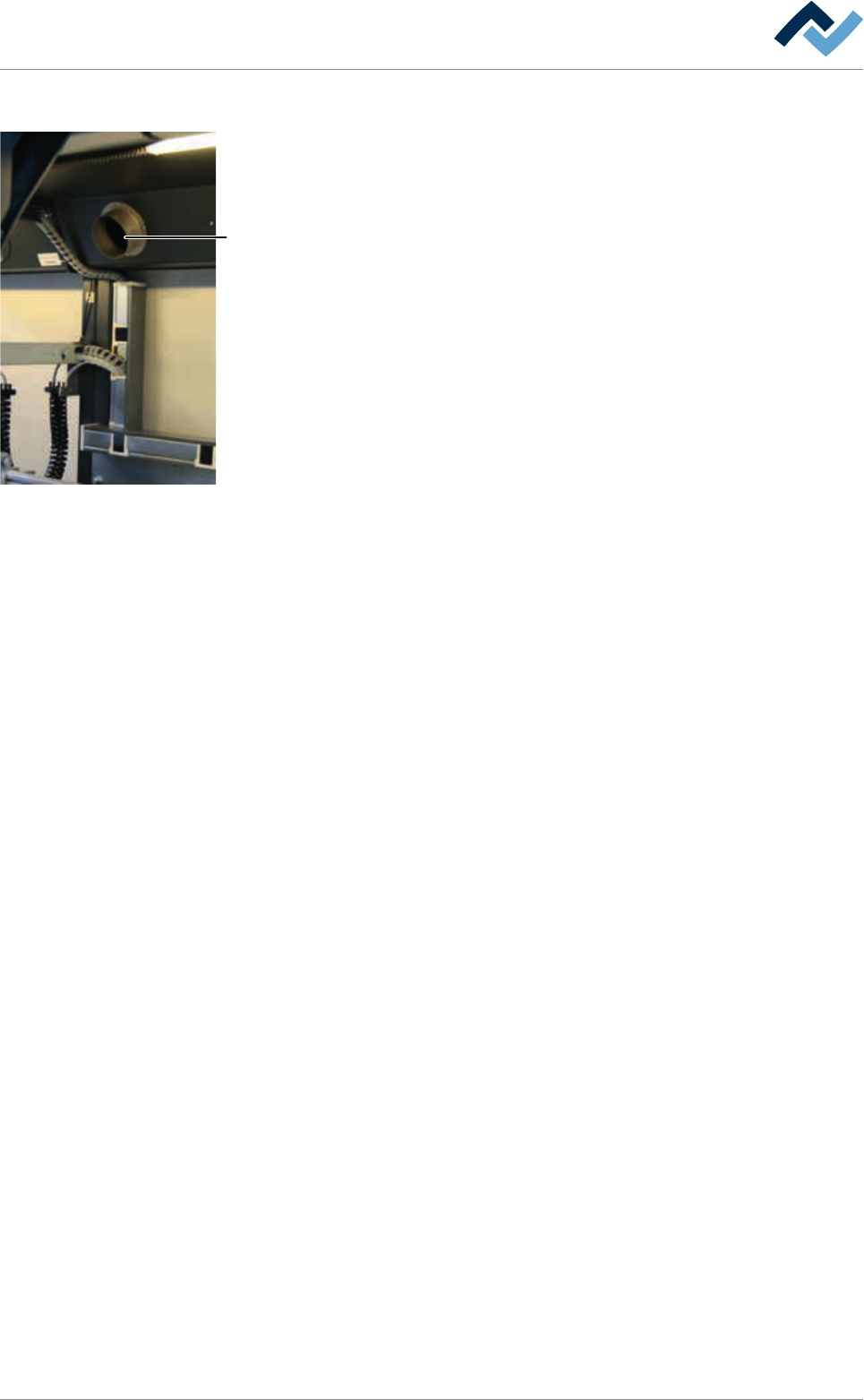
8.6.2 Suction in the process room visual inspection
1
ü To check extraction:
a) With the extraction system activated, reach with your hand into each extrac-
tion nozzle (1).
ð If extraction is correct, an air flow can be felt.
b) Clean clogged extraction pipes. Replace damaged extraction pipes.
c) Visual inspection of all extraction connections.
ð Connections must be tight.
d) Tighten loose hose clamps. Replace damaged hose clamps.
ð The process has now been completed.
Ersa GmbH Operating Instructions_VF335_en|Rev. 14|30/11/2017 322/695
8|Service and maintenance
8.6.3 Suction in the flux material storage space visual inspection
ü Check the suction in the flux material storage space
a) Open the doors and hoods in the flux storage space.
ð Wear a wrist grounding strap and connect it to the equipotential bonding
of the machine.
ð In the storage space for the flux material tank there is a suction opening:
b) With the suction system switched on, reach into the suction opening with your
hand.
ð You can feel an air flow if the suction system works correctly.
ð If no airflow is felt in the suction opening:
c) Have the suction system checked by qualified staff.
ð A suction hose is connected to the outer wall of the flux material storage
space:
d) Perform a visual inspection of the suction hose.
e) Have any damaged or worn suction hose replaced by qualified staff.
f) Perform a visual inspection of all suction connections.
ð Connections must be tight.
g) Tighten any loose hose clamps and replace any damaged hose clamps.
ð The process has now been completed.
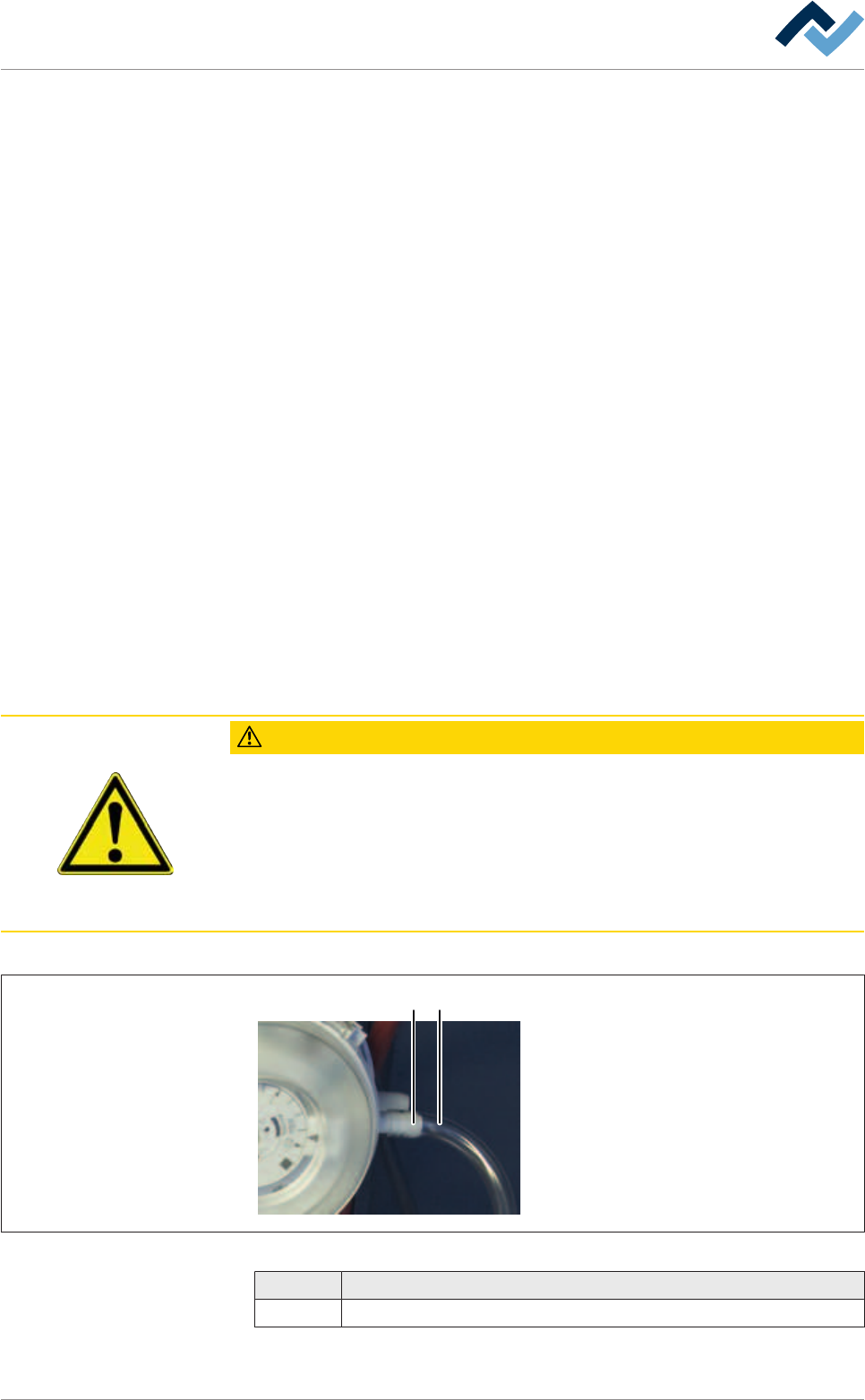
8.6.4 Checking the function of the differential pressure switch (suction)
CAUTION
Accident risk!
ü Before starting service work:
a) Never carry out activities for which you are not qualified!
b) First read the [Safety instructions] chapter and become familiar with its content!
c) Wear protective equipment!
d) Keep the required tools and supplies ready!
2 1
Fig.98: A differential pressure switch of the extraction
1 Hose
2 Connection
Ersa GmbH Operating Instructions_VF335_en|Rev. 14|30/11/2017 323/695