Operating Instructions_VF335_en.pdf - 第431页
8|Service and maintenance v) If necessary, connect the removed DIP solder pot to the optional heating sta- tion. With regard to this, also read Chapter Connecting the cold solder pot to the (optional) heating station a…
8|Service and maintenance
ð The solder pot is now moved out of the machine and will automatically
stop in its final position.
l) Release the buttons (14).
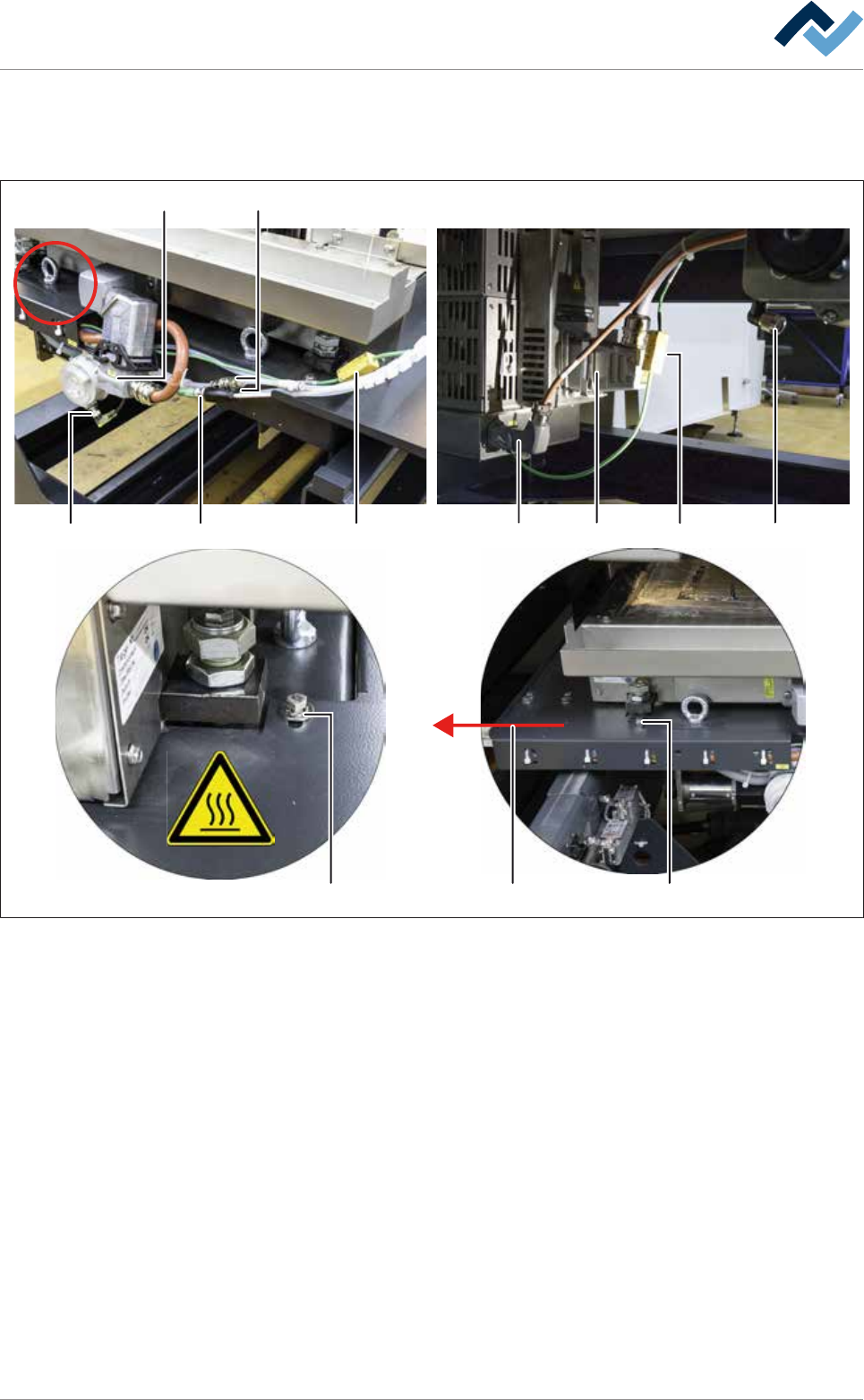
17 16
18 19 21 22 23 24
25 2526
20
Fig.167: Loosen all quick-acting couplings and plug-in connectors
m)Loosen both quick-acting couplings (16).
n) Loosen all eight plug-in connectors (17-24).
o) Loosen both screws (25) of the holder of the cable carrier on the front and on
the rear of the DIP solder pot.
p) Pull the holder of the cable carrier (26) to the left, lift it over the solder pot and
place it forwards in the machine.
q) Secure the solder pot to the replacement rack using the fixing bar.
r) Using the lifting cart, lift the replacement rack until the height (2) is at least 15
mm greater than the height (1) of the DIP soldering module guide rail.
s) Carefully pull the lifting cart away from the machine.
t) Store the replacement rack with the DIP solder pot in a suitable location.
u) Shut off the area around the DIP solder pot with a red and white safety chain
and a warning sign.
Ersa GmbH Operating Instructions_VF335_en|Rev. 14|30/11/2017 430/695
8|Service and maintenance
v) If necessary, connect the removed DIP solder pot to the optional heating sta-
tion. With regard to this, also read Chapter Connecting the cold solder pot to
the (optional) heating station and preheating it [}425].
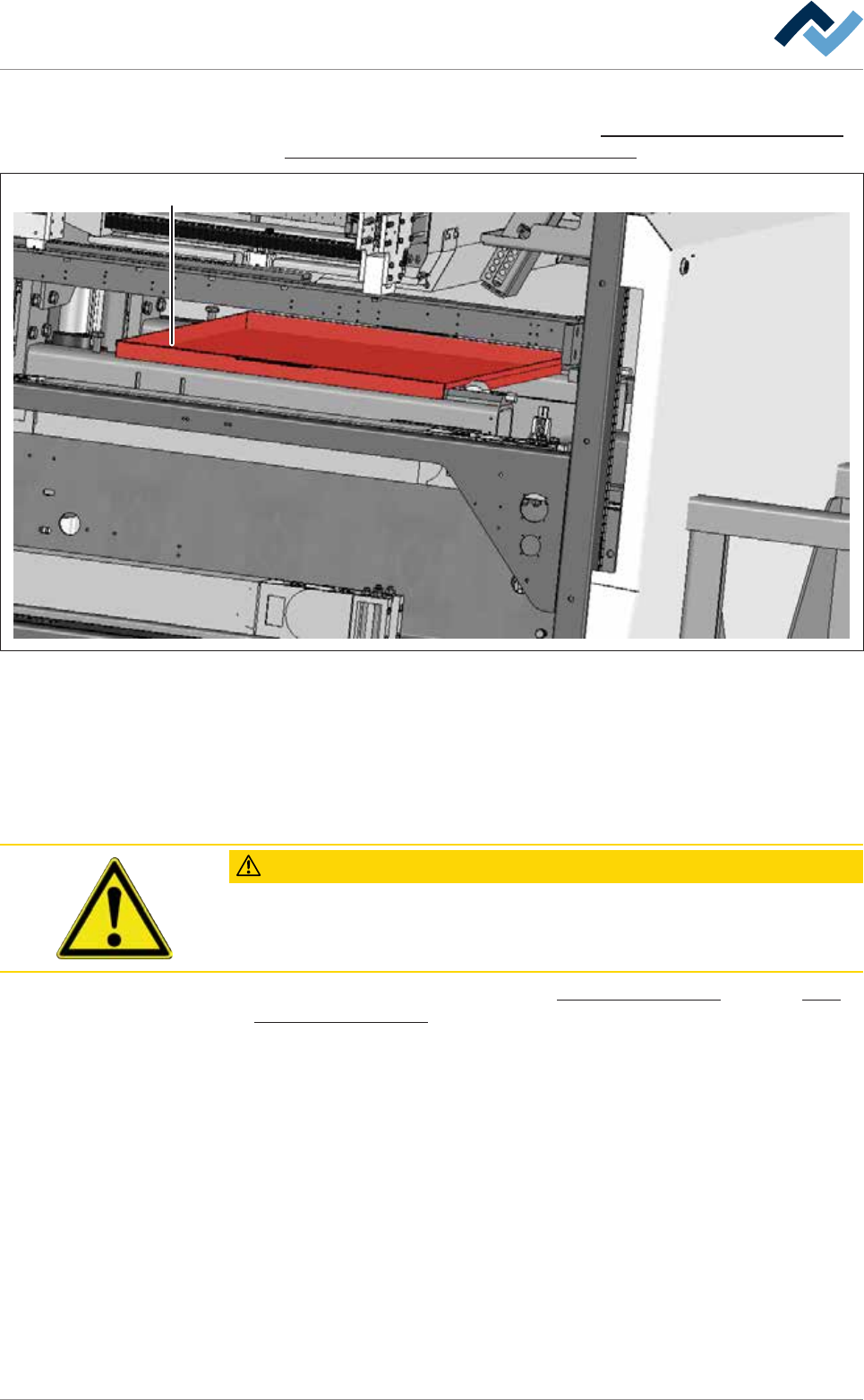
27
Fig.168: Enclosure (27) for cleaning the gassing frame of the DIP soldering module.
w) Push the enclosure (27) under the DIP soldering module.
x) On the machine, clean the gassing frame of the DIP soldering module. Remove
all solder residues.
y) Then remove the enclosure (27) from the DIP soldering module.
ð The process has now been completed.
CAUTION
Contamination of the solder alloy due to solder residues!
Carefully remove all solder residues of the alloy of the removed DIP solder pot in or-
der to avoid any contamination of the new DIP solder pot.
With regard to this, please read Chapters Cleaning agents used [}300] and Tools
and auxiliary materials [}301].
Ersa GmbH Operating Instructions_VF335_en|Rev. 14|30/11/2017 431/695
8|Service and maintenance
8.11.9.6 Inserting the (optionally pre-heated) DIP solder pot into the machine
NOTE
Heating up the solder before replacing the DIP solder pot
The solder can be heated up in the optional heating station before replacing the DIP
solder pot. Here it remains solid, but becomes hot. A safety switch in the heating sta-
tion prevents the solder from heating and liquefying any further.
NOTE
To move the DIP solder pot out of the service position, acknowledge the service
message
To be able to move the DIP solder pot out of the service position, acknowledge the
corresponding service message. Afterwards, you will have five minutes to move the
DIP solder pot out of the service position. During this time, a corresponding notice will
be displayed. If the DIP solder pot has not been moved after this time, a timeout mes-
sage appears. After acknowledging the timeout message, you will have another five
minutes to move the DIP solder pot out of the service position.
ü To insert the (optionally pre-heated) DIP solder pot into the machine:
ü You have donned the required protective clothing.
ü The optional heating station is separated from the DIP solder pot.
ü The bar spacer and the height of the replacement rack have been adjusted ac-
cording to the machine configuration.
ü The traction aid is mounted on the machine.
ü The doors and hoods in the area of the soldering module are open.
ü The cover of the gassing hood is open.
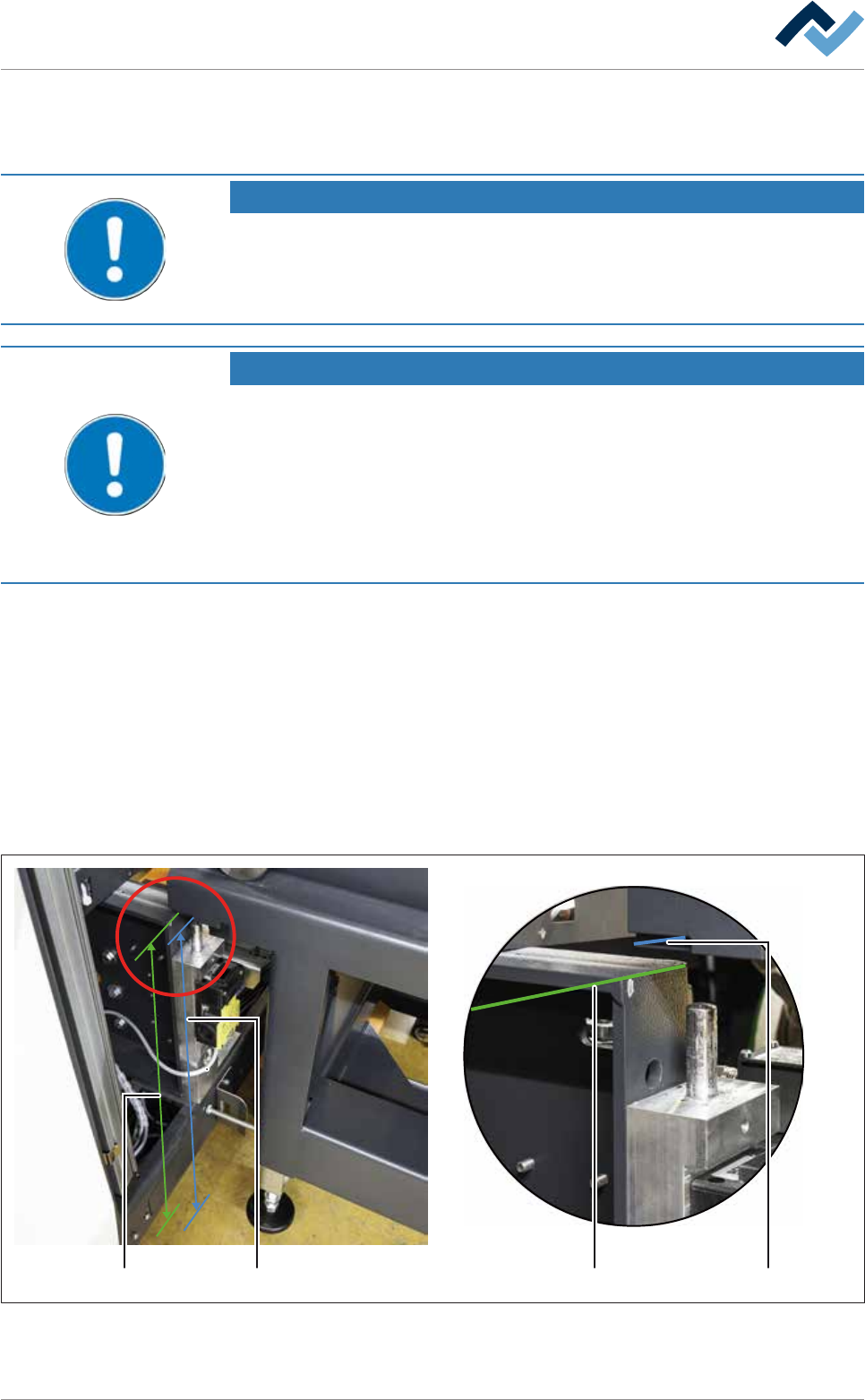
a) Lift the replacement rack with the DIP solder pot using the lifting cart.
211
2
Fig.169: Determine the height of the replacement rack.
Ersa GmbH Operating Instructions_VF335_en|Rev. 14|30/11/2017 432/695