Operating Instructions_VF335_en.pdf - 第354页
8|Service and maintenance 8.8.3 Spray fluxer: Visual inspection of the flux material filter 2 3 3 2 1 Fig.120: Flux material filter ü Visual inspection of the flux material filter: a) Clean a slightly soiled filter (3…

8|Service and maintenance
8.8.2 Backing up all data on the machine
NOTE
Regularly back up data!
– After commissioning, first back up data!
– Back up data on a quarterly basis!
– If the control PC is faulty, your data may be unusable. Back up data on an ex-
ternal disk once a year! Data is stored in the [Data storage] folder. With respect
to this, please read chapter [File path]!
– Document each data backup and store it in a safe place!
ü To perform the data storage of all messages, process data and soldering pro-
grams:
a) Always use an external archive device for data storage.
b) In addition, check the list of users for accuracy and completeness. Check the
permissions of all users and reassign them if necessary.
ð The process has now been completed.
Ersa GmbH Operating Instructions_VF335_en|Rev. 14|30/11/2017 353/695
8|Service and maintenance
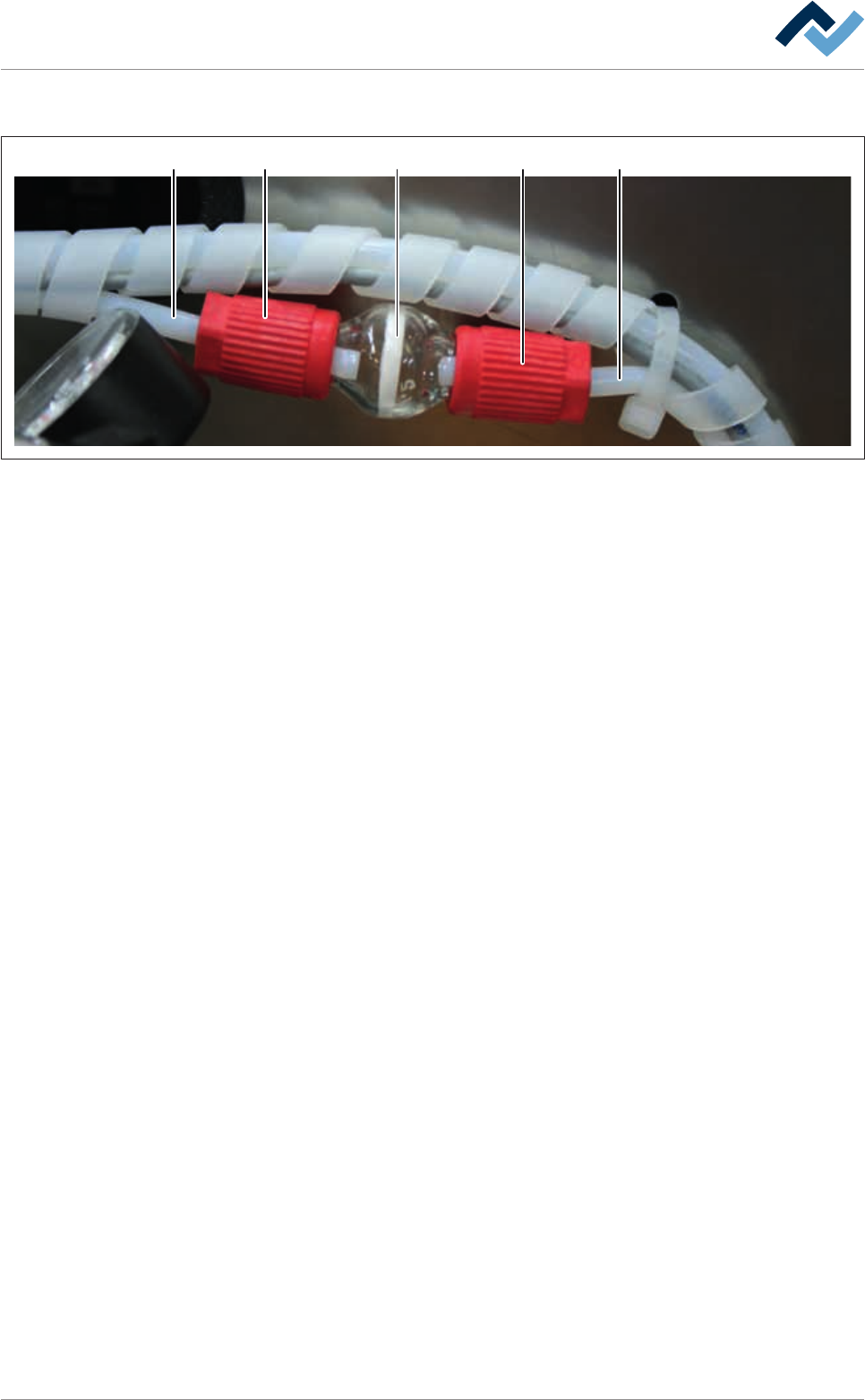
8.8.3 Spray fluxer: Visual inspection of the flux material filter
23 321
Fig.120: Flux material filter
ü Visual inspection of the flux material filter:
a) Clean a slightly soiled filter (3) in an ultrasound bath.
b) Replace a heavily soiled or damaged filter.
c) Then check screws (2) and hoses for tightness.
ð After a filter replacement or after the filter cleaning:
d) Rinse/bleed the system.
ð The process has now been completed.
Ersa GmbH Operating Instructions_VF335_en|Rev. 14|30/11/2017 354/695
8|Service and maintenance
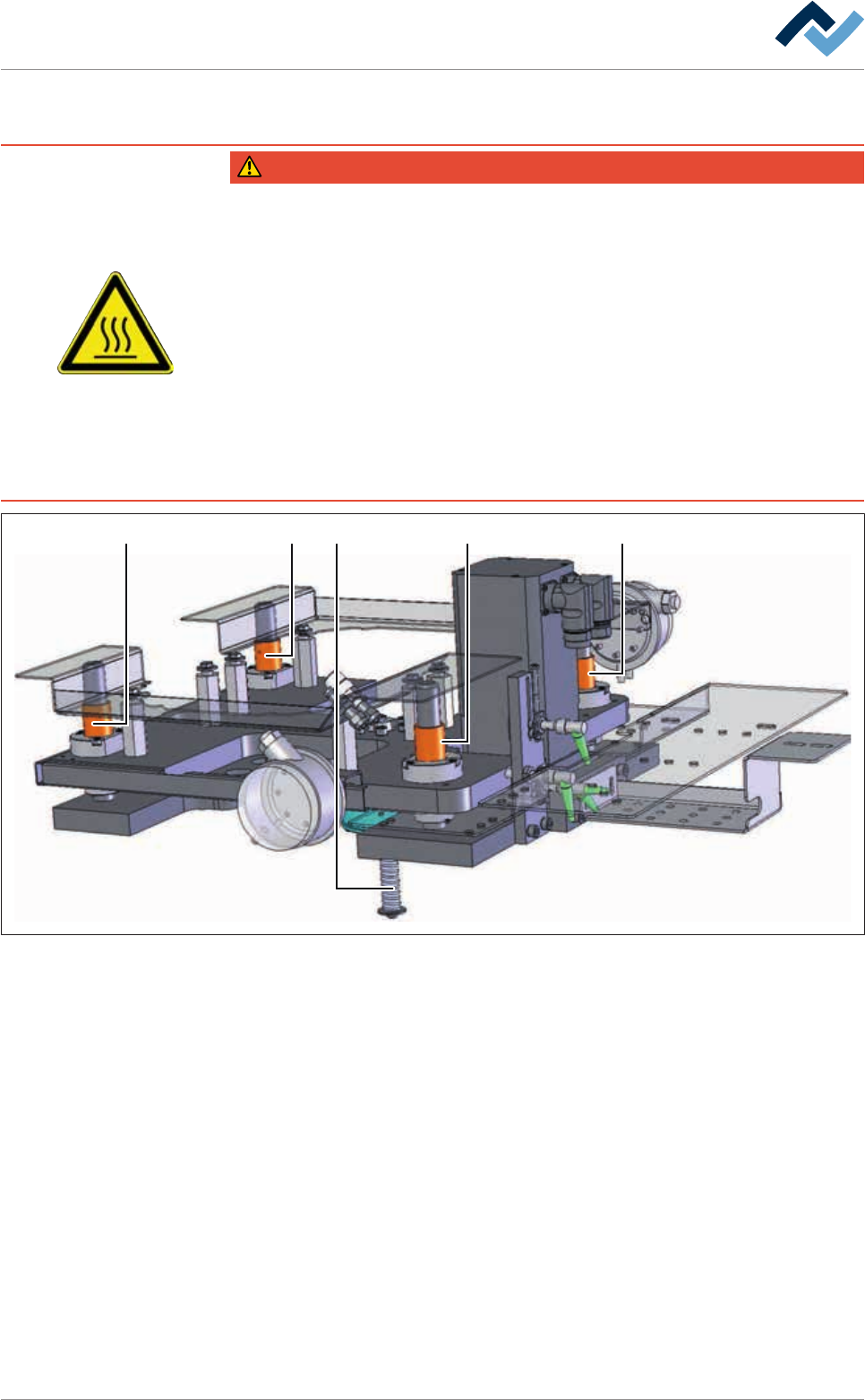
8.8.4 Lubricating the Z-axis of the selective soldering module
DANGER
Severe or fatal injury from hot machine! Hot pot containing molten metal!
ü For any work being carried out, take the following safety precautions:
a) Touching the pot during operation is forbidden!
b) Allow the pot to cool down to room temperature before carrying out service and
cleaning work! On this regard, observe the solder temperature at the machine
terminal!
c) During the solder heating and cooling, molten metal can splash out of the pot!
The machine protective plates must therefore remain closed during heating and
cooling!
d) Open protective plates only when the solder has solidified completely.
e) Service and cleaning work on hot pots must always be carried out by trained and
qualified personnel!
2 2 2 21
Fig.121: Z-axis lubrication
ü Lubricating the Z-axis:
a) Let the machine cool down.
b) Open hoods and doors in the area of the axis systems.
c) Remove and clean any existing blankets.
d) Disconnect conveyors, fluxer and preheat units.
e) Set the machine to the [maintenance mode] operating mode.
f) Open the [Soldering module] input dialog.
g) Reference the soldering module. Then move the soldering module to the
[Maintenance position] position.
h) Clean the jack screw (1) with a lint-free cloth.
i) With the grease brush, evenly dispense a 1 cm long strand of grease on the jack
screw.
j) Close the front casing door.
k) Acknowledge any available error messages.
Ersa GmbH Operating Instructions_VF335_en|Rev. 14|30/11/2017 355/695