Operating Instructions_VF335_en.pdf - 第211页
6|Function description ð The new data set appears in the [Assignment: code - soldering program] win- dow. Ersa GmbH Operating Instructions_VF335_en|Rev. 14|30/11/2017 211/695
6|Function description
Assigning the code to a soldering programme
ü Assigning the code to a soldering programme:
a) click the [Library] input field in the input line to assign the code to a soldering
programme.
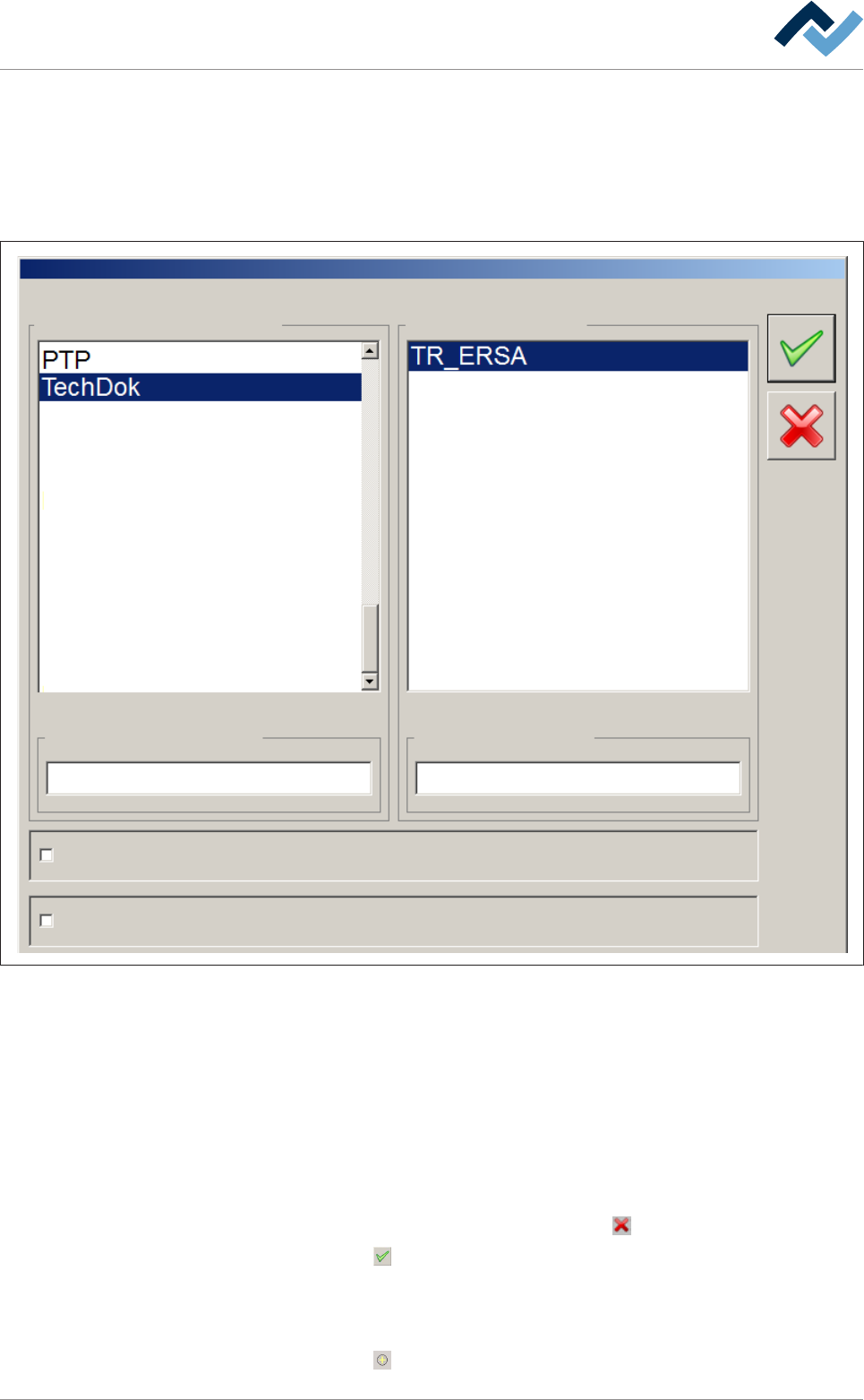
ð The following dialogue is displayed:
Libraries Programs
Libraries selection Program selection
Board simulation
Select soldering program
ec
Code mode
Fig.51: select the soldering programs
Selecting library and programme
ü Selecting a library and a programme contained in it:
a) activate the [Code mode] checkbox.
b) Select the library in which the soldering programme is located in the [Libraries]
frame.
c) Select the soldering programme which is to be assigned to the code in the [Pro-
grams] frame.
d) Should the process be cancelled, click on the
button.
e) Click on the
button.
ð The soldering programme is assigned to the code, and the names of the
library and soldering programme are automatically accepted in the [Lib-
rary] and [Soldering program] fields.
f) Click on the
button in the [Programs] frame
Ersa GmbH Operating Instructions_VF335_en|Rev. 14|30/11/2017 210/695

6|Function description
ð The new data set appears in the [Assignment: code - soldering program] win-
dow.
Ersa GmbH Operating Instructions_VF335_en|Rev. 14|30/11/2017 211/695
6|Function description
6.10.4 How does ErsaSoft analyse the read code?
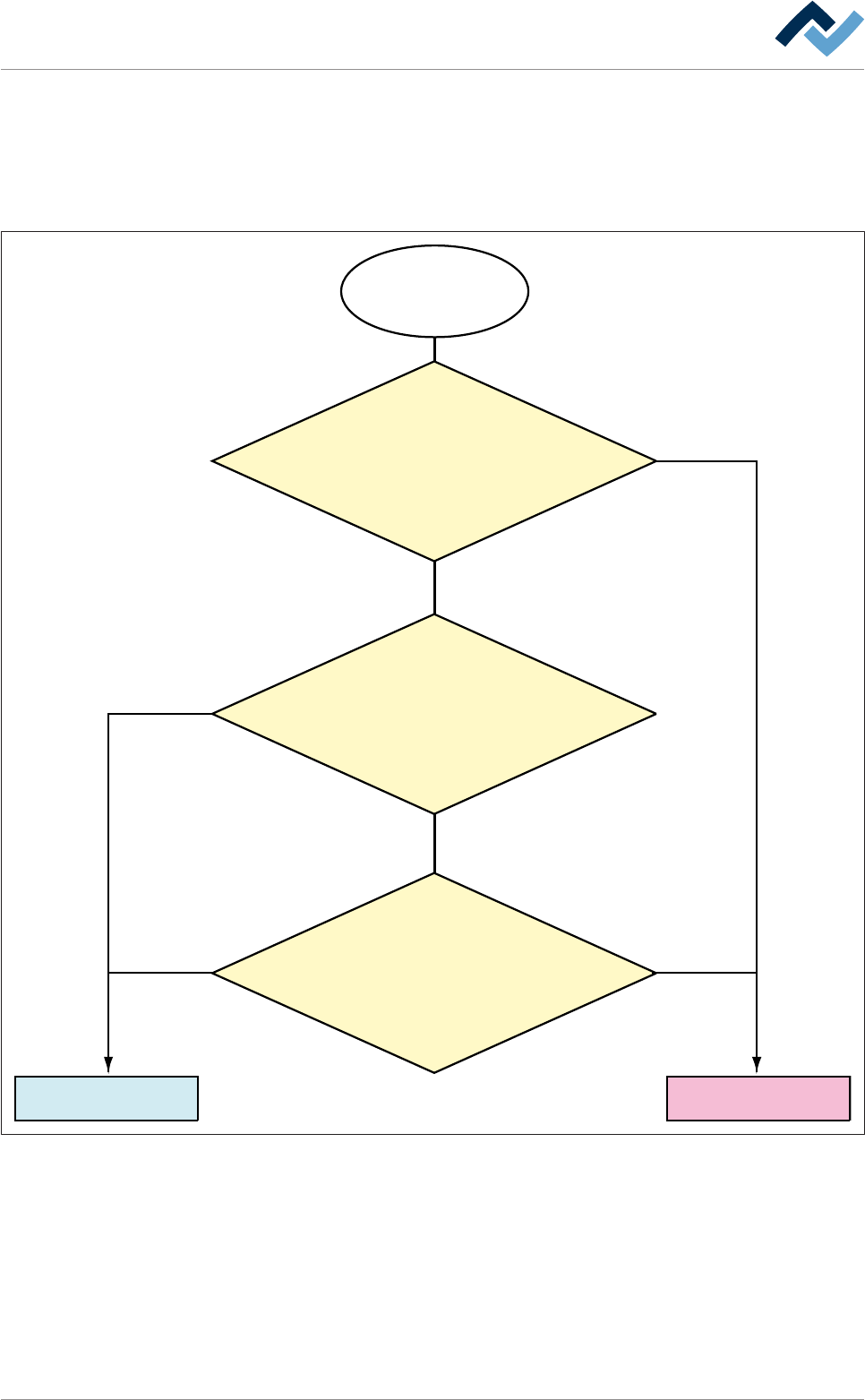
The following flow chart illustrates the sequence of steps in the analysis of the read
code. If a soldering programme can be assigned, this will be launched. If a soldering
programme cannot be assigned, there is either a faulty code reading or, while
adding data, incorrect information was given.
The code is read
and compared
Launch the corresponding
soldering program
Code reading
error
No
No
No
Yes
Yes
Yes
The read code coincides
exactly with the code
in the input field [code]
The first digits in the input field [code]
coincide with the read code,
the following digits were
replaced with wildcards.
The number of read digits
and the number of digits
in the input field [code]
are identical
Ersa GmbH Operating Instructions_VF335_en|Rev. 14|30/11/2017 212/695