Operating Instructions_VF335_en.pdf - 第343页
8|Service and maintenance 8.7.2 Switch cabinets and PC Visual inspection 1 4 2 3 Fig.113: Switchgear cabinet, filter and PC ü To perform a visual inspection of the PC: a) Remove dust and dirt near the ventilation slot…

8|Service and maintenance
8.7.1 Cleaning the machine outside
With regard to this, please read Chapters Cleaning agents used [
}300] and Tools
and auxiliary materials [}301].
ü To clean the machine:
a) visual inspection and cleaning of all box parts and casings.
b) Clean the display with a soft cloth.
ð If heavily soiled:
c) clean the display with a commercially available glass cleaner.
d) Clean the keyboard with a brush and vacuum cleaner.
ð If heavily soiled:
e) use compressed air spray.
ð The process has now been completed.
Ersa GmbH Operating Instructions_VF335_en|Rev. 14|30/11/2017 342/695
8|Service and maintenance
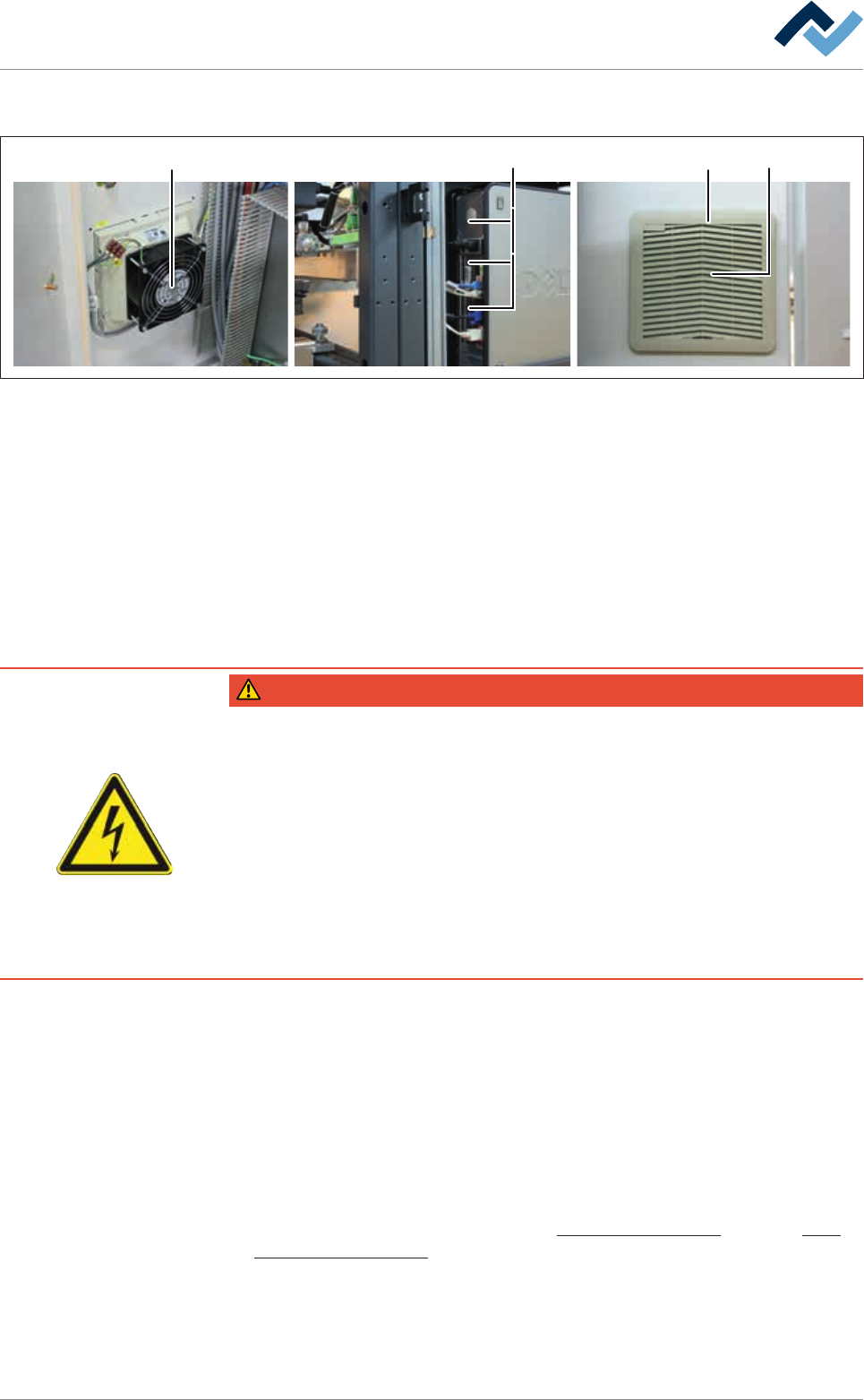
8.7.2 Switch cabinets and PC Visual inspection
1 42 3
Fig.113: Switchgear cabinet, filter and PC
ü To perform a visual inspection of the PC:
a) Remove dust and dirt near the ventilation slots with a vacuum cleaner.
b) Check cable and connections. Check if all plug connectors are firmly seated.
c) Have damaged lines replaced by specialised staff.
ð The process has now been completed.
ü Visual inspection of the outside of the switch cabinets.
a) Remove dust and dirt near the ventilation slots with a vacuum cleaner.
ð The process has now been completed.
DANGER
Dangerous electrical voltage!
Serious injury or death from electric shock!
ü Work on the electrical system or the machine electrical devices must be under-
taken only by a skilled electrician or by properly trained people under the supervi-
sion and guidance of a skilled electrician in accordance with the electro-technical
rules.
a) Before opening any housing parts, remove plug from mains!
b) Use only original fuses with the specified current rating.
c) Use only insulated tools.
d) In case of faults in the power supply, switch off the system immediately.
ü Visual inspection of the filter and the inside of the switchgear cabinets:
a) Turn off the machine at the main switch.
b) Open the control cabinet.
c) Visual inspection of the inside of the switchgear cabinet. Remove dust and dirt
near the ventilation slots (1) with a vacuum cleaner.
d) Disassemble and clean the air filter (4).
e) Replace a heavily soiled or damaged filter.
ð The process has now been completed.
With regard to this, please read Chapters Cleaning agents used [
}300] and Tools
and auxiliary materials [}301].
Ersa GmbH Operating Instructions_VF335_en|Rev. 14|30/11/2017 343/695
8|Service and maintenance
8.7.3 Visual inspection of the differential pressure switches
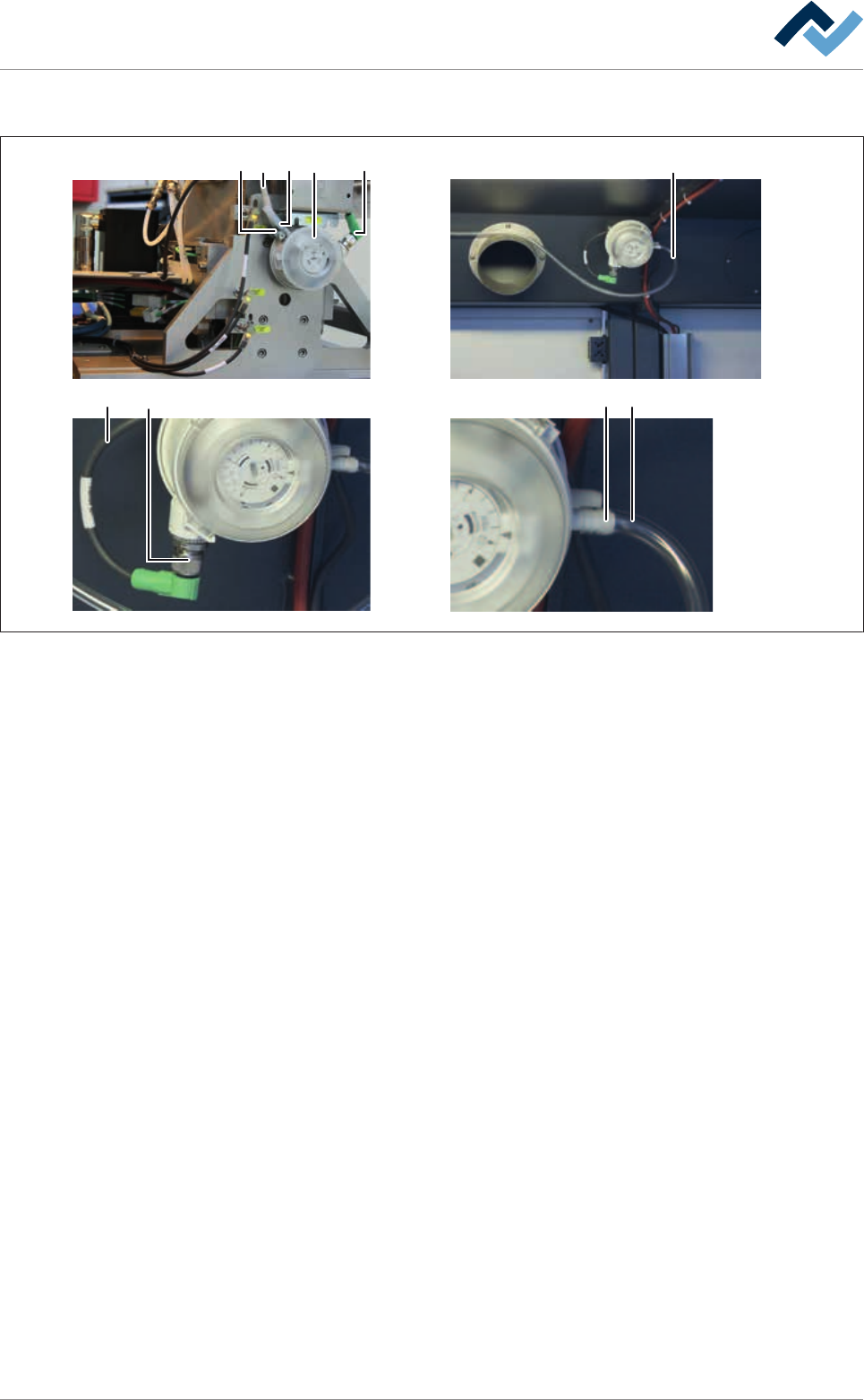
13 326 4
4 25 3
Fig.114: Differential pressure switches
ü Visual inspection of the differential pressure switches:
a) Check hose connectors (2) and hoses (3).
ð The hoses must be soft, flexible and transparent.
b) Have heavily discoloured, porous or hardened hoses replaced by qualified staff.
ð The tubes in the area of the soldering modules are secured with hose clamps
(6).
a) Check the hose clamps (6) on the differential pressure switches. Tighten loose
hose clamps with a suitable screwdriver.
b) Visual inspection of the plug-in connectors (4) and connection lines (5). Have
damaged plug-in connectors and lines replaced by a qualified electrician.
ð The process has now been completed.
Ersa GmbH Operating Instructions_VF335_en|Rev. 14|30/11/2017 344/695