Operating Instructions_VF335_en.pdf - 第190页
6|Function description Nozzle 1 is to be used alone ü If nozzle 1 is to be used alone for fluxing: a) Refer to the table. If nozzle 1 is to be used alone, enter number [1] into the [mode] register. ð If this data set i…

6|Function description
– The [mode] register: Please specify which nozzles will be used for spraying. Use
the table below.
Ersa GmbH Operating Instructions_VF335_en|Rev. 14|30/11/2017 189/695

6|Function description
Nozzle 1 is to be used alone
ü If nozzle 1 is to be used alone for fluxing:
a) Refer to the table. If nozzle 1 is to be used alone, enter number [1] into the
[mode] register.
ð If this data set is processed, the fluxer will spray with nozzle [1].
Nozzle 2 is to be used alone
ü If nozzle 2 is to be used alone for fluxing:
a) Refer to the table. If nozzle 2 is to be used alone, enter number [2] into the
[mode] register.
ð If this data set is processed, the fluxer will spray with nozzle [2].
Example of use
You can use this function if the two nozzles are connected to different flux material
containers: Nozzle 1 sprays flux A, nozzle 2 sprays flux material B.
ü If nozzles 1, 3 and 4 are to be used for fluxing:
a) Refer to the table. If nozzle 1, 3 and 4 are used, enter number [13] into the
[mode] register.
ð If this data set is processed, the fluxer will spray with nozzles 1, 3 and 4.
mode Nozzle 1 Nozzle 2 Nozzle 3 Nozzle 4
1 X
2 X
3 X X
4 X
5 X X
6 X X
7 X X X
8 X
9 X X
10 X X
11 X X X
12 X X
13 X X X
14 X X X
15 X X X X
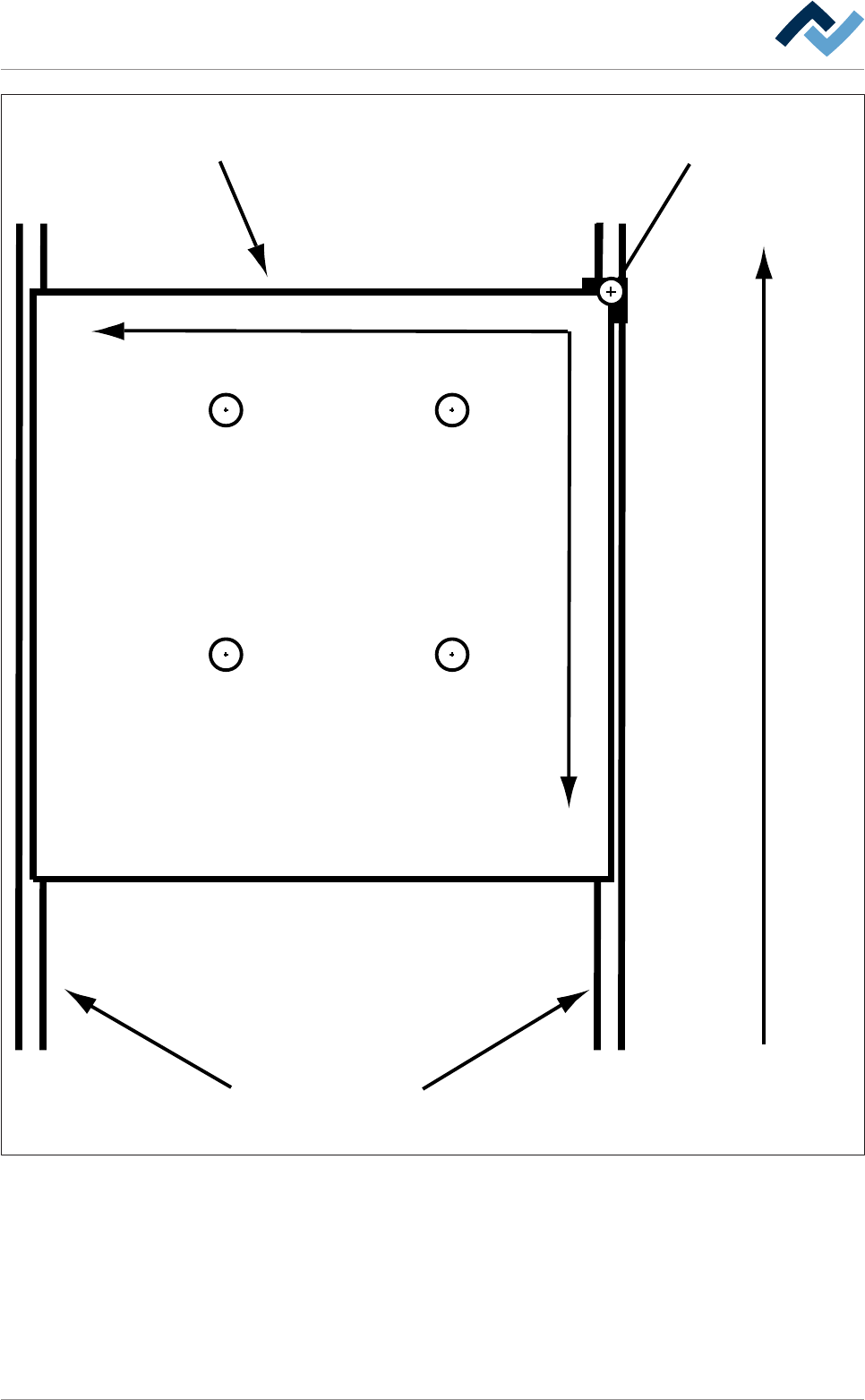
The relating nozzles must be available and configured! Regarding the nozzle ar-
rangement, please consider the following drawing:
Ersa GmbH Operating Instructions_VF335_en|Rev. 14|30/11/2017 190/695
6|Function description
Conveyor direction
Barrier (= Zero point)PCB
Conveyor
+Y
+X
Nozzle 1
Nozzle 2
Nozzle 3
Nozzle 4
Fig.43: Nozzle arrangement
ü To assign the reference point to nozzle 1:
a) Activate the [Fluxer coordinates relate to nozzle 1] checkbox.
ð This action always assigns the reference point to nozzle 1. If, in case of an activ-
ated checkbox, values are entered into the [Endposition X] / [Endposition Y] re-
gisters, nozzle 1 is always moved to this end position; no matter how many
nozzles are available, nozzle 1 is always the reference point if the checkbox is
enabled.
Ersa GmbH Operating Instructions_VF335_en|Rev. 14|30/11/2017 191/695