Operating Instructions_VF335_en.pdf - 第244页
6|Function description b) In the [Soldering unit], click on the button . ð If the machine is equipped with more than one solder pot, this button can also be present more than once. ð The [Soldering unit] input dialog i…
6|Function description
6.14.10 Tutorial: Module maintenance
DANGER
Severe or fatal injury from hot machine!
The entire machine is hot during operation and contains liquid metal!
a) Service on the hot machine may only be carried out by specially trained staff,
qualified for this type of work! For these types of work, a company internal oper-
ating procedure for protective clothing is to be issued!
b) You should always take into account the possibility for metal to spray out!
c) Special care is required when refilling the pot and working on the pot!
Enabling soldering module maintenance
To enable the Module maintenance of the fluxer module, follow the same steps as
those described for enabling the Module maintenance of the soldering module.
ü To enable the Module maintenance of the soldering module,
ü the logged-in user must have the necessary rights.
ü The machine is in the [Maintenance mode].
a) Open the start dialog.
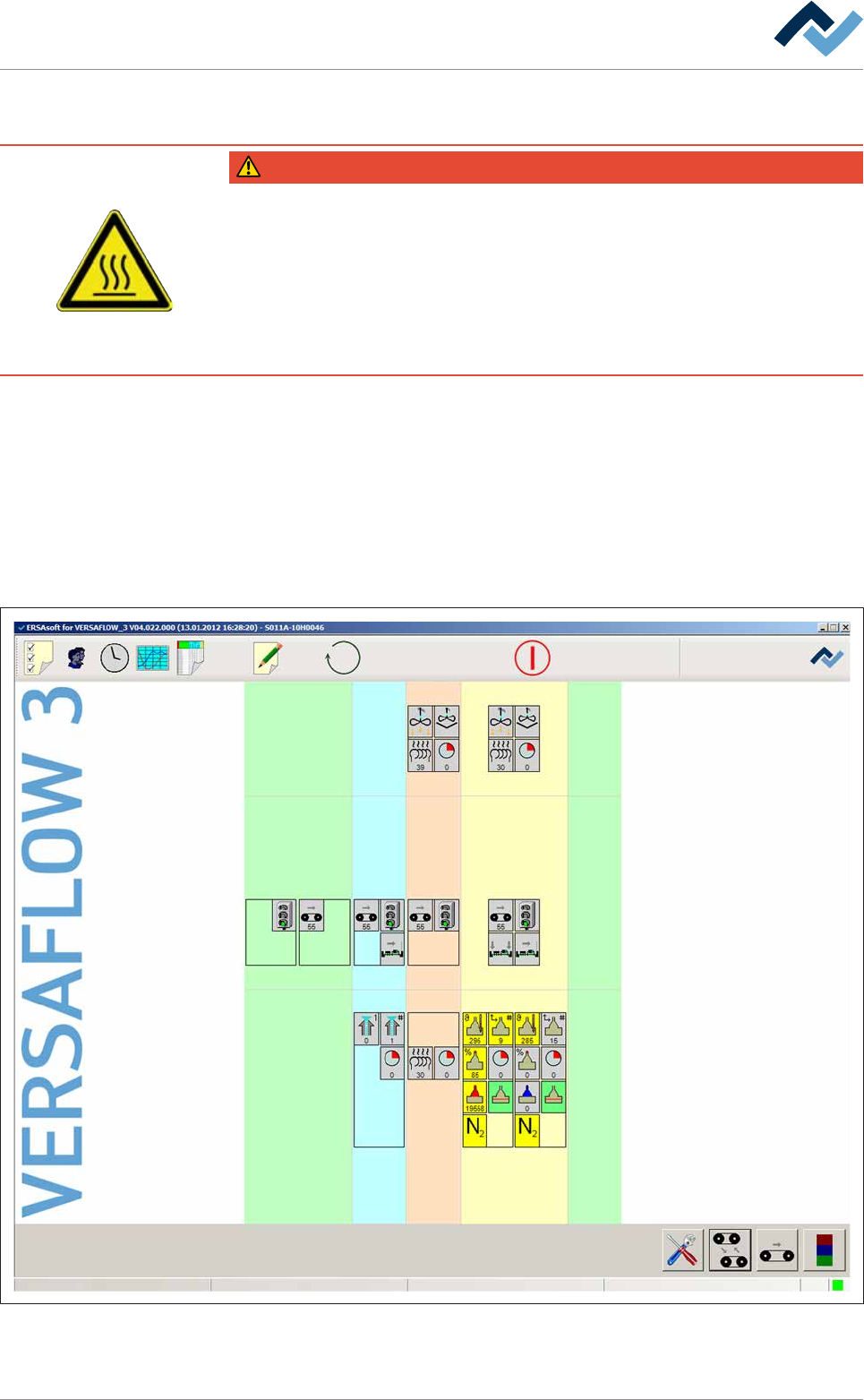
Preheating Soldering module ExitInfeed Infeed unit
Solder pot
user: none
Flux unit
Maintenance mode
Fig.62: The start dialogue of the control software
Ersa GmbH Operating Instructions_VF335_en|Rev. 14|30/11/2017 243/695
6|Function description
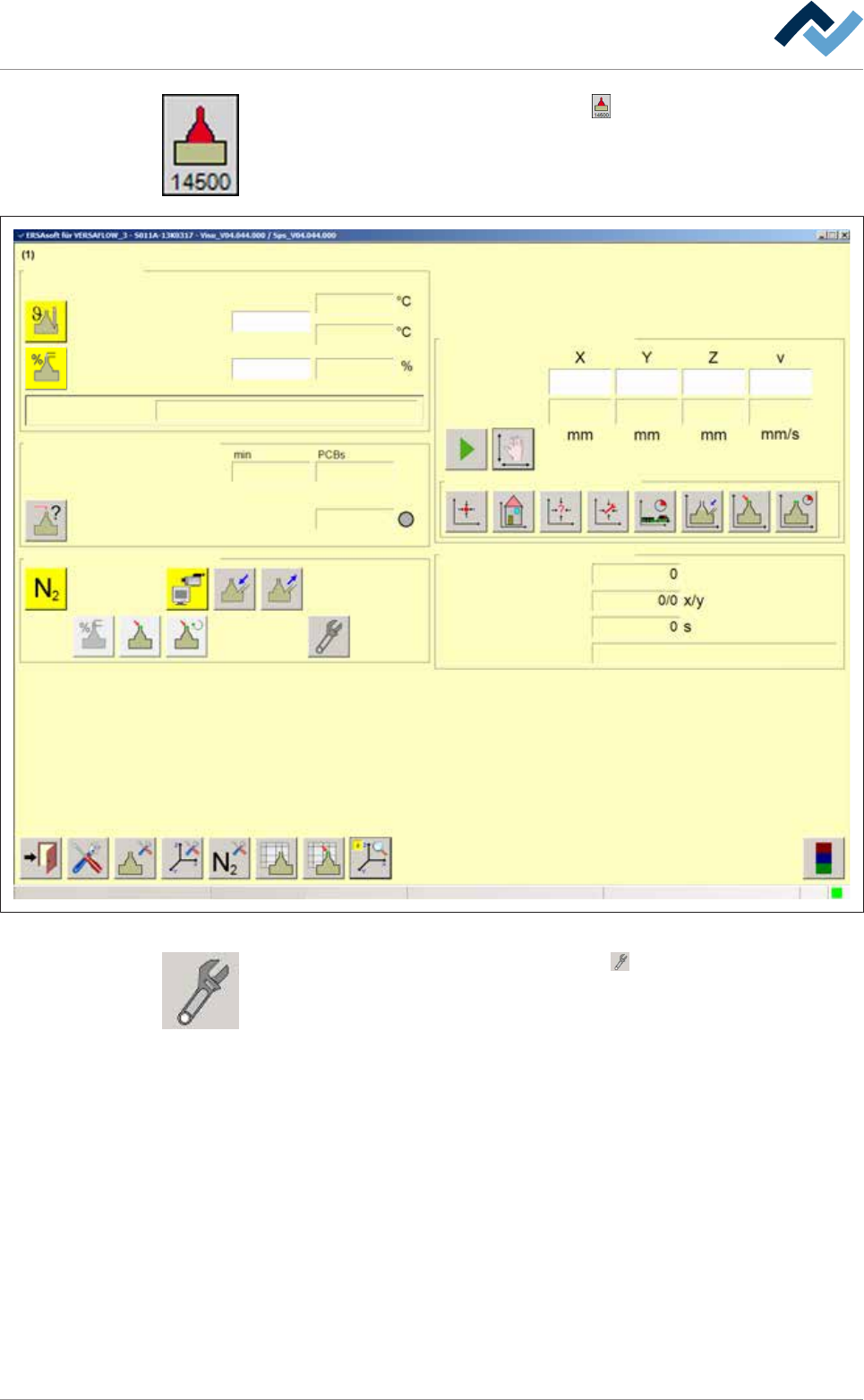
b) In the [Soldering unit], click on the button .
ð If the machine is equipped with more than one solder pot, this button can
also be present more than once.
ð The [Soldering unit] input dialog is opened:
Edit dialog Soldering unit 1 Solder pot 1
Solder pot
user:
none
Maintenance mode
Temperature
Operation mode
Set value Actual value
manual
Module tests
Next test
Wave offset
Switch functions
Manual movement
Set value
Actual value
Automatic positioning
Set no.
Panel
Remaining time
Active tool
Solder
pot 1
Wave power
85
85
295
295
295
007 -
10
3
14616
330.0 -137.0 57.0 100.0
329.8 -136.9 57.1 0.0
Special positions
Fig.63: the [Soldering unit] input dialog
c) In the [Switch functions], click on the button .
ð The Module maintenance is started.
ð While the Module maintenance is started, the button flashes yellow.
ð The soldering material in the module is completely processed. Meanwhile,
the button flashes yellow.
ð As soon as the Module maintenance is active, the button is displayed in
yellow.
ð The process has now been completed.
Ersa GmbH Operating Instructions_VF335_en|Rev. 14|30/11/2017 244/695
6|Function description
NOTE
Open the module doors and windows only if module maintenance has been en-
abled!
Open the module doors and windows only after module maintenance has been en-
abled and the button lights up yellow. If your machine is not provided with the op-
tional door and window interlocking system, all the doors and windows remain locked
and are only unlocked when module maintenance is enabled.
For more information, please also read the relevant chapter Door- and window in-
terlocking system (optional) [}41].
If the module does not move into the service position when Module
maintenance is enabled
Should the module not move into the set service position when module mainten-
ance is enabled, this feature must be enabled in the settings of the module before
enabling the Module maintenance :
a) In the [Soldering unit] input dialog, click on the button in the bottom toolbar
.
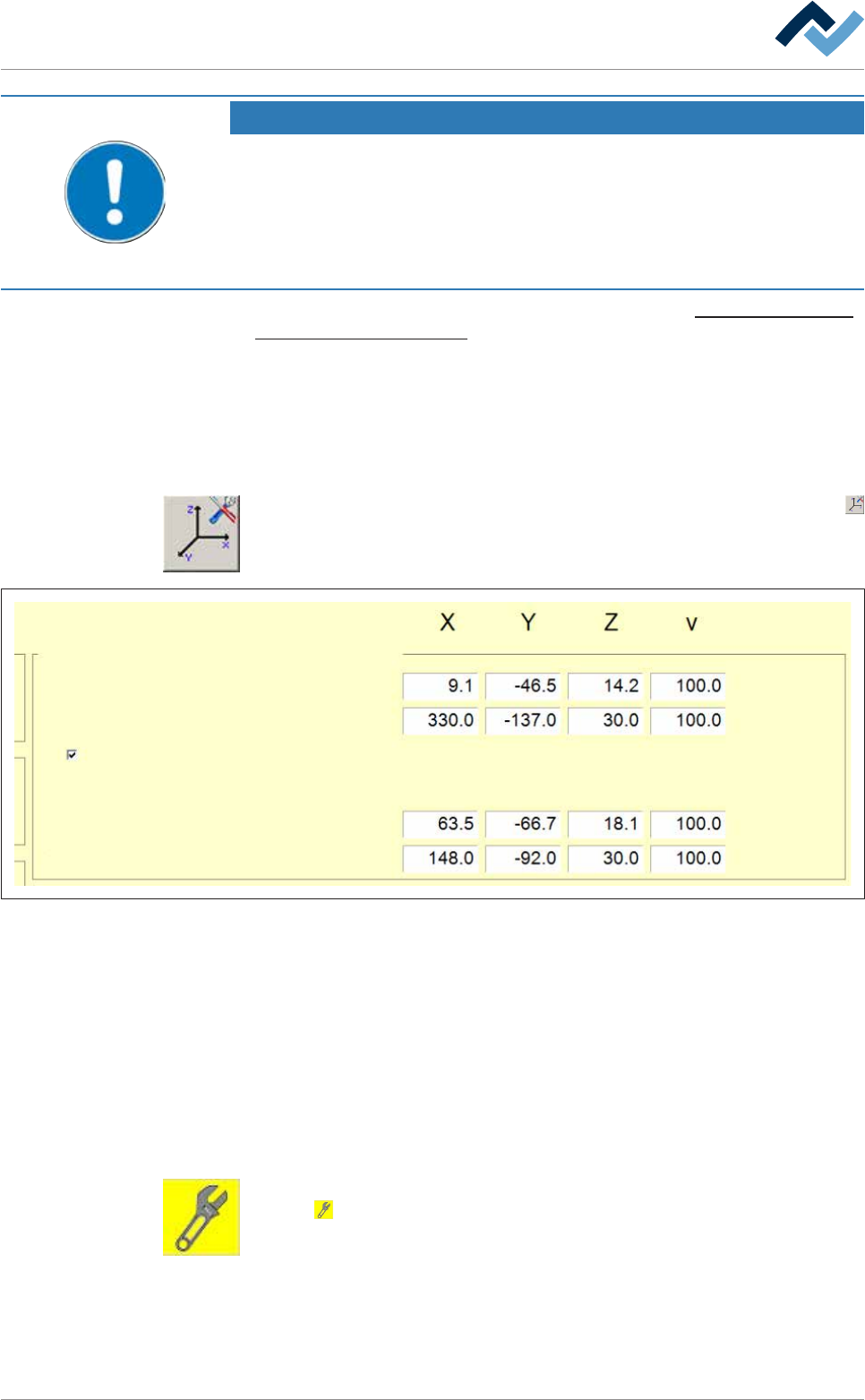
ð The [Soldering unit] input dialog is opened:
Dependence
Test
Activated for module maintenance
Positions Active tool
- -
Service
Dispence
Feeding
Abidance
Dispence
-
-
Fig.64: The [Soldering unit] input dialog
b) In the [Positions: Dependence - Active tool], enable the [Activated for module
maintenance] checkbox.
ð Now, by enabling the Module maintenance the module will move into the
service position.
ð The process has now been completed.
Exiting Module maintenance variable
ü All maintenance operations have been completed.
a) Close all the module doors and hoods.
b) In the [Soldering unit] input dialog, in the [Switch functions], click on the but-
ton
.
ð The Module maintenance is terminated.
ð The process has now been completed.
Ersa GmbH Operating Instructions_VF335_en|Rev. 14|30/11/2017 245/695