Operating Instructions_VF335_en.pdf - 第341页
8|Service and maintenance 8.7 Maintenance work to be performed monthly Ersa GmbH Operating Instructions_VF335_en|Rev. 14|30/11/2017 341/695
8|Service and maintenance
11 1
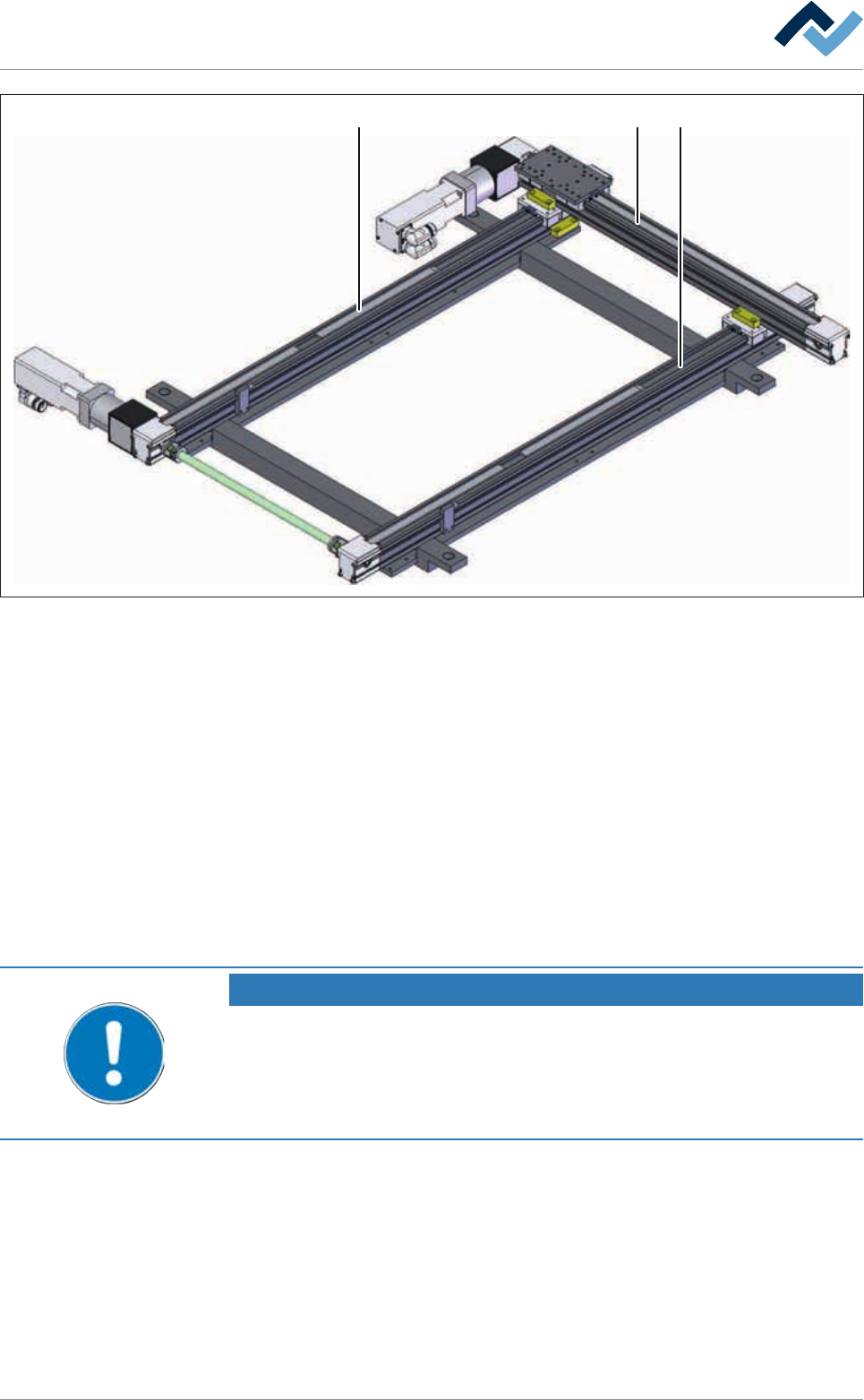
Fig.112: Axis system of the spray fluxer
ü Visual inspection of the axis systems:
a) let the machine cool down.
b) Open hoods and doors in the area of the axis systems.
c) Remove and clean any existing blankets.
d) To clean the coverings (1), use a cleaning agent recommended by the flux man-
ufacturer for the fluxer area.
e) The axis systems can be moved via the control software for testing purposes.
ð Smooth and soft running must be guaranteed.
ð If unusual running noises are detected:
f) Have the axis system checked by qualified staff.
ð The process has now been completed.
NOTE
Supplementary documents
The [190-700013N3] document is necessary for servicing the axis system. Only trained
and qualified ERSA GmbH personnel may carry out the maintenance work described in
that document. The document can be found in the data carrier [product_data_select-
ive]. The document is exclusively available in [german] language.
Ersa GmbH Operating Instructions_VF335_en|Rev. 14|30/11/2017 340/695

8|Service and maintenance
8.7 Maintenance work to be performed monthly
Ersa GmbH Operating Instructions_VF335_en|Rev. 14|30/11/2017 341/695

8|Service and maintenance
8.7.1 Cleaning the machine outside
With regard to this, please read Chapters Cleaning agents used [
}300] and Tools
and auxiliary materials [}301].
ü To clean the machine:
a) visual inspection and cleaning of all box parts and casings.
b) Clean the display with a soft cloth.
ð If heavily soiled:
c) clean the display with a commercially available glass cleaner.
d) Clean the keyboard with a brush and vacuum cleaner.
ð If heavily soiled:
e) use compressed air spray.
ð The process has now been completed.
Ersa GmbH Operating Instructions_VF335_en|Rev. 14|30/11/2017 342/695