Operating Instructions_VF335_en.pdf - 第281页
7|Treatment of messages and malfunctions 7.2 The [Messages] editing dialog The messages administration dialogues allow to clearly display all the messages ap- pearing during the production process. The messages are sim…

7|Treatment of messages and malfunctions
7.1 Displaying messages and errors
Error messages, waiting messages and service messages are displayed in the [Mes-
sage] dialogues.
Ersa GmbH Operating Instructions_VF335_en|Rev. 14|30/11/2017 280/695
7|Treatment of messages and malfunctions
7.2 The [Messages] editing dialog
The messages administration dialogues allow to clearly display all the messages ap-
pearing during the production process. The messages are simultaneously signalled
via the machine signal lamp.
The button
is displayed in each dialogue, except for the [Messages] dialogue, in
the status bar. The [Messages] edit dialogue opens by clicking. The button will flash
as soon as a message is available.
NOTE
Are any changes possible?
The [Acknowledge messages] user rights are required to access this dialog. Settings
can only be displayed if no name and password are logged in. In this case, press the
[ESC] key on your keyboard, or click on the button [Cancel] when a password is re-
quired.
Displaying messages
ü Displaying messages:
a) click on the
button.
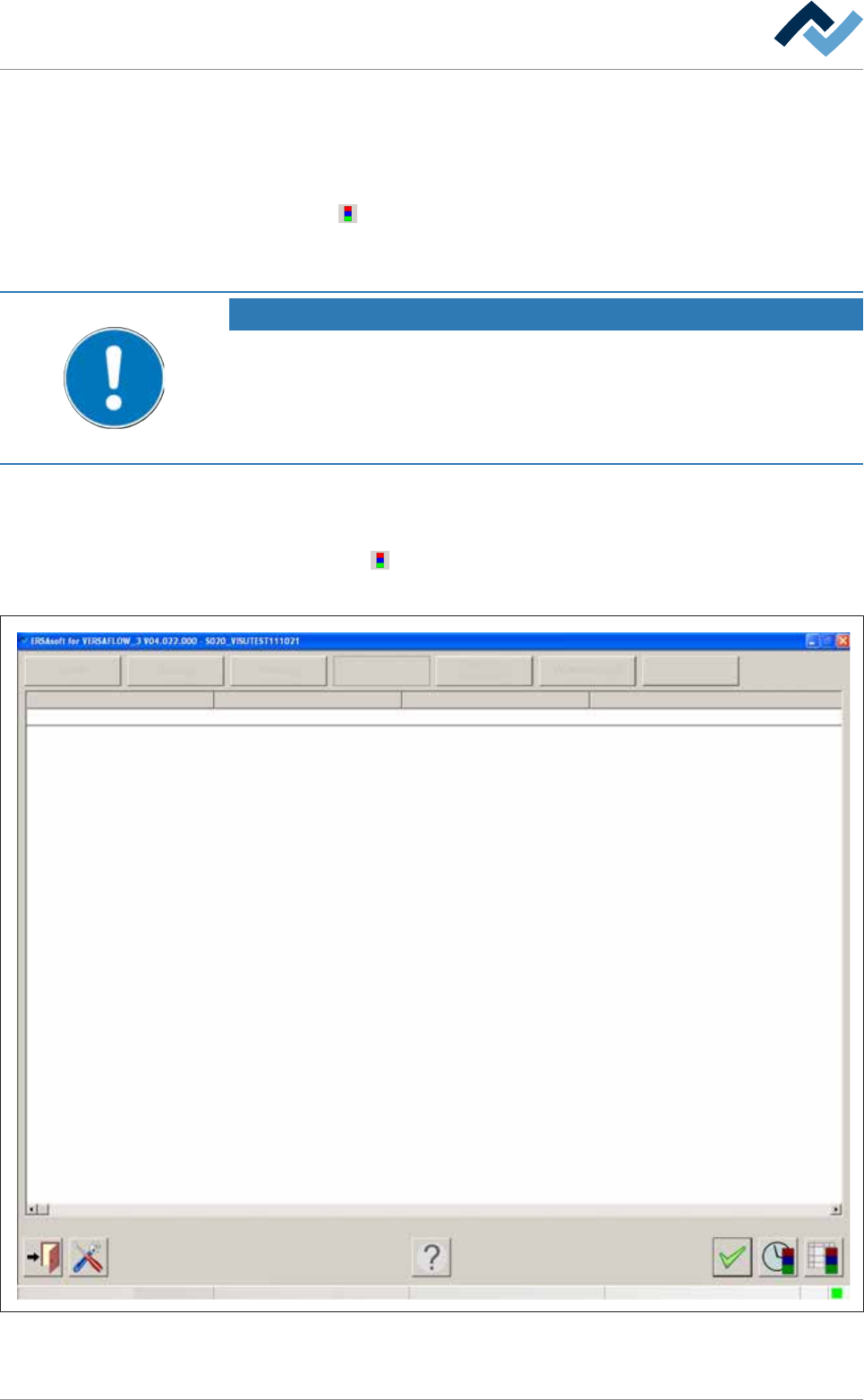
ð The [Messages] edit dialogue is opened:
Service
Facility 1
User ersa
Operation
Info
Facility 2 Facility 3 Text
PC control Communication error
Maintenance mode
Fig.79: The [Messages] input dialog
Ersa GmbH Operating Instructions_VF335_en|Rev. 14|30/11/2017 281/695
7|Treatment of messages and malfunctions
7.3 Message types
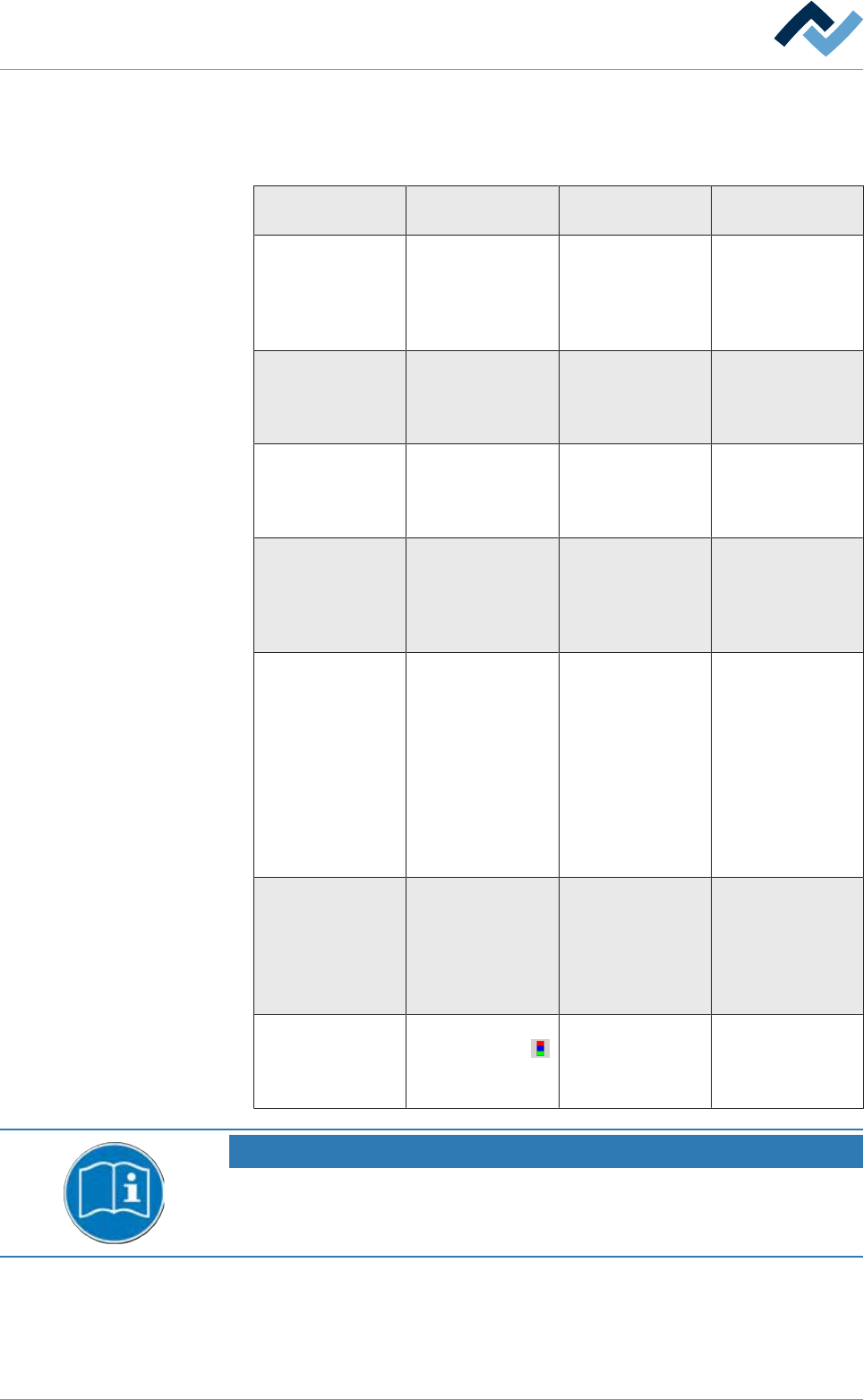
Buttons are located in the top part of the dialogue; each of these buttons repres-
ents a type of message:
Button / Message
type
Signal of the signal
lamp
Description of the
message
Example
[Danger] The red lamp
flashes
Emergency, hazard-
ous condition, im-
mediate action re-
quired. Infeed is
blocked
Exhaust air error,
safety circuit open
[Failure] The red lamp lights
up continuously or
the orange lamp
(optional) flashes
Abnormal condi-
tion, imminent crit-
ical condition. In-
feed is blocked
Tolerance error
[Warning] The blue light
flashes
Abnormal condi-
tion, imminent crit-
ical condition. In-
feed is blocked
Monitoring was
deselected
[Service] The blue light
flashes
Service is strin-
gently required.
Service is mandat-
ory. Infeed is
blocked
Missing agent (ni-
trogen, solder, flux
material...)
[Cyclic messages] The blue light
flashes
Service is mandat-
ory; operator's ac-
tion is required ac-
cording to a self-
defined, cyclic mes-
sage. Infeed is
blocked. With re-
gard to this, please
also read Chapter
[Cyclic messages]
Dependent on self-
defined messages
[Waiting message] The green light
flashes
A waiting message
is displayed until a
certain operating
state has been
reached. Infeed is
not blocked
Solder temperature
not yet reached
[Info] No indication of the
signal lamp. The
button flashes.
A note indicates a
specific operating
condition. Infeed is
not blocked.
The axis is not ref-
erenced
NOTE
Supplementary documents
With respect to this, please also read the document [120062] on the data carrier
[product_data_selective], which is included in the delivery.
ü Displaying a message:
a) Click on a button in the upper section of the window.
ð All still unacknowledged messages of the respective message type are dis-
played.
Ersa GmbH Operating Instructions_VF335_en|Rev. 14|30/11/2017 282/695