Operating Instructions_VF335_en.pdf - 第233页
6|Function description 6.14.3 Pre-heating The following buttons can be available; clicking on them opens the editing dialog of the preheat unit: Heating element If heating is active, this button turns yellow. The curre…
6|Function description
6.14.2 Flux module
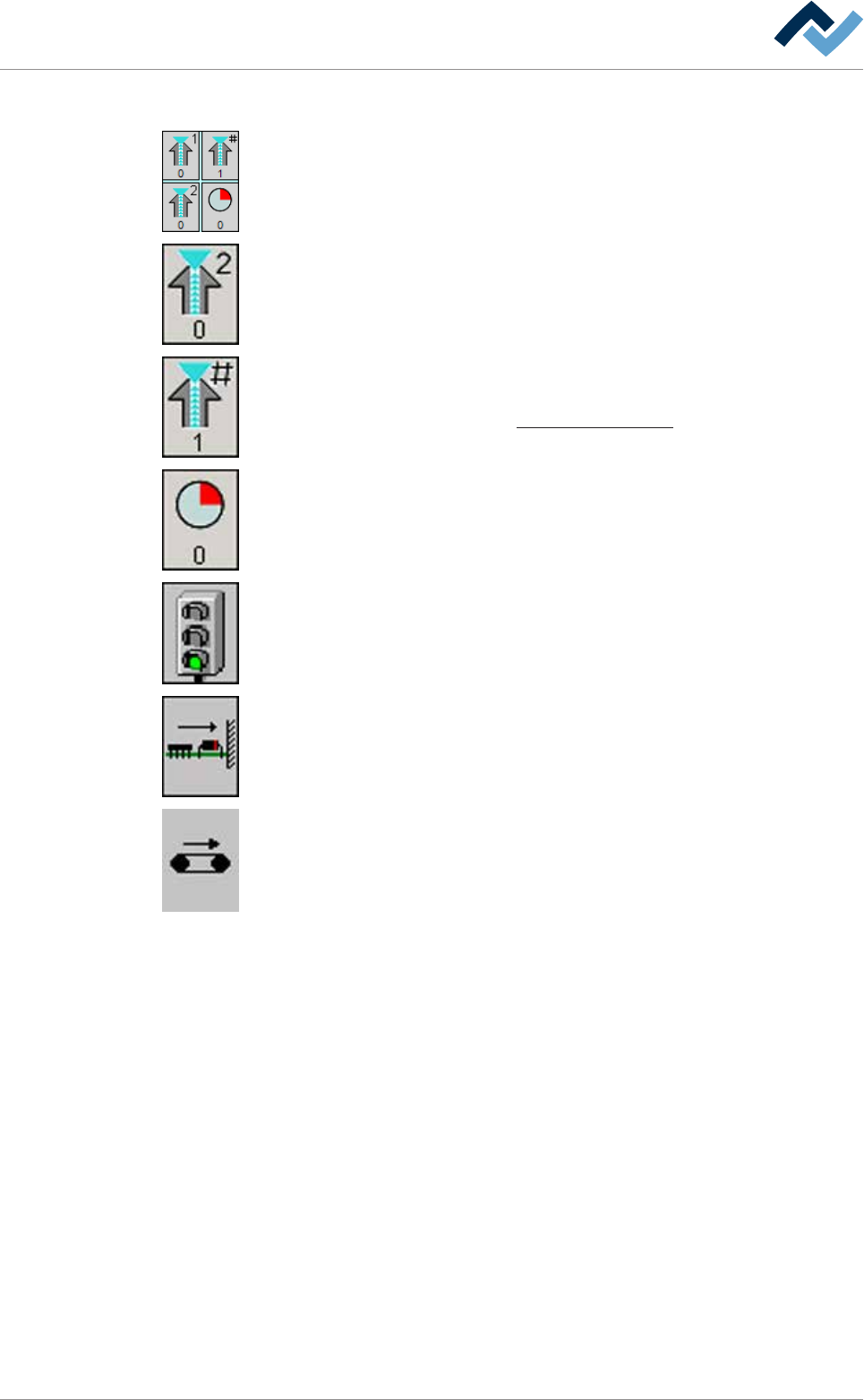
The following buttons can be available; by clicking on them, you can open the input
dialog of the flux module:
Spray head. When the spray head is active, this button is displayed in yellow. For
each spray head, a separate button is available. The number of the spray head can
be read in the top section. The current dosing can be read as a [%] in the bottom
section.
Active spray head combination The number of the nozzle which has been activated
in the nozzle table is displayed in the bottom section.
On this regard, please read Chapter Fluxer unit data sets [
}188].
Remaining time in the module. You can read the remaining processing time in the
bottom section. Time runs backwards as soon as the board is processed in the
module.
(Mechanical) barrier: Green light: The barrier in the module is open. Red light: The
barrier in the module is closed.
Board horizontal fixing If fixing is active, this button turns yellow.
Conveyor. When the conveyor is running, this button is displayed in yellow.
Ersa GmbH Operating Instructions_VF335_en|Rev. 14|30/11/2017 232/695
6|Function description
6.14.3 Pre-heating
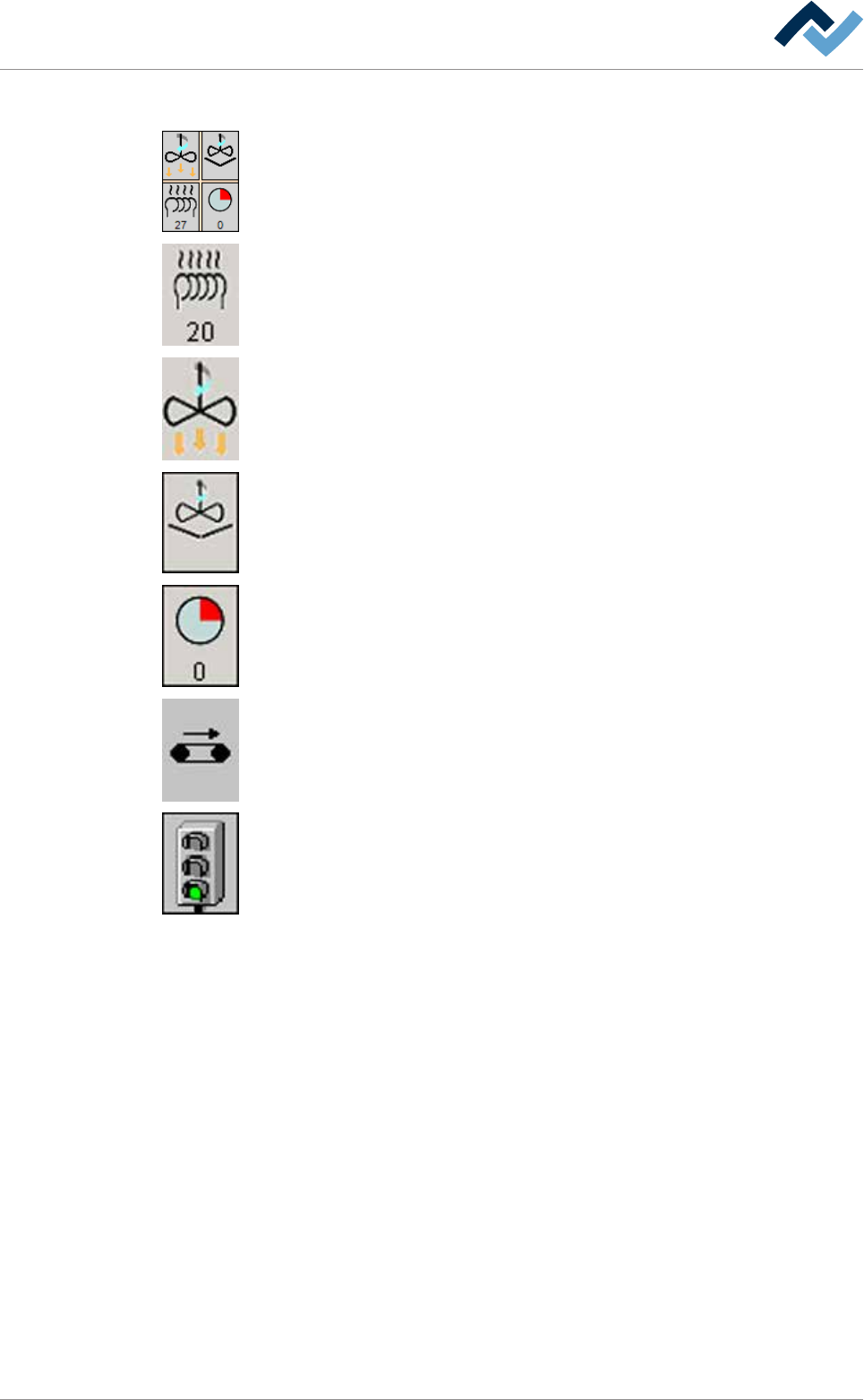
The following buttons can be available; clicking on them opens the editing dialog of
the preheat unit:
Heating element If heating is active, this button turns yellow. The current actual
temperature in [°C] can be read in the bottom section.
Convection. If preheating has a convection value, this button is displayed. If convec-
tion is active, this button turns yellow. Depending on the equipment of the ma-
chine, the convection process occurs by means of compressed air or blower wheel.
Increase convection. If preheating is provided with increase convection, this button
is displayed. If increase convection is active, this button turns yellow.
Remaining time in the module. You can read the remaining processing time in the
bottom section. Time runs backwards as soon as the board is processed in the
module.
Conveyor. When the conveyor is running, this button is displayed in yellow.
(Mechanical) barrier: Green light: The barrier in the module is open. Red light: The
barrier in the module is closed.
Ersa GmbH Operating Instructions_VF335_en|Rev. 14|30/11/2017 233/695
6|Function description
6.14.4 Selective soldering module
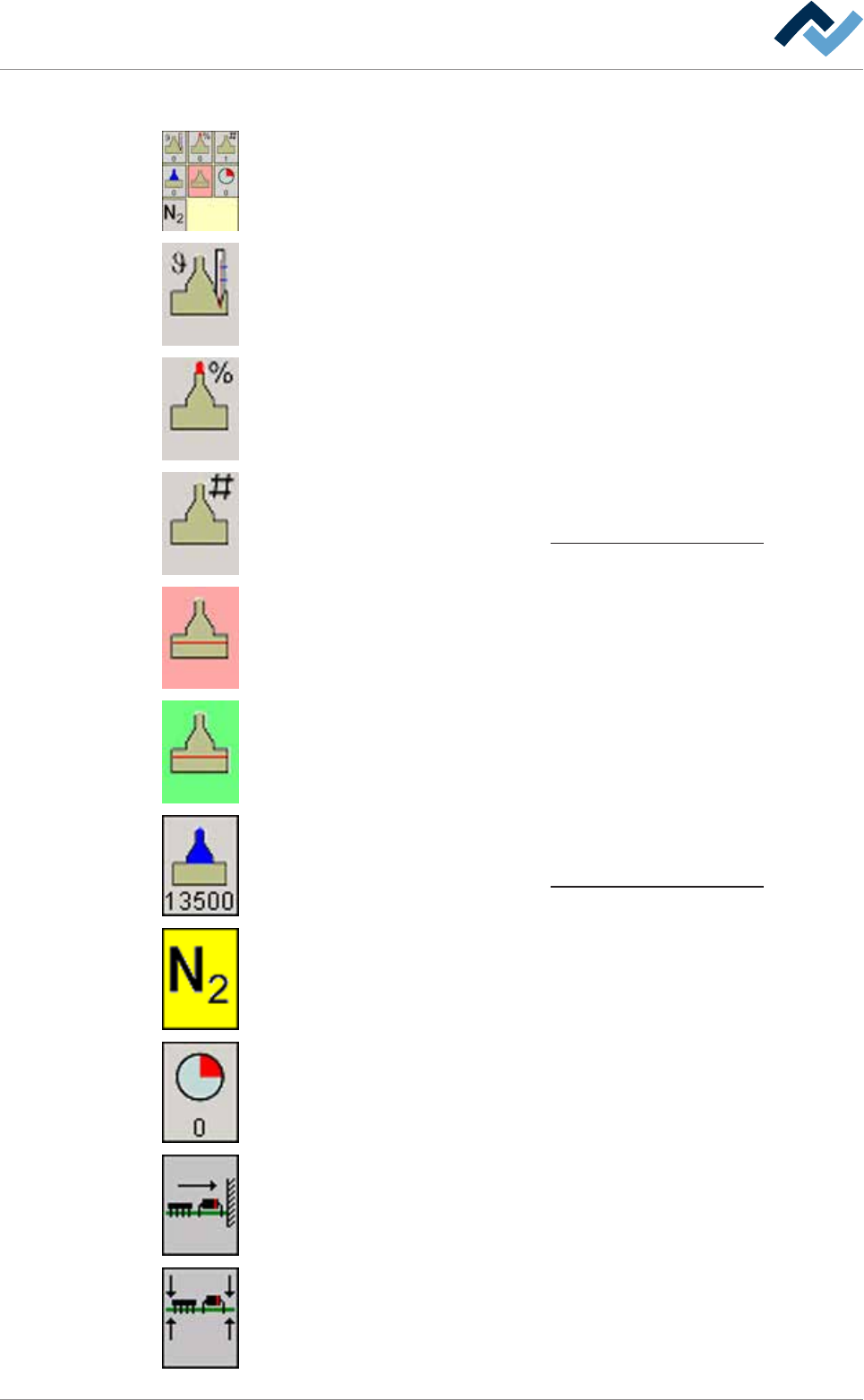
The following buttons can be available; clicking on them opens the editing dialog of
the soldering module:
Solder pot heating When heating is active, this button turns yellow. The current ac-
tual temperature in [°C] can be read in the bottom section.
Wave power. When the solder wave is active, this button turns yellow. The current
wave power can be read as a [%] in the bottom section.
Active nozzle number. The number of the nozzle which has been activated in the
nozzle table is displayed in the bottom section.
With regard to this, please read Chapter The solder nozzle data table [
}247].
The solder level minimum value has been exceeded (red).
The solder level is OK (green).
Active wave offset The offset entered into the solder nozzle data table is displayed
in the bottom section.
With regard to this, please read Chapter The solder nozzle data table [
}247].
Nitrogen. If gassing is active, this button turns yellow.
Remaining time in the module. You can read the remaining processing time in the
bottom section. Time runs backwards as soon as the board is processed in the
module.
Board horizontal fixing If fixing is active, this button turns yellow.
Board vertical fixing. If fixing is active, this button turns yellow.
Ersa GmbH Operating Instructions_VF335_en|Rev. 14|30/11/2017 234/695