Operating Instructions_VF335_en.pdf - 第169页
6|Function description 6.9.3 Creating a soldering program ü To create a soldering program, proceed as follows: a) In [Soldering program editor], in the [Libraries] frame, create a new library or select an existing one.…
6|Function description
d) Click on the button.
ð The soldering programme has been renamed.
Importing a soldering program of the Ersasoft 2.5 ASCII type
You can import soldering programs of the Ersasoft 2.5 ASCII type. For that purpose,
you first have to manually copy the program to be imported into the correct direct-
ory. With respect to this, please read Chapter The [File paths] editing dialog
[}139].
ü To import a soldering program of the Ersasoft 2.5 ASCII type:
a) Click on the [Import] button.
ð The [Load file] dialog is displayed. If matching files are available in the dir-
ectory:
b) Select a file.
ð The file name appears at the top of the dialog.
c) Should the process be cancelled, click on the
button.
d) Click on the
button.
ð Data is imported.
WARNING
Machine malfunctioning is possible!
Personal or material damage is possible due to incompatible soldering programs.
ü Importing must be performed by trained and qualified staff only.
a) Accurately check the soldering program and, if possible, adapt it to the machine!
Ersa GmbH Operating Instructions_VF335_en|Rev. 14|30/11/2017 168/695
6|Function description
6.9.3 Creating a soldering program
ü To create a soldering program, proceed as follows:
a) In [Soldering program editor], in the [Libraries] frame, create a new library or
select an existing one.
b) Click on the button [New] in the frame [Programs].
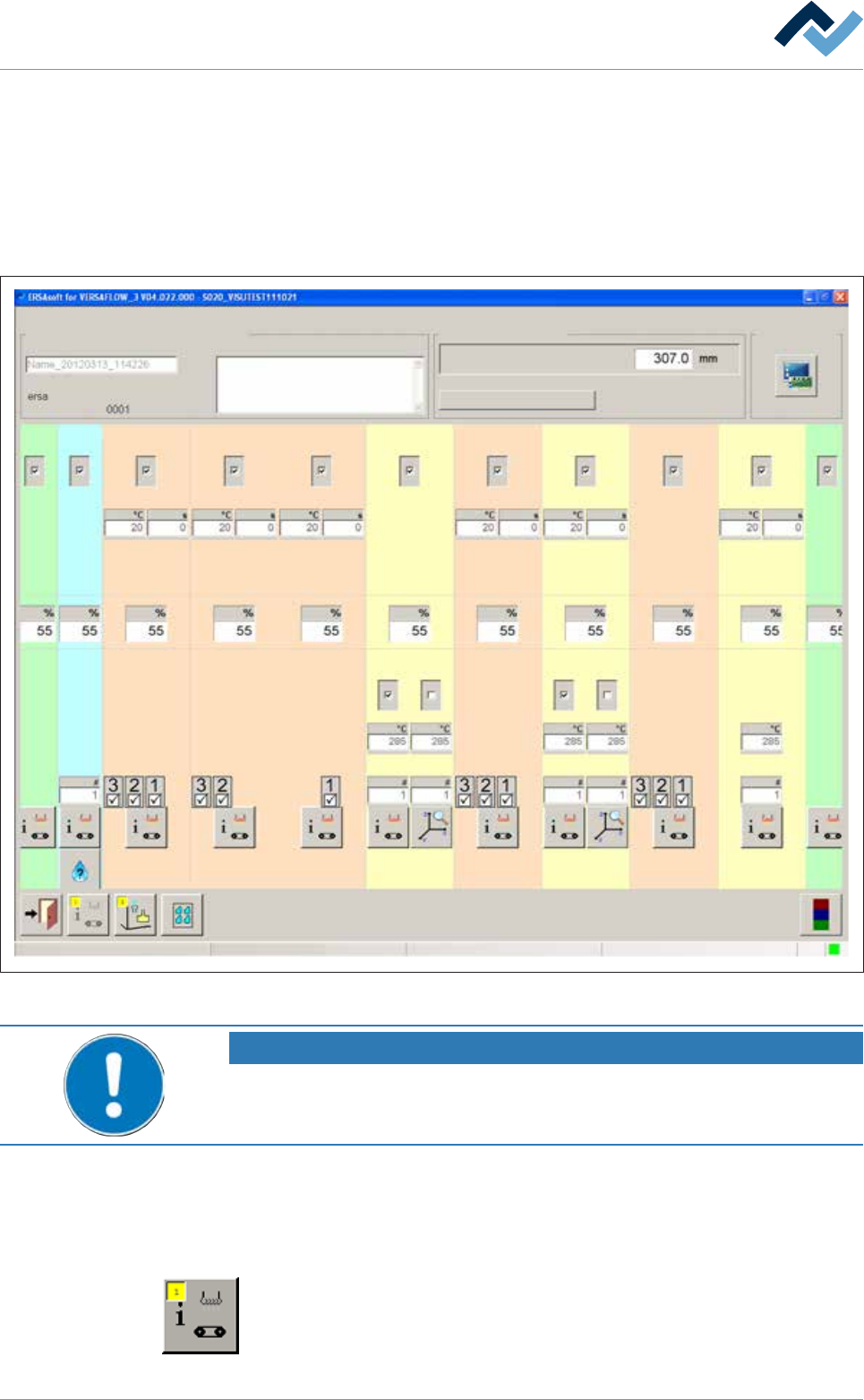
ð The [General soldering program data] dialog is displayed:
Infeed
user: Maintenance mode
ersa
Soldering program editor General soldering program data
Program informations
Program name
Version:
Last modification by:
Infotext:
Conveyor
Conveyor width adjustment
Graphical data
Process time
Fluxer unit Preheating Preheating Preheating Preheating PreheatingSoldering module Soldering module Soldering module Exit
Solder pot Solder pot
21 12 11 1 2 361
1 2 21
41
Fig.35: General soldering program data
NOTE
Use existing soldering programs!
You can also copy, rename, and edit/customise an already existing soldering program.
The soldering program editing is performed in the [General soldering program
data] dialog. The name of the program that is currently being edited is shown in the
display field [Program name]. You can enter the descriptive text of a soldering pro-
gram in the input field [Infotext:].
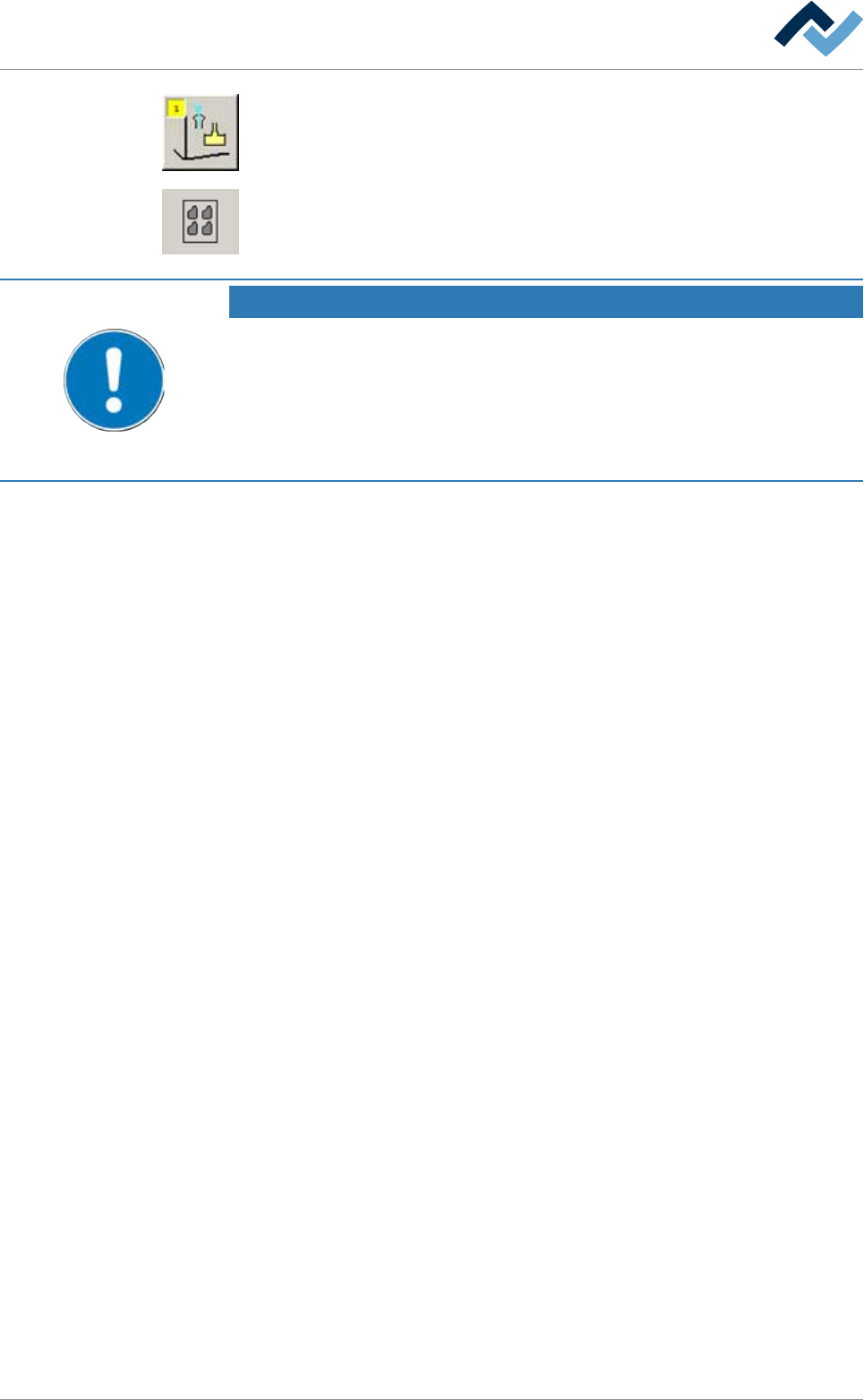
The following buttons are located in the bottom toolbar:
Open the [General additional data] dialog. The yellow square provides information
about how often the dialog has already been opened.
Ersa GmbH Operating Instructions_VF335_en|Rev. 14|30/11/2017 169/695
6|Function description
Open the [Set data] dialog. In this dialog, you can create your soldering program. It
contains target coordinates for fluxer and soldering modules, travel speeds and in-
formation regarding the solder wave height. The yellow square provides informa-
tion about how often the dialog has already been opened.
Open the [Panel data] dialog. In this dialog settings can be defined when editing
multiple applications.
NOTE
When do changes become effective?
If you change parameters in the soldering program, these changes will only be trans-
ferred to the machine if the soldering program has been saved and then enabled!
Occasionally save your soldering program when creating it, to prevent data loss.
When saving, you can automatically archive the previous version of the soldering pro-
gram.
Ersa GmbH Operating Instructions_VF335_en|Rev. 14|30/11/2017 170/695