DECAN_F2_Service(Eng_Ver1).pdf - 第104页
5-4 Fast & Flexible Chip Shooter DECAN F2 Service Manual 6) Move the spindle to be removed down . 7) Unscrew the fixing bolts securing the Z sen sor dog using a hex wrench and remove it.
5-3
Head
5.2. Ball Spline
5.2.1. Required Tools
T wrench (other tools supplied) or hex wrench
Gear wrench or torque wrench
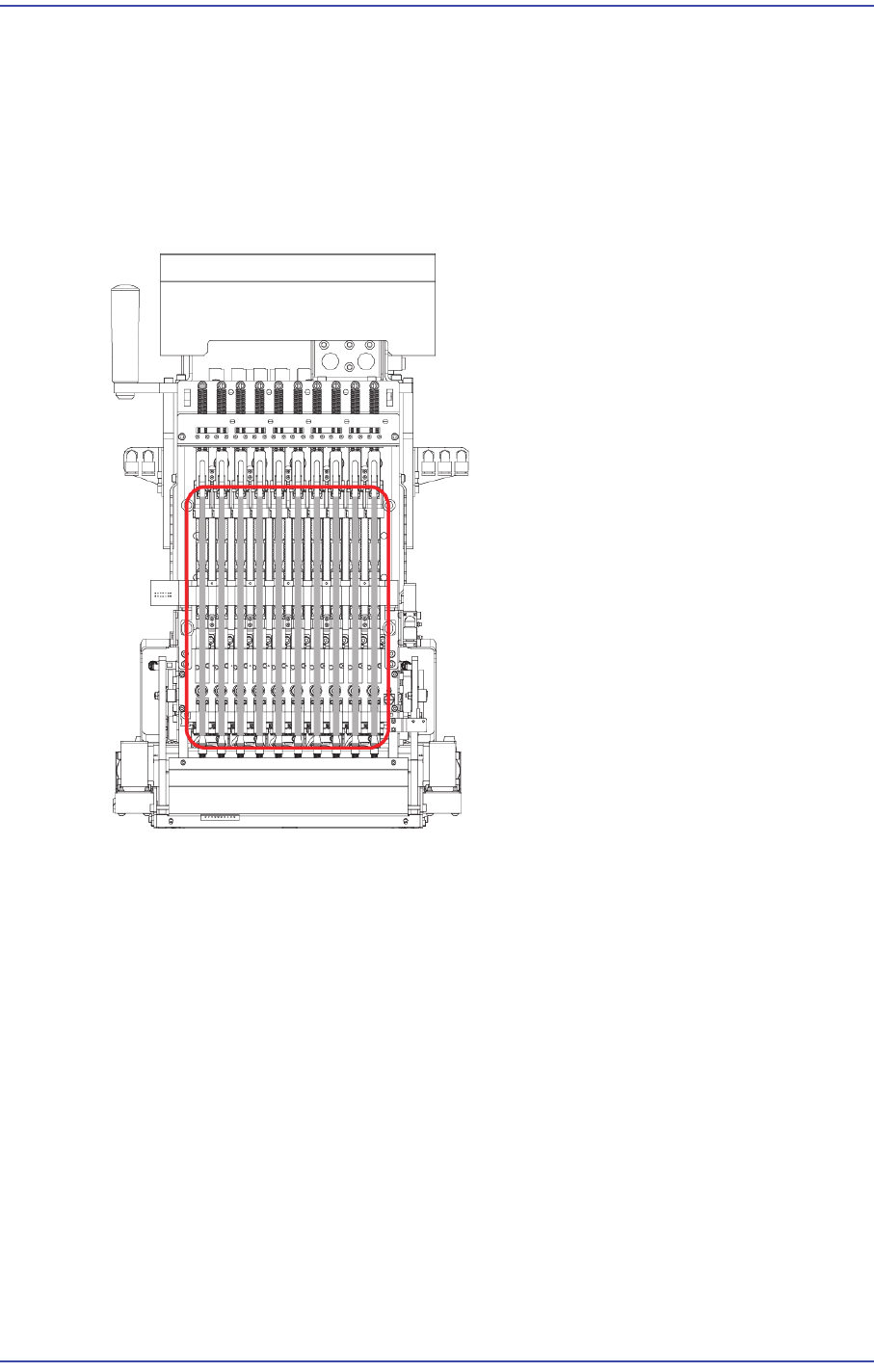
5.2.2. Position of Ball Screw
5.2.3. Ball Spline Replacement Procedure
1) Manipulate the teaching box to move the head module to the front.
2) Close the PC as usual and turn off the main switch at the front of the machine.
3) Cut off the main pneumatic air supply.
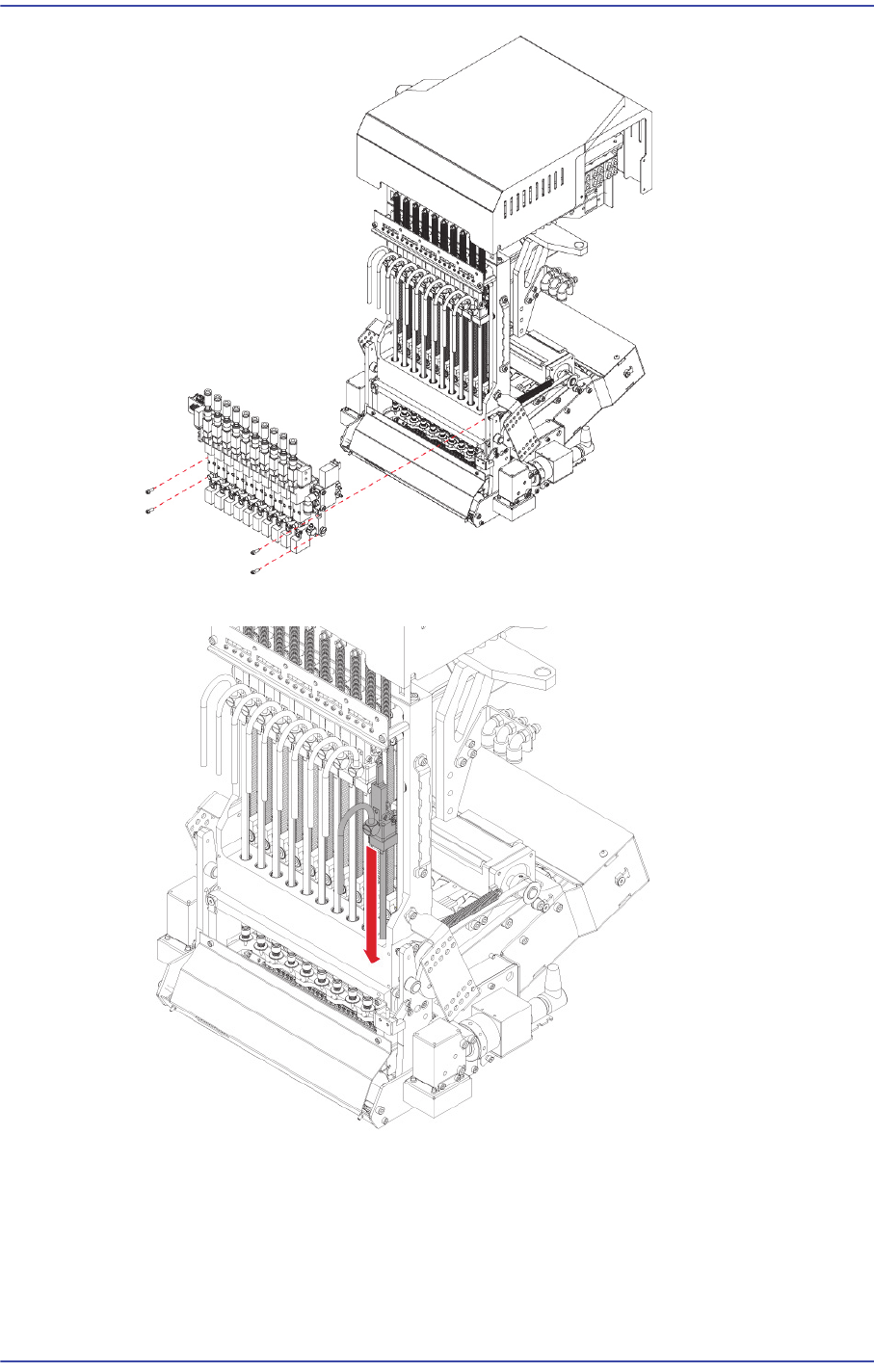
4) Remove the pneumatic tube connected to the head module.
5) Unscrew the fixing bolts securing the Air Module and remove it.
5-4
Fast & Flexible Chip Shooter DECAN F2 Service Manual
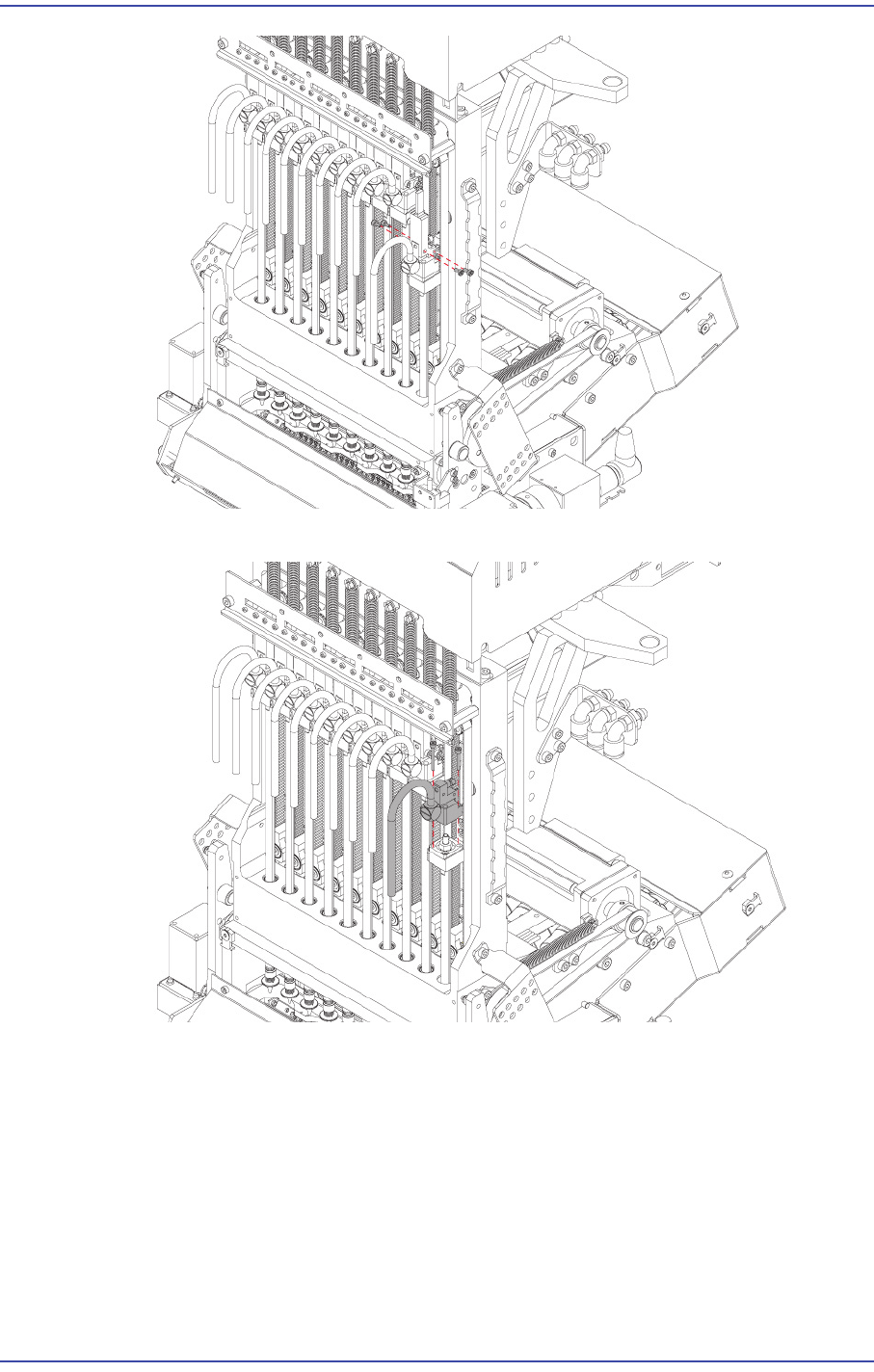
6) Move the spindle to be removed down.
7) Unscrew the fixing bolts securing the Z sensor dog using a hex wrench and remove it.
5-5
Head
8) Unscrew the fixing bolts securing the Z cap using a hex wrench and remove it.
9) Hold and fix the spline at the gear wrench seat using a spanner and remove the lock
nut with another gear wrench.