DECAN_F2_Service(Eng_Ver1).pdf - 第273页
13-3 Software 13.1.2. SmartSM.ini and Vision.ini File At the time of delivery , the ‘ini ’ file is set up as follows: Description of SmartSM.ini 1) [T arget] category Item Default Va l u e Description Remarks Real 1 Runs…
13-2
Fast & Flexible Chip Shooter DECAN F2 Service Manual
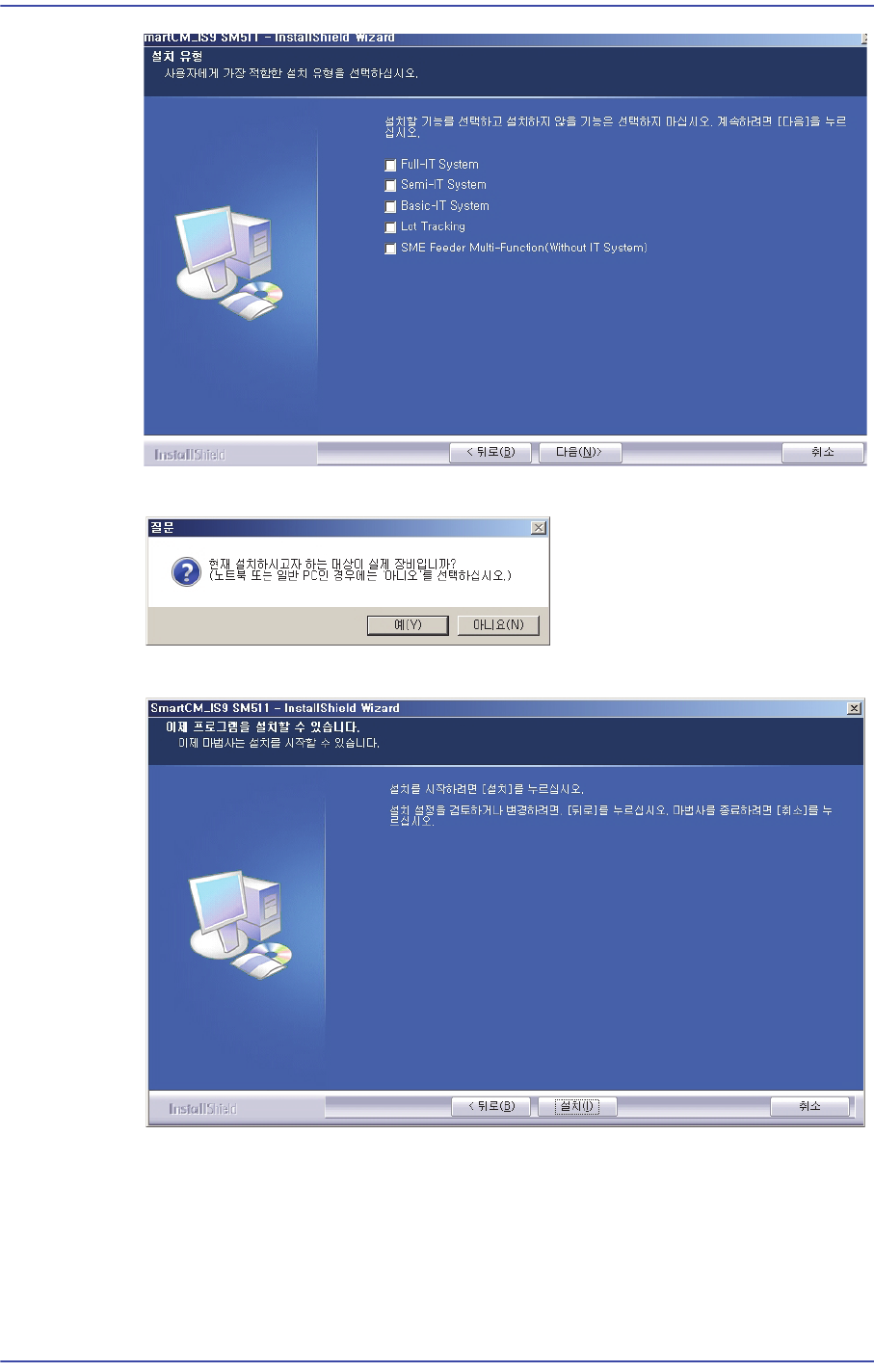
5) When it is to be installed in an actual machine, click ‘Yes’.
6) Click ‘Install’ to finish installation.
7) Check whether the MMI Software works properly.
13-3
Software
13.1.2. SmartSM.ini and Vision.ini File
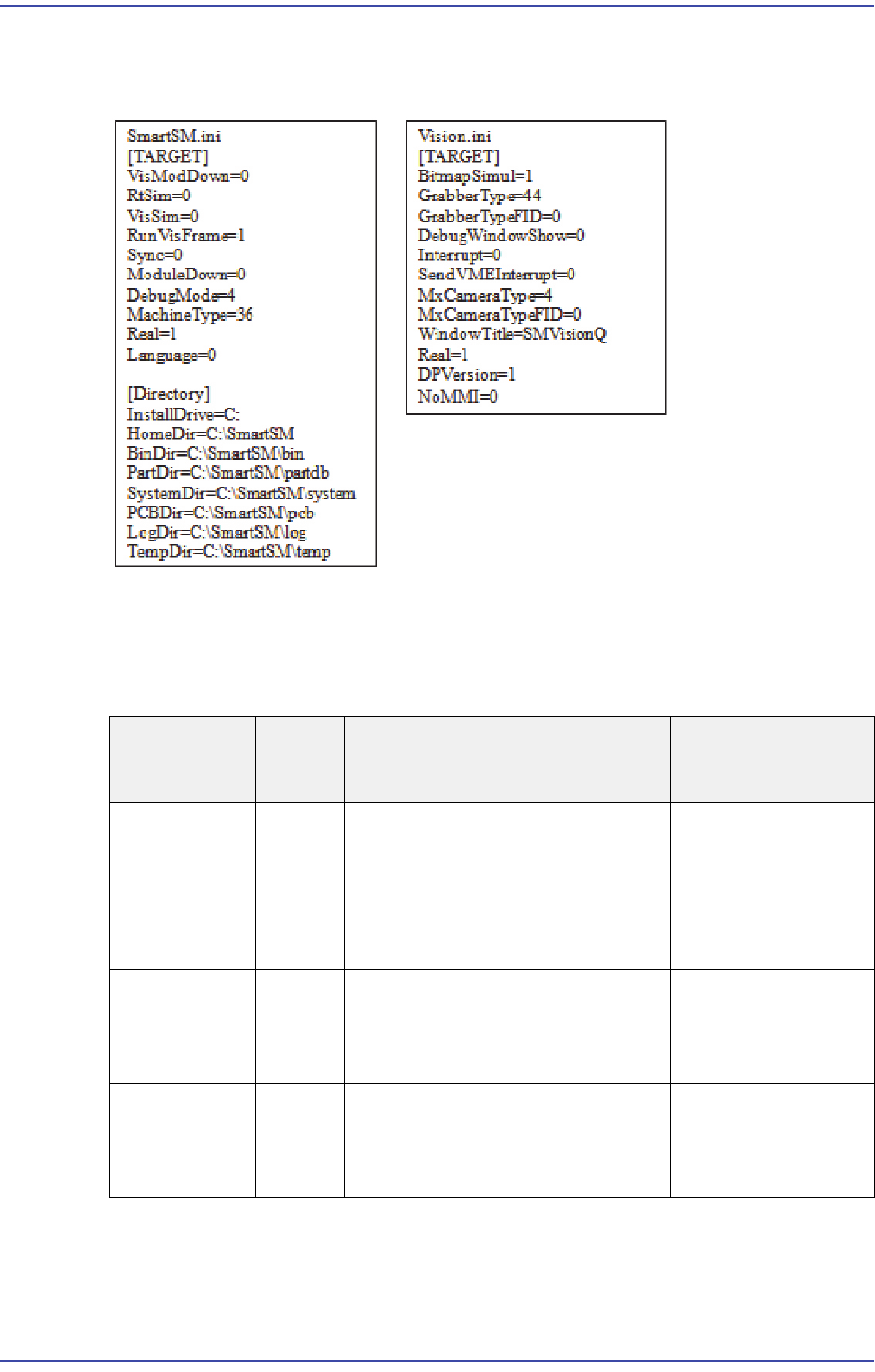
At the time of delivery, the ‘ini’ file is set up as follows:
Description of SmartSM.ini
1) [Target] category
Item
Default
Value
Description Remarks
Real
1
Runs the RT and Vision
programs
0: Runs only the MMI
1: Runs all of the MMI, RT and
Vision programs
RtSim
0
RT Simulation Mode
0 : Runs in General mode
1 : Runs in Simulation mode
VisSim
0
Vision Simulation Mode
0 : Runs in General mode
1 : Runs in Simulation mode

13-4
Fast & Flexible Chip Shooter DECAN F2 Service Manual
MachineType 37 Name of SM Series models for
which SW is to be used
SM421: 15
SM411: 16
SM411F: 17
SM411S: 18
SM421P: 19
SM411FX: 20
SM431: 21
SM431L: 22
SHIELDCAN: 23
SHIELDCAN2: 24
SM451V: 30
SM451DH: 31
AP5: 50
V1: 200
SM471: 27
SM481: 28
SM482: 29
SM511(DECAN F2):
36
DECAN F2 SF: 37
RunVisFrame
1
Vision system check function
when running the MMI
0 : Checks whether the Vision is
executed normally
1 : Vision execution status not
checked
Even though this
value is set to 0, if
the Vision is
normally executed,
it is changed to 1.
Language
0
Language Selection
0 : English by default + Korean (I/
O description, RT message)
1 : English
2 : Chinese (Simplified)
3 : German
4 : Japanese
Regarding the
difference between
0 and 1, if 0 is
selected, the
messages set in the
ErrorMsg.dmb and
O_xxx.mdb are
displayed in Korean.
Item
Default
Value
Description Remarks