DECAN_F2_Service(Eng_Ver1).pdf - 第404页
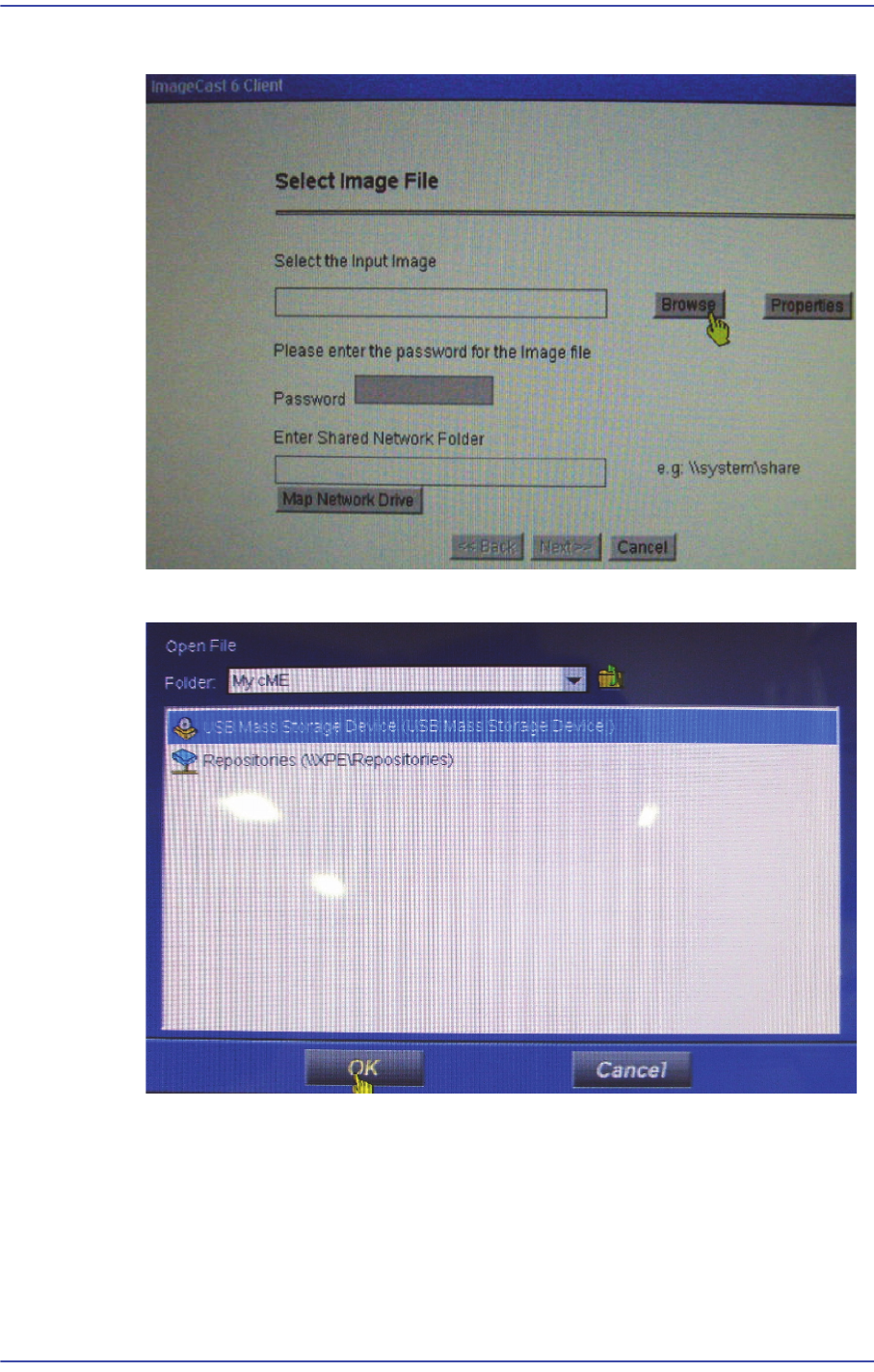
16-10 Fast & Flexible Chip Shooter DECAN F2 Service Manual 2) Click ‘Browse’ in the following screen. 3) Select the USB CD-ROM Driv e and click the <OK> button.
16-9
Recovery
16.3. Recovery CD Installation
16.3.1. Required Tools
External CD-ROM
Recovery CD
16.3.2. How to Use Recovery CD
Caution Before using the Recovery CD, the ‘PartDB’ folder, ‘System’
folder and ‘PCB’ folder in the MMI Installation Folder must
be backed up. (Because all existing data contained in the
HDD are deleted).
After executing the Recovery CD, install the MMI and
overwrite the backed up folder. Then the machine can be
operated.
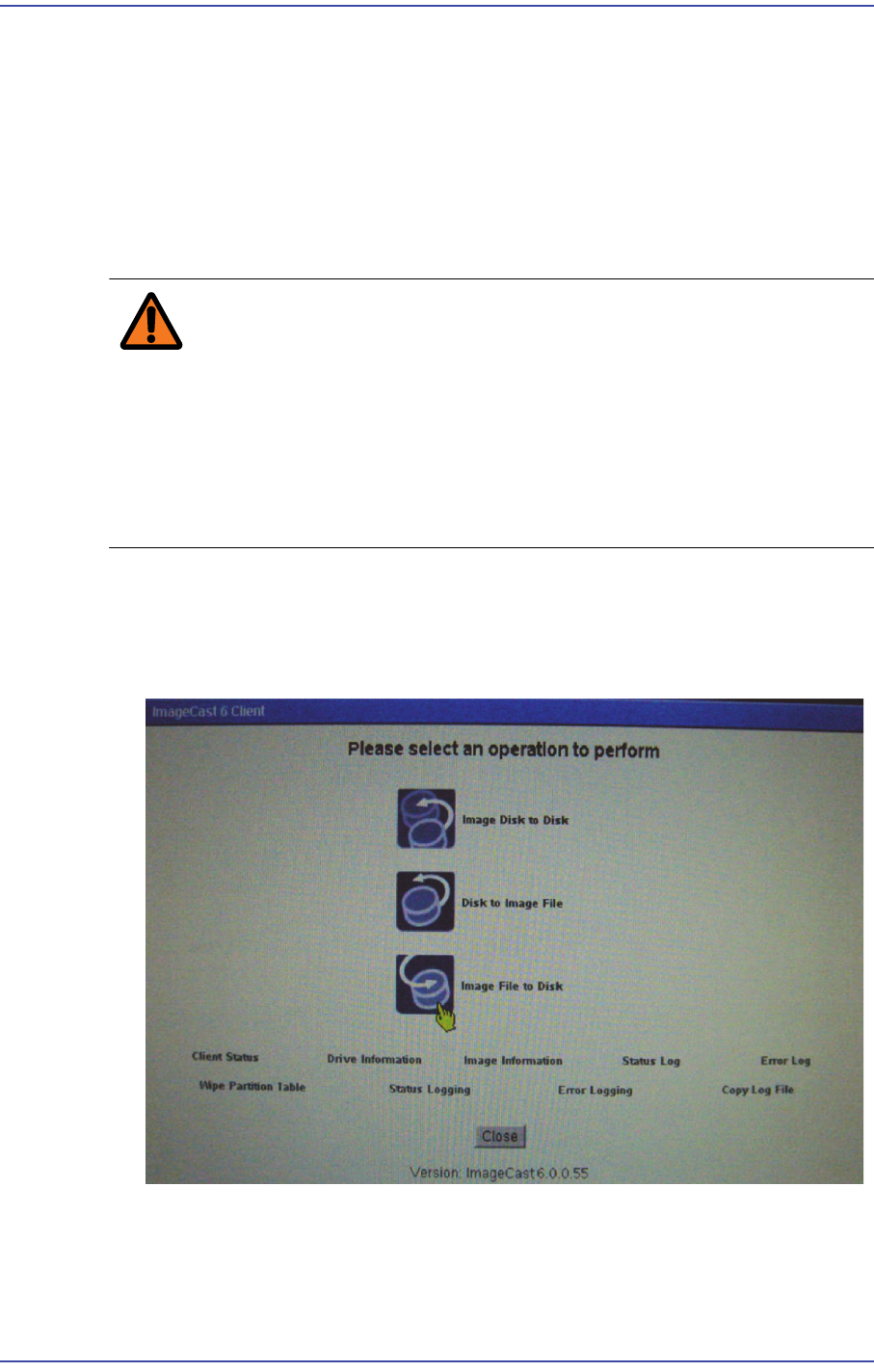
1) After inserting the Recovery CD in the CD-ROM, execute the computer again with
priority give to the CD-ROM in the BIOS, the PC is booted to the Restoration CD
automatically and the following selection menu is displayed. Here, select ‘Image File
to Disk’.
16-10
Fast & Flexible Chip Shooter DECAN F2 Service Manual
2) Click ‘Browse’ in the following screen.
3) Select the USB CD-ROM Drive and click the <OK> button.
16-11
Recovery
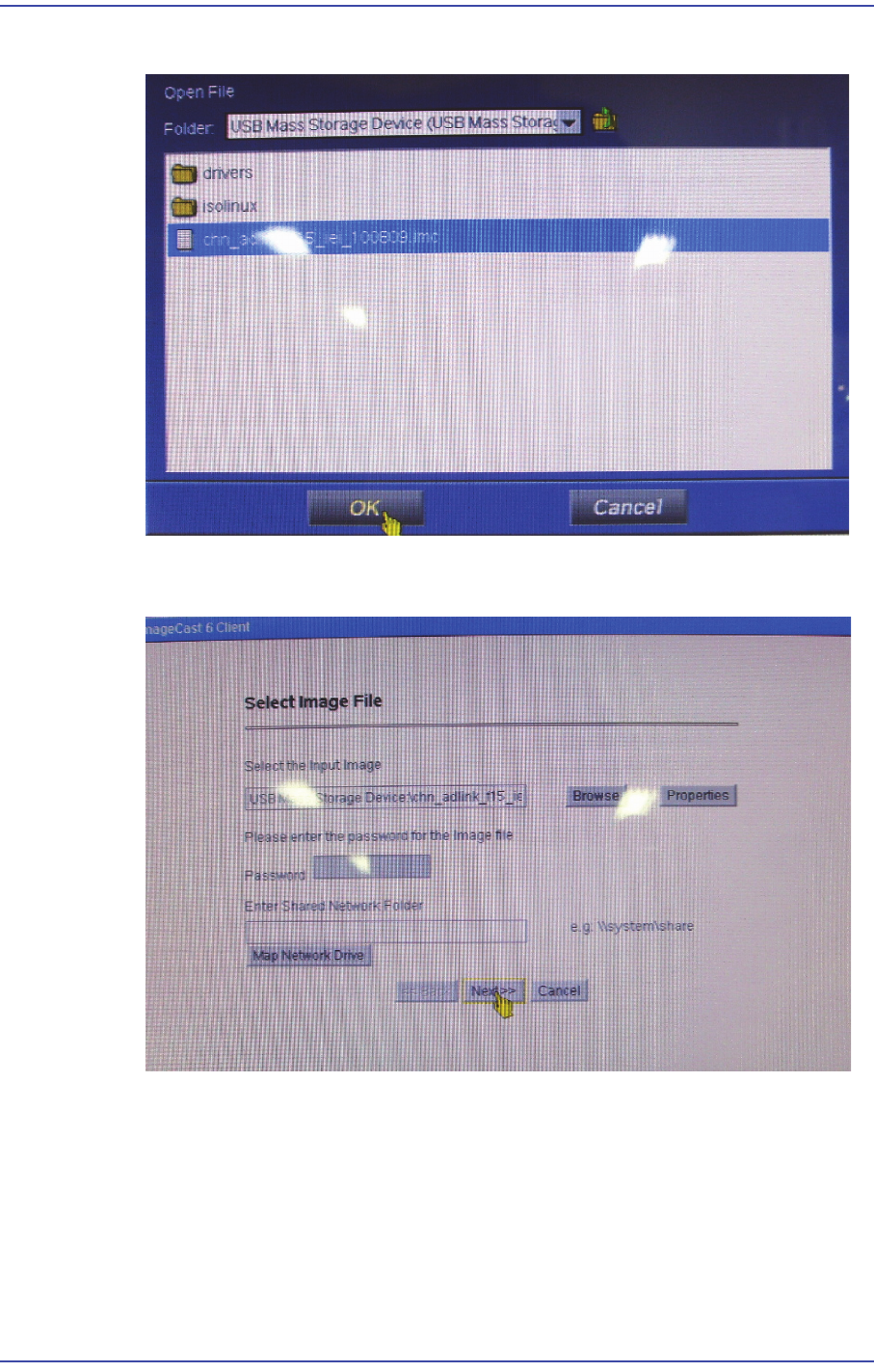
4) Select a file with extension of *.imc and click the <OK> button.
5) Check that the image file is properly designated and click the <Next> button to
continue.