DECAN_F2_Service(Eng_Ver1).pdf - 第505页
17-93 Troubleshooting 17.3.19. Abnormal monitor (E17) E1700 Monitor screen does not appear [Cause] Monitor screen does not appear (‘No signal’ is not indicated) [How to Check] Check the monitor power and signal cable…
17-92
Fast & Flexible Chip Shooter DECAN F2 Service Manual
17.3.18. I/O signal and board power supply (E16)
E1600 Defective power supply
[Cause]
Defective power supply (24V)
[How to Check]
Check the input voltage of the board for defective operation (24V)
Replace the board and check whether it operates properly
Replace the power supply
[Measures]
Replace the DC power supply unit.
E1601 Fuse cutoff
[Cause]
Fuse cutoff
[How to Check]
Check the fuse
[Measures]
Replace the fuse.
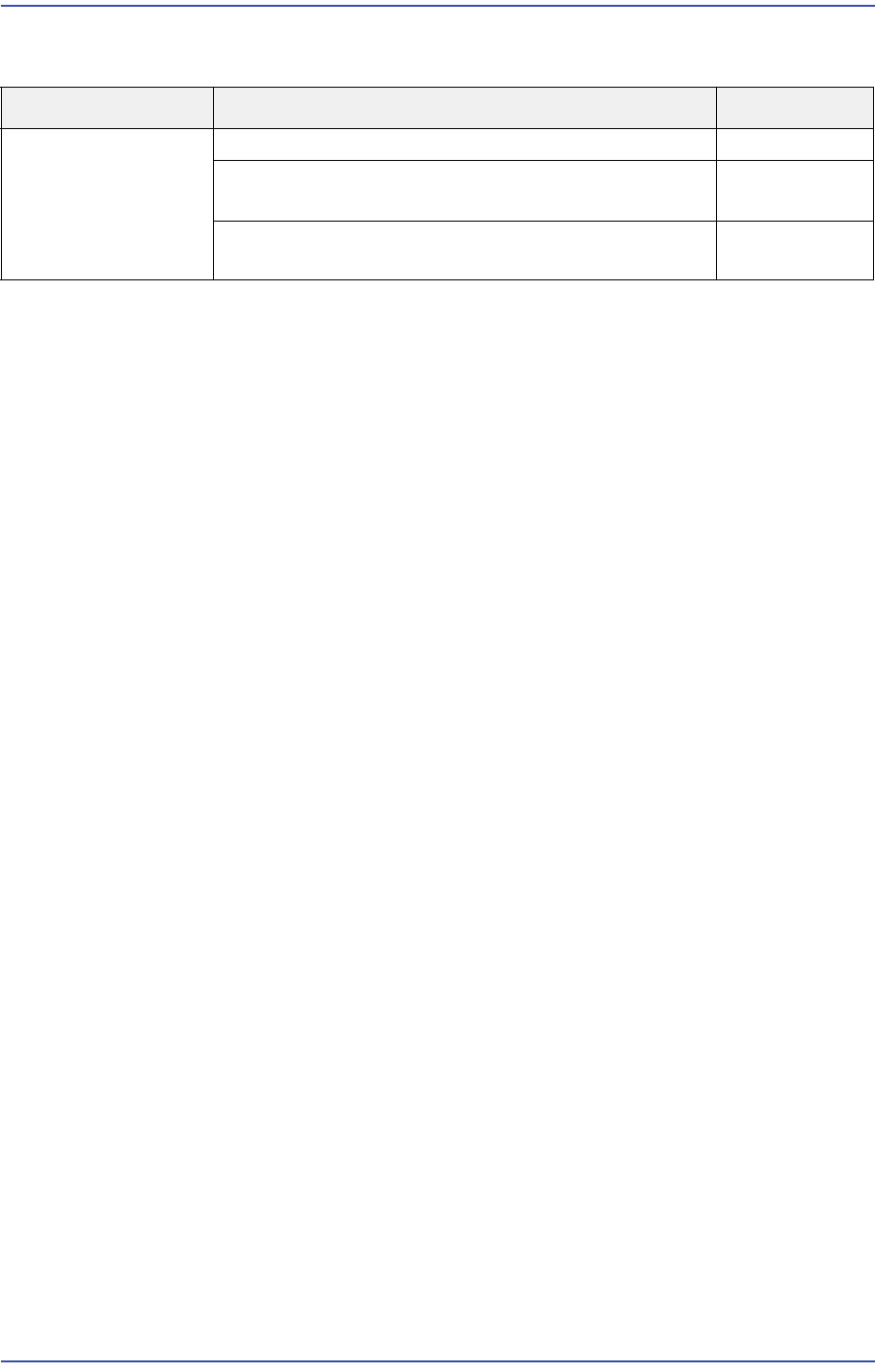
Cause Description Remarks
Specific board does not
work
Defective power supply E1600
Fuse cutoff E1601
17-93
Troubleshooting
17.3.19. Abnormal monitor (E17)
E1700 Monitor screen does not appear
[Cause]
Monitor screen does not appear (‘No signal’ is not indicated)
[How to Check]
Check the monitor power and signal cable
Check the CPU box power supply (12V)
Replace the motor.
[Measures]
Check the monitor power supply and signal cable.
Check the CPU box power supply.
Replace the motor.
E1701 Although the system is booted, the screen does not appear on the monitor
[Cause]
Although the system is booted, the screen does not appear on the monitor
[How to Check]
Check whether the monitor cable is properly connected to the vision board.
Replace and check the monitor cable.
Replace the monitor.
[Measures]
Check whether the monitor cable is properly connected to the vision board.
Replace and check the monitor cable.
Replace the monitor.
E1702 Although the system is booted, the monitor screen is discolored
[Cause]
Although the system is booted, the monitor screen is discolored
[How to Check]
Cause Description Remarks
Abnormal monitor Monitor screen does not appear E1700
Although the system is booted, the screen does not
appear on the monitor
E1701
Although the system is booted, the monitor screen is
discolored
E1702
17-94
Fast & Flexible Chip Shooter DECAN F2 Service Manual
Check whether the monitor cable is properly connected to the vision board
Check whether the monitor cable pin is bent
Replace the monitor
[Measures]
Check whether the monitor cable is properly connected to the vision board.
Check whether the monitor cable pin is bent.
Replace the monitor.