DECAN_F2_Service(Eng_Ver1).pdf - 第408页
16-14 Fast & Flexible Chip Shooter DECAN F2 Service Manual 1 1) Click the Image and proceed with recovery . 12) Once installation is completed, click the <Restart> button to reboot the PC.
16-13
Recovery
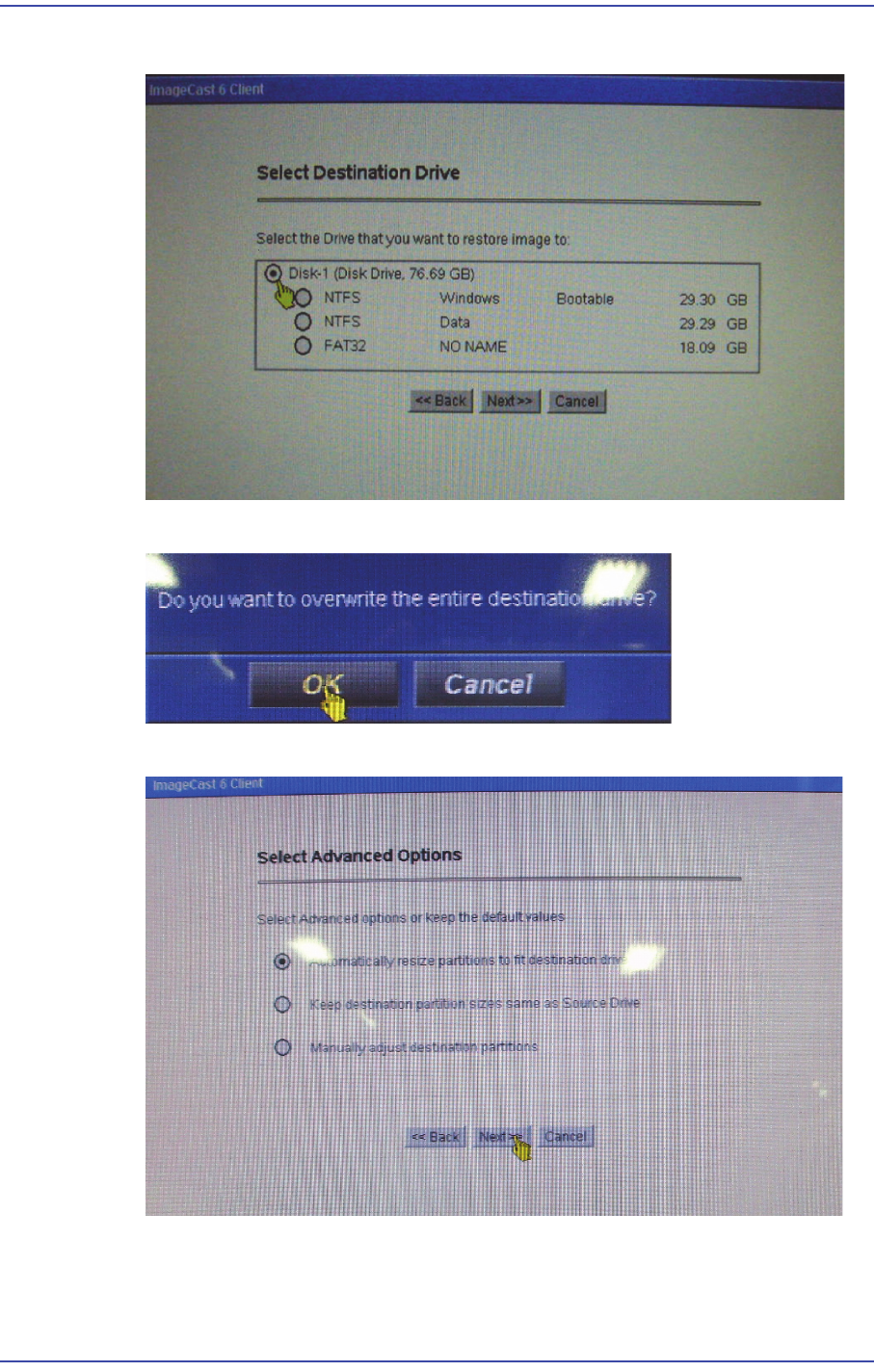
8) Select the Driver to be installed and click the <Next> button.
9) Once the confirmation message window appears, click the <OK> button.
10) Select the first option in the ‘Select Advanced Options’ and click the <Next> button.
16-14
Fast & Flexible Chip Shooter DECAN F2 Service Manual
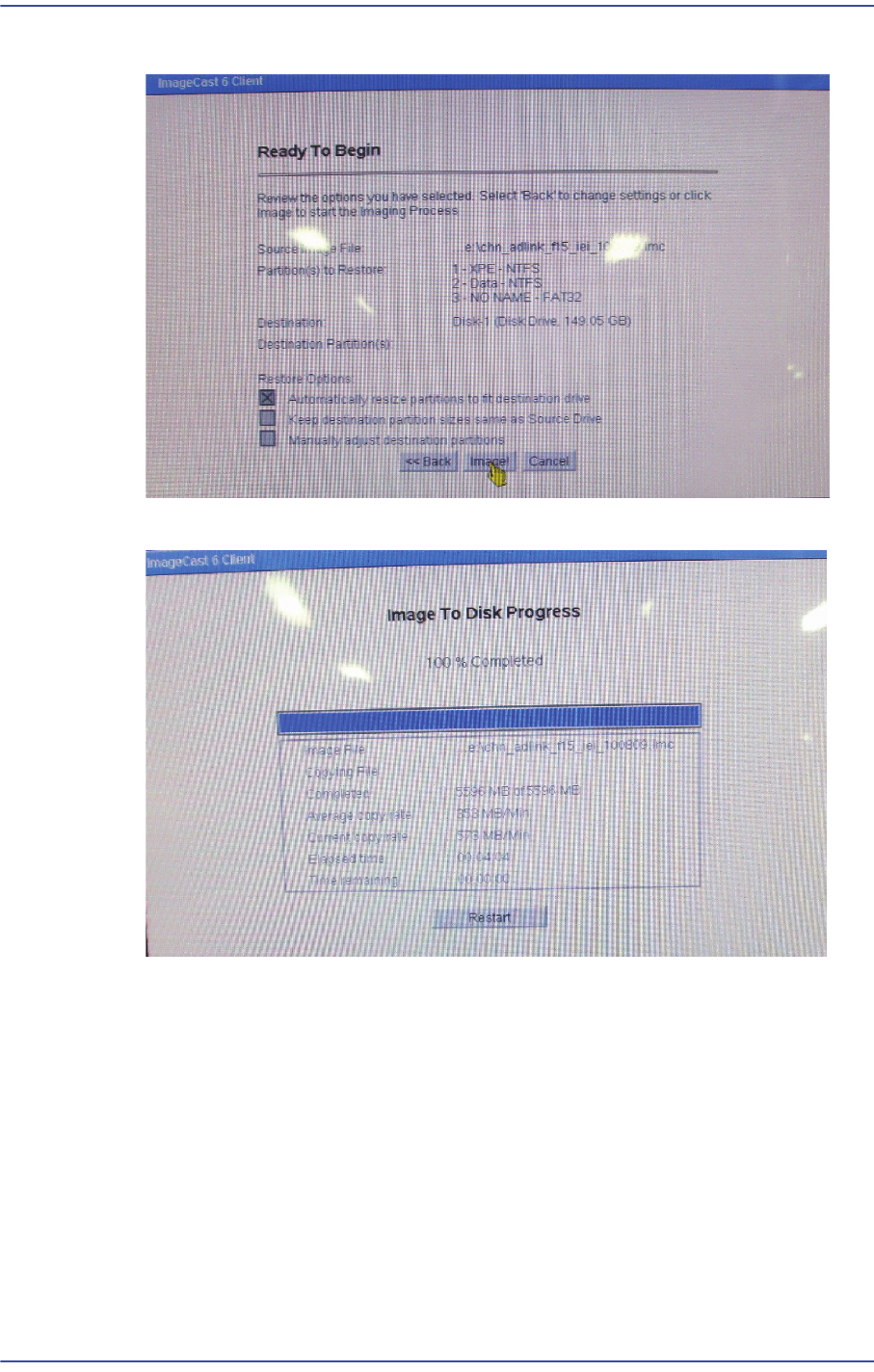
11) Click the Image and proceed with recovery.
12) Once installation is completed, click the <Restart> button to reboot the PC.
16-15
Recovery
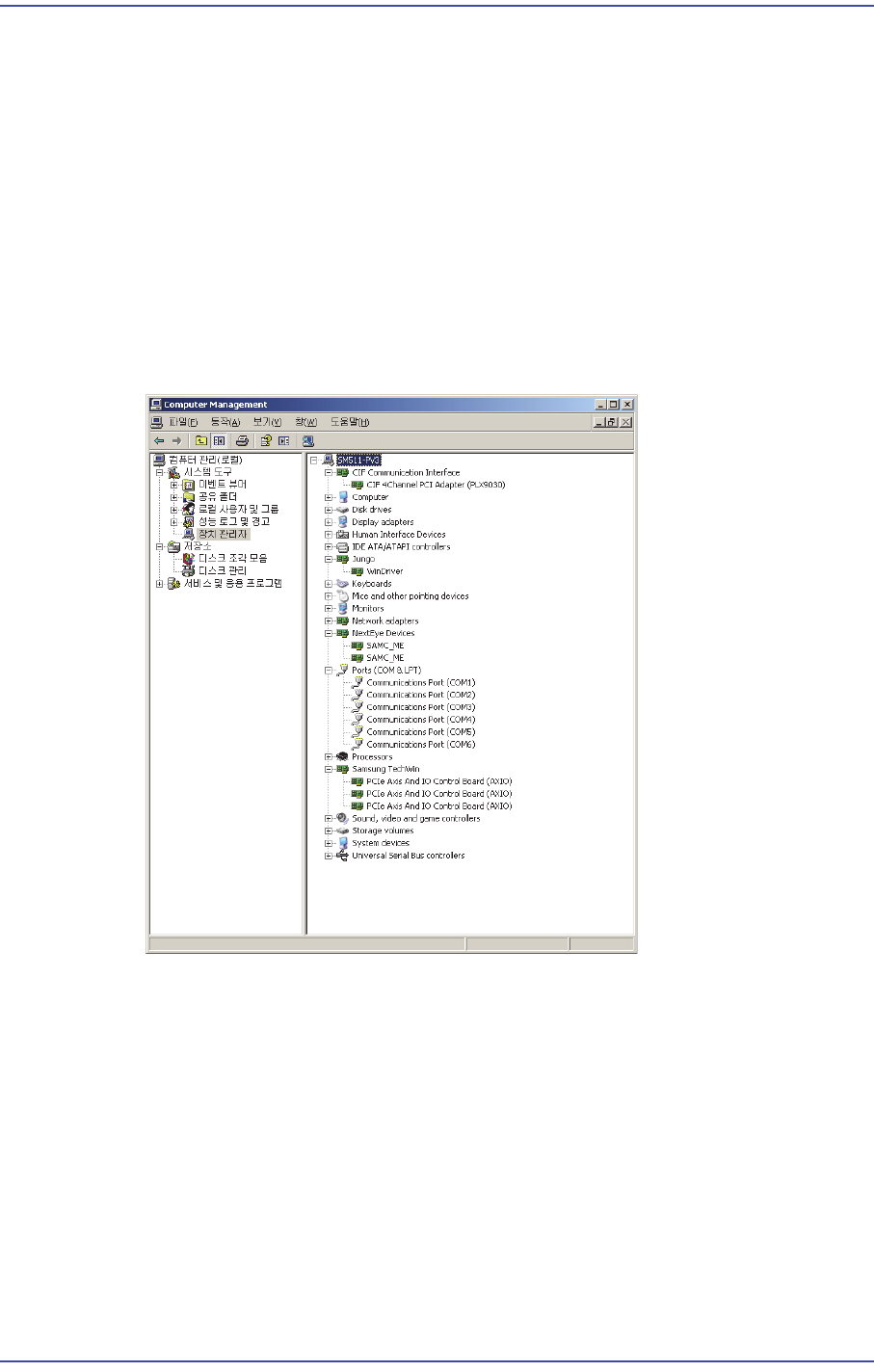
16.4. Checking the Device Manager
16.4.1. How to check the Device Manager
1) Boot the Windows. It takes 2~3 minutes to boot the Window initially due to the
installation of the driver.
2) Reboot the Windows and check that the Windows is booted without any problems.
During rebooting, stop, delay and error must not occur.
3) After checking the installation status of the Device Manager, close the Window. (Right
click the "MY COMPUTER" icon on the desktop -> Click "Property" at the bottom ->
Move to "Hardware" menu -> Select Device Manager)
4) Check points for the installation of the Device Manager
5) Exit the Windows and check whether the Exit dialog is displayed. Then turn on and off
the power supply to the CPU to check Windows booting and perform the exit test
again.