DECAN_F2_Service(Eng_Ver1).pdf - 第173页
6-23 Conveyor 6.4. Change the convey or operation direction. 6.4.1. Required Tools T -W rench (other tools supplied) or Hex Wrench 6.4.2. Stopper and Sensor when changing right, left Replacement procedure 1) Move the s…
6-22
Fast & Flexible Chip Shooter DECAN F2 Service Manual
8) After assembling the motor, adjust the belt tension referring to the Belt Replacement
Procedure.
Work Zone Power transmission Belt: J66021007A
9) Turn on the main switch at the front of the machine and boot the PC once the
replacement is completed.
10) Execute the ‘Conveyor Utilities’ dialog box to check if the conveyor moves properly.
After selecting the corresponding station, click the <Belt Run> button and check
whether the motor is operating properly.
11) Check the following.
A)Check whether the PCB is transferred smoothly when each motor is operated
continuously.
B)Check whether abnormal noise occurs when each motor is operated continuously.
C)Check whether the transfer speed of the motor is set properly.
12) Perform the following calibrations.
Motor you replace the Calibrate Home All Axis execution
Time: 0.5 hour
6-23
Conveyor
6.4. Change the conveyor operation direction.
6.4.1. Required Tools
T-Wrench (other tools supplied) or Hex Wrench
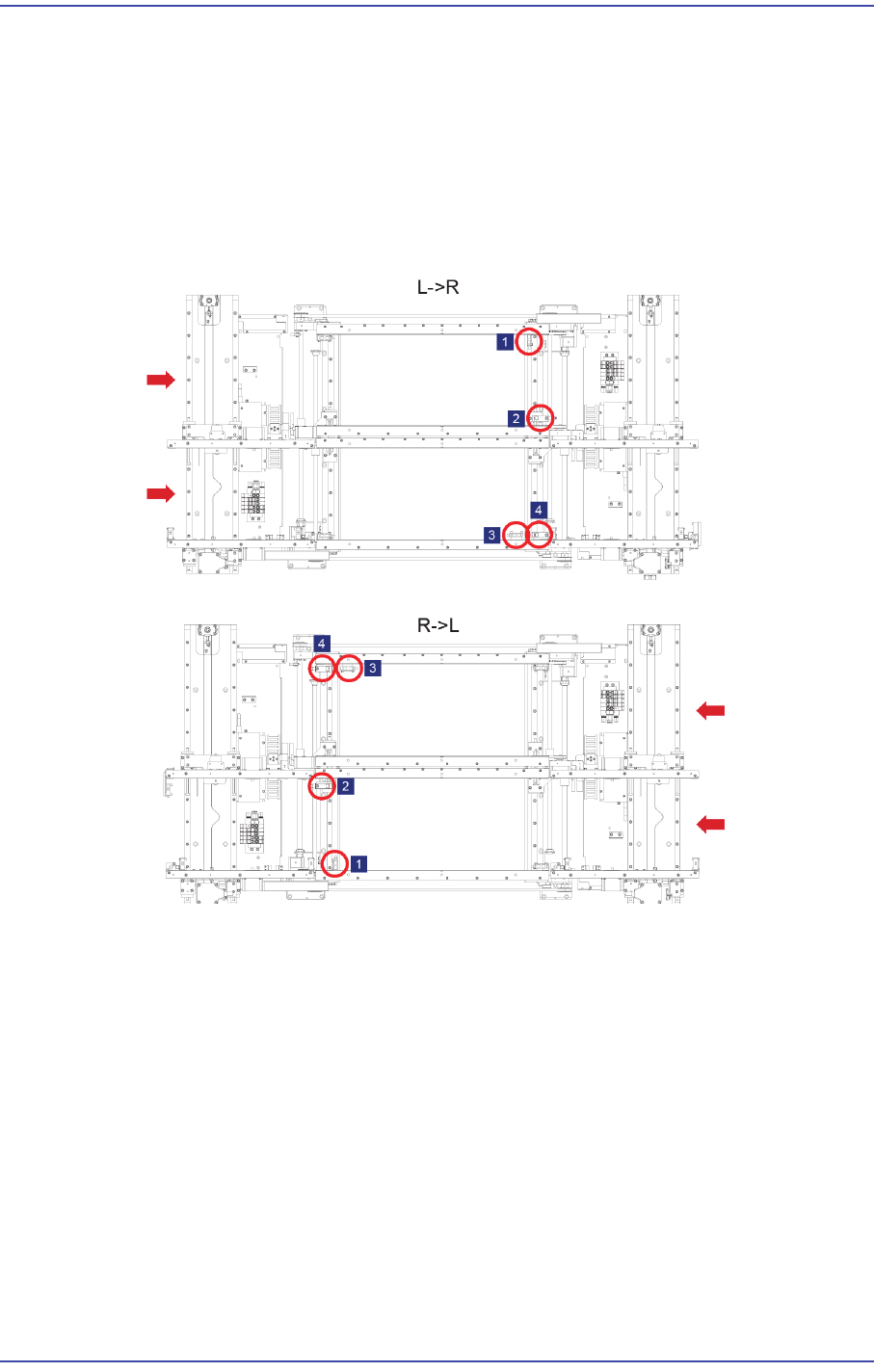
6.4.2. Stopper and Sensor when changing right, left Replacement procedure
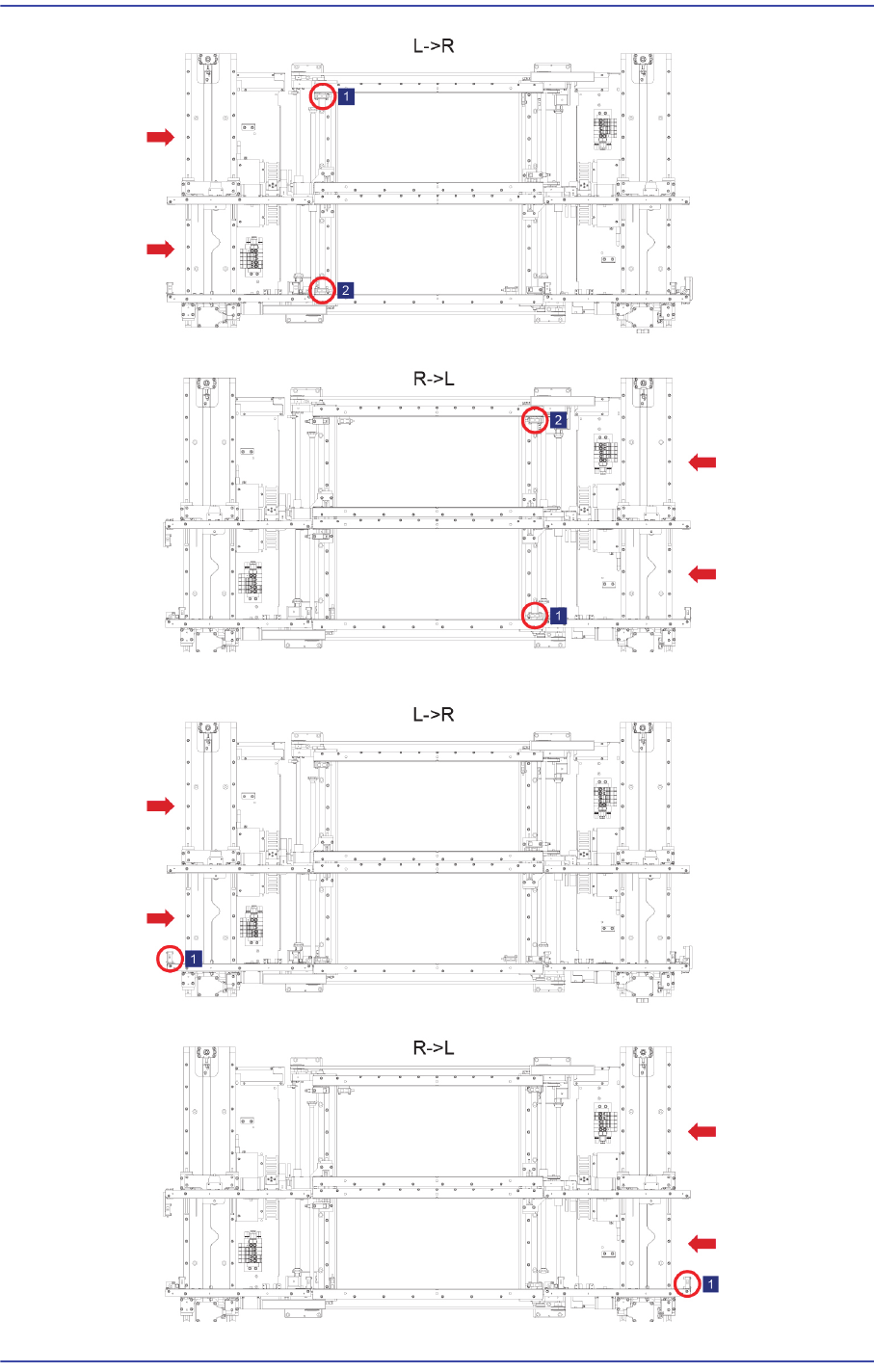
1) Move the sensor and stopper at the right of the Work Zone to the left.
2) Move the sensor at the left of the Work Zone to the right.
6-24
Fast & Flexible Chip Shooter DECAN F2 Service Manual
3) Move the sensor of the Entry Zone to the Exit Zone.