DECAN_F2_Service(Eng_Ver1).pdf - 第319页
13-49 Software Result: Indicates the status of the check item. Date: Selects the date for inquiry . 2) Outputting Check History in File Format Searched check history and all check histories can be outputte d in the t…
13-48
Fast & Flexible Chip Shooter DECAN F2 Service Manual
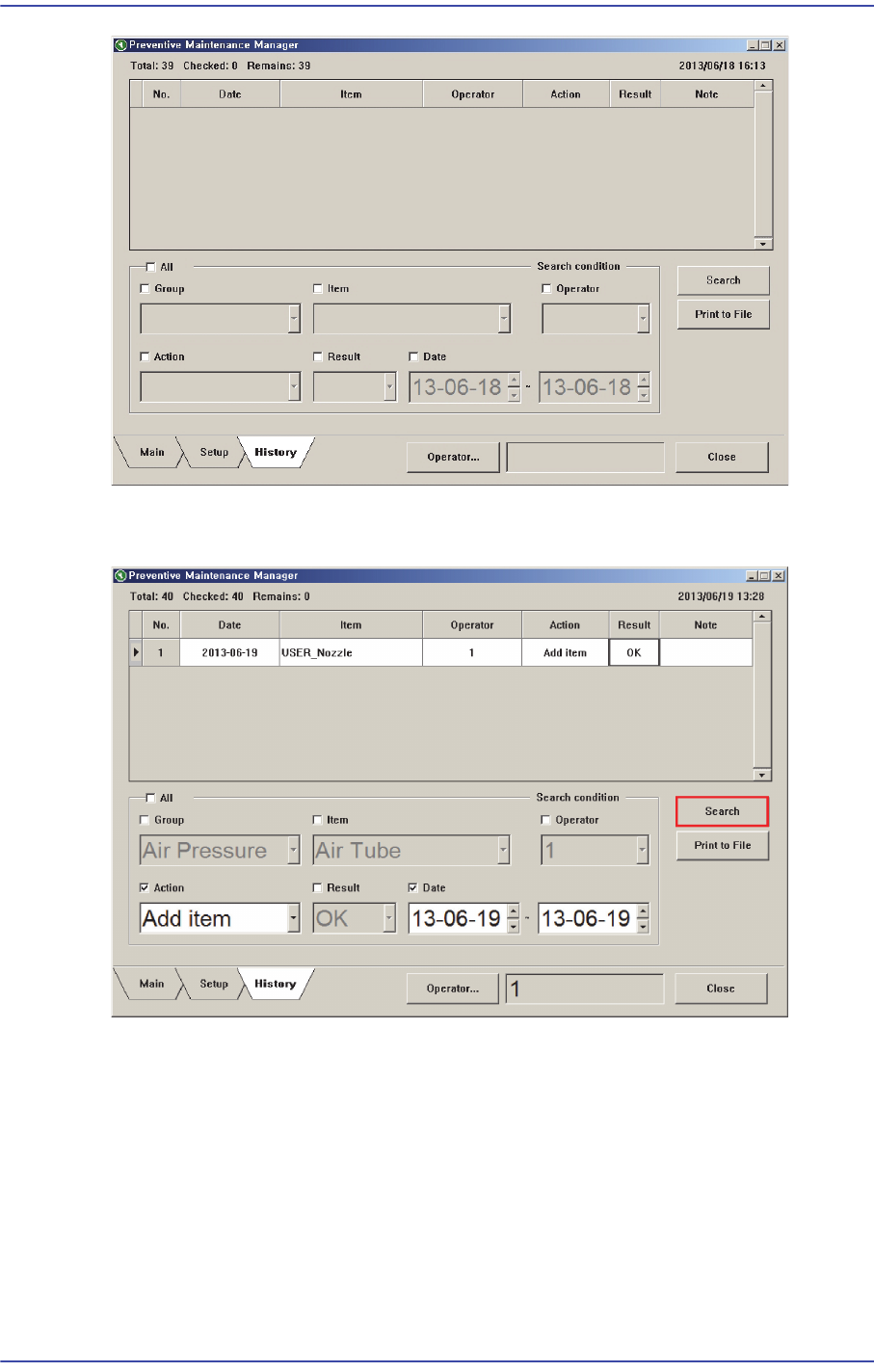
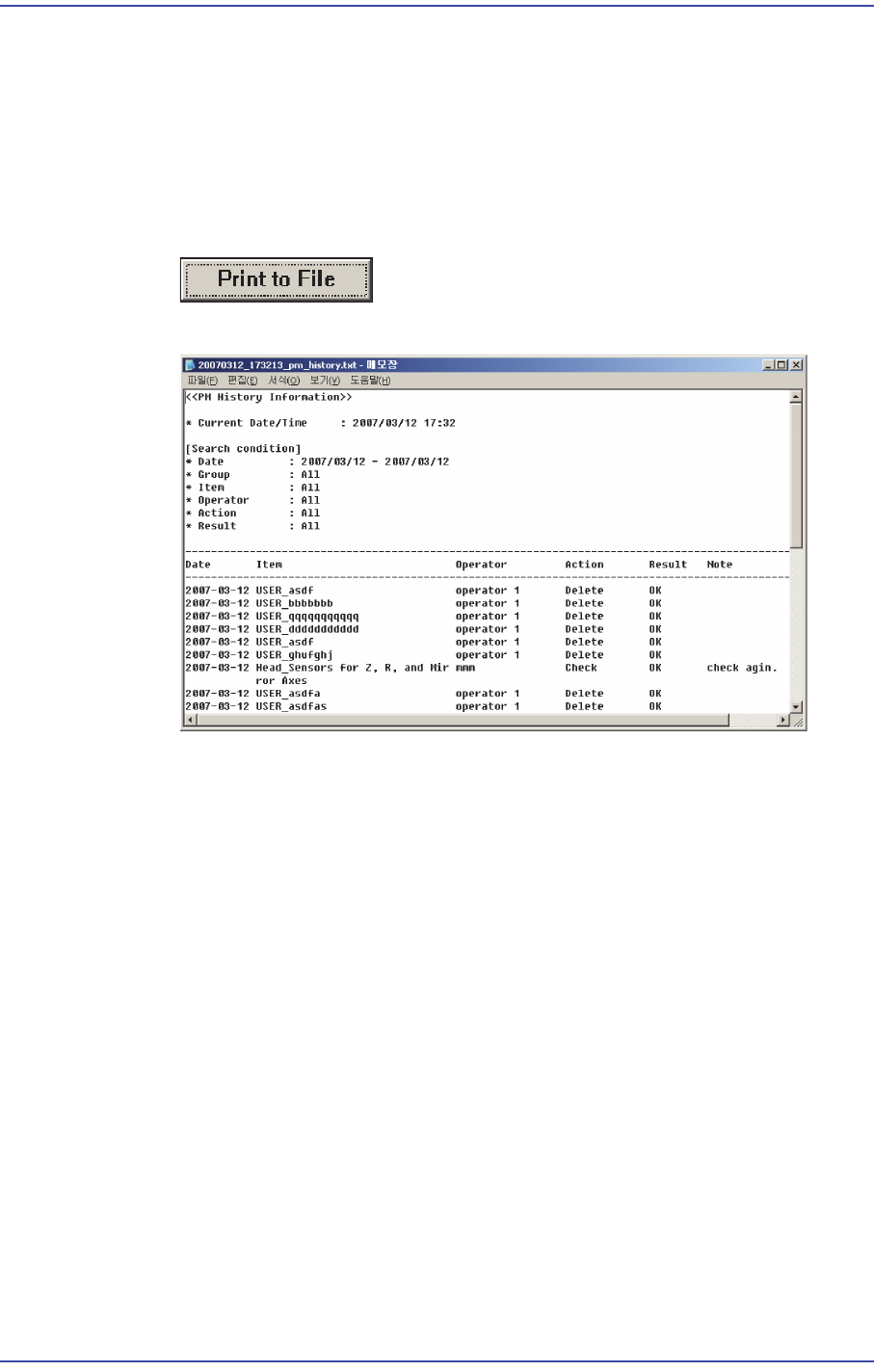
When inquiring the check history, input the search condition and click the <Search>
button.
1) Search Condition
The check history can be inquired by selecting the following check boxes and entering
the search condition.
All: Indicates all check histories.
Group: Selects a group of check items.
Item: Selects check items.
Operator: Checks the user.
Action: Selects whether to take action for the check item.
13-49
Software
Result: Indicates the status of the check item.
Date: Selects the date for inquiry.
2) Outputting Check History in File Format
Searched check history and all check histories can be outputted in the text file format.
This can be performed in the following manner.
Click the <Print to File> button
Text file is created.

13-50
Fast & Flexible Chip Shooter DECAN F2 Service Manual
13.3. Factory Constant
Module No Name Div Value Unit Description
Machine 19 Machine No
Use Const Machine No.: Set for each machine
20
Machine Type
Use
1
Const Machine Type
0 : Machine with no Upward Vision System
1 : Machine with Upward Vision System
Conveyor 23 Conv Fix Type
Use
0
Const
0 : Front standard of equipment
1 : Rear standard of equipment
24
Board Flow Method
Use
0
Const 0 : Normal
1 : Back Return
27 Conv 1 Type
Use
1 Const
Kind of Conveyor
0: 1 stage Conveyor
1: 3 stage Conveyor
2: 3 stage Motor conveyor
29 Conv 1 Auto width
Use
1
Const Automatic width adjustment function
0 : No automatic width adjustment function
1 : Automatic width adjustment function
31 Board Flow
Use
0
Const PCB transfer direction
0 : Left to right
1 : Right to left