DECAN_F2_Service(Eng_Ver1).pdf - 第353页
14-13 Board 5) Remove th e cable co nnected to the board. 6) Unscrew the fixing bolts(4-M3*6) securing the Board using a wrench and remove it. Ref The part number of the new Board is AM03-005341A.
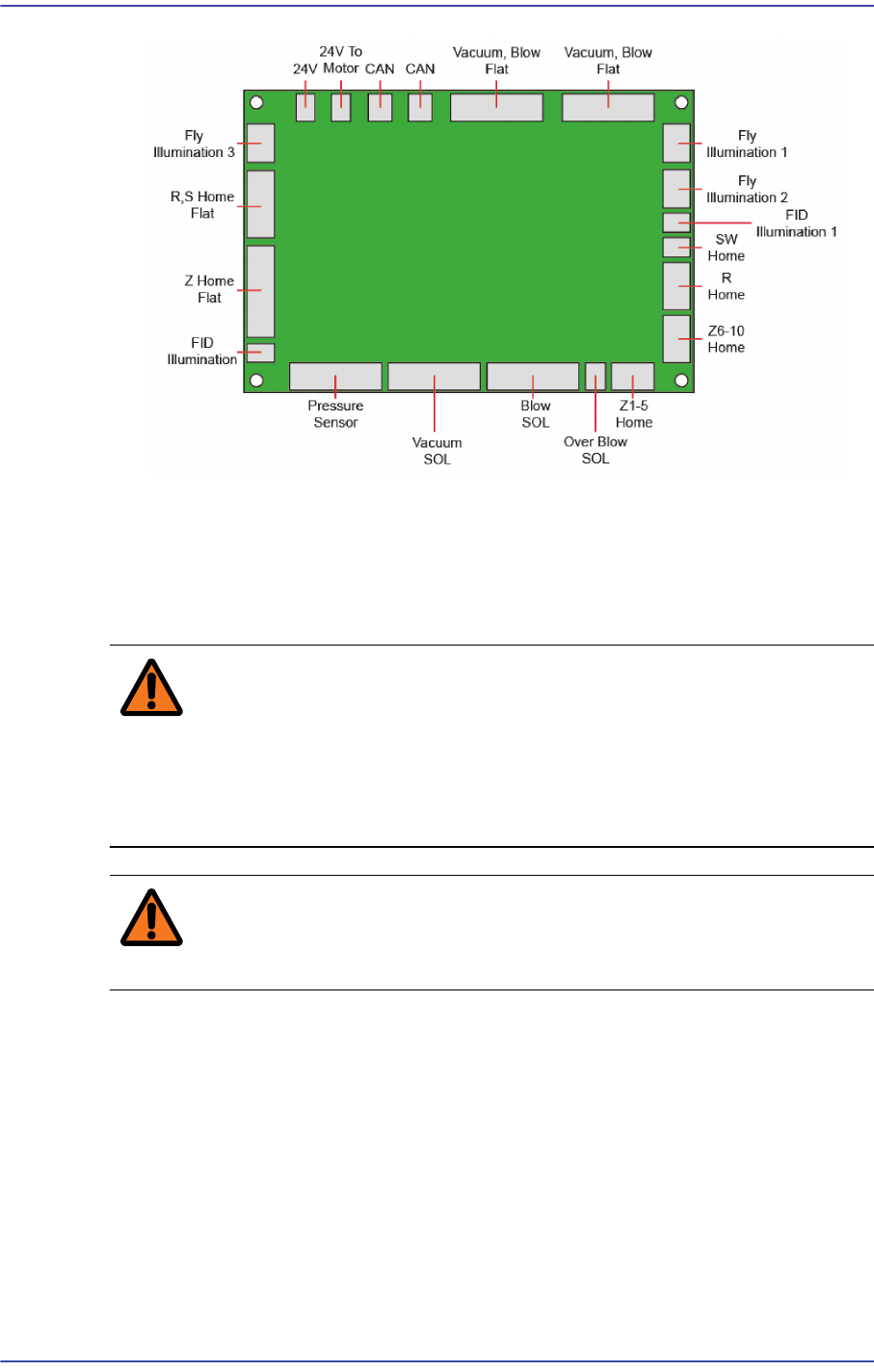
14-12
Fast & Flexible Chip Shooter DECAN F2 Service Manual
14.2.3. Head Motor IF Board Replacement Procedure
1) Close the PC as usual and turn off the main switch at the front of the machine.
2) Turn off the main power supply to the machine.
Warning Before servicing the machine, turn off the power switch
located at the front bottom as well as the main circuit
breaker at the rear bottom of the machine. Otherwise,
serious personal injury may occur. Perform servicing with
the power supply to the machine cut off without fail.
Warning Be sure to wear anti-electrostatic gloves when servicing the
machine.
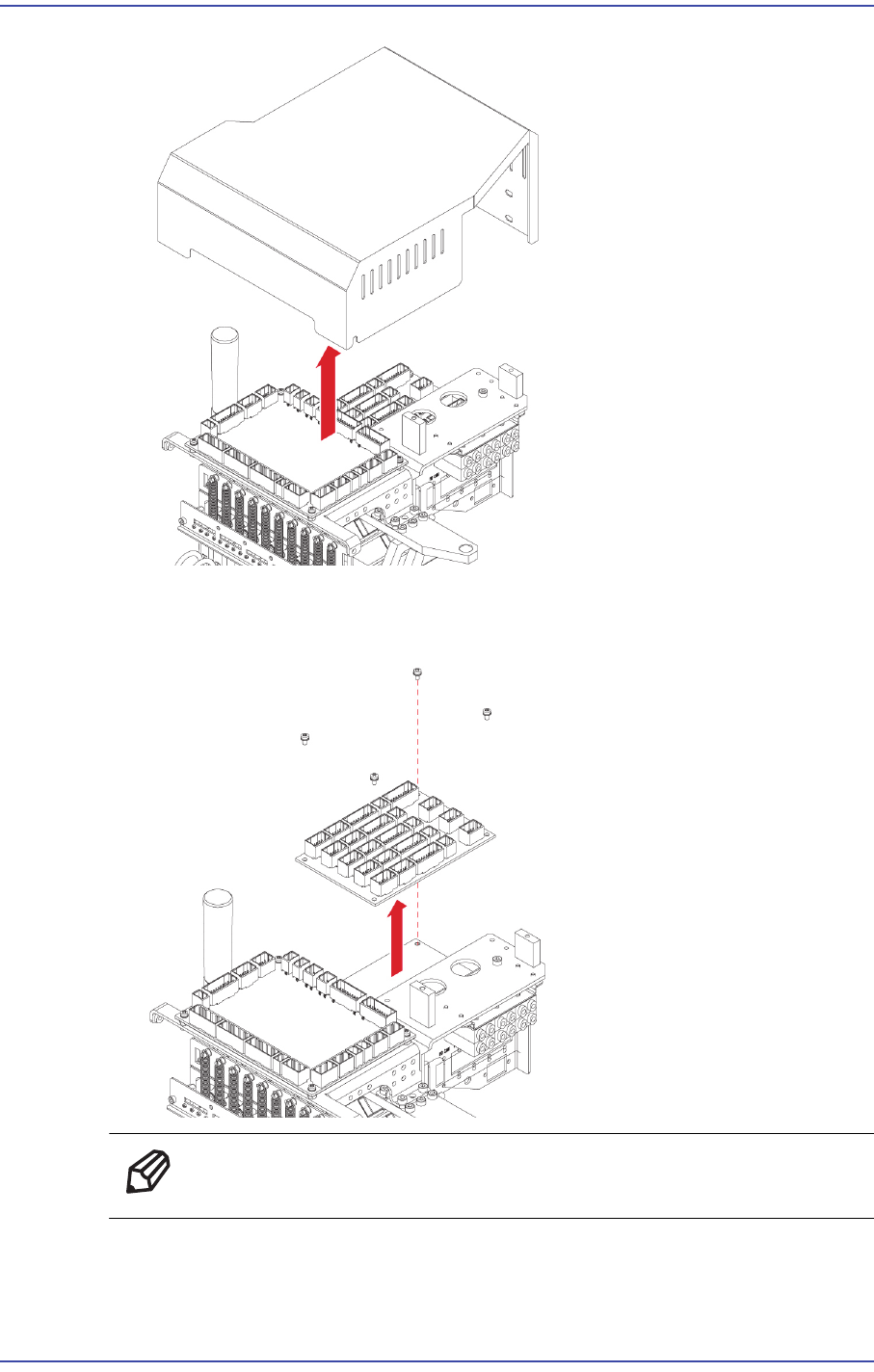
3) Move the head module forward.
4) Unscrew the fixing bolts securing the head top cover and remove it.
14-13
Board
5) Remove the cable connected to the board.
6) Unscrew the fixing bolts(4-M3*6) securing the Board using a wrench and remove it.
Ref The part number of the new Board is AM03-005341A.
14-14
Fast & Flexible Chip Shooter DECAN F2 Service Manual
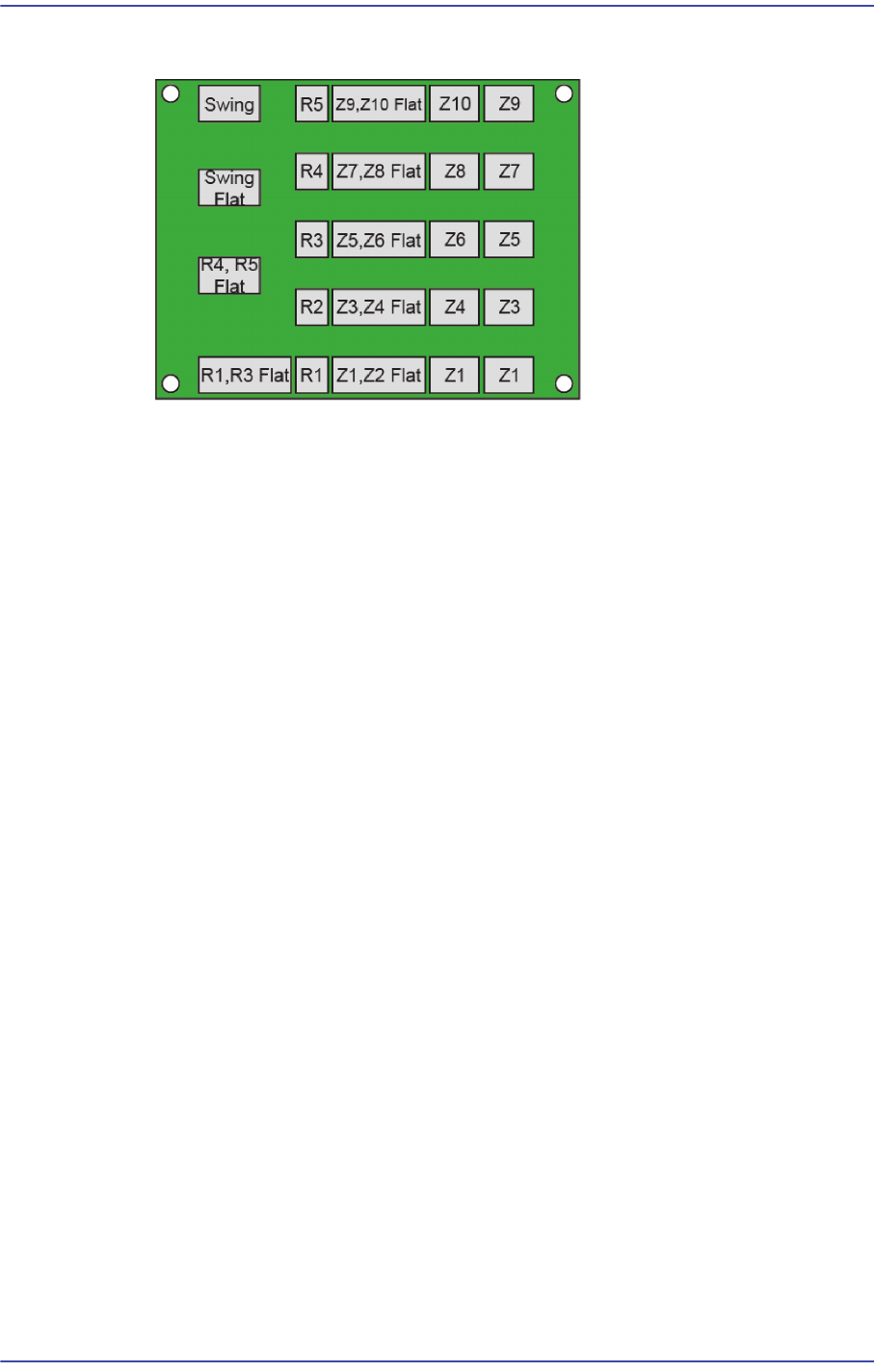
7) When assembling the board, connect the cables referring to the following figure.