DECAN_F2_Service(Eng_Ver1).pdf - 第156页
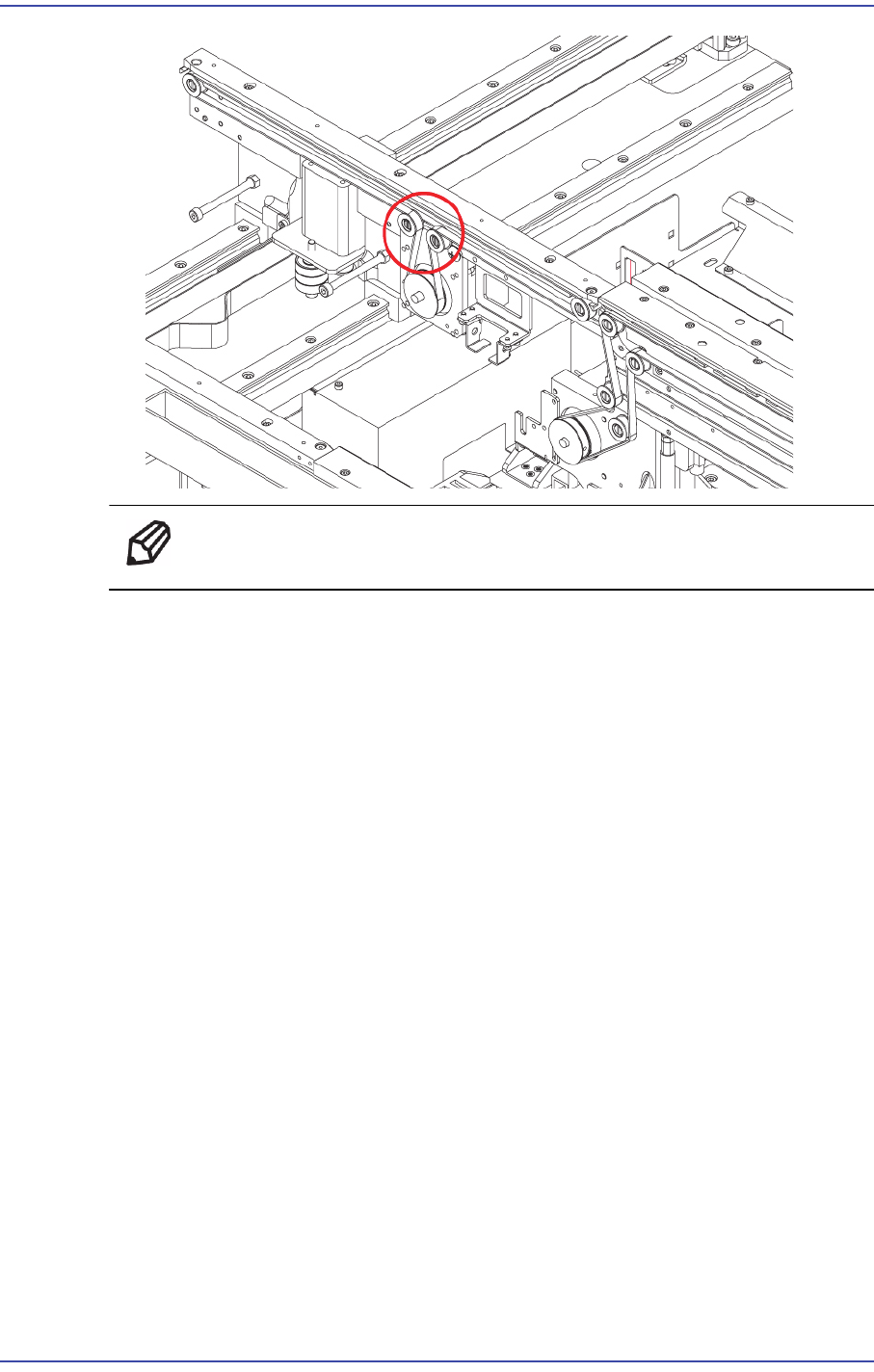
6-6 Fast & Flexible Chip Shooter DECAN F2 Service Manual Ref T ensio n: 22 ±2 Hz T ension Measurement location: Y ou ca n adjust the T ension to mo ve to the left and right Idle. 5) After assembling the conveyor …
6-5
Conveyor
Ref The part number of the belt is MC05-000068A.
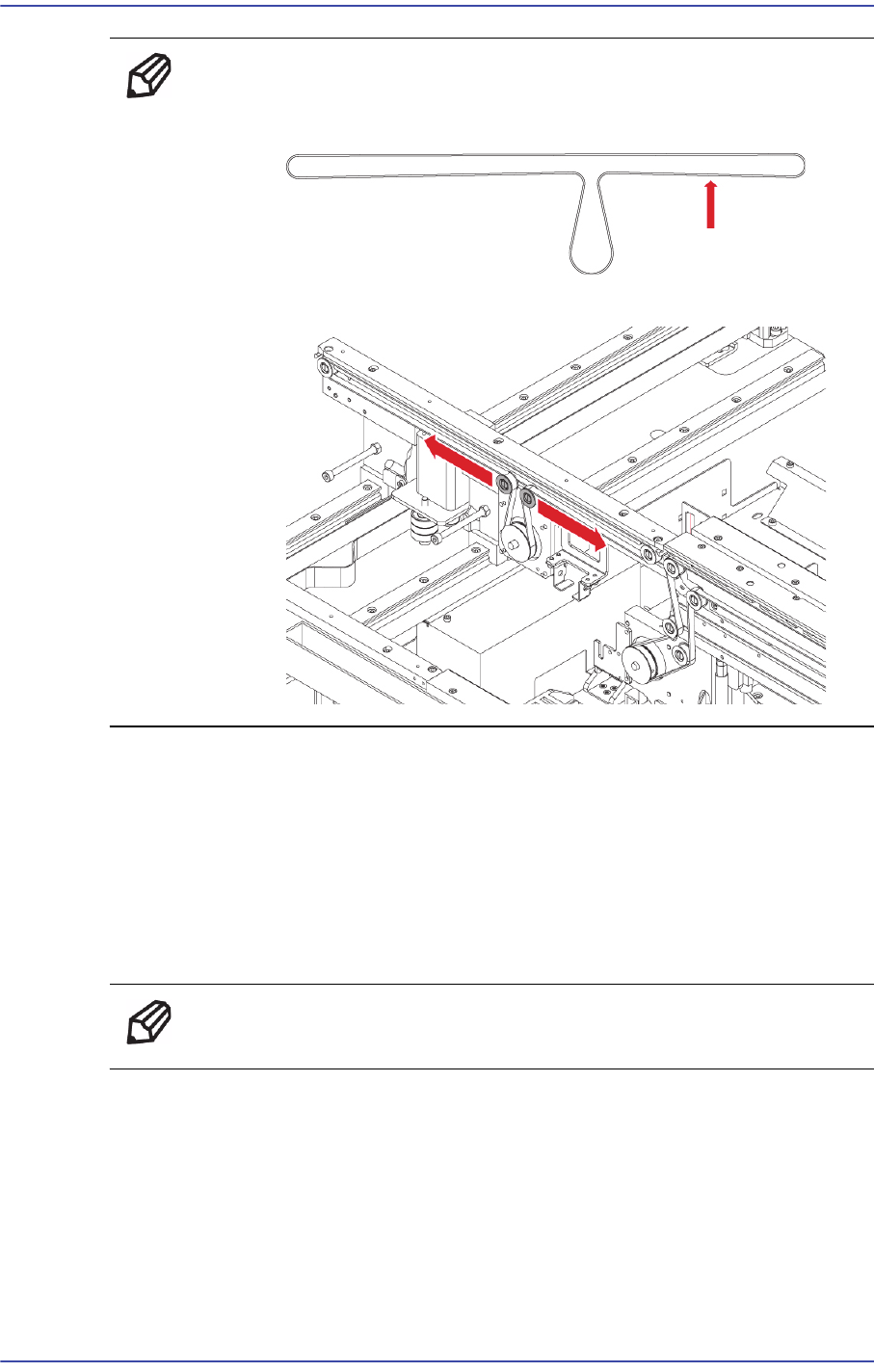
4) When assembling it with a new Belt, refer to the following.
6-6
Fast & Flexible Chip Shooter DECAN F2 Service Manual
Ref Tension: 22 ±2 Hz
Tension Measurement location:
You can adjust the Tension to move to the left and right Idle.
5) After assembling the conveyor belt, check whether it works properly.
6.2.4. Entry / Exit Zone Width adjustment Belt Replacement Procedure
1) Manipulate to increase the conveyor width as wide as possible.
2) Close the PC as usual and turn off the main switch at the front of the machine.
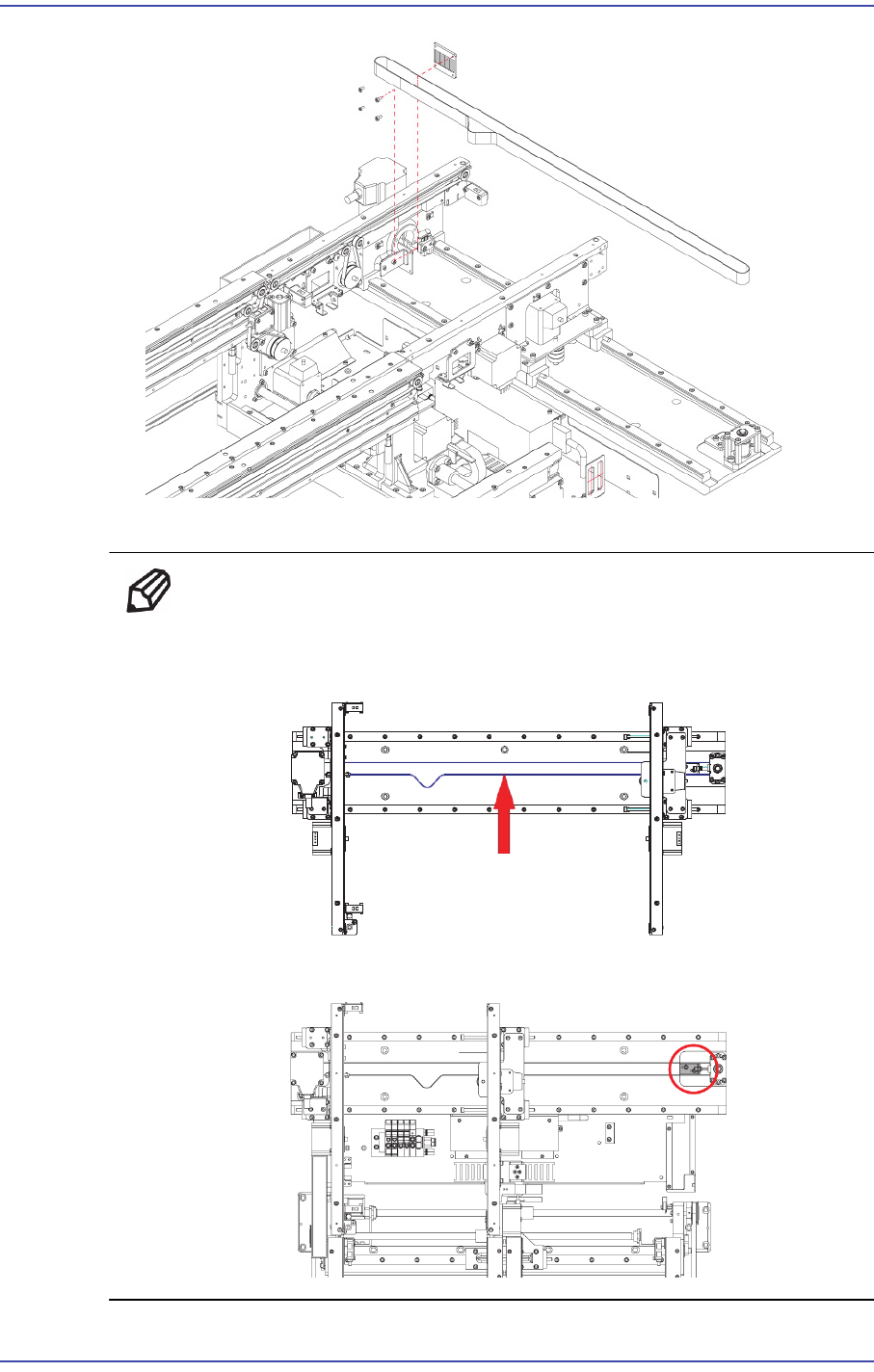
3) Unscrew the Fixing bolts(4-M3*6) securing the belt using a wrench and remove it
Ref The part number of the belt is MC05-000151.
6-7
Conveyor
4) Assemble the belt referring to the following.
Ref Tension : 22 ± 2 Hz
Tension Measurement location: Measured from the vote Hole in the
Shuttle Base.
You can adjust the Tension to move to the left and right Idle.