DECAN_F2_Service(Eng_Ver1).pdf - 第401页
16-7 Recovery 4) Select No. 1 ‘Create Primary DOS partition’ in the ‘Create DOS partition or Logical DOS Drive’ menu. 5) Enter ‘Y’ to create Primary DOS Partition. Reference If the Primary DOS Partition is not created, d…
16-6
Fast & Flexible Chip Shooter DECAN F2 Service Manual
16.2. Boot ROM Copy
16.2.1. How to copy Boot ROM
1) Connect the FDD drive to the USB and insert the RT ROM Boot diskette for booting.
2) Once booting is finished using an FDD, enter the following in the Command window
to execute the partition setup.
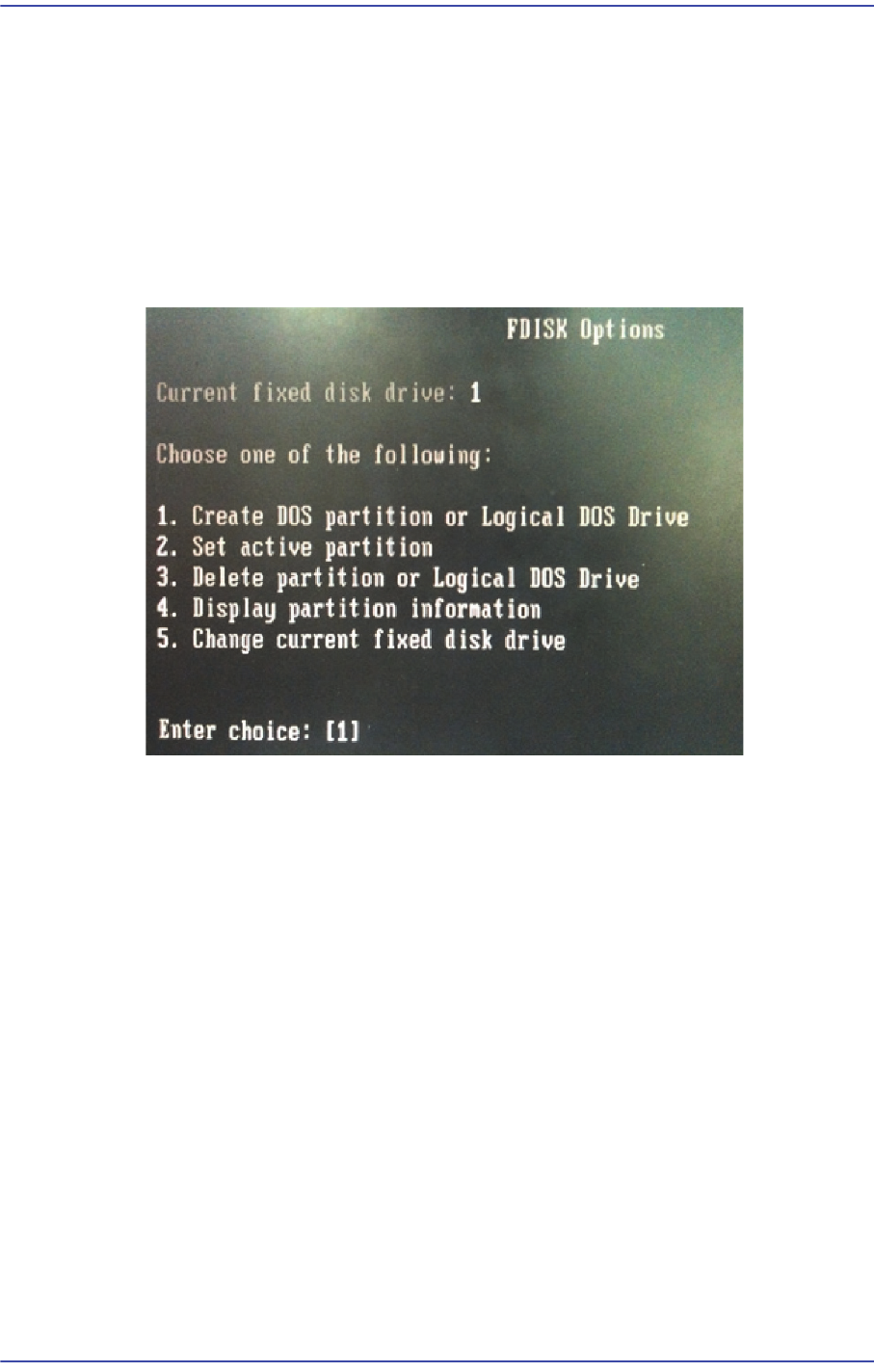
A:>fdisk
3) Select No. 1 ‘Create DOS partition or Logical DOS Drive’ in the FDISK menu.
16-7
Recovery
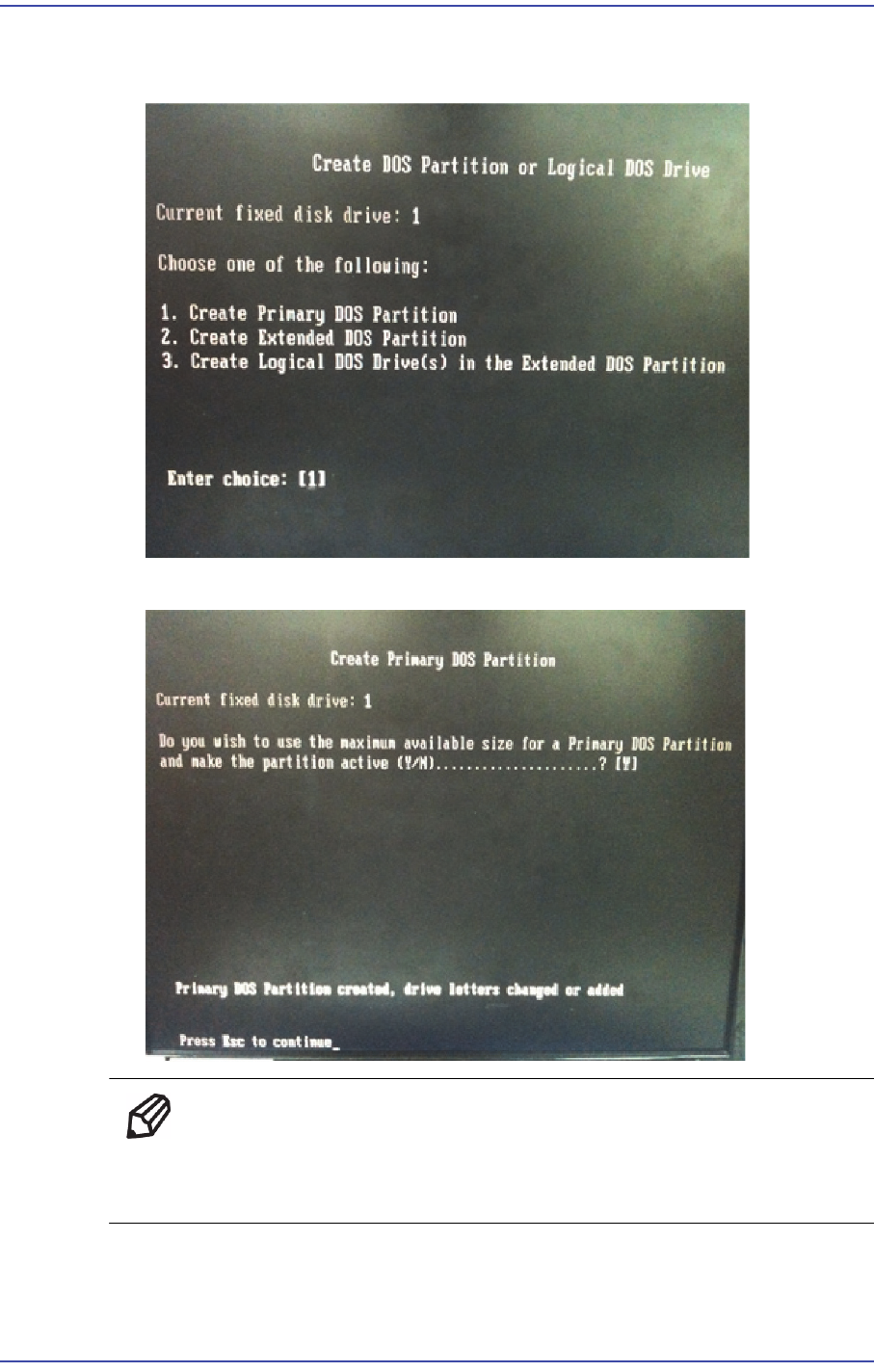
4) Select No. 1 ‘Create Primary DOS partition’ in the ‘Create DOS partition or Logical
DOS Drive’ menu.
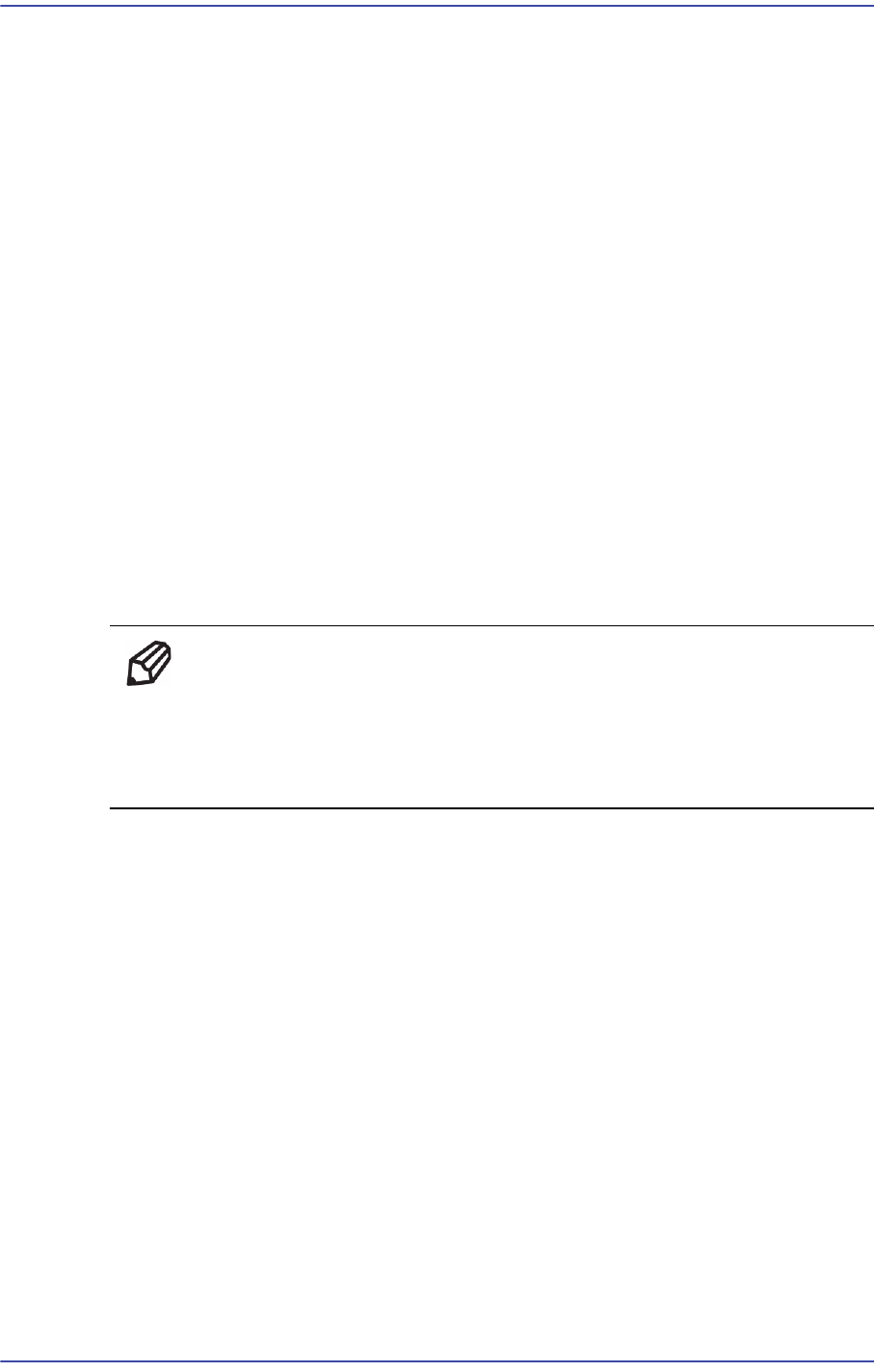
5) Enter ‘Y’ to create Primary DOS Partition.
ReferenceIf the Primary DOS Partition is not created, delete the partition
already created and create one. (Use main menu ‘3. Delete partition or
Logical DOS Drive’.)
16-8
Fast & Flexible Chip Shooter DECAN F2 Service Manual
6) Go to the DOS Command and enter the following to format the CF card.
A:>format c:
7) Once the format is finished, enter the following to copy the vxsys.com to the CF card.
A:>copy vxsys.com c:
8) Once the copy is finished, go to C: and enter the following.
A:>c:
C:>lock c:
9) Enter the following to install the boot sector.
C:>vxsys c:
10) Enter the following to create the VXLD.bin.
C:>vxsys /f c:
11) Go to a: and copy the bootrom.bin file as follows (pay attention to the extension name)
C:>a:
A:>copy bootrom.bin c:\bootrom.sys
12) Remove the FDD drive and reboot the ROM drive and check whether the Boot ROM
is booted properly.
Ref Executing the file in the following path of the MMI PC while the
ROM drive can be booted will copy the RT OS related system file
(RT image file) to the RT PC automatically:
C: \SmartCM\Bin\RtUpgrade\SmartUpgrade.exe