DECAN_F2_Service(Eng_Ver1).pdf - 第83页
3-21 Installation & Operation Machines manufactured not in ac cordance with the SMEM A code such as SIMENS, SANYO and TDK (RX-1 1), a nd machines w ithout dual contact interface shall be examined s pecially . Mac…
3-20
Fast & Flexible Chip Shooter DECAN F2 Service Manual
3.2.3. Communication Interface Setup between Machines
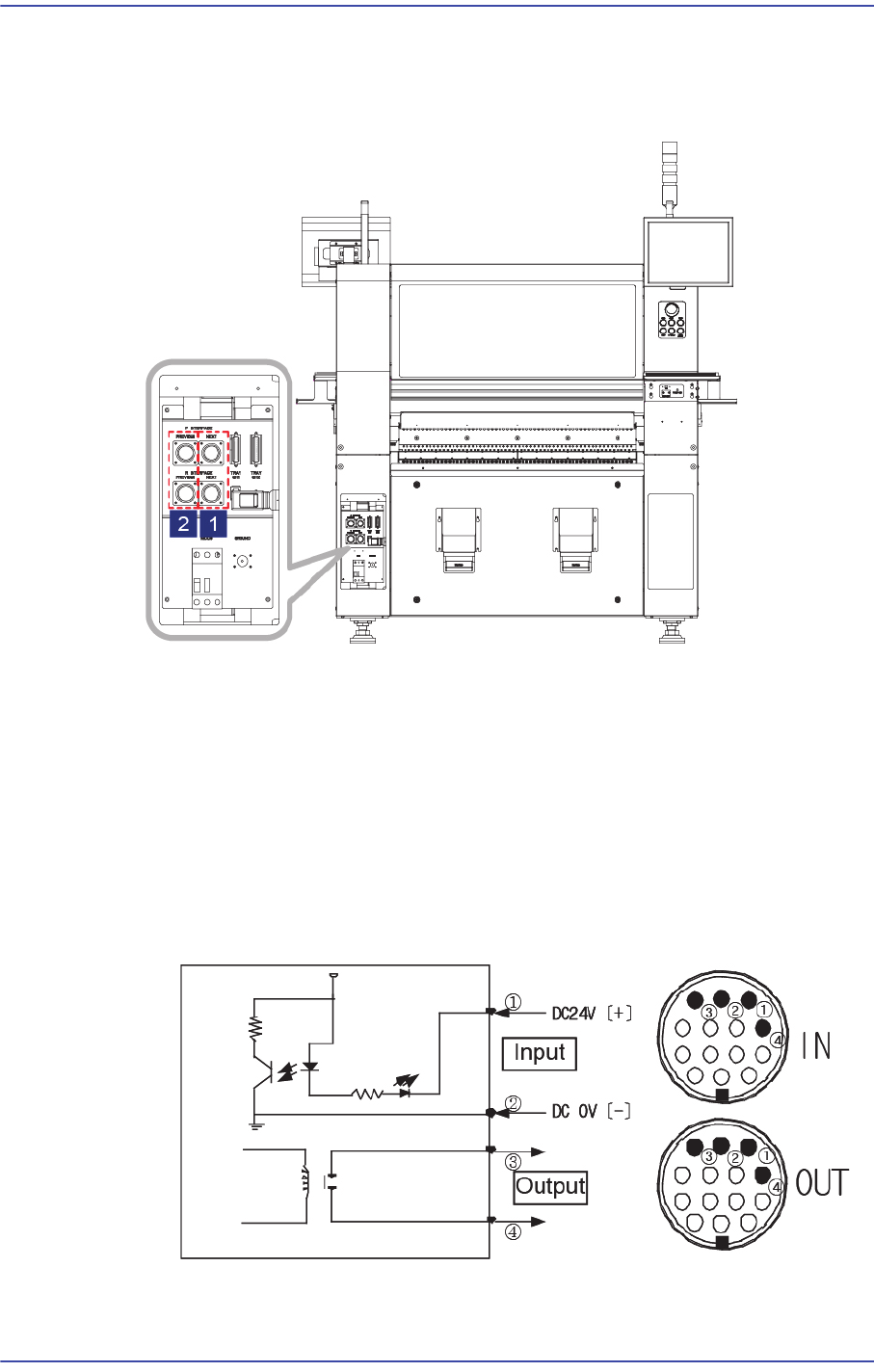
1) Set the communication interface between the Previous Machine and Next Machine by
referring to the following.
1: Next Machine
2: Previous Machine
START Input Signal (Cable No.:?(+),?(-))
The input signal is outputted from the next machine and voltage of approximately
20 ~ 22V is measured at most input signal terminals.
READY Output Signal (Cable No.:? , ?)
The output signal is outputted to the previous machine. Generally, at most output
signal terminals, 0 is measured when output signal is outputted and is
measured when output signal is not outputted.
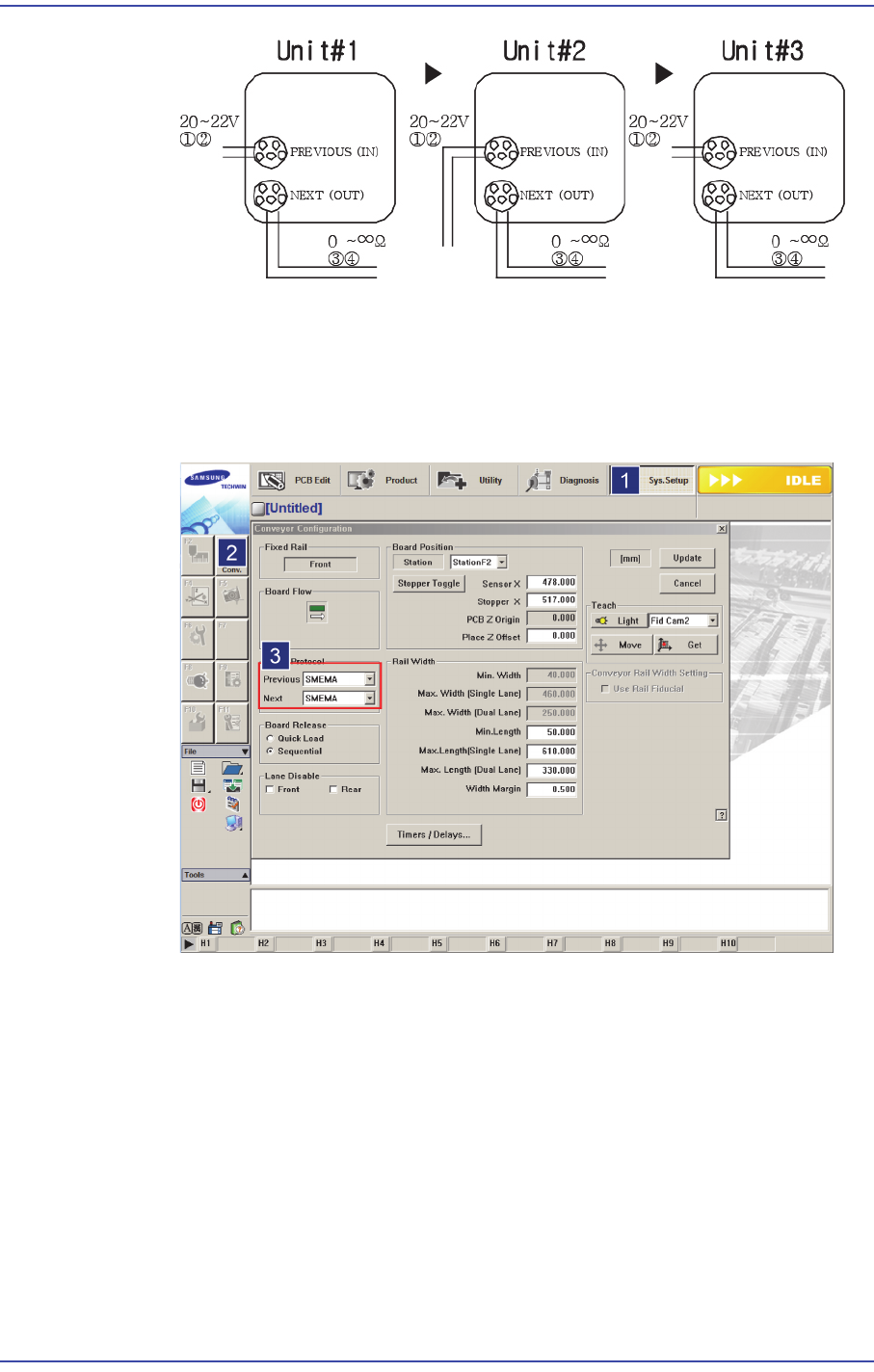
If the I/F connectors of neighboring machines are different, cut the cable and connect
it referring to the following figure.
3-21
Installation & Operation
Machines manufactured not in accordance with the SMEMA code such as SIMENS,
SANYO and TDK (RX-11), and machines without dual contact interface shall be
examined specially.
Machine interface must be decided. (Select 2-contact method or SMEMA method
suitable for the user’s environment.)
Select SYS.SETUP menu and lower menu of the conveyor.
Select ‘Stand Alone’, or SSA Type (2 contacts), or SMEMA in the ‘In (Before)
and Out (After)’ combo box of the inline protocol area.
Stand Alone: The connection is not established between machines. Setup is
made during manual operation.
SSA Type: The PCB flows only if the contact is connected in the next
machine.
SMEMA: The ready signal is given by the previous machine (24V), and the
contact is connected in the next machine.
Check if the interface between connected machines operates normally by using
the MMI bypass function. At this time, perform test using at least 3 pieces of
3-22
Fast & Flexible Chip Shooter DECAN F2 Service Manual
PCB.
3.2.4. Checking Manual Operation
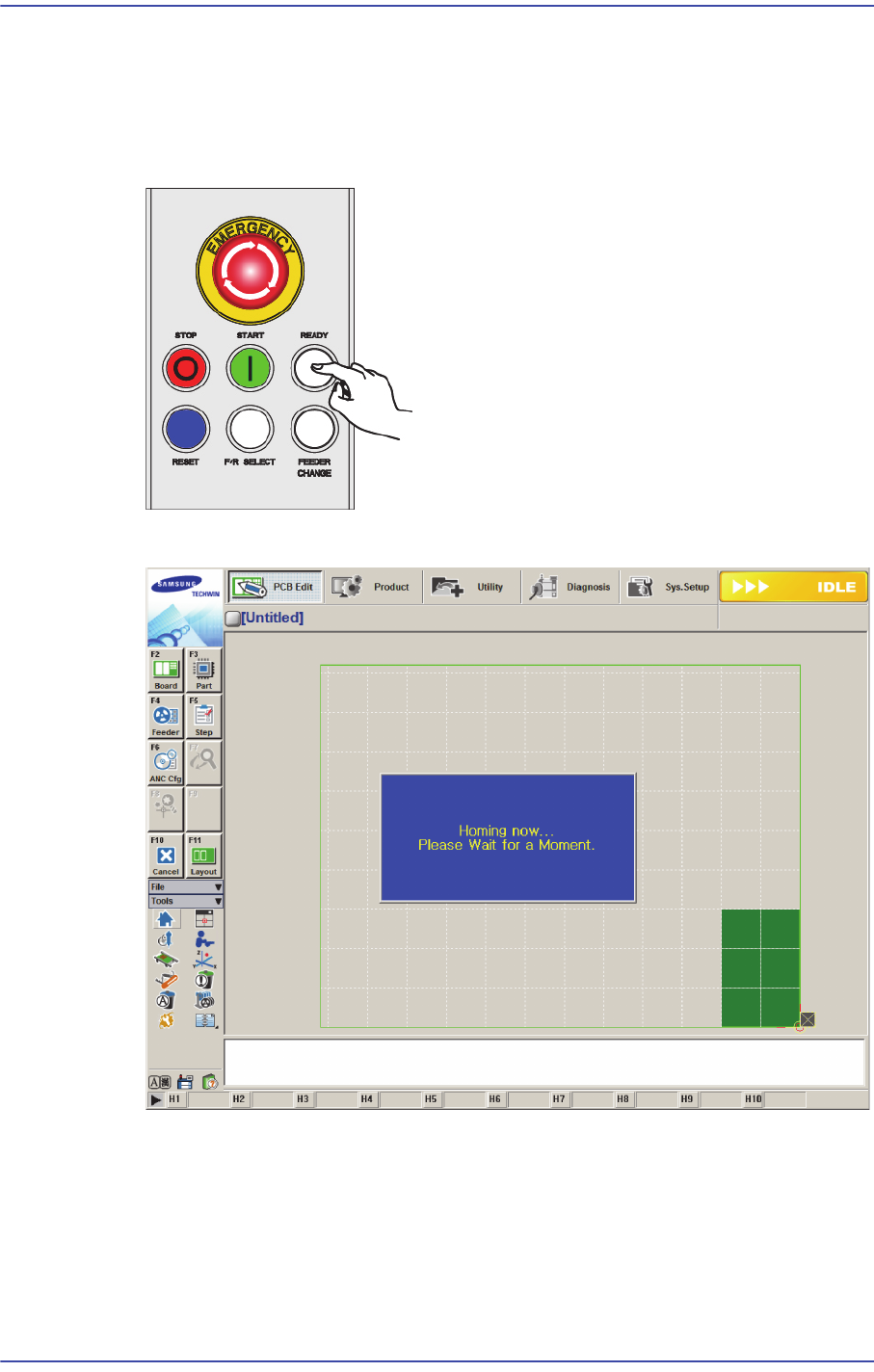
1) Press the ‘READY’ button on the OP panel.
2) Click the Home menu to home the machine.
3) 각 항목의 동작을 실행햐여 각 항목이 정상적으로 동작하는지 확인하십시오.
4) 정상인 경우 생산 절차에 따라서 장비를 가동하십시오.
3.2.5. Warming Up
1) After the machine installation, warm up the machine for 30 minutes.