DECAN_F2_Service(Eng_Ver1).pdf - 第221页
10-7 Y-Axis Frame 5) Assemble in the X Fame a new Linear Scale. Ref The part number of the new Linear Scale is FC28-000159. When replacing the Y frame linear s cale, also replace the linear scale in the other direction. …
10-6
Fast & Flexible Chip Shooter DECAN F2 Service Manual
10.2. Linear Scale
10.2.1. Required Tools
T Wrench (other tools supplied) or Hex Wrench
Torque Wrench
S/W ABS ST700 Signal Adjustment Program
ABS ST700 Signal Adjustment Program
CABLE-LINEAR_SCALE_GENDER(AM16-000377A)
CONVERTER,ELECTRIC-MULTI-1/USB COMBO(EP10-001948)
SM511_Y_LS_OFFSET_JIG (TO04-000898A)
0.4mm T Ruler
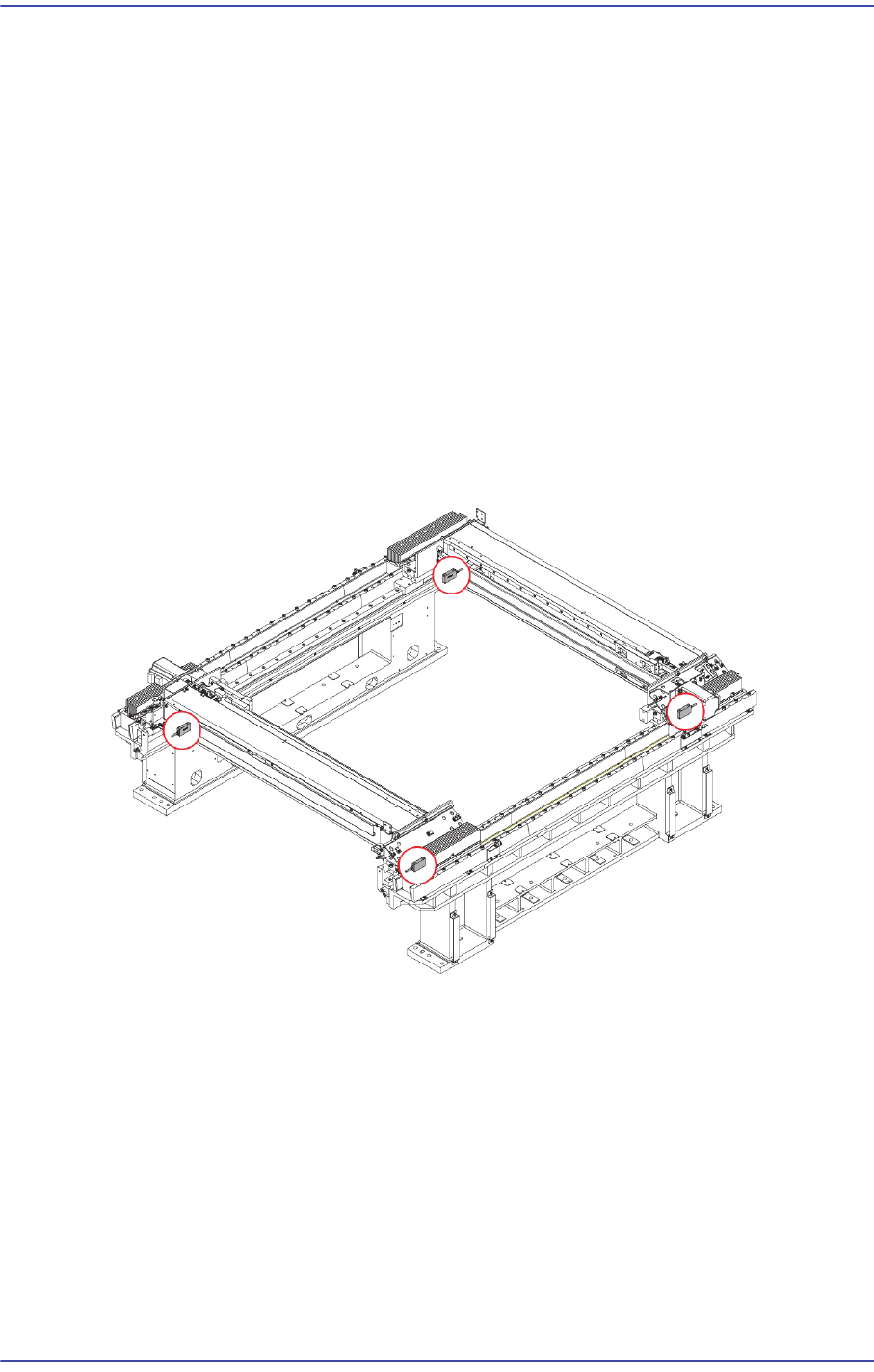
10.2.2. Location of Linear Scale
10.2.3. Linear Scale Replacement Procedure
1) Manipulate the perform homing of the machine.
2) Close the PC as usual and turn off the main switch at the front of the machine.
3) Remove the Cable that is connected to the Linear Scale.
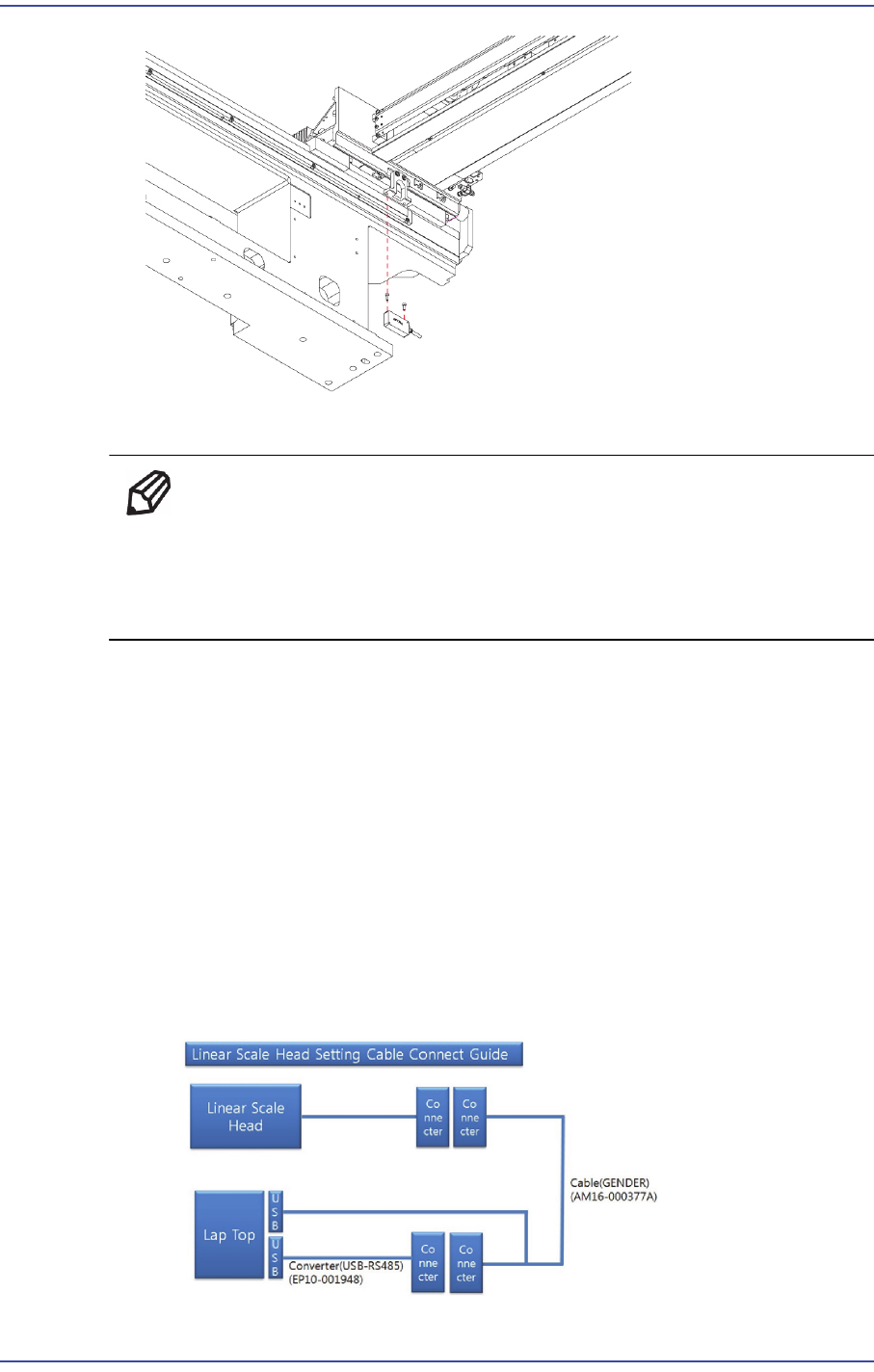
4) Unscrew the fixing bolts (2-M3*10)securing the Linear Scale using a wrench and
remove it.
10-7
Y-Axis Frame
5) Assemble in the X Fame a new Linear Scale.
Ref The part number of the new Linear Scale is FC28-000159.
When replacing the Y frame linear scale, also replace the linear scale
in the other direction. Between Scale Unit and Scale Head to the
Assembly to 0.4mm. (0.4mmT a ruler)
6) Perform the following calibrations.
S/W ABS ST700 Signal Adjustment Program
- Signal Check normal
- SRE calibration Implementation
- Homing Setting
Time: 0.5 hour
7) For the setup method using the ABS ST700 Signal Adjustment Program, refer to the
following procedure.
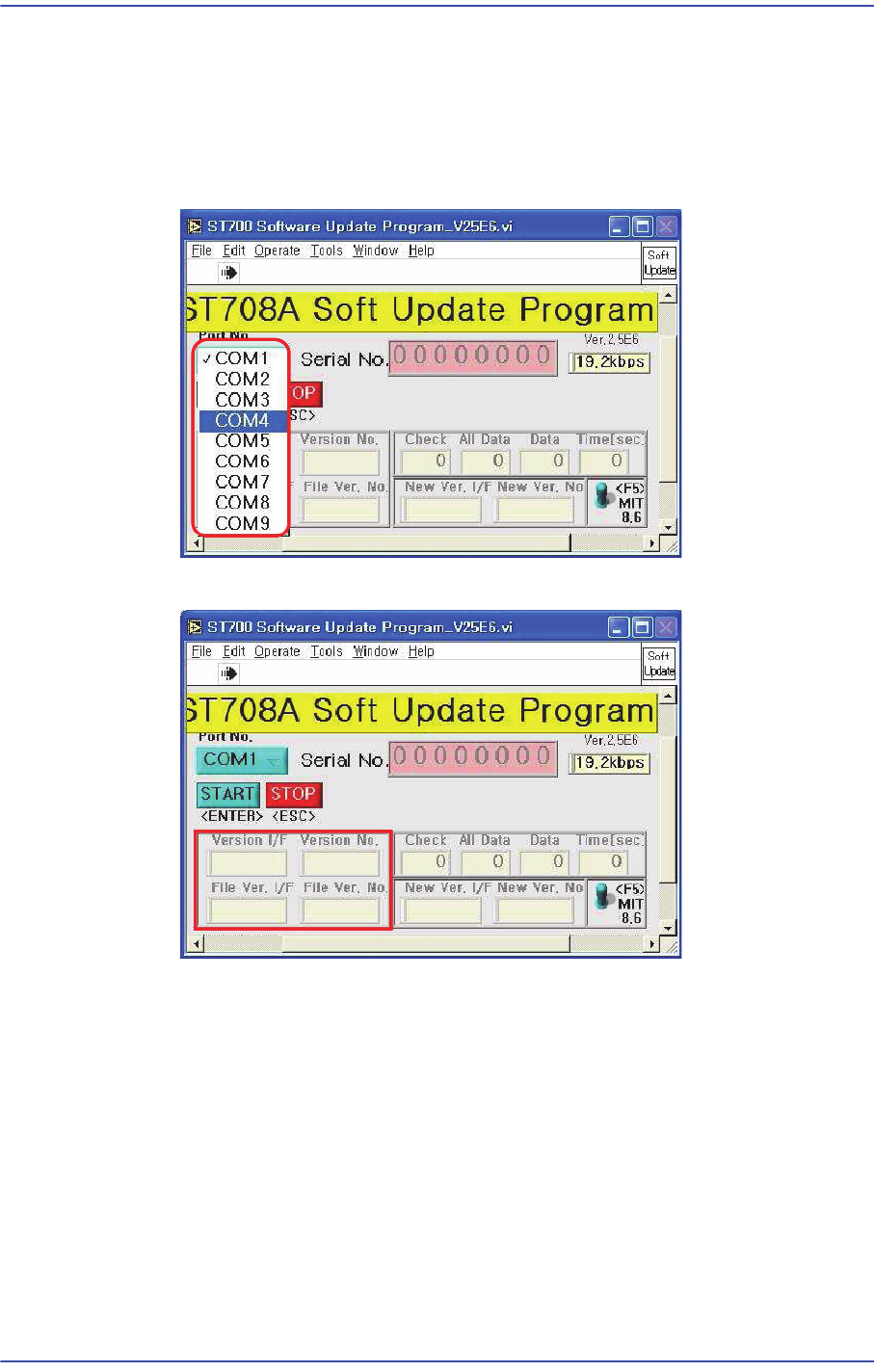
Refer to the figure below, Connect the USB connection cable to the laptop
computer and Linear Scale Head Cable and check the set port values.
10-8
Fast & Flexible Chip Shooter DECAN F2 Service Manual
Connect the USB connection cable to the laptop computer and machine and check
the set port values. (Click Computer Properties > Hardware > Device Manager >
Port (COM & LPT) to check the values.)
Run the ST708A Software Upgrade Program.
Input the confirmed COM Port.
Press F5 button to check the current version.
Click ‘Start’ when the version needs to be upgraded.