DECAN_F2_Service(Eng_Ver1).pdf - 第170页
6-20 Fast & Flexible Chip Shooter DECAN F2 Service Manual 5) Remove the Pulley that is connected to the Motor . 6) Replace the Motor with a new one. Ref The part number of the new Motor is EP08-000144. 7) When assemb…
6-19
Conveyor
8) After assembling the motor, adjust the belt tension referring to the Belt Replacement
Procedure.
Entry / Exit Zone Width adjustment Belt: MC05-000151
9) Execute the ‘Conveyor Utilities’ dialog box to check if the conveyor moves properly.
After selecting the corresponding station, click the <Belt Run> button and check
whether the motor is operating properly.
10) Check the following.
A)Check whether the PCB is transferred smoothly when each motor is operated
continuously.
B)Check whether abnormal noise occurs when each motor is operated continuously.
C)Check whether the transfer speed of the motor is set properly.
11) Perform the following calibrations.
Motor you replace the Calibrate Home All Axis execution
Time: 0.5 hour
6.3.5. Work Zone Front (Rear) / Fix (Move) PCB transfer Motor Replacement
Procedure
1) Manipulate the teaching box to increase the conveyor width as wide as possible.
2) Close the PC as usual and turn off the main switch at the front of the machine.
3) Please remove the Cable that is connected to the Motor.
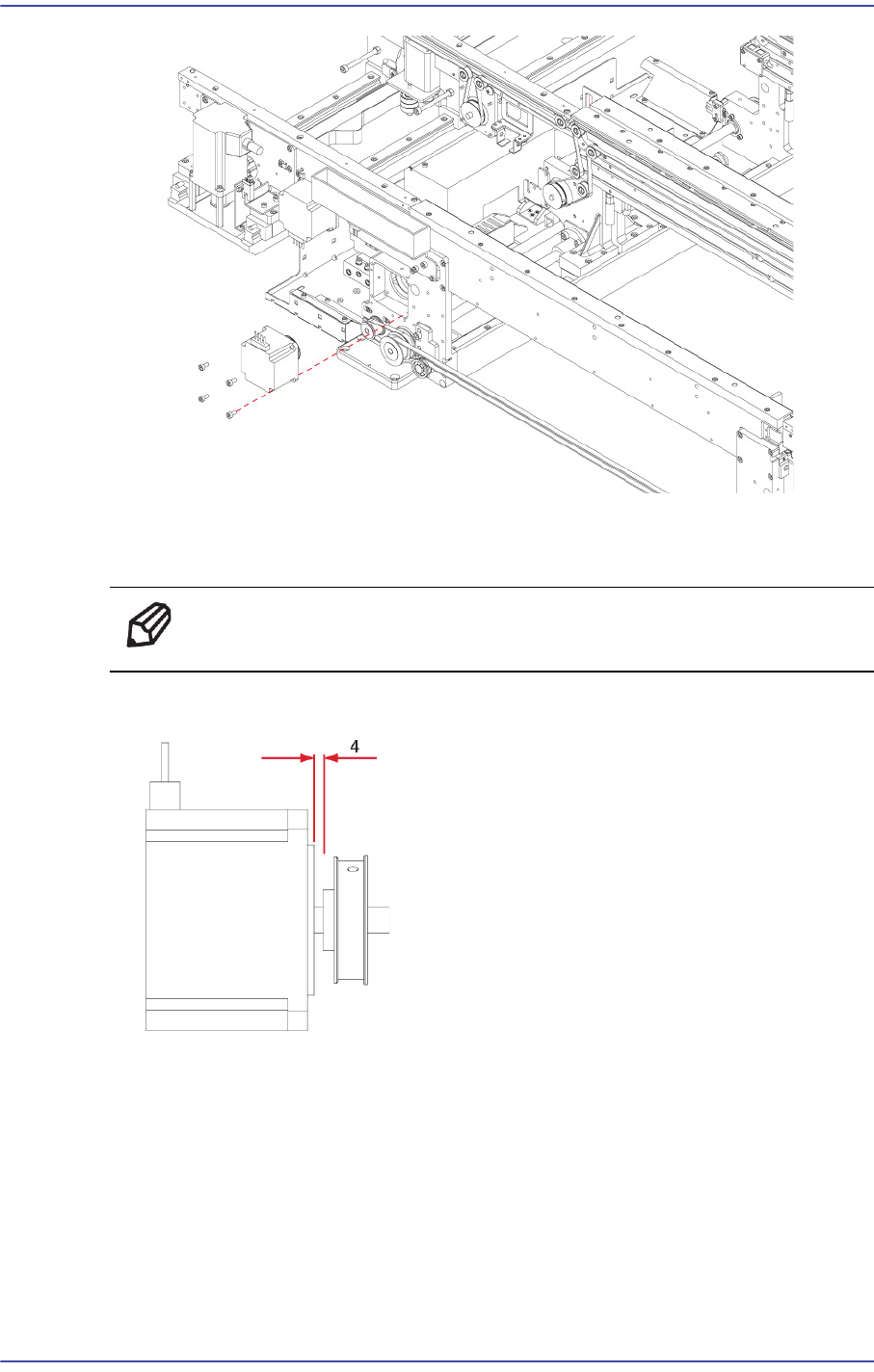
4) Unscrew the fixing bolts (4-M4*8) securing the Motor using a wrench and remove it.
6-20
Fast & Flexible Chip Shooter DECAN F2 Service Manual
5) Remove the Pulley that is connected to the Motor.
6) Replace the Motor with a new one.
Ref The part number of the new Motor is EP08-000144.
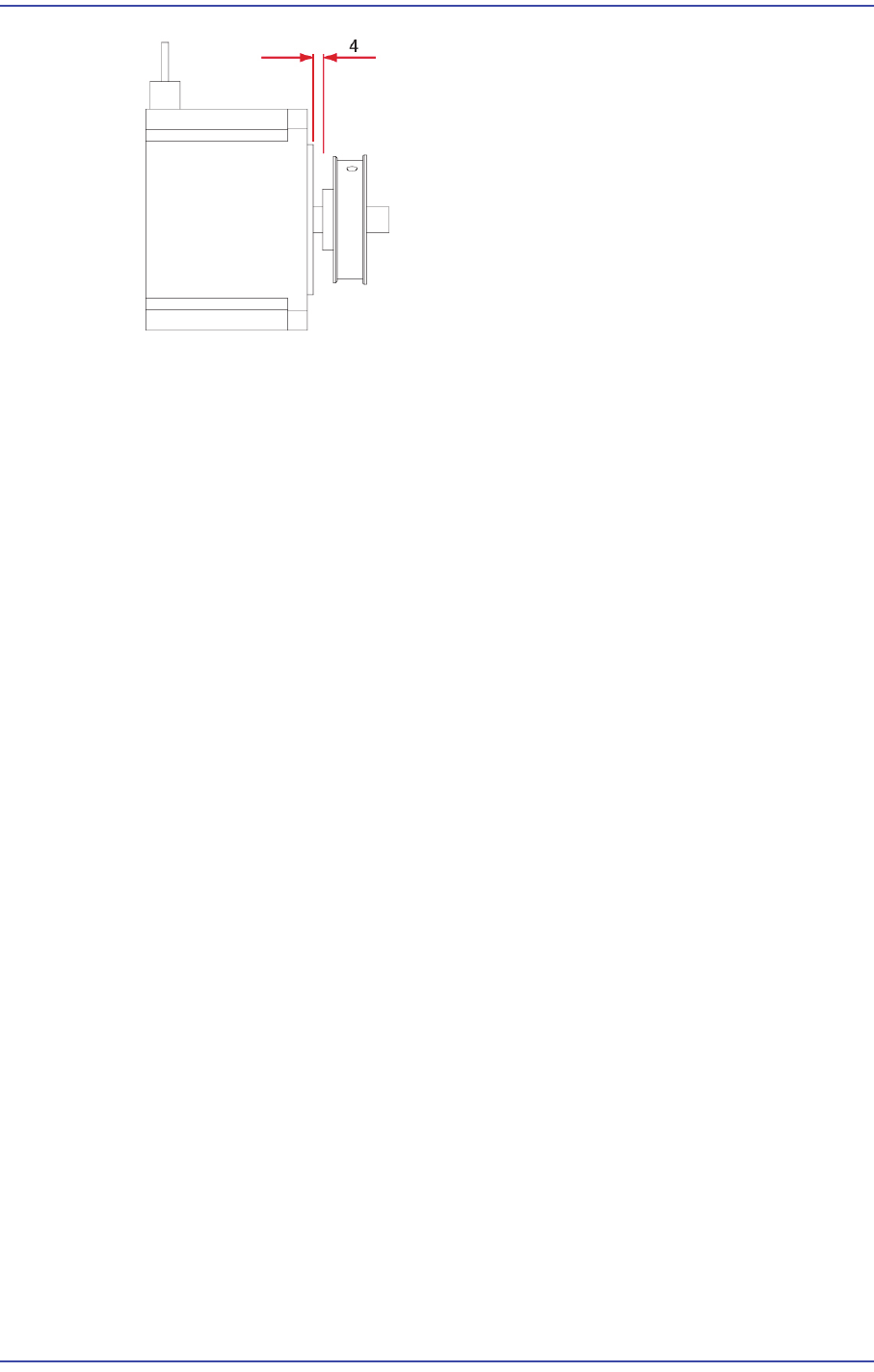
7) When assembling the motor-pulley, refer to the following.
8) After assembling the motor, adjust the belt tension referring to the Belt Replacement
Procedure.
Work Zone PCB transfer Belt: J66021006A
9) Turn on the main switch at the front of the machine and boot the PC once the
replacement is completed.
10) Execute the ‘Conveyor Utilities’ dialog box to check if the conveyor moves properly.
After selecting the corresponding station, click the <Belt Run> button and check
whether the motor is operating properly.
6-21
Conveyor
11) Check the following.
A)Check whether the PCB is transferred smoothly when each motor is operated
continuously.
B)Check whether abnormal noise occurs when each motor is operated continuously.
C)Check whether the transfer speed of the motor is set properly.
12) Perform the following calibrations.
Motor you replace the Calibrate Home All Axis execution
Time: 0.5 hour
6.3.6. Work Zone Power transmission Motor Replacement Procedure
1) Manipulate the teaching box to increase the conveyor width as wide as possible.
2) Close the PC as usual and turn off the main switch at the front of the machine.
3) Please remove the Cable that is connected to the Motor.
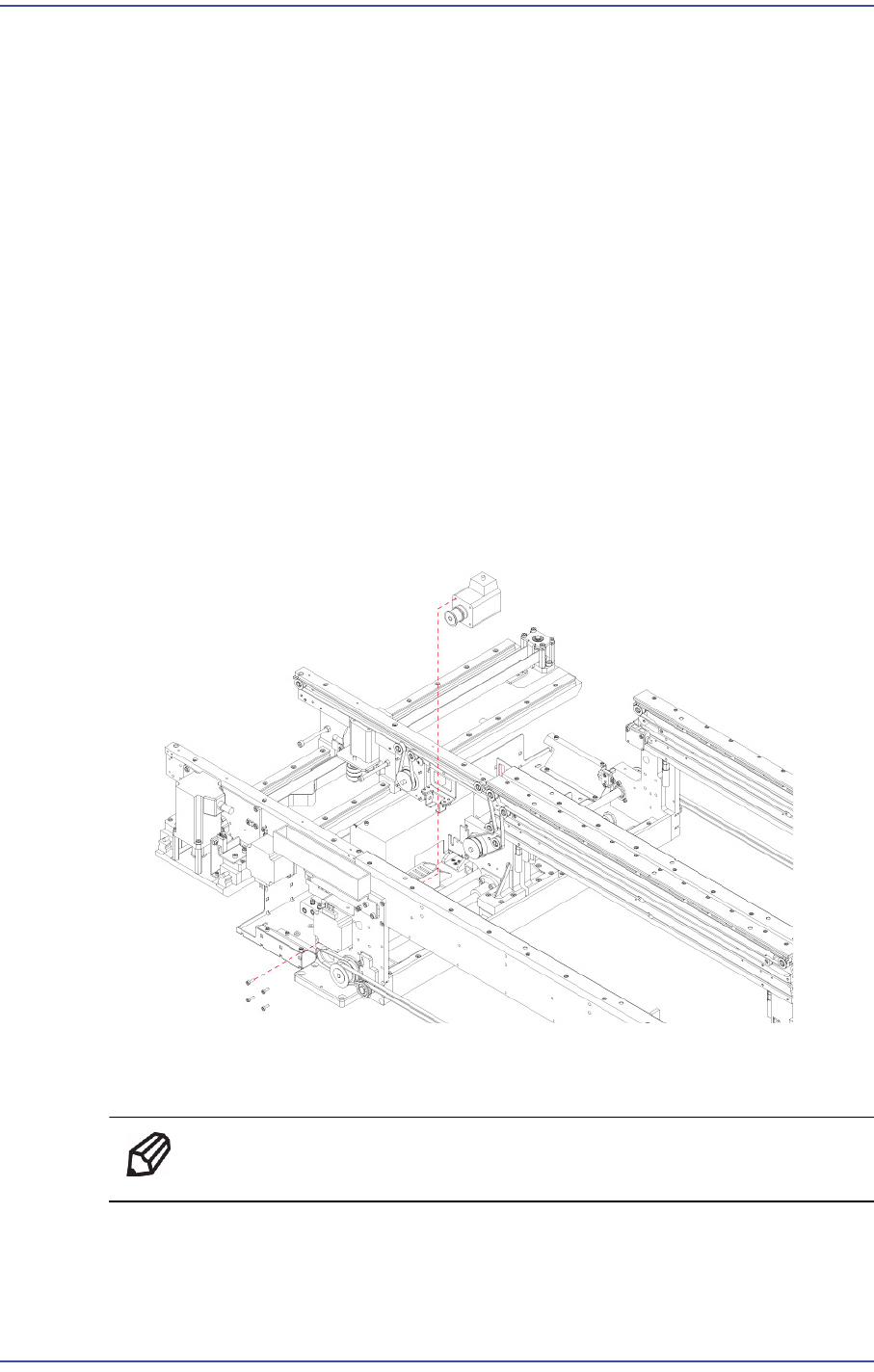
4) Unscrew the fixing bolts (4-M4*8) securing the Motor using a wrench and remove it.
5) Remove the Pulley that is connected to the Motor.
6) Replace the Motor with a new one.
Ref The part number of the new Motor is EP08-000203.
7) When assembling the motor-pulley, refer to the following.