DECAN_F2_Service(Eng_Ver1).pdf - 第348页
14-8 Fast & Flexible Chip Shooter DECAN F2 Service Manual 14.1.5. Cable connec tion of PC Rack 14.1.5.1. View of cable whos e connection is completed 14.1.5.2. Power Test method 1) Connect the inspectio n jig and PC …
14-7
Board
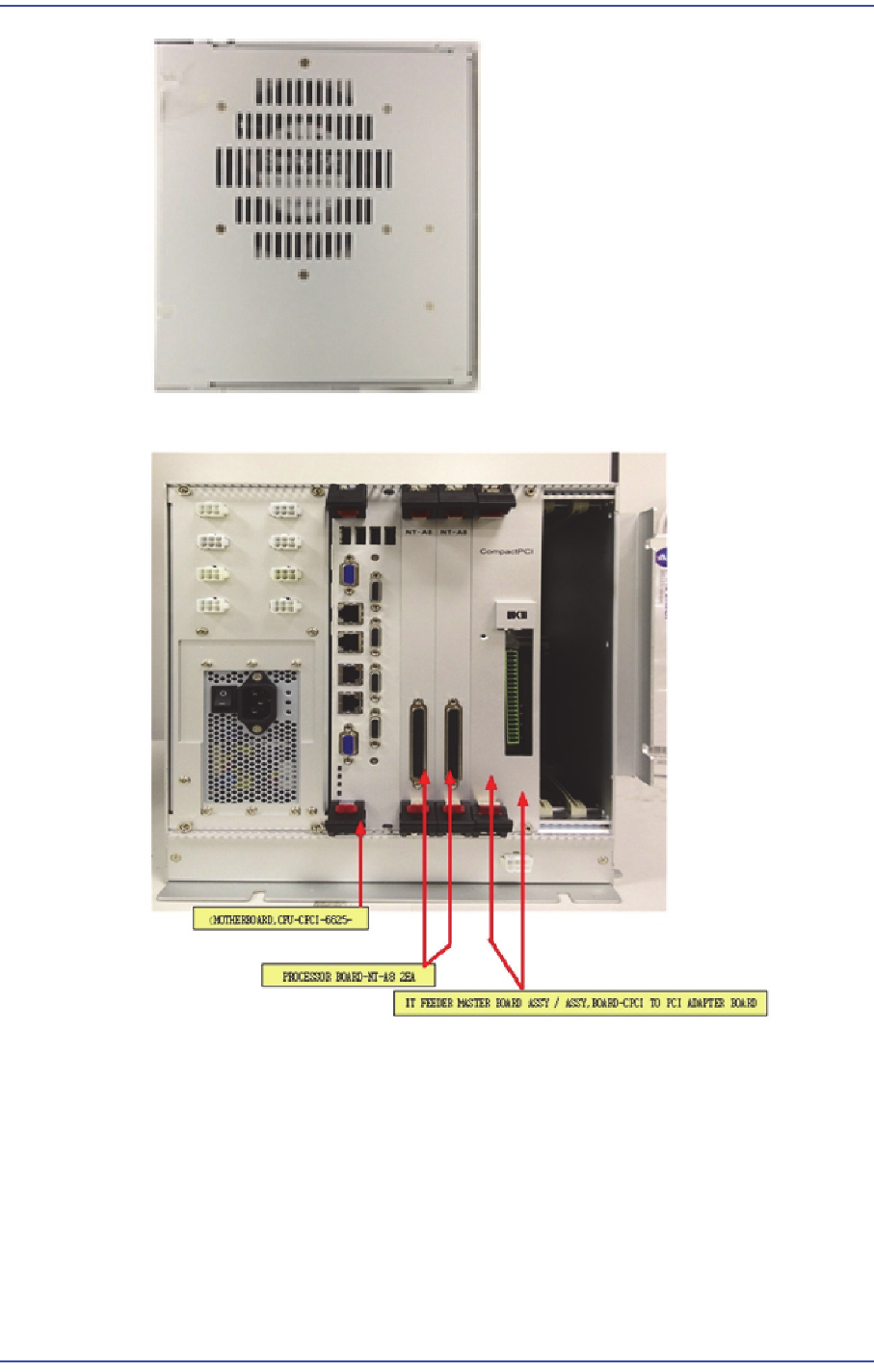
4) View of major boards whose assembling is completed
14-8
Fast & Flexible Chip Shooter DECAN F2 Service Manual
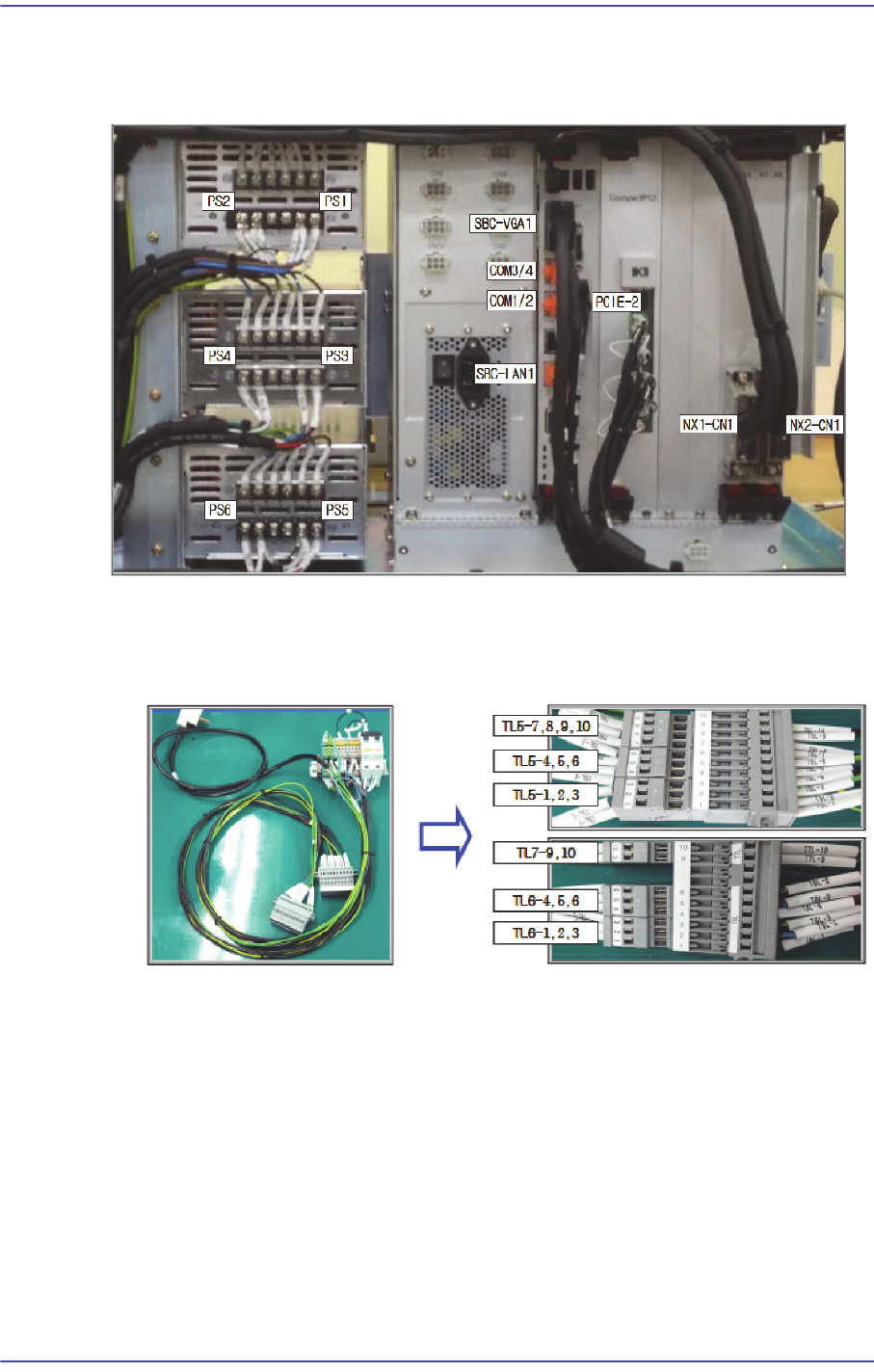
14.1.5. Cable connection of PC Rack
14.1.5.1. View of cable whose connection is completed
14.1.5.2. Power Test method
1) Connect the inspection jig and PC rack.
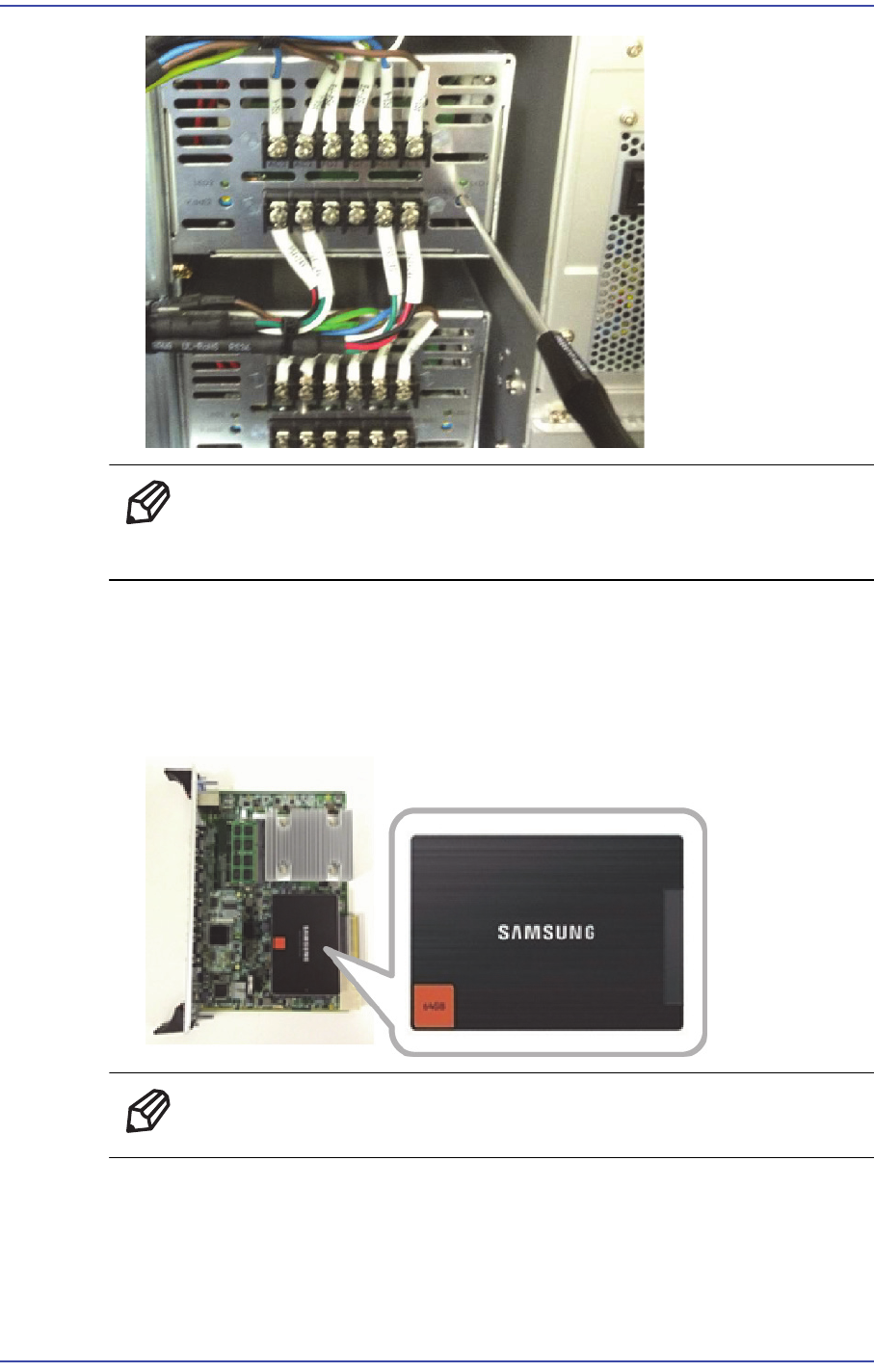
2) Set the power supply as shown in the following figure.
14-9
Board
Ref When the power supply is short-circuited, the green LED blinks.
Therefore, turn the power supply off and check the circuit.
14.1.6. SSD Replacement Procedure
1) Remove the mother board among CPU boards.
2) Remove and replace the SSD of the mother board.
Ref The part number of the new SSD is CD05-000050.
3) Assemble it in the reverse order of disassembling.