DECAN_F2_Service(Eng_Ver1).pdf - 第271页
13-1 Software Chapter13. Software 13.1. MMI 13.1.1. MMI Install 1) Execute the MMI installation file and click ‘Next’. 2) Select ‘DECAN F2 SW Install’ and click ‘Next’. 3) Execute the MMI installatio n folder and click ‘…
13-1
Software
Chapter13. Software
13.1. MMI
13.1.1. MMI Install
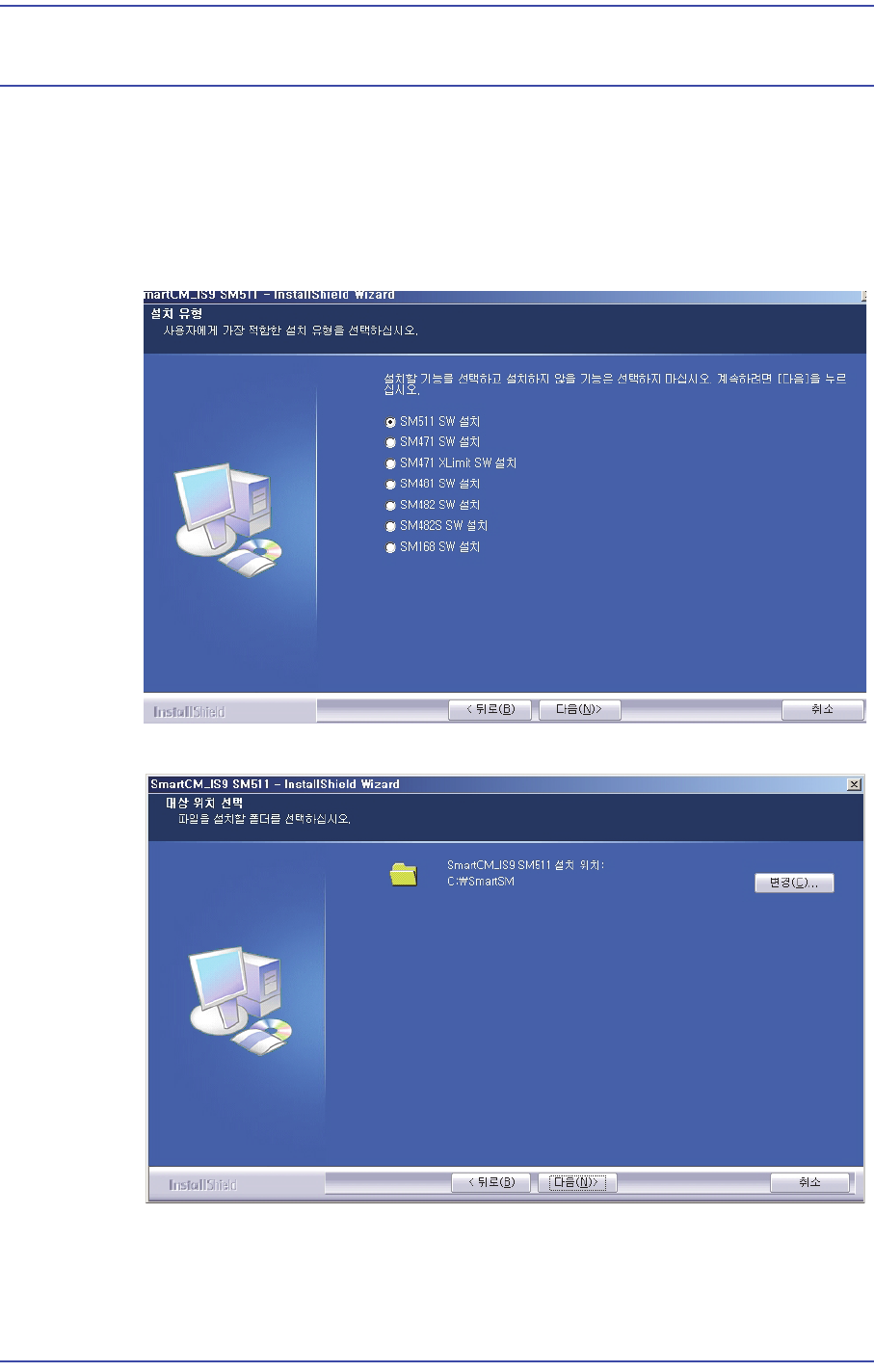
1) Execute the MMI installation file and click ‘Next’.
2) Select ‘DECAN F2 SW Install’ and click ‘Next’.
3) Execute the MMI installation folder and click ‘Next’.
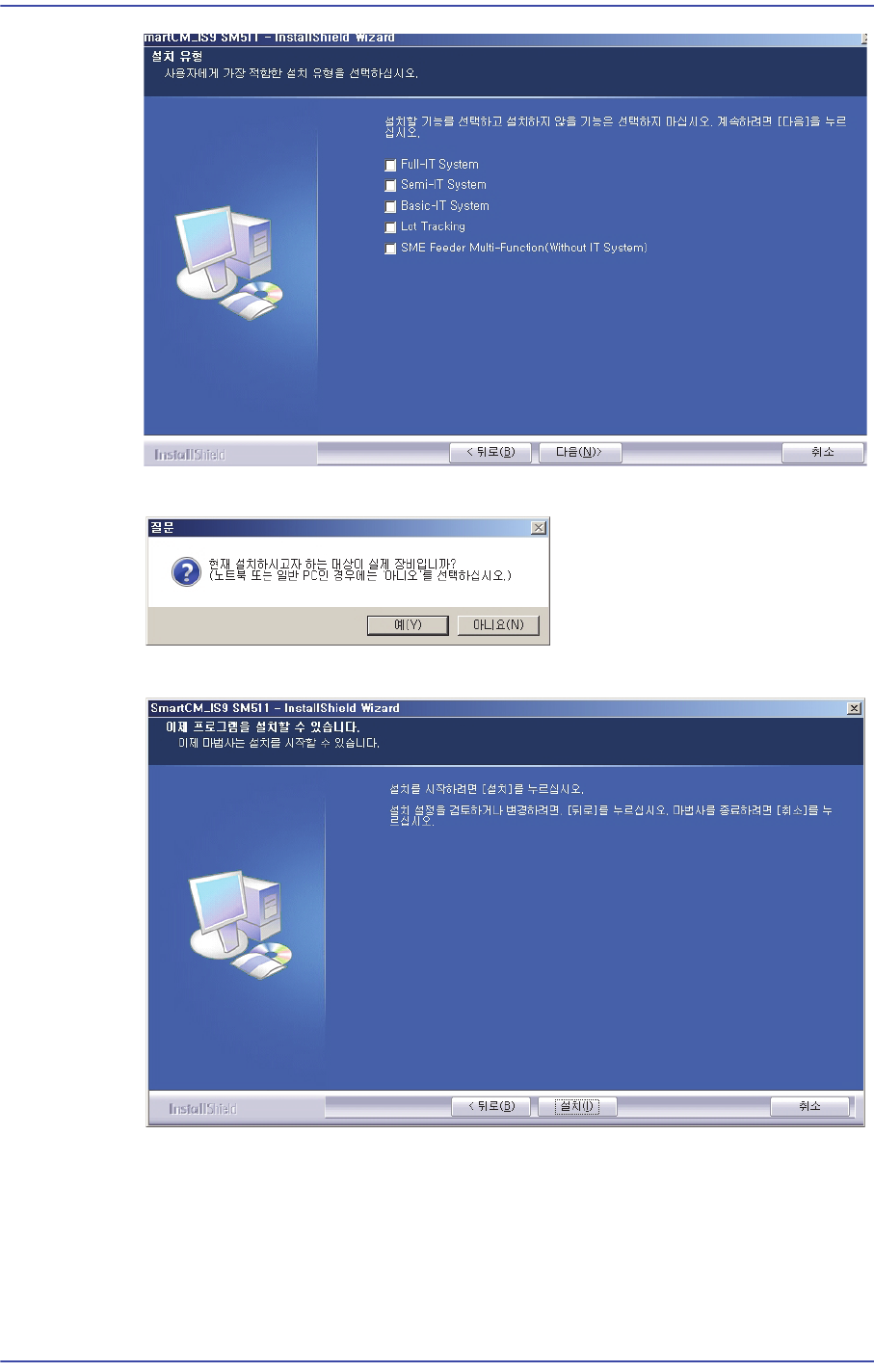
4) Select the features to install, please click "Next".
13-2
Fast & Flexible Chip Shooter DECAN F2 Service Manual
5) When it is to be installed in an actual machine, click ‘Yes’.
6) Click ‘Install’ to finish installation.
7) Check whether the MMI Software works properly.