DECAN_F2_Service(Eng_Ver1).pdf - 第316页
13-46 Fast & Flexible Chip Shooter DECAN F2 Service Manual 8) Scheduled Check Function The scheduled check function in forms the user of the items to be checked at the time set by the user . When the time set by the …
13-45
Software
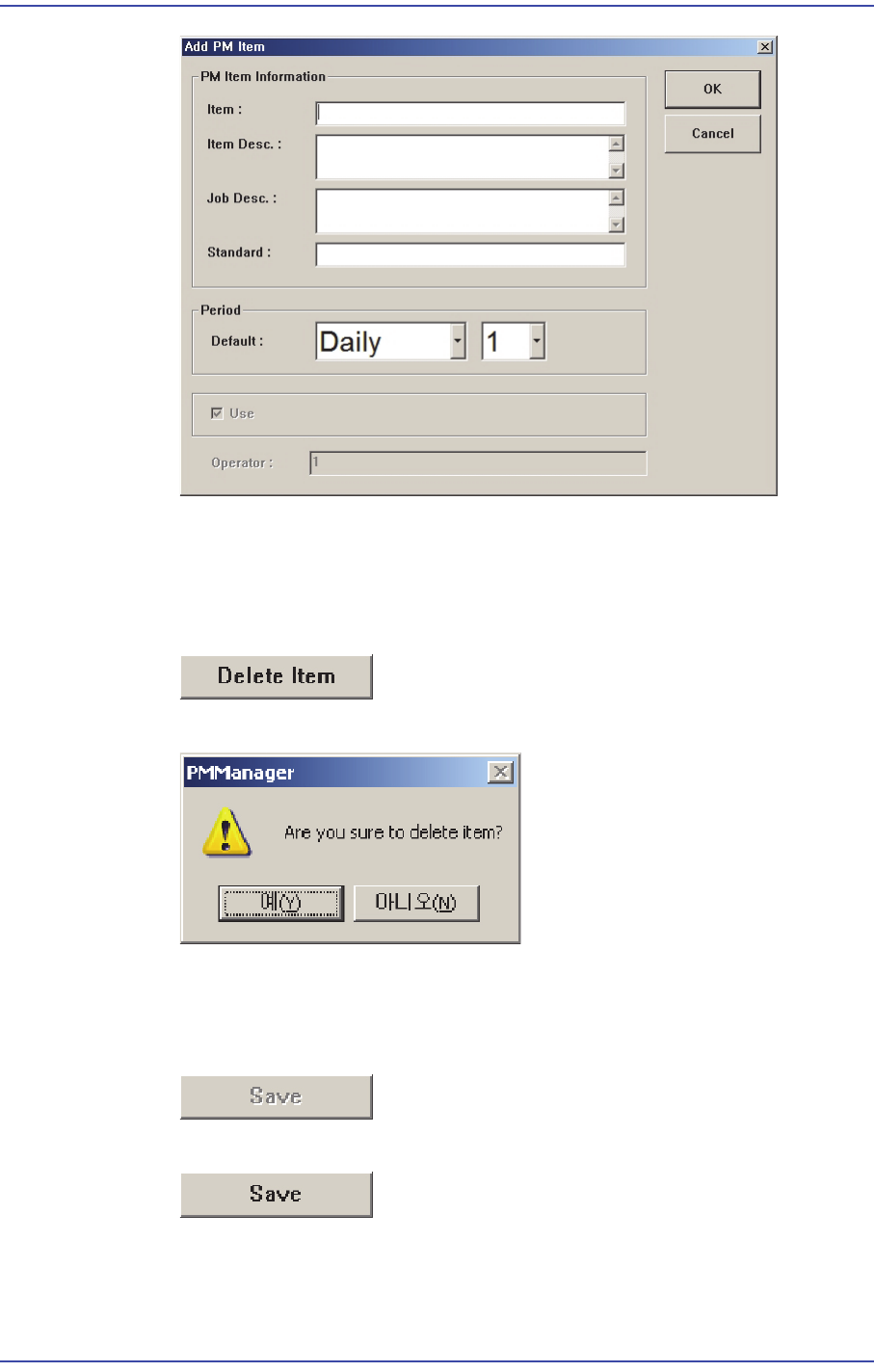
6) Deleting User Check Item
The registered user check item can be modified. This can be performed in the
following manner.
Click the <Delete Item> button.
Click the <Yes> button to delete the corresponding item.
7) Saving Changed Item
If there is changed setups in the Setup Screen, the <Save> button is enabled.
When there is no changed item
When there is changed item
When saving the changed item, click the <Save> button.
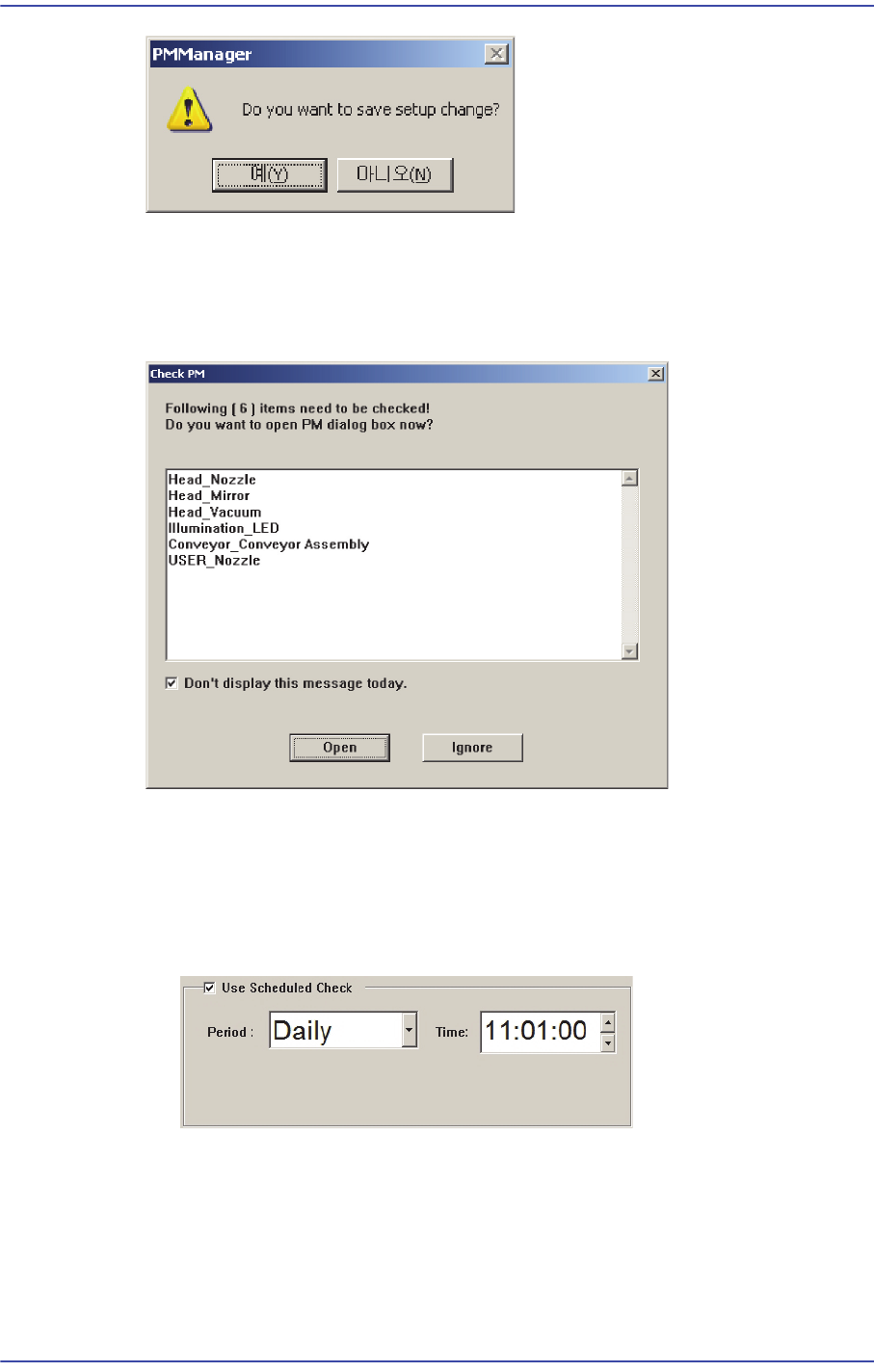
If the following window appears, click the <Yes> button to save the setups.
13-46
Fast & Flexible Chip Shooter DECAN F2 Service Manual
8) Scheduled Check Function
The scheduled check function informs the user of the items to be checked at the time
set by the user. When the time set by the user comes, the number of check items and
items to be checked are indicated as follows.
If the <Open> button is clicked the PM Manager window is indicated. If the <Ignore>
button is clicked, the PM Manager window is not indicated.
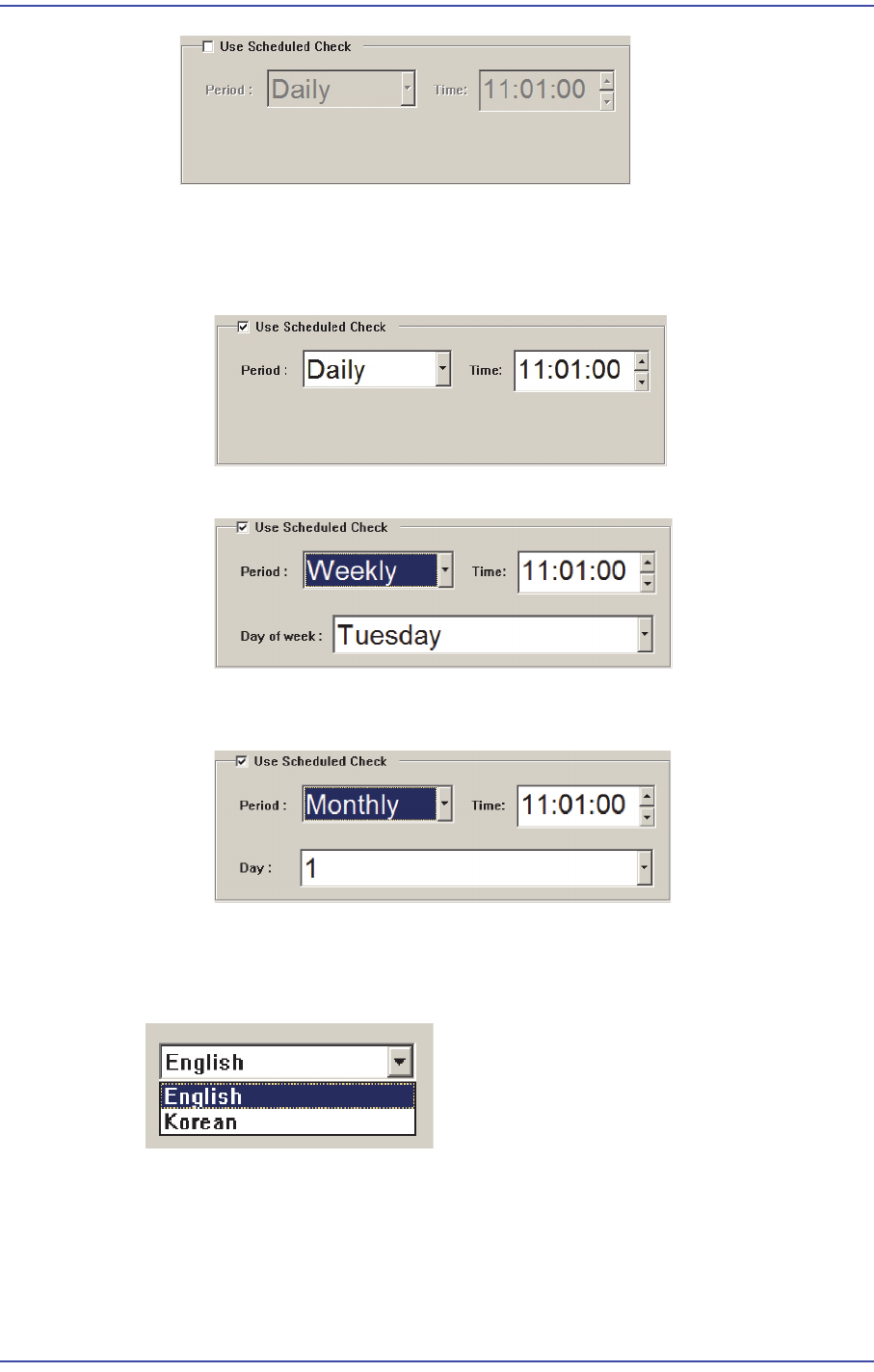
Using Scheduled Check Function
When using the scheduled check function, select the <Use Scheduled Check>
function.
When it is not desired to use the scheduled function, release the check of the <Use
Scheduled Check> box.
13-47
Software
Setting Time for Scheduled Check
The time for scheduled check can be set in the following manner.
When setting the time informing the scheduled check at 14: 20 every day.
When setting the time informing the scheduled check at 14: 20 every Friday.
When setting the time informing the scheduled check at 14: 20 every 28th day of
the month.
9) Language Setup
The language setup of the PM Manager user interface can be changed. Select the
desired language from the Setup Screen.
13.2.5. History Screen
All check histories can be inquired in the History Screen.