DECAN_F2_Service(Eng_Ver1).pdf - 第243页
11-13 Vacuum 11.2.4. How to check the abnorma l state of the vacuum pump Start to check the abnormal st ate of the vacuum pump beginning with the checking of the “Minimum V acuum Reach Pressure”. 1) The minimum vacuum re…
11-12
Fast & Flexible Chip Shooter DECAN F2 Service Manual
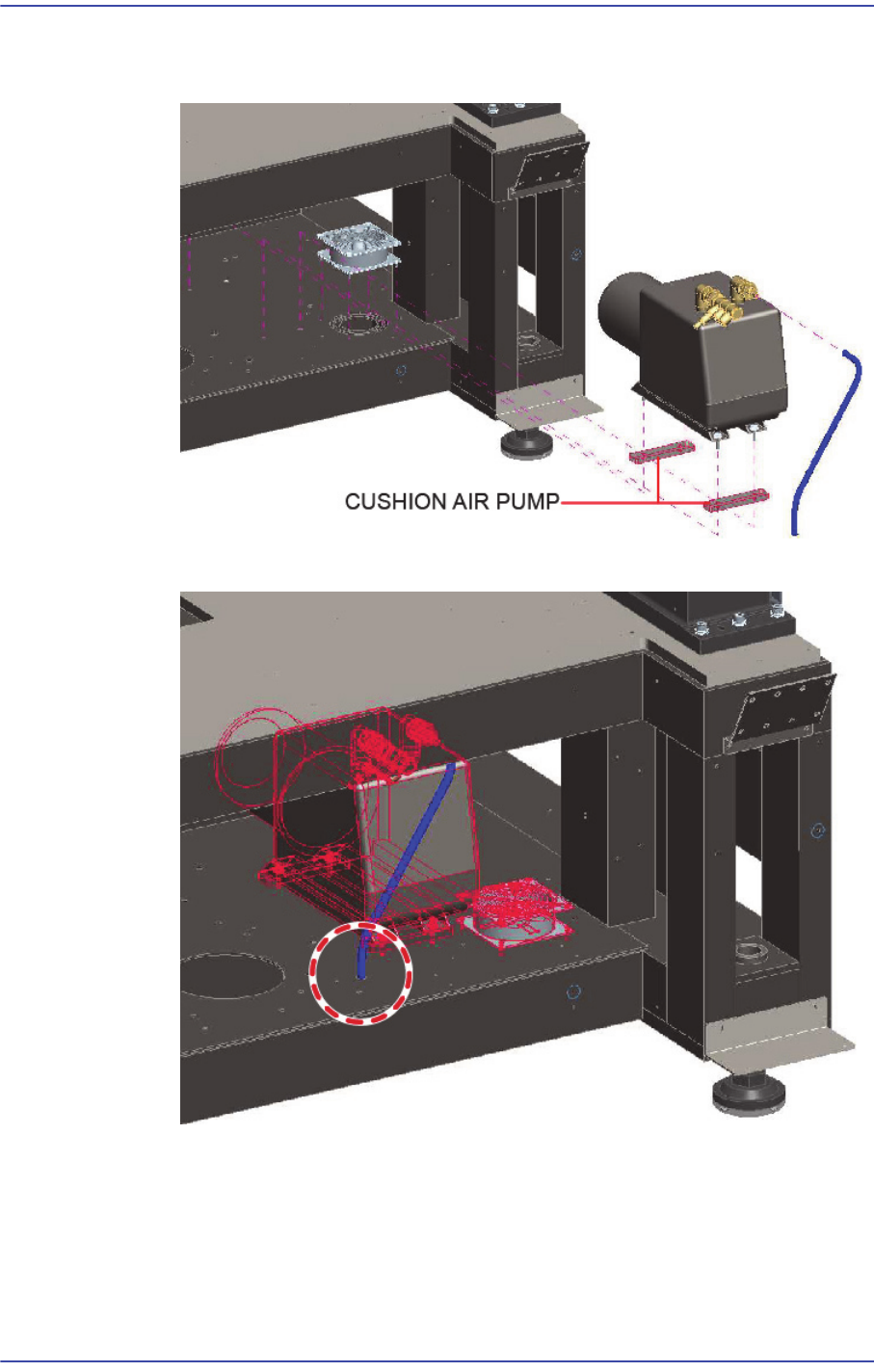
After installing the base frame and lifting the cushion pump on the base frame,
assemble the cushion air pump by determining its position with a hole guide.
Remove the tube nylon from the base frame hole.

11-13
Vacuum
11.2.4. How to check the abnormal state of the vacuum pump
Start to check the abnormal state of the vacuum pump beginning with the checking of the
“Minimum Vacuum Reach Pressure”.
1) The minimum vacuum reach pressure (state of no leakage) must be less than -92k.
If there is a temporary pressure gauge, plug the discharge end of the vacuum pump
and check the pressure measured by the pressure gauge.
If there is no temporary pressure gauge, leave the Vacuum turned off in the MMI
and check the Vacuum Analog Gauge at the rear of the machine.
2) If the minimum vacuum reach pressure has a problem, check the status of the pump
filter for contamination.
Even though the possibility of filter contamination is very low, check whether dust
and foreign materials are attached around the filter and remove them.
3) Even though the possibility of filter contamination is very low, check whether dust and
foreign materials are attached around the filter and remove them.
The minimum vacuum reach pressure gradually decreases depending on the run-
time.
11-14
Fast & Flexible Chip Shooter DECAN F2 Service Manual
11.3. Main Manifold Sub
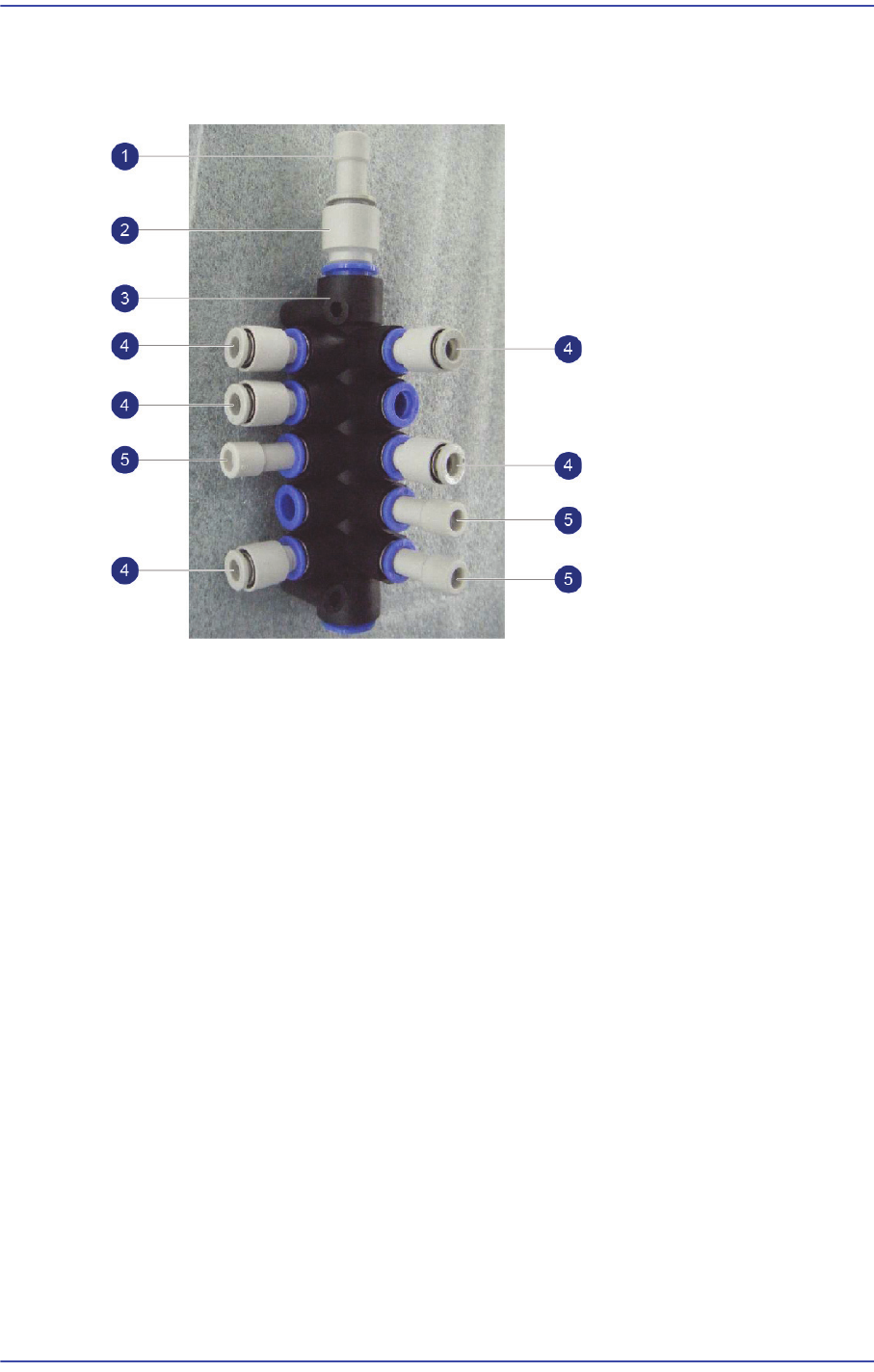
11.3.1. Configuration of the Manifold
1: J67121002A / PLUG / PLUG KQ2P-10 / 1EA
2: HP06-000226 / FITTING / KQ2R10-12 / 1EA
3: HP09-000007 / MANIFOLD / KM11-08-12-10 / 1EA
4: J6711183A / STRAIGHT FITTING / KQ2R06-08 / 5EA
5: J67121009A / PLUG / PLUG KQ2P-08 / 3EA