DECAN_F2_Service(Eng_Ver1).pdf - 第508页
17-96 Fast & Flexible Chip Shooter DECAN F2 Service Manual The sensor position is distorte d. Defective cable contact [How to Check] Check the sensor operation state. Check the position. [Measures] Clean or…
17-95
Troubleshooting
17.3.20. Abnormal Operation of Docking Cart (E18)
E1800 Abnormal power supply of the docking cart
[Cause]
Defective fuse in the Feeder Power Board
Short-circuit inside the feeder base
The D-CART Inner I/F Cable assembly is defective.
[How to Check]
Check the Docking Control Board and cable connection.
After replacing the board, check whether the same problem occurs.
[Measures]
Replace the Docking Control Board.
Solder to connect the short-circuited cable inside the feeder base.
E1801 Defective Up/Down feeder base movement
[Cause]
The solenoid valve has a problem.
Defective Speed Controller setting
Defective cylinder
[How to Check]
Check the solenoid valve.
Check the Speed Controller setting.
Check the cylinder.
[Measures]
Replace the solenoid valve, Speed Controller and cylinder.
E1802 Abnormal operation of the position sensor
[Cause]
The sensor is defective or contaminated.
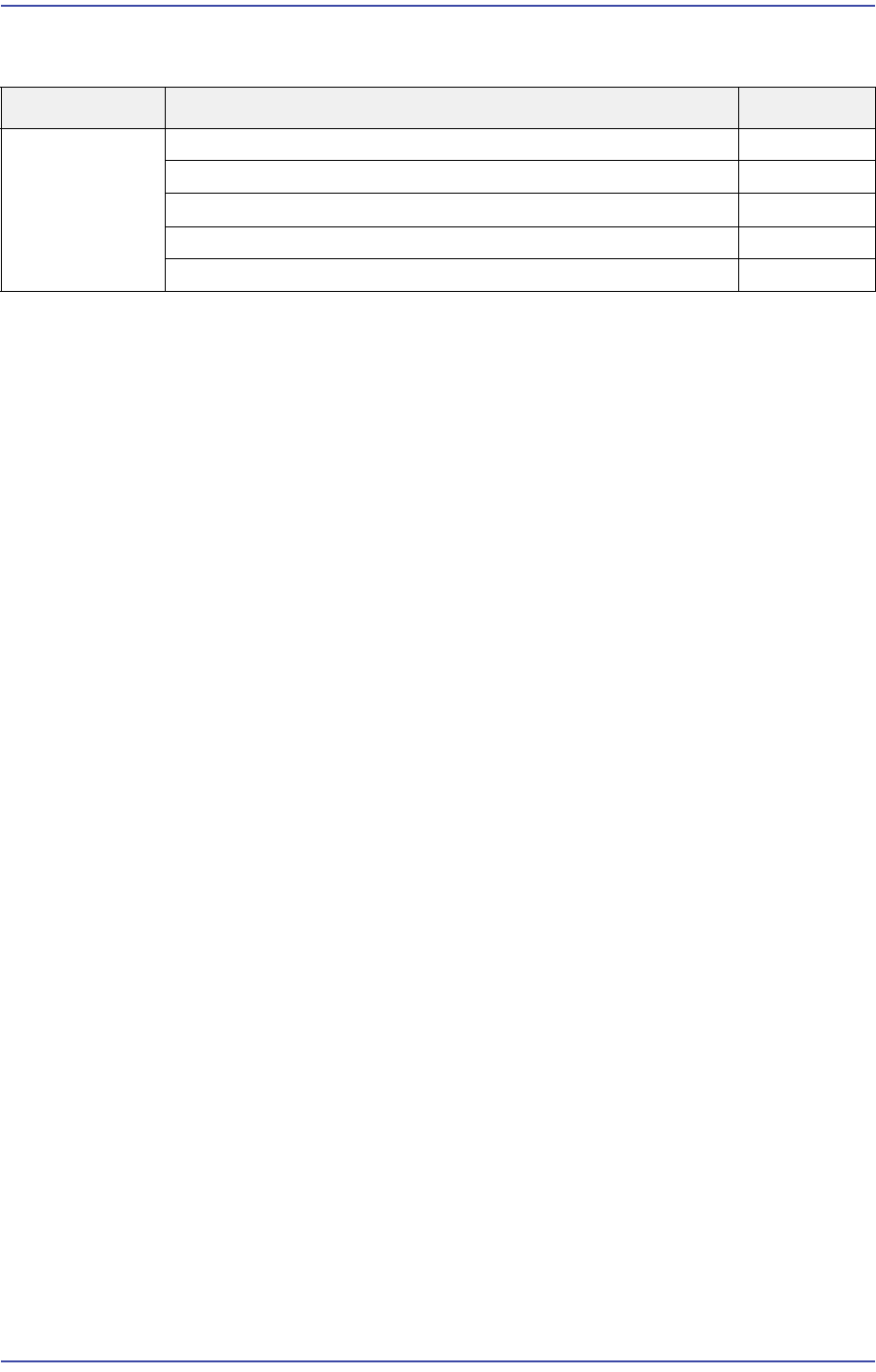
Cause Description Remarks
Abnormal
Operation of
Docking Cart
Abnormal power supply of the docking cart E1800
Defective Up/Down feeder base movement E1801
Abnormal operation of the position sensor E1802
Collision occurred when transferring the machine E1803
Problem with the button to clear docking E1804
17-96
Fast & Flexible Chip Shooter DECAN F2 Service Manual
The sensor position is distorted.
Defective cable contact
[How to Check]
Check the sensor operation state.
Check the position.
[Measures]
Clean or replace the sensor.
E1803 Collision occurred when transferring the machine
[Cause]
Defective operation of the check valve preventing the feeder base from falling out
Incorrect position of the initial height adjusting bolt.
[How to Check]
Check whether the upward transferring method is adopted.
[Measures]
Adjust the position of the initial height adjusting bolt.
E1804 Problem with the button to clear docking
[Cause]
Emergency battery is exhausted.
Defective cable contact
The head cannot move to the safe position.
[How to Check]
Check the pneumatic line.
[Measures]
Replace the emergency battery.
Replace the button to clear docking.
17-97
Troubleshooting
17.4. Servo Motor Driver
17.4.1. Servo Motor Alarm Code
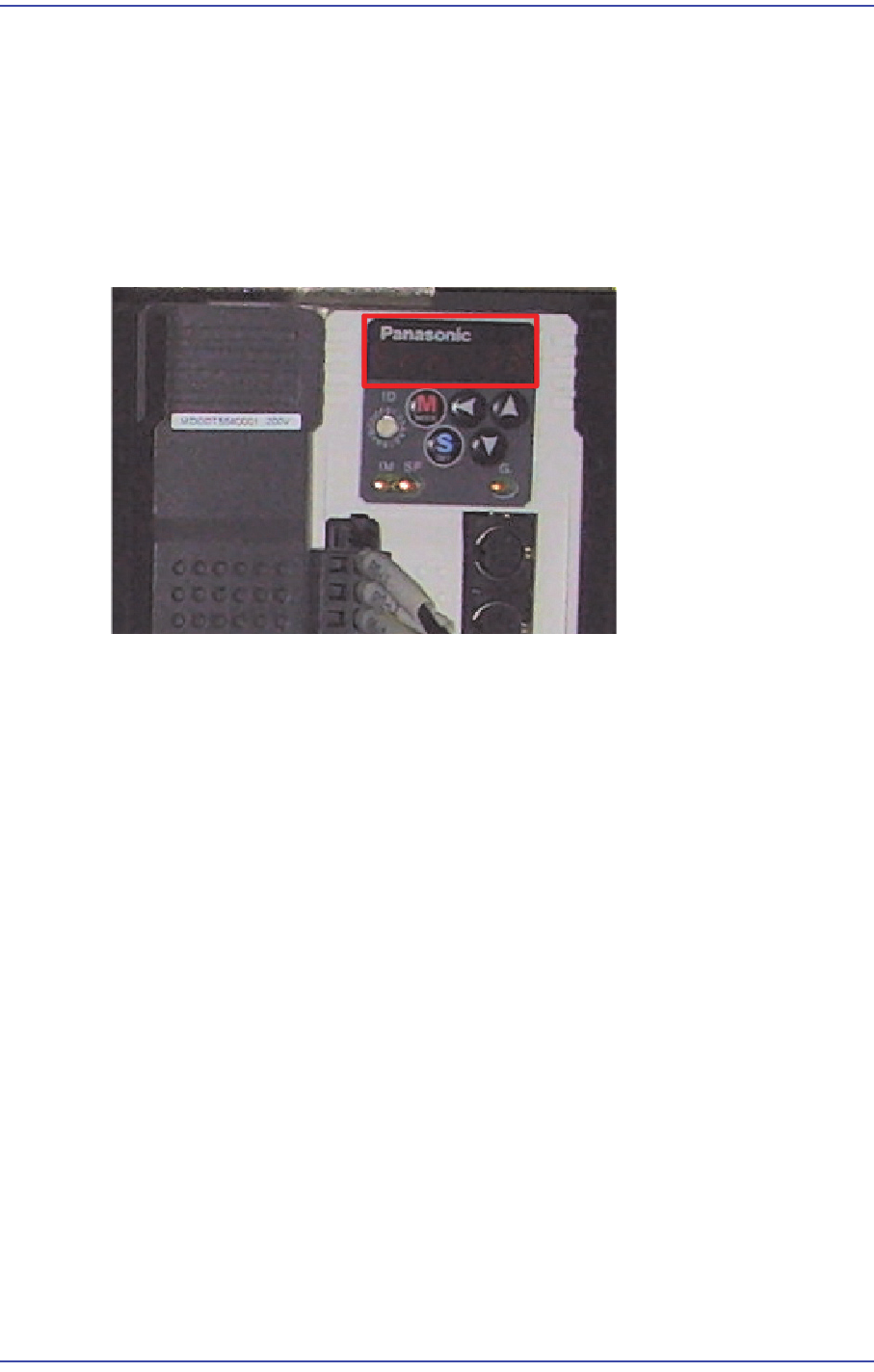
When an error occurs, the 7 segment LEDs of the motor drive will flicker. As well, the
corresponding alarm code is generated. It is of “Err **” form and the “**” will express the
corresponding alarm code.
In this case, take measures against the corresponding alarm code referring to the following
table