DECAN_F2_Service(Eng_Ver1).pdf - 第222页
10-8 Fast & Flexible Chip Shooter DECAN F2 Service Manual Connect the USB connection cable to the laptop computer and machine a nd check the set port values. (Click Co mputer Properties > Hardware > Device Ma…
10-7
Y-Axis Frame
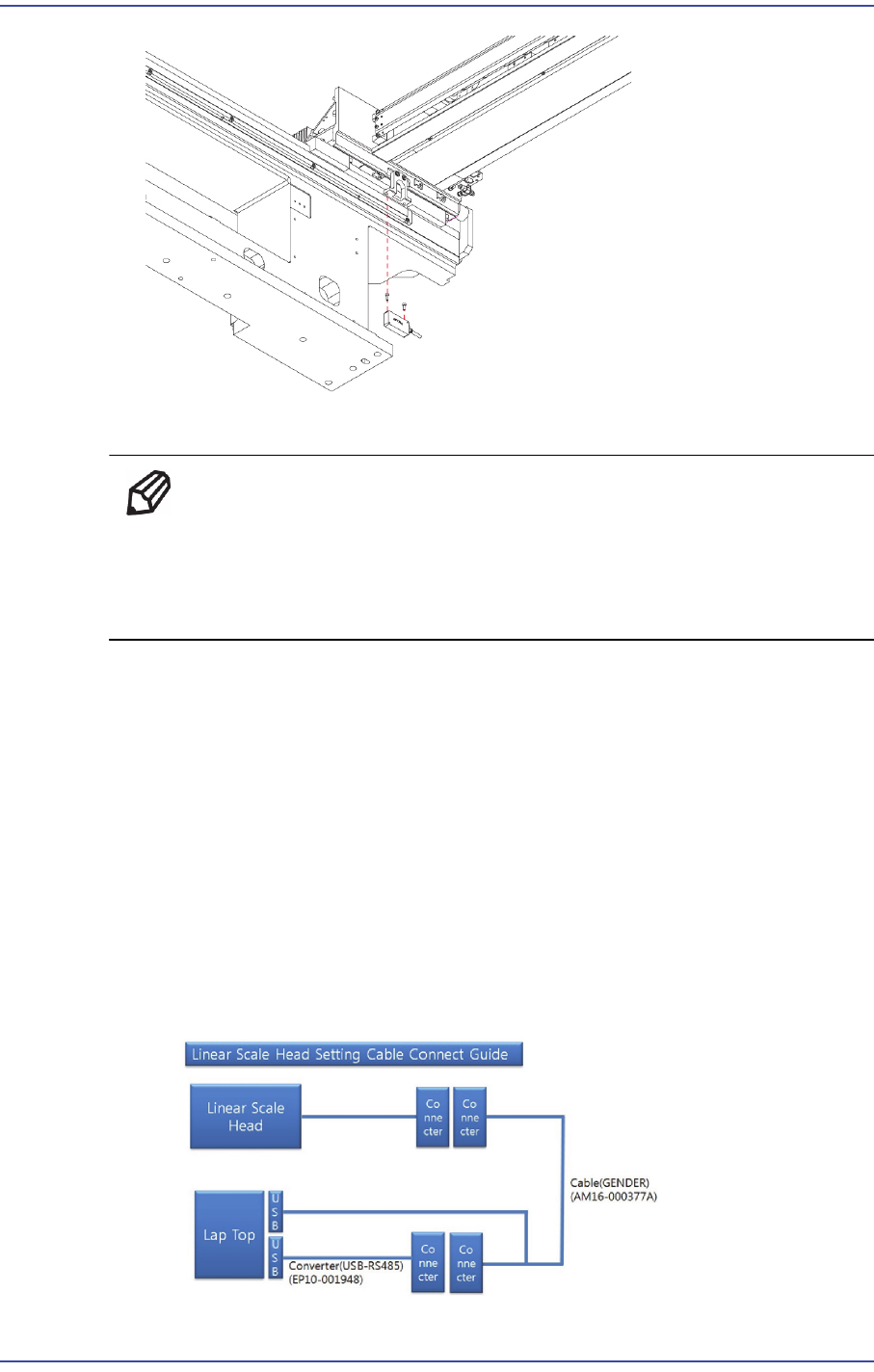
5) Assemble in the X Fame a new Linear Scale.
Ref The part number of the new Linear Scale is FC28-000159.
When replacing the Y frame linear scale, also replace the linear scale
in the other direction. Between Scale Unit and Scale Head to the
Assembly to 0.4mm. (0.4mmT a ruler)
6) Perform the following calibrations.
S/W ABS ST700 Signal Adjustment Program
- Signal Check normal
- SRE calibration Implementation
- Homing Setting
Time: 0.5 hour
7) For the setup method using the ABS ST700 Signal Adjustment Program, refer to the
following procedure.
Refer to the figure below, Connect the USB connection cable to the laptop
computer and Linear Scale Head Cable and check the set port values.
10-8
Fast & Flexible Chip Shooter DECAN F2 Service Manual
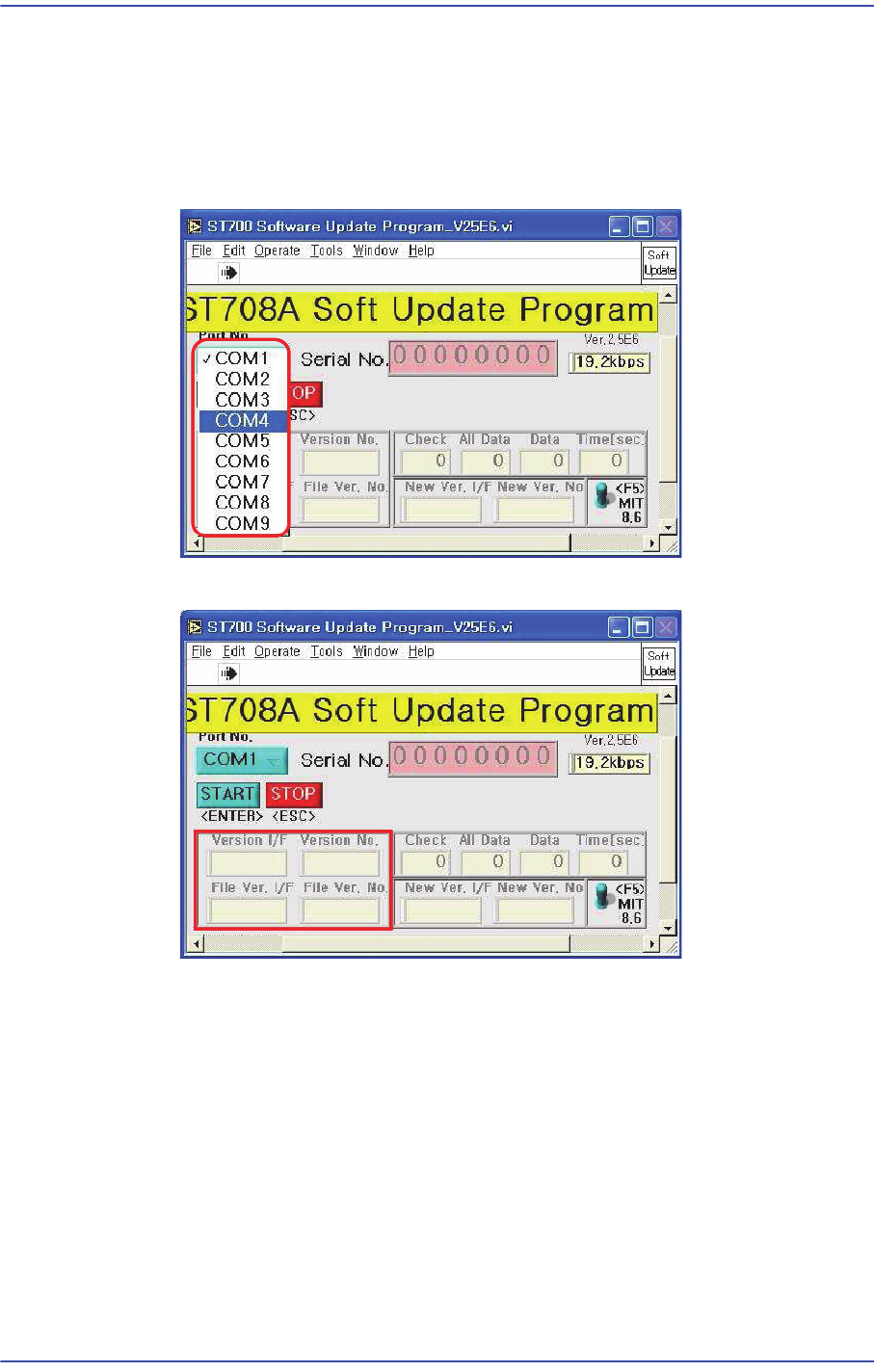
Connect the USB connection cable to the laptop computer and machine and check
the set port values. (Click Computer Properties > Hardware > Device Manager >
Port (COM & LPT) to check the values.)
Run the ST708A Software Upgrade Program.
Input the confirmed COM Port.
Press F5 button to check the current version.
Click ‘Start’ when the version needs to be upgraded.
10-9
Y-Axis Frame
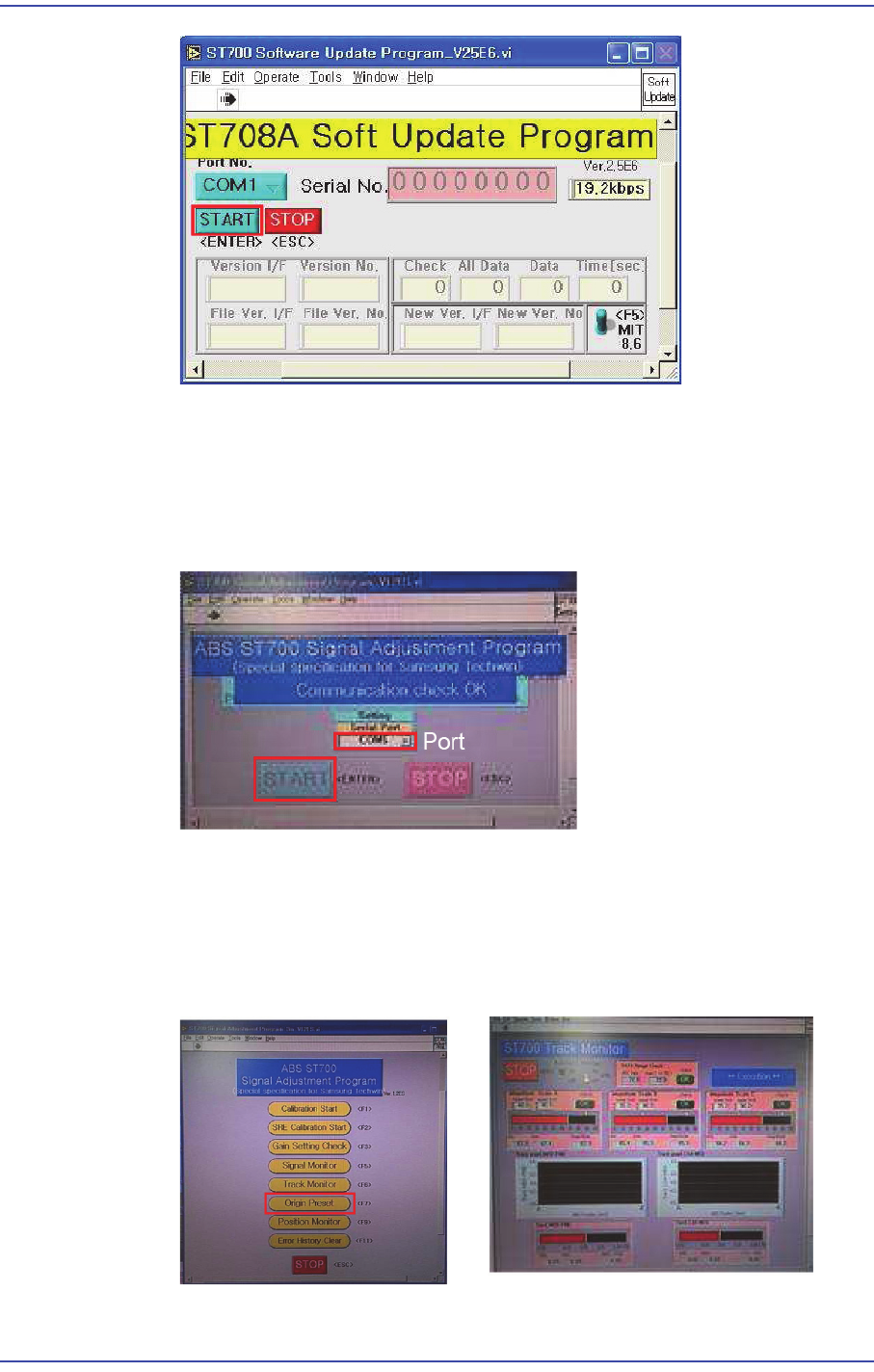
Check the program is exited normally.
For the setup method using the ABS ST700 Signal Adjustment Program, refer to
the following procedure.
(When the COM port has been connected properly, the "Communication Check
OK" message is generated.)
Click the ‘Origin Preset’ button to check whether the read values of A, B and C
phases as well as MED-FINE and COAMED values fall within the specified
range.
(Specified value of A, B and C phases: - MIN ~ MAX : Within 50~90)
(MED-FINE, COA-MED - MIN ~ MAX : Within -0.4~0.4)
Click the ‘Set Calibration’ button to perform calibration.