DECAN_F2_Service(Eng_Ver1).pdf - 第125页
5-25 Head Conveyor Calibration Thermal Mapping Gantry Mapping ANC ,Position T eaching Fiducial Cameras Offset Calibration Light Mapping (Fiducial) T otal Ti me : 1.5Hour
5-24
Fast & Flexible Chip Shooter DECAN F2 Service Manual
7) Replace new part.
Ref The part number of the new Fiducial Camera is J91851019A.
The part number of the new Coaxial PCB is J91661026A.
The part number of the new Outer PCB is J91661027A.
8) When assembling, refer to the following.
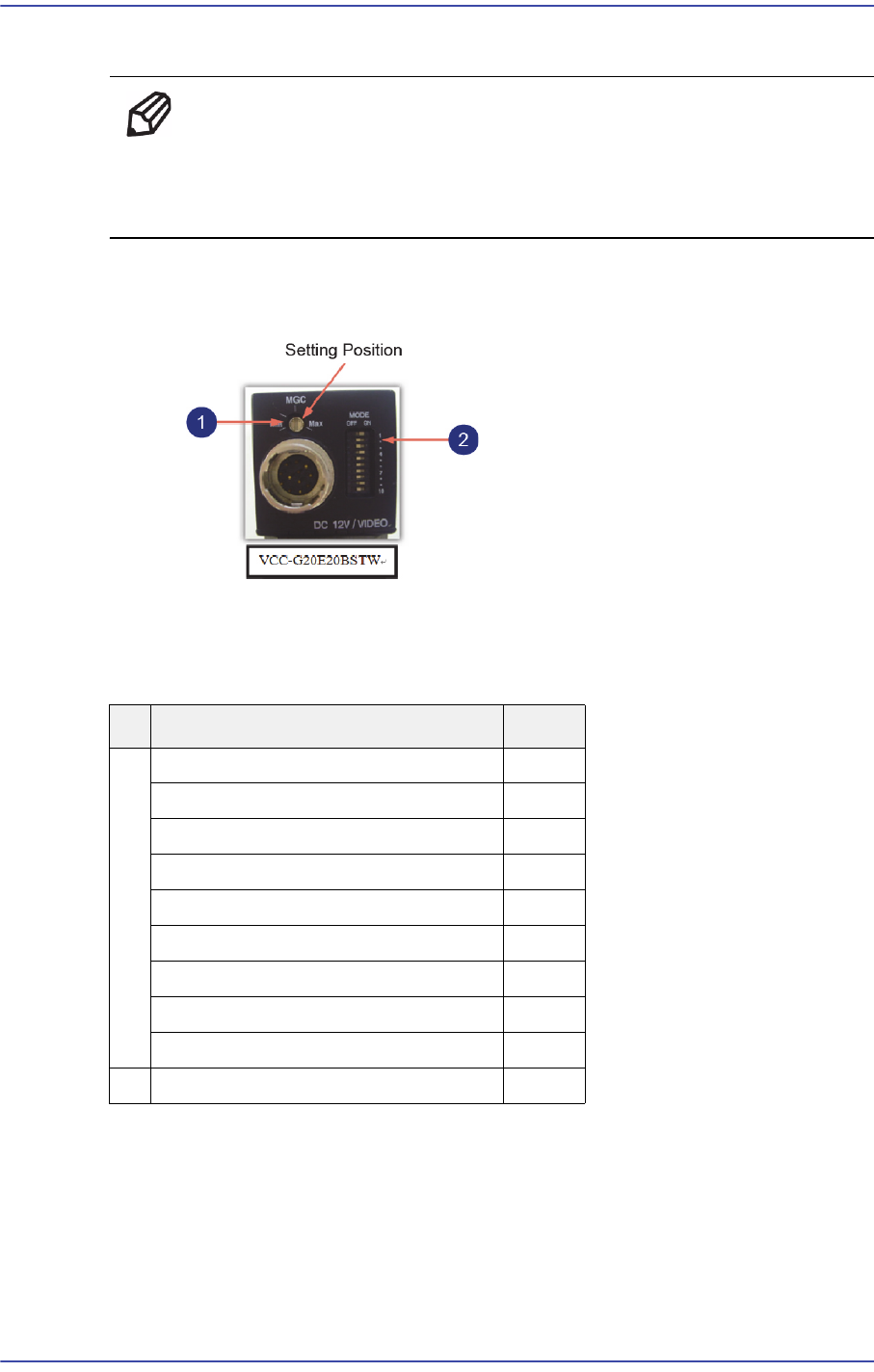
Setting the CCD Camera
1: Camera Gain Setting
2: Dip Switch Setting
If it is deemed necessary to repair the camera, send it to our factory for repair.
9) Once the assembling is completed, turn on the main switch on the front of the machine
and boot the PC.
10) Perform the following calibrations.
Fiducial(Move) Camera Scale Calibration
Common X-Y (1'st)
No Switch Name Setting
1
Switch 1 : Shutter speed
ON
Switch 2: Shutter speed
OFF
Switch 3: Shutter speed
OFF
Switch 4 : FRAME/FIELD
ON
Switch 5-7 : Normal/Long
OFF
Time/Trigger(Non-Reset, Reset)
OFF
Switch 8: Double Speed
OFF
Switch9 :In/Out (HD/VD)
OFF
Switch 10 : 75Ω ermination
OFF
2
Manual GAIN (M GAIN) control knob
Middle

5-25
Head
Conveyor Calibration
Thermal Mapping
Gantry Mapping
ANC ,Position Teaching
Fiducial Cameras Offset Calibration
Light Mapping (Fiducial)
Total Time : 1.5Hour
5-26
Fast & Flexible Chip Shooter DECAN F2 Service Manual
5.7. Swing Motor / Swing Belt
5.7.1. Required Tools
T wrench (other tools supplied) or hex wrench
Gear wrench or torque wrench
5.7.2. Motor Replacement Procedure
1) Manipulate the teaching box to move the head module to the front.
2) Close the PC as usual and turn off the main switch at the front of the machine.
3) Remove the connectors connected to motor.
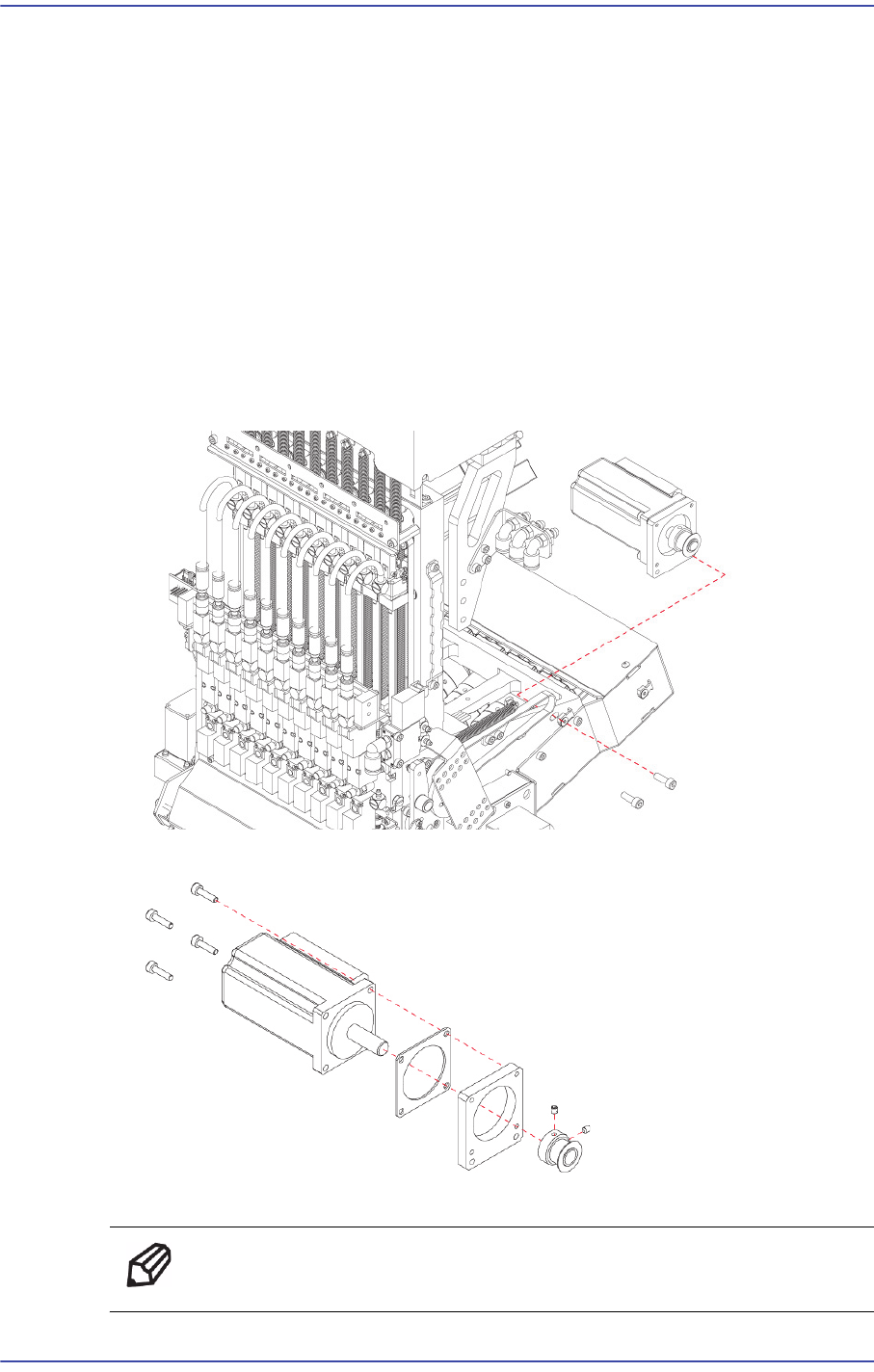
4) Unscrew the fixing bolts(2-M4*12) securing the motor bracket and remove it.
5) Unscrew the fixing bolts(4-M3*12) securing motor and remove it.
6) Replace the motor with a new one.
Ref The part number of the new motor is J31081057A.