DECAN_F2_Service(Eng_Ver1).pdf - 第136页
5-36 Fast & Flexible Chip Shooter DECAN F2 Service Manual Ref The part number of the new shor t belt is MC05-0001 19. The part number of the new long belt is MC05-0001 17. 6) When assembling, re fer to the following.…
5-35
Head
5.9. Z Axis Motor / Belt / Sensor
5.9.1. Required Tools
T wrench (other tools supplied) or hex wrench
Gear wrench or torque wrench
5.9.2. Belt Replacement Procedure
1) Manipulate the teaching box to move the head module to the front.
2) Close the PC as usual and turn off the main switch at the front of the machine.
3) Remove the spindle at the location where the spindle is replaced referring to the
Spindle Replacement Procedure.
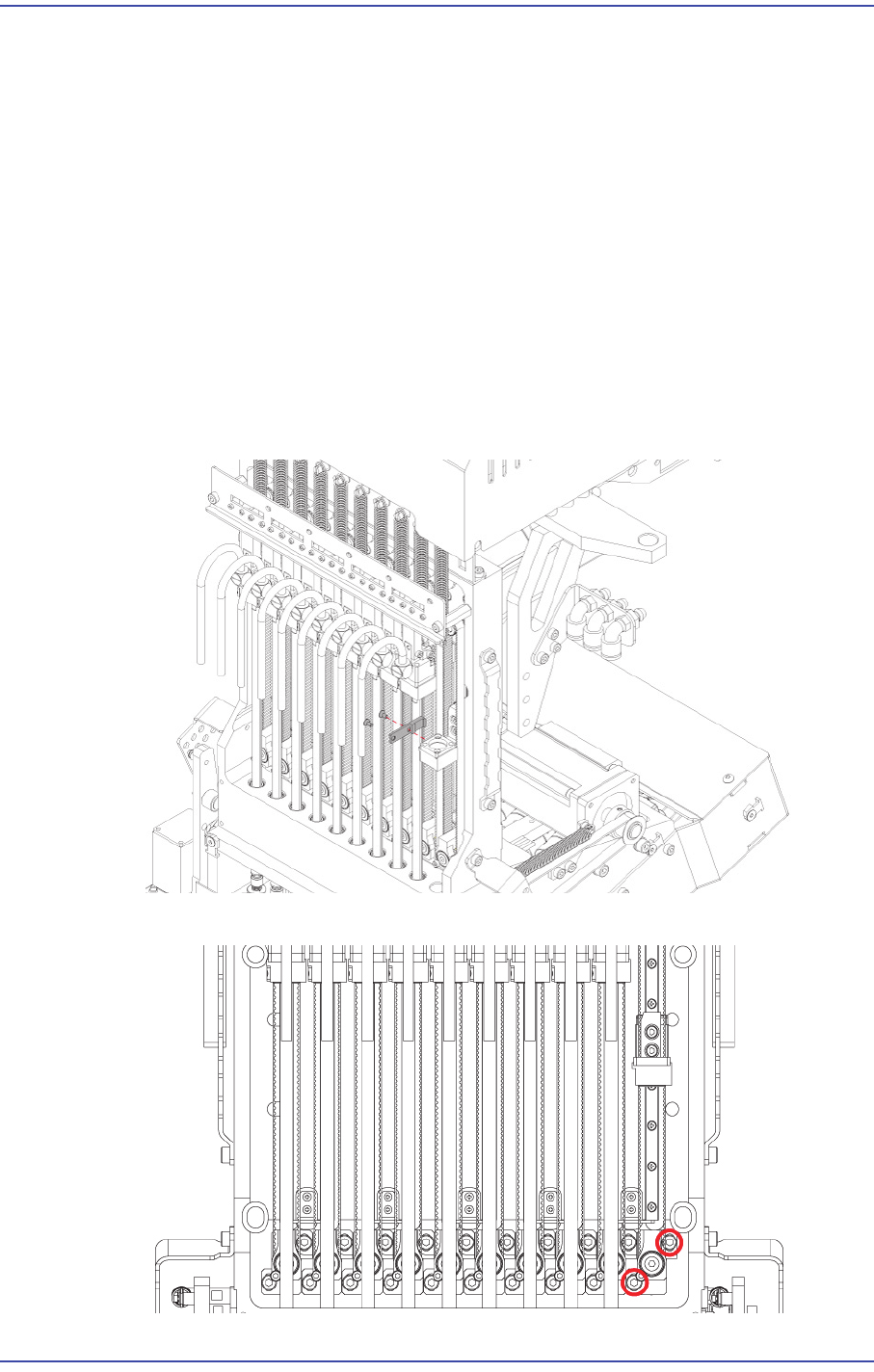
4) Unscrew the fixing bolts(2-M2*4) securing belt clamp and remove it.
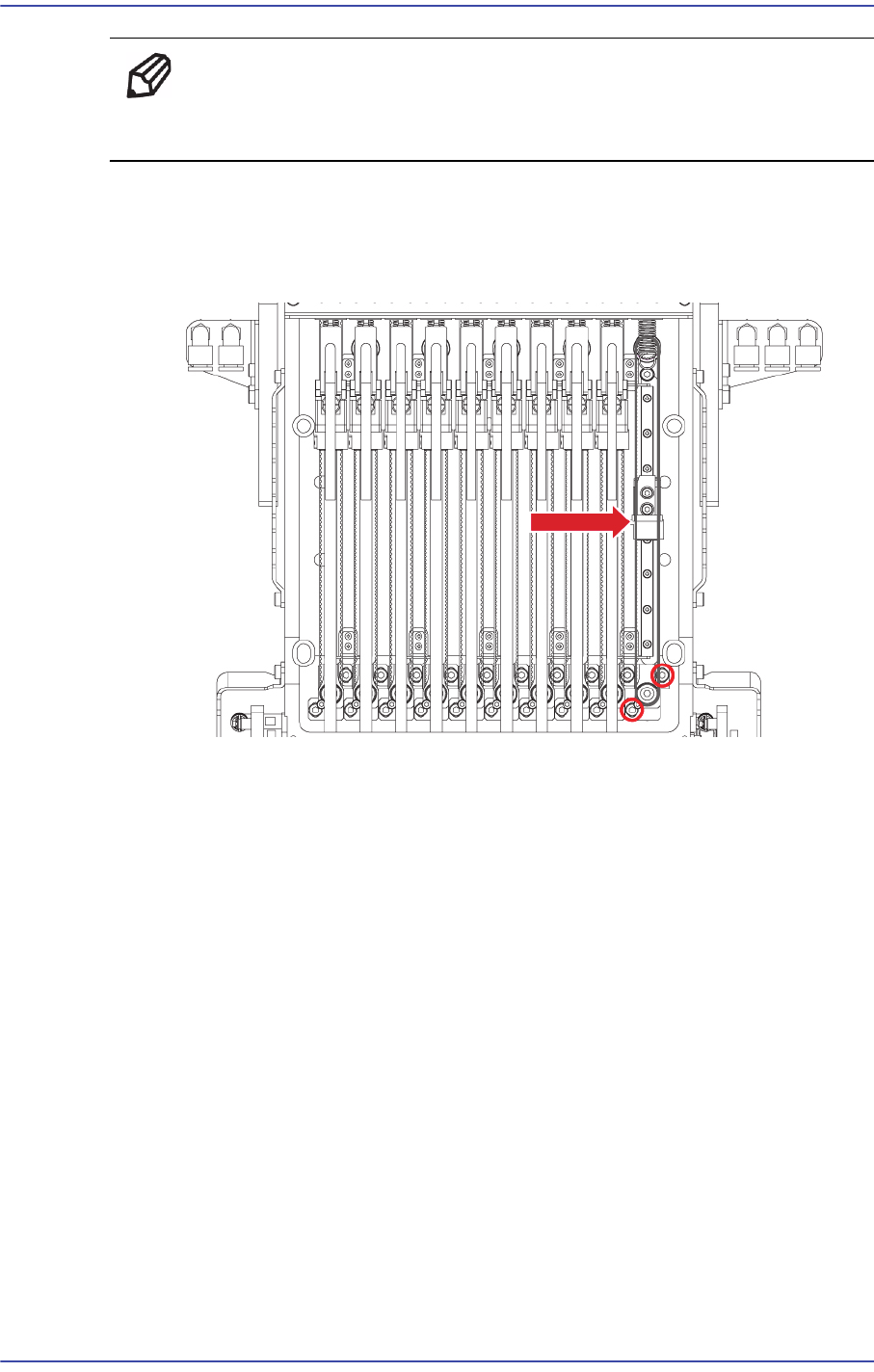
5) Slightly loosen the fixing bolts securing the Z idle body and remove the loosened belt.
5-36
Fast & Flexible Chip Shooter DECAN F2 Service Manual
Ref The part number of the new short belt is MC05-000119.
The part number of the new long belt is MC05-000117.
6) When assembling, refer to the following.
Belt Tension : 136~175Hz
Measurement Position :
7) Once the assembling is completed, turn on the main switch on the front of the machine
and boot the PC.
8) Perform the following calibrations.
Axis Home Calibration
Head Z Offset calibration
Total Time : 0.5Hour
5.9.3. Motor Replacement Procedure
1) Manipulate the teaching box to move the head module to the front.
2) Close the PC as usual and turn off the main switch at the front of the machine.
3) Remove the spindle at the location where the spindle is replaced referring to the
Spindle Replacement Procedure.
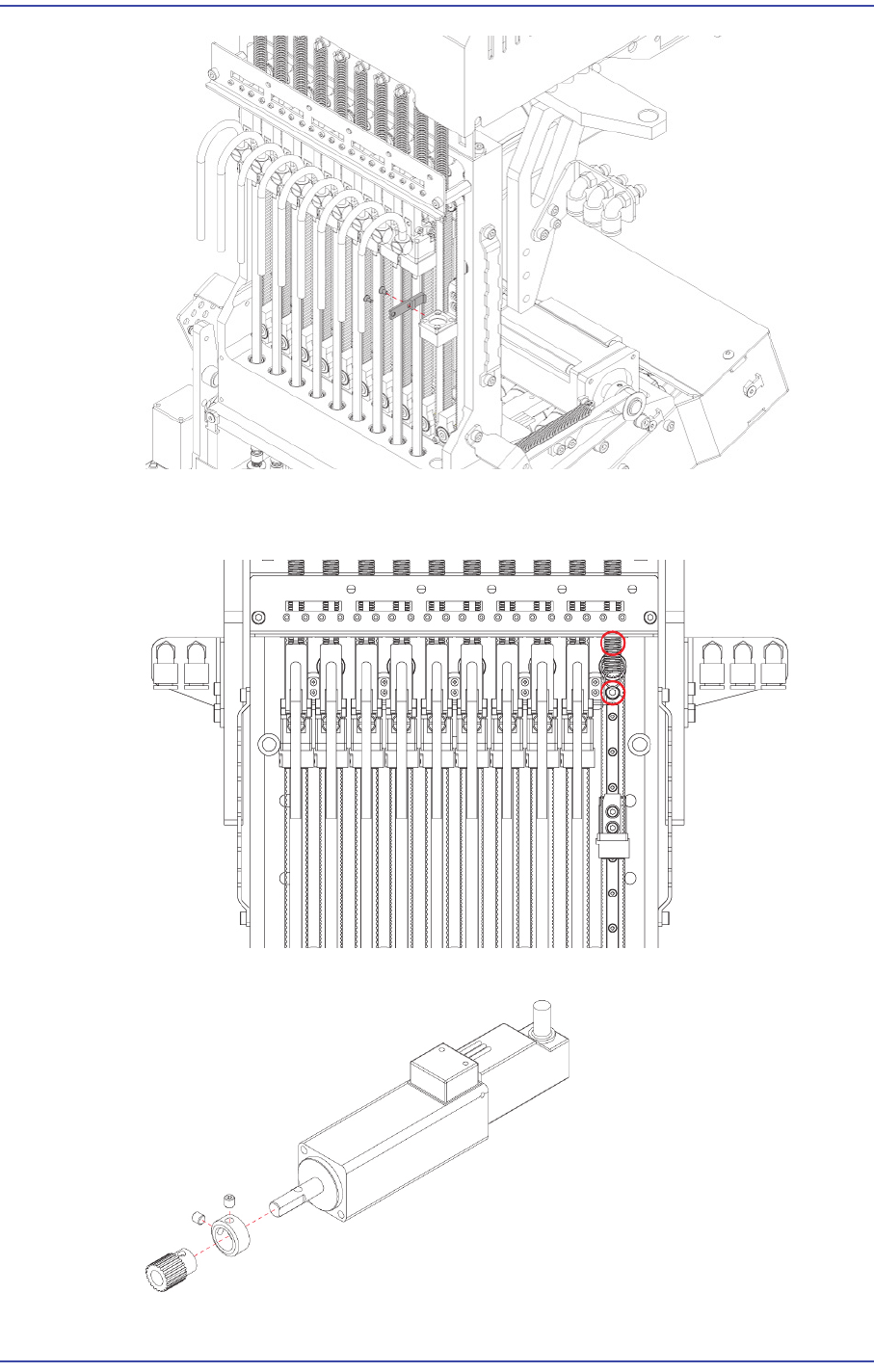
4) Unscrew the fixing bolts(2-M2*4) securing belt clamp and remove it.
5-37
Head
5) Remove the cable connected to motor.
6) Unscrew the fixing bolts(2-M3*8) securing motor and remove it.
7) Unscrew the setscrew(2-M3*3) securing pulley and remove it.