DECAN_F2_Service(Eng_Ver1).pdf - 第118页
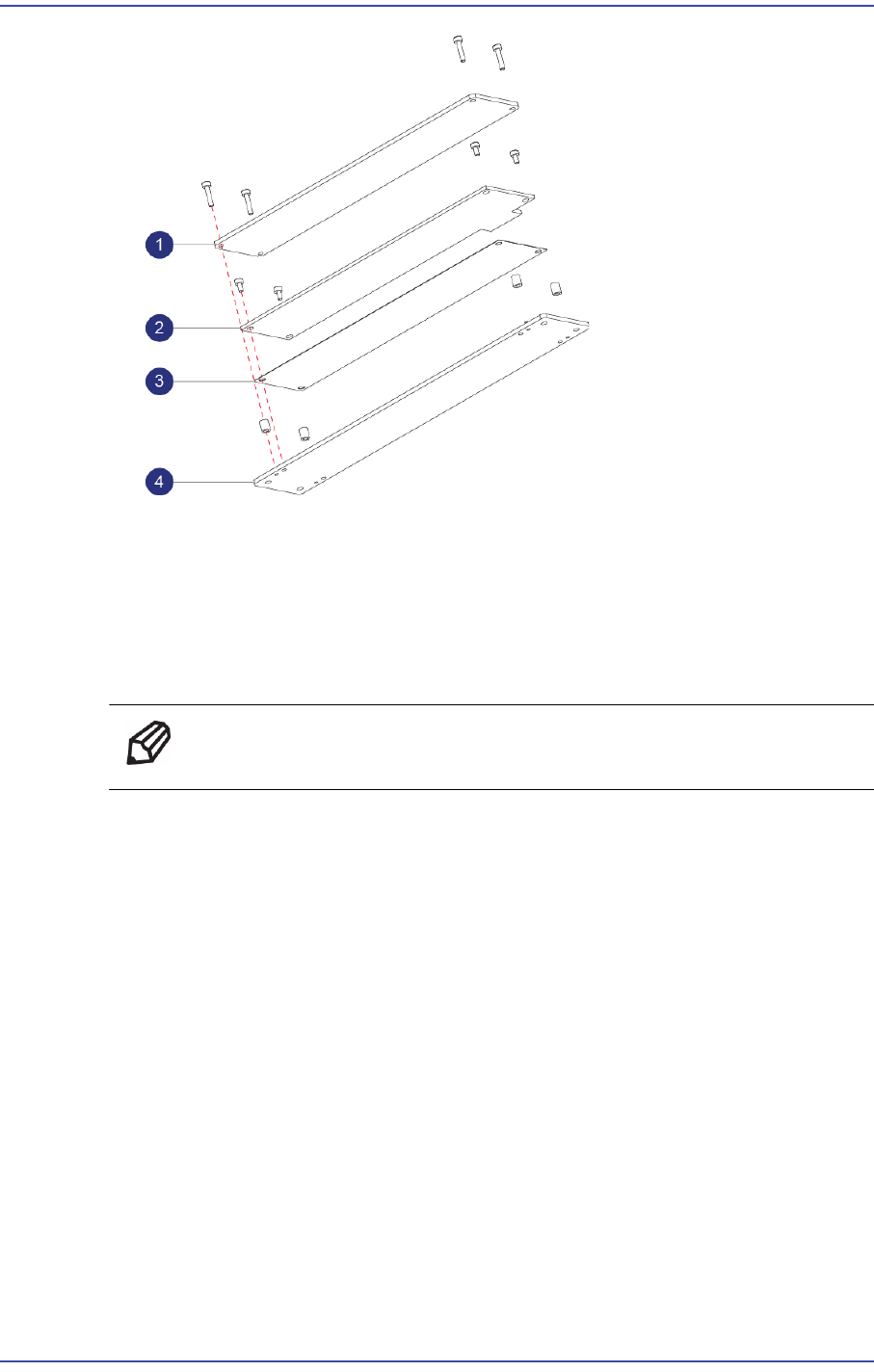
5-18 Fast & Flexible Chip Shooter DECAN F2 Service Manual 5) Unscrew the fixing bolts(4-M2*4) securing Side PCB and remove it. 1: Side PCB A 2: Side PCB B 6) Replace the PCB with a new one.
5-17
Head
1: DIFFUSEER
2: Coaxial PCB
3: Insulation
4: Plate
6) Replace the PCB with a new one.
Ref The part number of the new PCB A is AM03-005100A.
7) Assemble the board in the reverse order of disassembling.
8) Once the assembling is completed, turn on the main switch on the front of the machine
and boot the PC.
9) Perform the following calibrations.
Light Mapping
Total Time : 0.5Hour
5.4.5. Side Illumination Replacement Procedure
1) Manipulate the teaching box to move the head module to the front.
2) Close the PC as usual and turn off the main switch at the front of the machine.
3) Remove the connectors connected to the Side PCB.
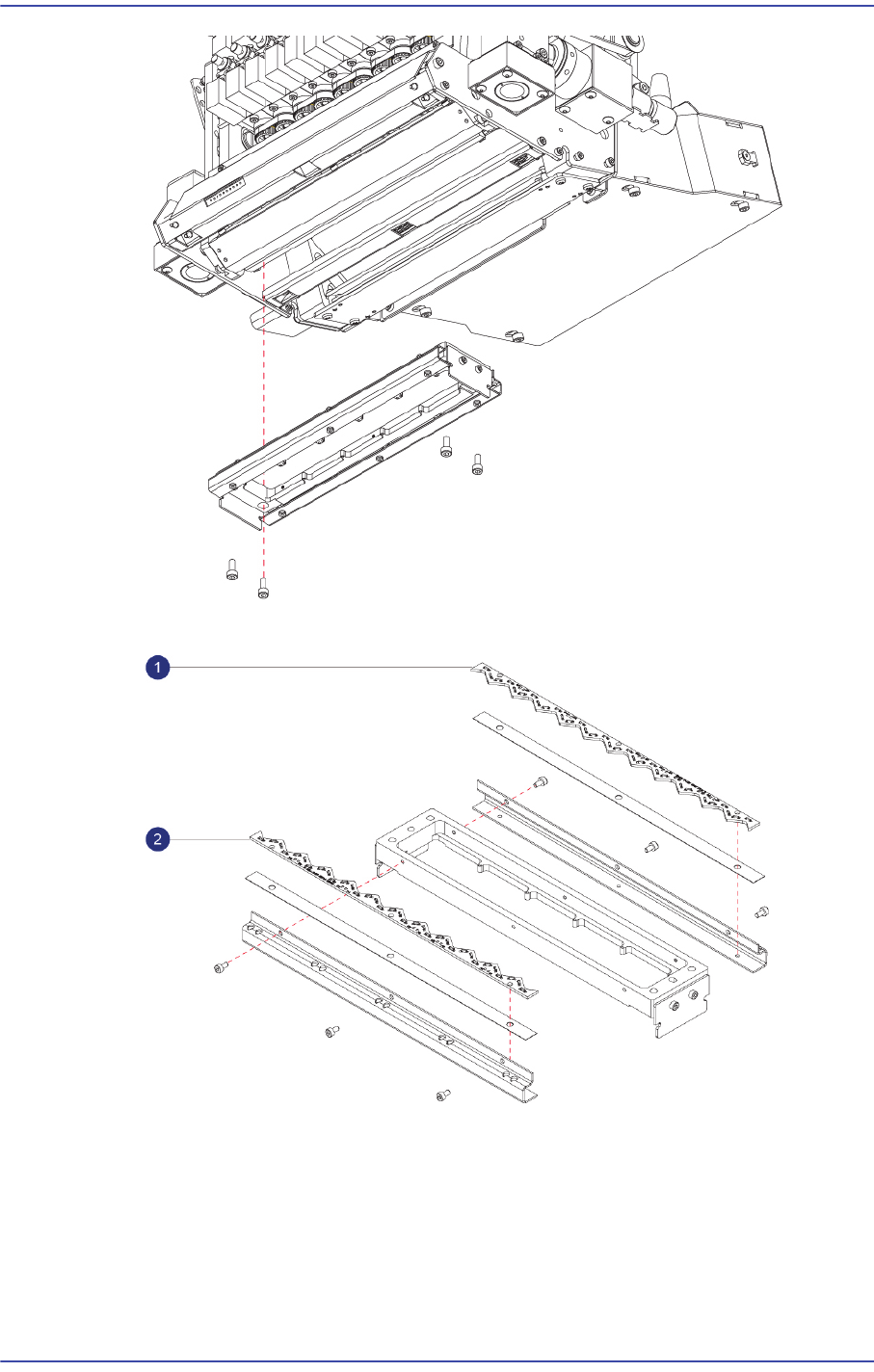
4) Unscrew the fixing bolts(4-M3*8) securing the Side Assy and remove it.
5-18
Fast & Flexible Chip Shooter DECAN F2 Service Manual
5) Unscrew the fixing bolts(4-M2*4) securing Side PCB and remove it.
1: Side PCB A
2: Side PCB B
6) Replace the PCB with a new one.
5-19
Head
Ref The part number of the new Outer PCB A is AM03-005087A.
The part number of the new Outer PCB B is AM03-005092A.
7) Assemble the board in the reverse order of disassembling.
8) Once the assembling is completed, turn on the main switch on the front of the machine
and boot the PC.
9) Perform the following calibrations.
Light Mapping
Total Time : 0.5Hour