DECAN_F2_Service(Eng_Ver1).pdf - 第160页
6-10 Fast & Flexible Chip Shooter DECAN F2 Service Manual 4) Replace the belt with a new one. Ref The part number of the new belt is J66021005A. 5) Assembled the reverse order of disassembling.
6-9
Conveyor
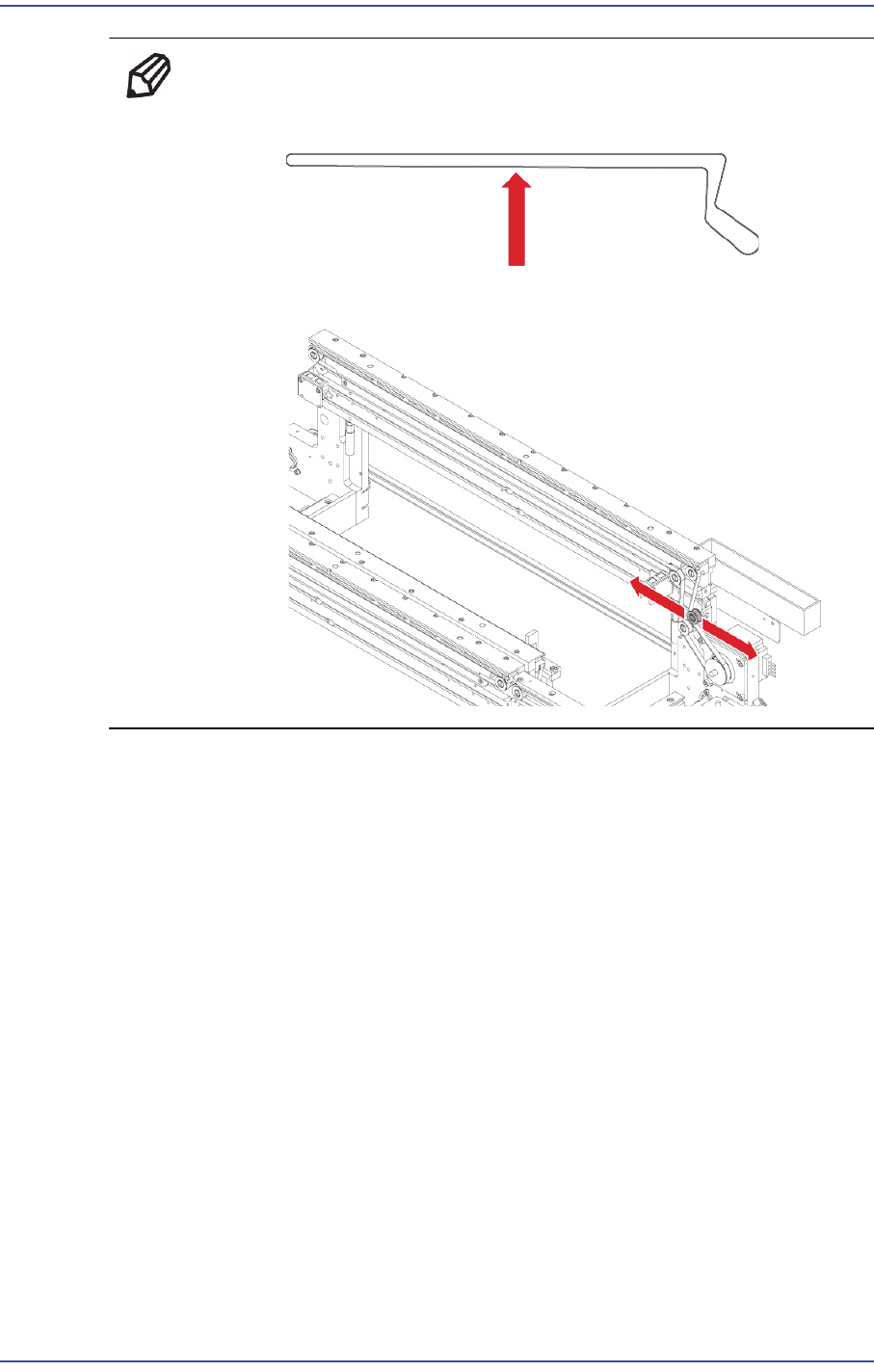
Ref Tension: 22 ±2 Hz
Tension Measurement location:
You can adjust the Tension to move to the left and right Idle.
6) After assembling the conveyor belt, check whether it works properly.
6.2.6. Work Zone Width adjustment Belt Replacement Procedure
1) Manipulate the teaching box to move the X Frame to the rear.
2) Close the PC as usual and turn off the main switch at the front of the machine.
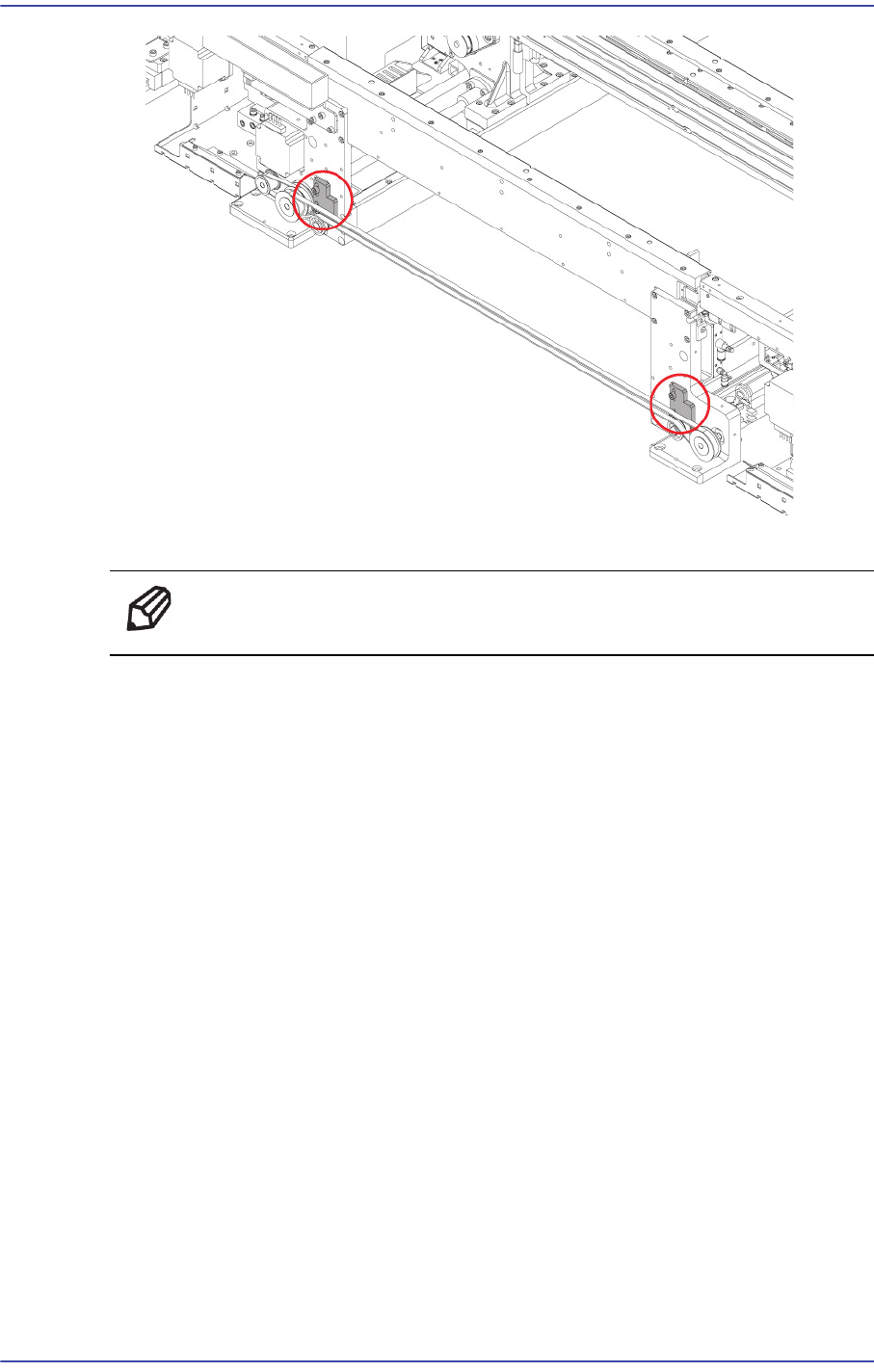
3) Unscrew the idler shaft using a flathead screwdriver and loosen the timing belt
tension.
6-10
Fast & Flexible Chip Shooter DECAN F2 Service Manual
4) Replace the belt with a new one.
Ref The part number of the new belt is J66021005A.
5) Assembled the reverse order of disassembling.
6-11
Conveyor
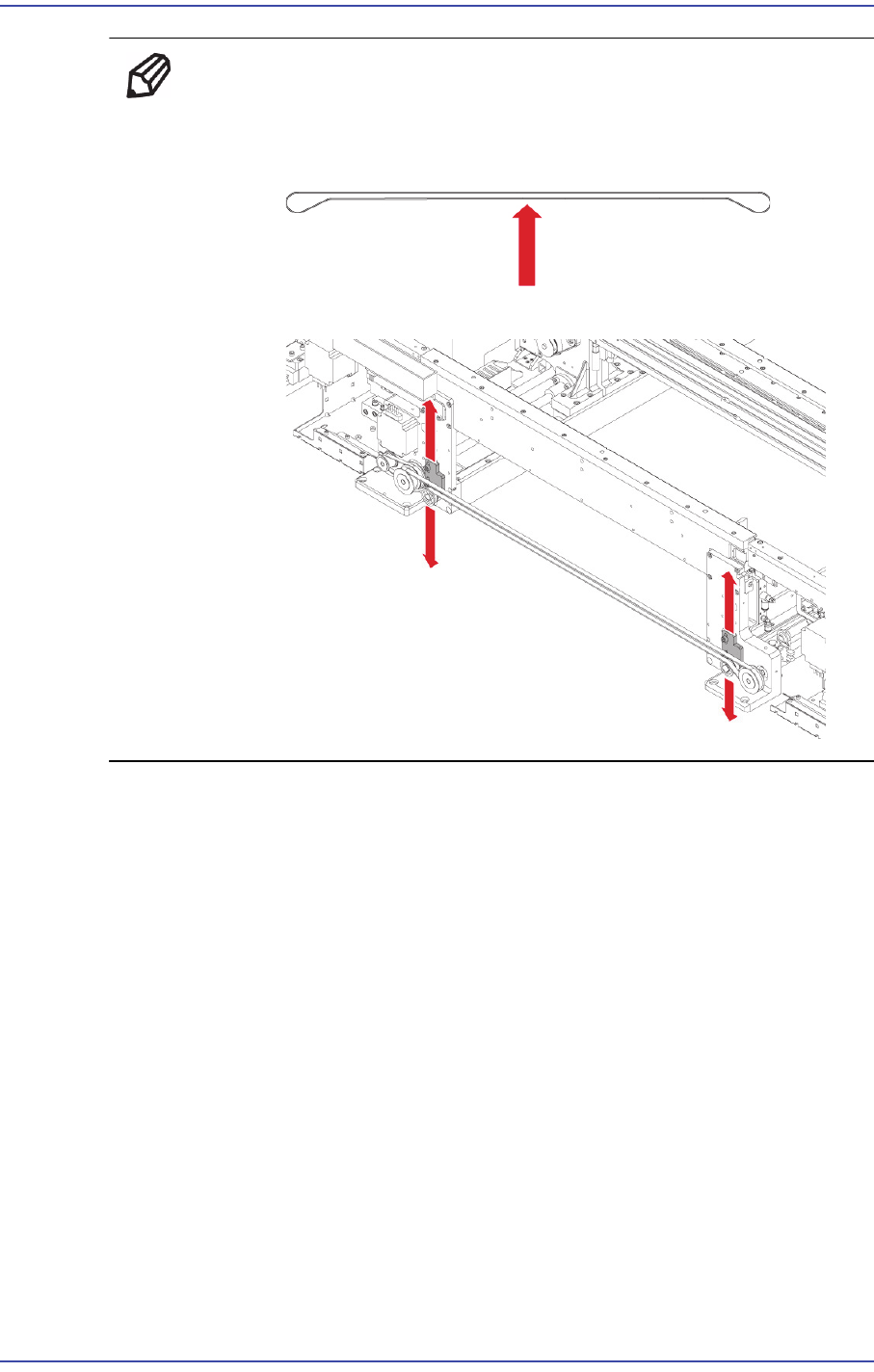
Ref Assemble the belt referring to the following.
Tension: 22 ±2.5 Hz
Tension Measurement location:
Move tension Bracket up and down to adjust the tension.
6.2.7. PCB Power transmission Belt Replacement Procedure
1) Remove the Belt based on the "Work Zone PCB transfer Belt replacement procedure"
2) After loosening Tension Loosen slightly the bolts that secure the Motor, and remove
the Belt.