DECAN_F2_Service(Eng_Ver1).pdf - 第397页
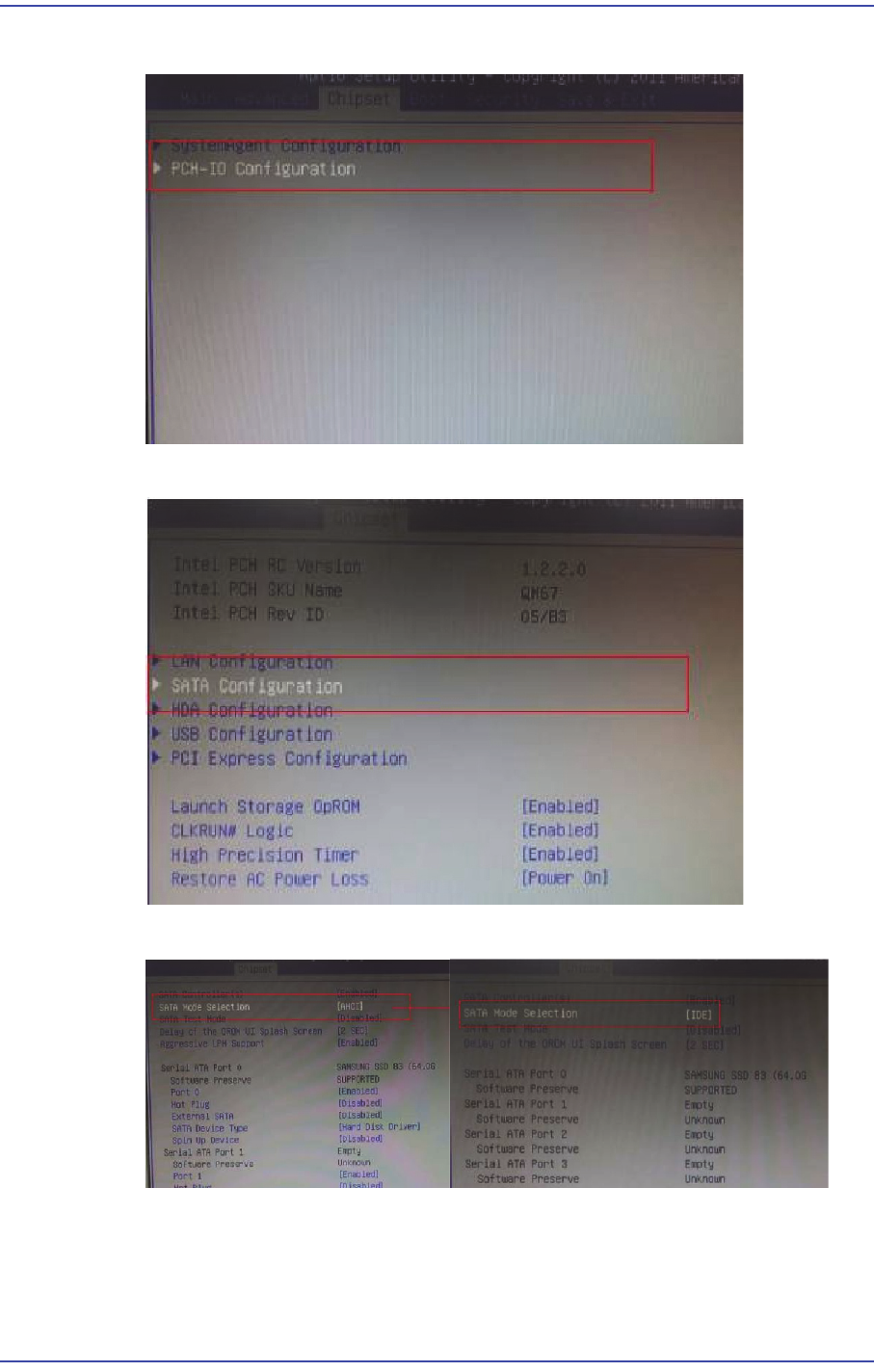
16-3 Recovery 7) After moving to the Chipset menu, mo ve to the PCH-IO Configuration tab. 8) Move to the SA T A Configuration tab. 9) Change [AHCI] to [IDE] in the SA T A Mode Selection.
16-2
Fast & Flexible Chip Shooter DECAN F2 Service Manual
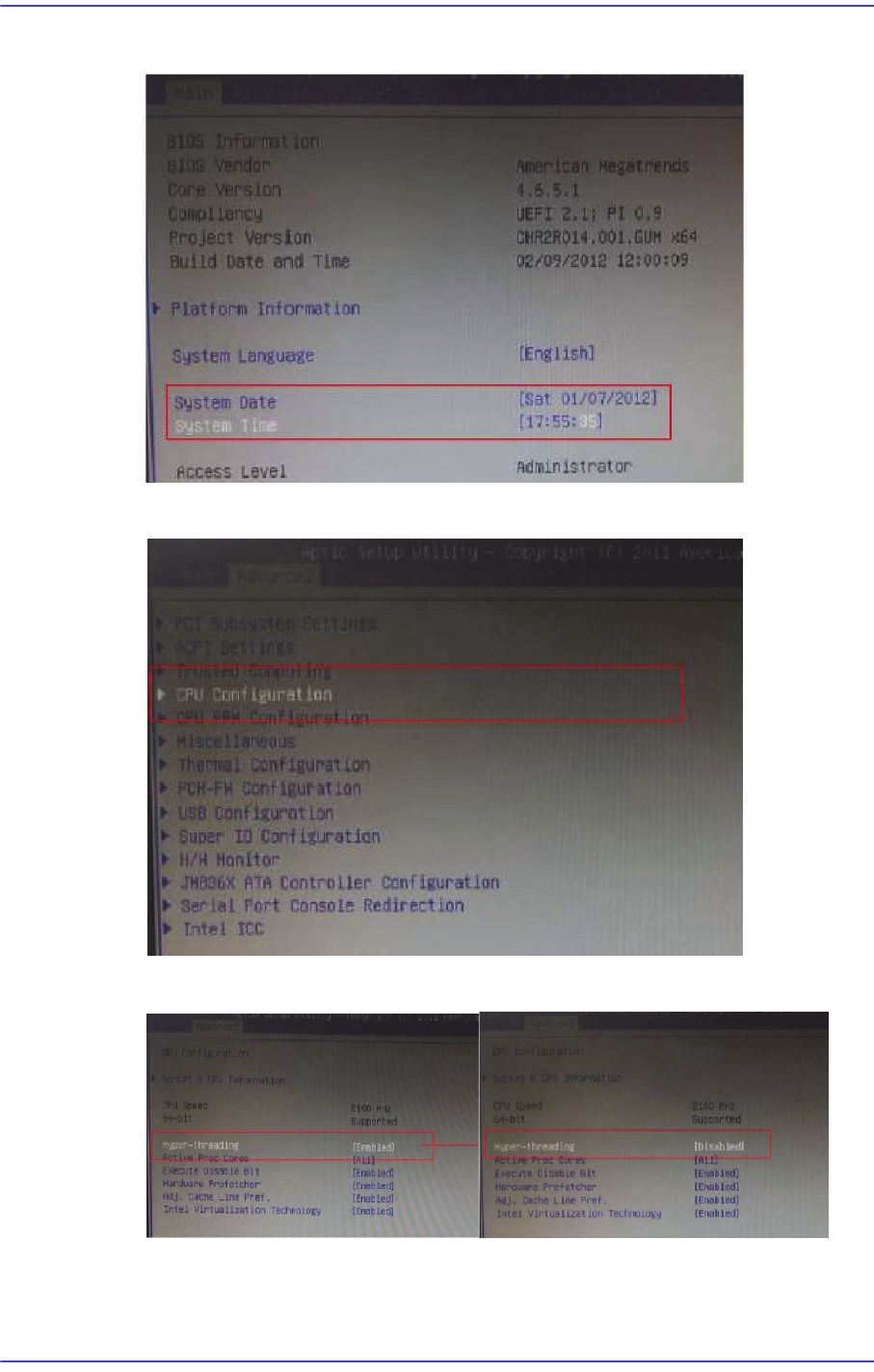
4) Change the Date and Time to the present date and time in the main menu.
5) Select the CPU Configuration in the Advanced menu.
6) Select Hyper-threading and change [Enabled] to [Disabled].
16-3
Recovery
7) After moving to the Chipset menu, move to the PCH-IO Configuration tab.
8) Move to the SATA Configuration tab.
9) Change [AHCI] to [IDE] in the SATA Mode Selection.
16-4
Fast & Flexible Chip Shooter DECAN F2 Service Manual
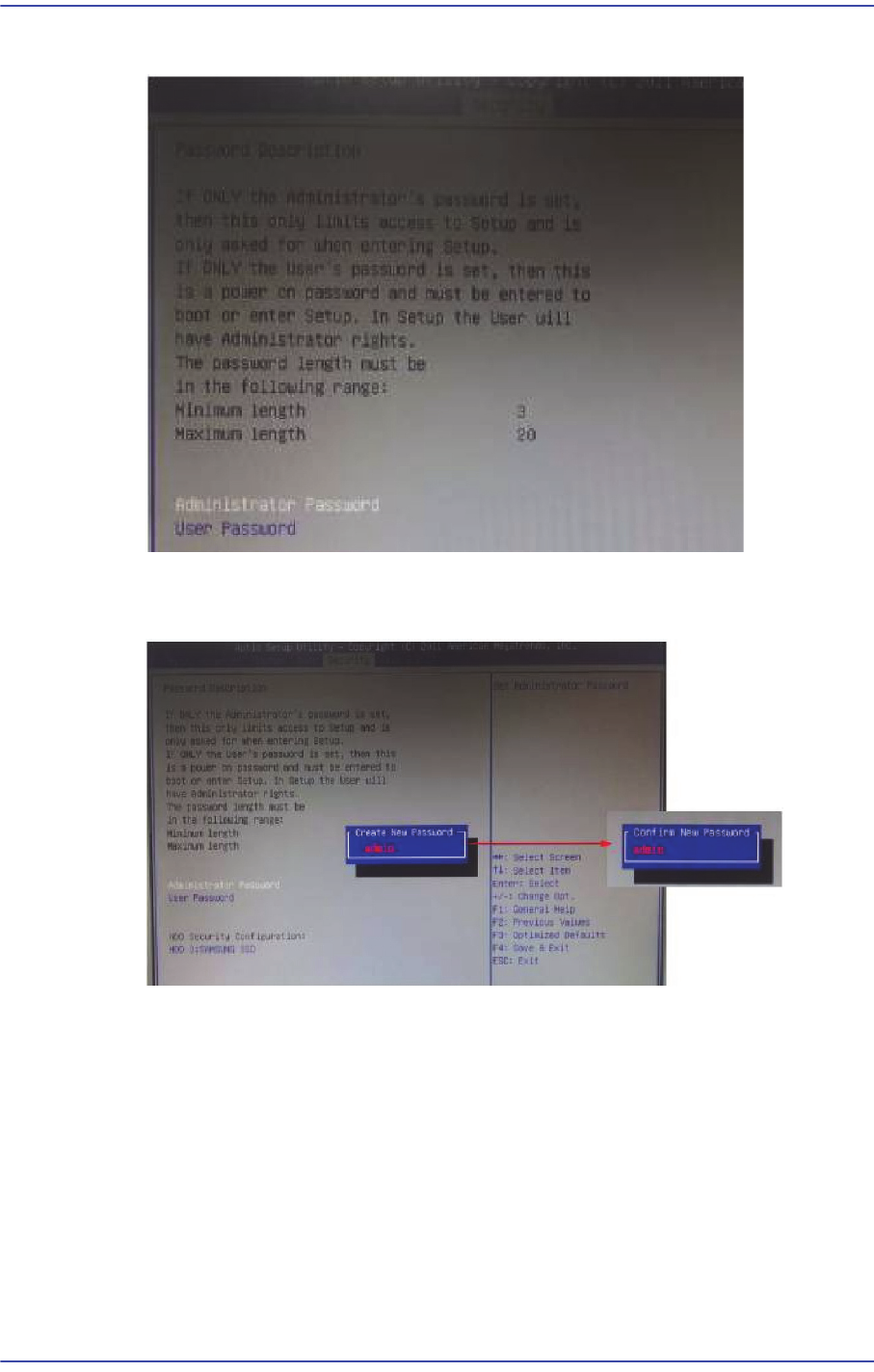
10) Move to the Security menu and select Administrator Password.
11) When the Password window appears, input “admin”. When the ‘Confirm’ input
window appears, input “admin” once again.
12) Once CMOS setup is completed, move to the ‘Save & Exit’ menu and select ‘Save as
User Defaults’ to save the setting configuration.