DECAN_F2_Service(Eng_Ver1).pdf - 第547页
18-27 Machine Calibration 18.3.5. Conveyor Calibration Calibration is made upon initial installation of the machine. The recalibration of transport rail should be performed when mechanical adjustments to the transport ra…
18-26
Fast & Flexible Chip Shooter DECAN F2 Service Manual
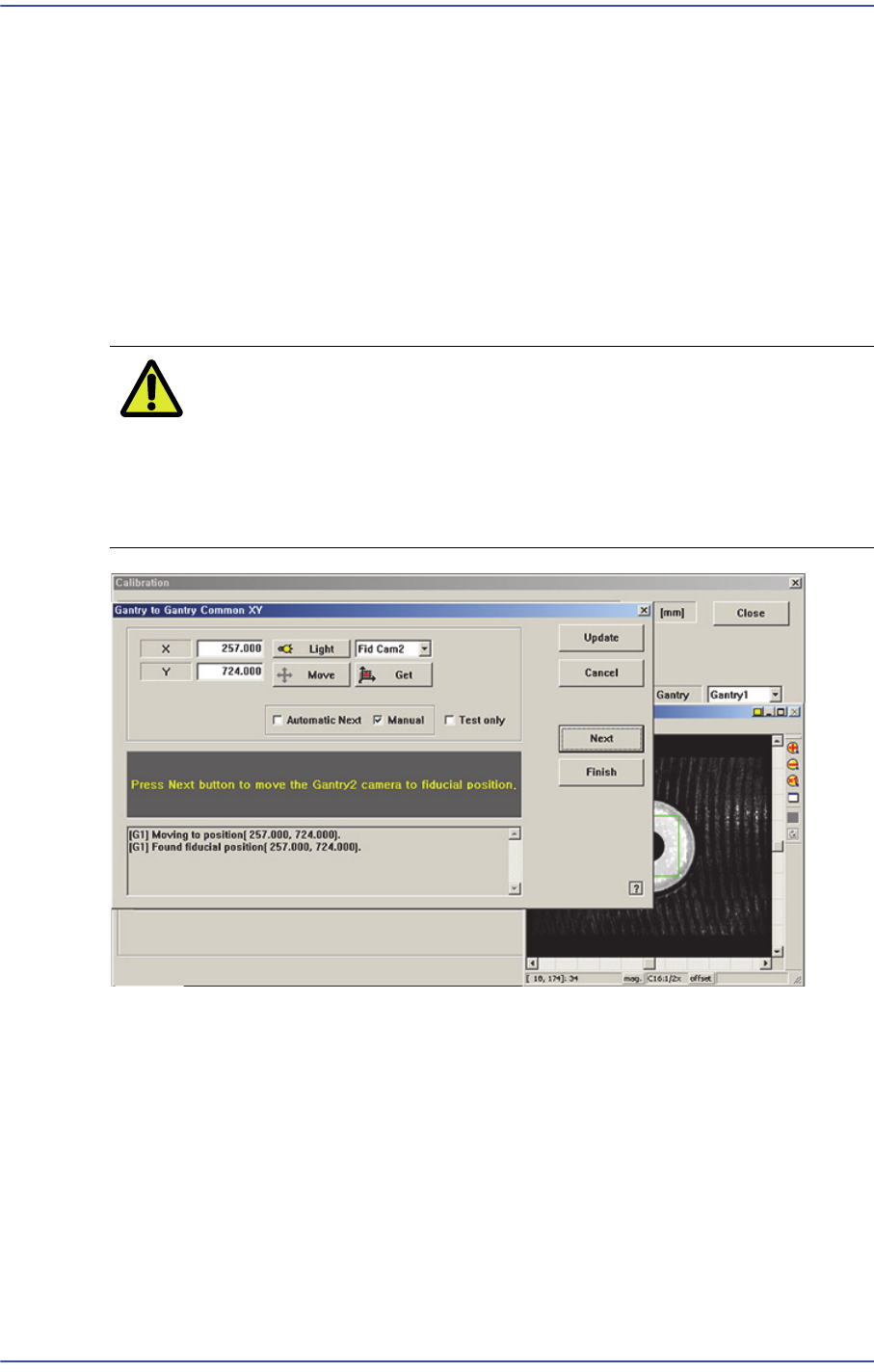
2. Adjust the position of the fiducial camera by using the teaching box so that the center
of the cross hair displayed in the SMVision window matches with the center of the
fiducial mark that was already set on the conveyor. At this time, all gantry cameras
have to be movable to this position.
3. Click <Get> button to reflect the current coordinate.
4. move the other gantries to the position designated in step 1.
5. Click <Get> button to reflect the current coordinate.
6. Wait until the Gantry moves to Home, automatically detects Collision sensor, and
returns to Home again.
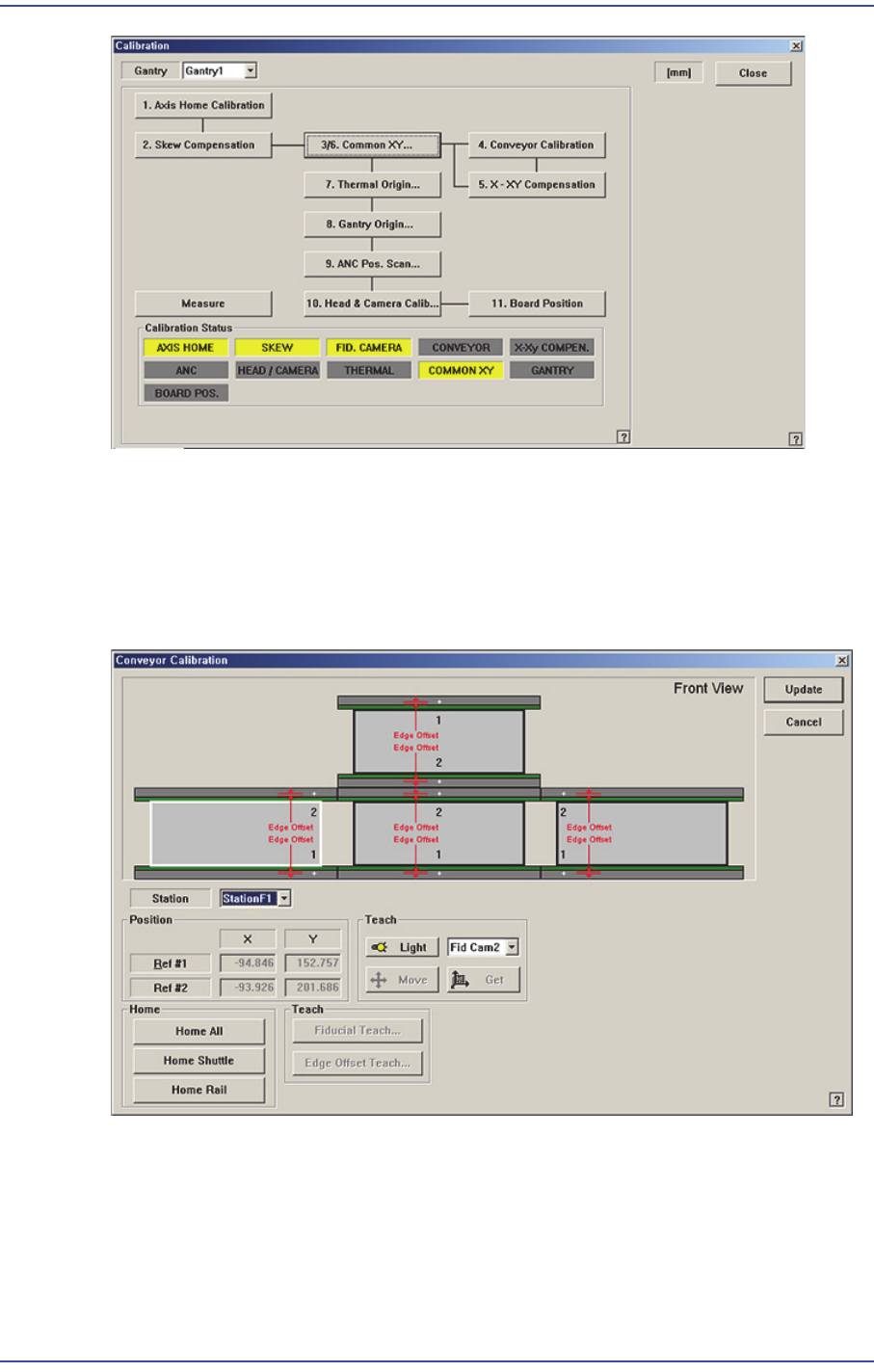
Caution Be sure to perform the “Gantry to Gantry Common XY”
calibration before performing the ‘Gantry Mapping’ (Disable
Condition). If ‘Gantry Mapping’ is already enabled, perform
the ‘Gantry to Gantry Common XY” calibration after
disabling the ‘Gantry Mapping’.
18-27
Machine Calibration
18.3.5. Conveyor Calibration
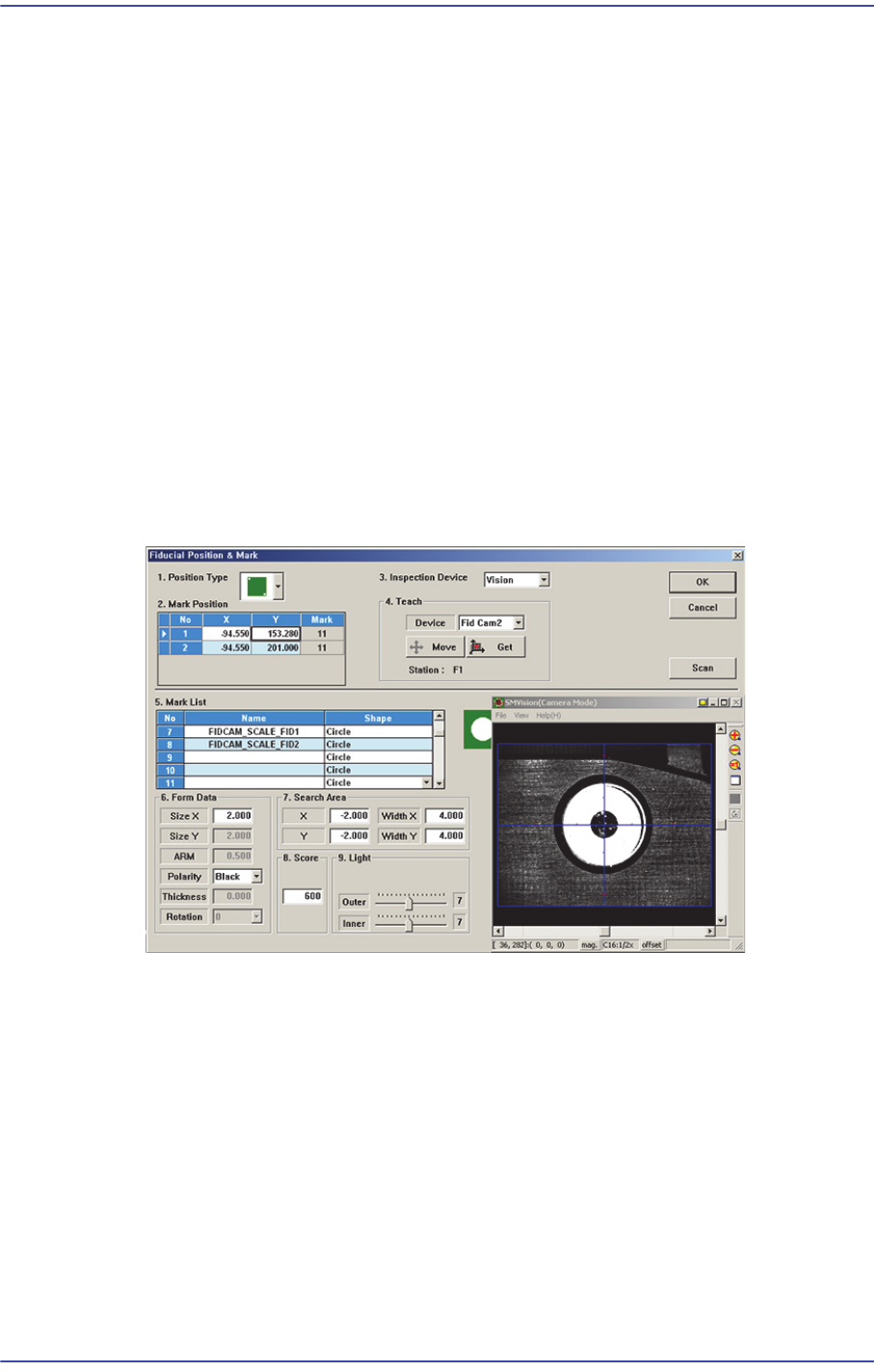
Calibration is made upon initial installation of the machine. The recalibration of transport
rail should be performed when mechanical adjustments to the transport rail occur.
Figure18.9 "Conveyor Calibration" dialog box
<Station> combo box
Select the Station.
<Position> group
Input the position of the fiducial mark of the selected station. First click the <Home
All> button to enable this edit box and find the home position for all axes related to the
conveyor.
18-28
Fast & Flexible Chip Shooter DECAN F2 Service Manual
Ref #1: the first fiducial mark of the selected station
Ref #2: the second fiducial mark of the selected station
<Home> group
<Home All> button: Finds the homes of all axes.
<Teach> group
<Move> button
Moves the fiducial camera of the corresponding gantry to the position of the
fiducial mark selected from the Grid group.
<Get> button
Applys the coordinate value of the current position as the selected fiducial mark
position.
<Fiducial Teach…> button
Teaches the fiducial marks of the selected Station. Please refer to“6.3 Fiducial Mark
Setup”for more information.
<Edge Offset Teach…> button
Used to measure the offset between the fiducial mark and edge accurately. First click
the <Home All> button to measure the edge offset and check the fiducial mark
position.