DECAN_F2_Service(Eng_Ver1).pdf - 第238页
11-8 Fast & Flexible Chip Shooter DECAN F2 Service Manual 3) Remove the tube co nnected to the fitting. 4) Unscrew the fixing bolts (4 -M6*30) securing the V acuum Pump using a hex wrench to remove the vacuum pump. 5…
11-7
Vacuum
11.2. Vacuum Pump
11.2.1. Required Tools
Crosshead (Phillips) screwdriver and flathead screwdriver
T Wrench or Hex Wrench
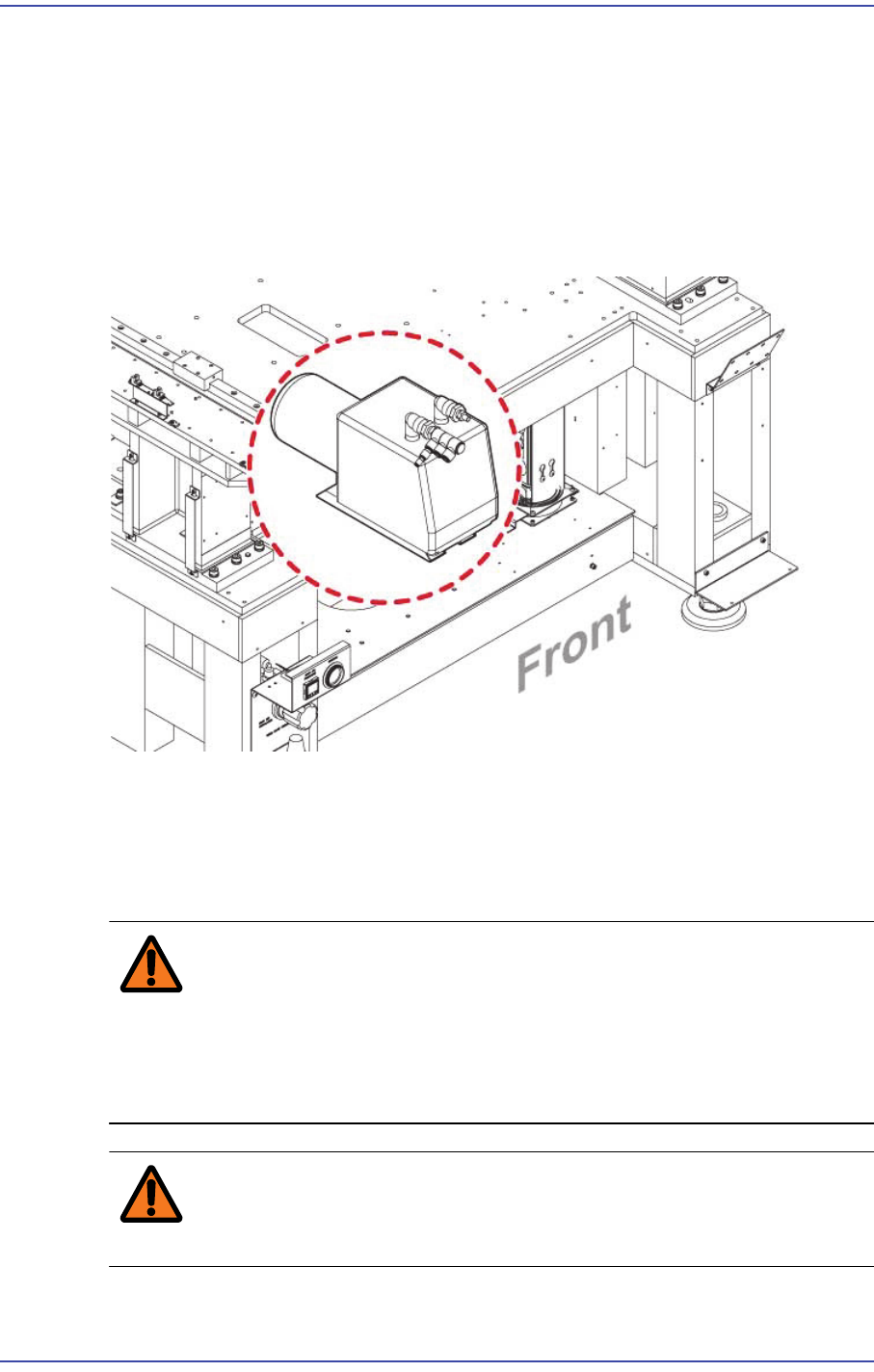
11.2.2. Vacuum Pump
11.2.3. Vacuum Pump Replacement Procedure
1) Close the PC as usual and turn off the main switch at the front of the machine.
2) Turn off the main power supply to the machine.
Warning Before servicing the machine, turn off the power switch
located at the front bottom as well as the main circuit
breaker at the rear bottom of the machine. Otherwise,
serious personal injury may occur. Perform servicing with
the power supply to the machine cut off without fail.
Warning Be sure to wear anti-electrostatic gloves when servicing the
machine.
11-8
Fast & Flexible Chip Shooter DECAN F2 Service Manual
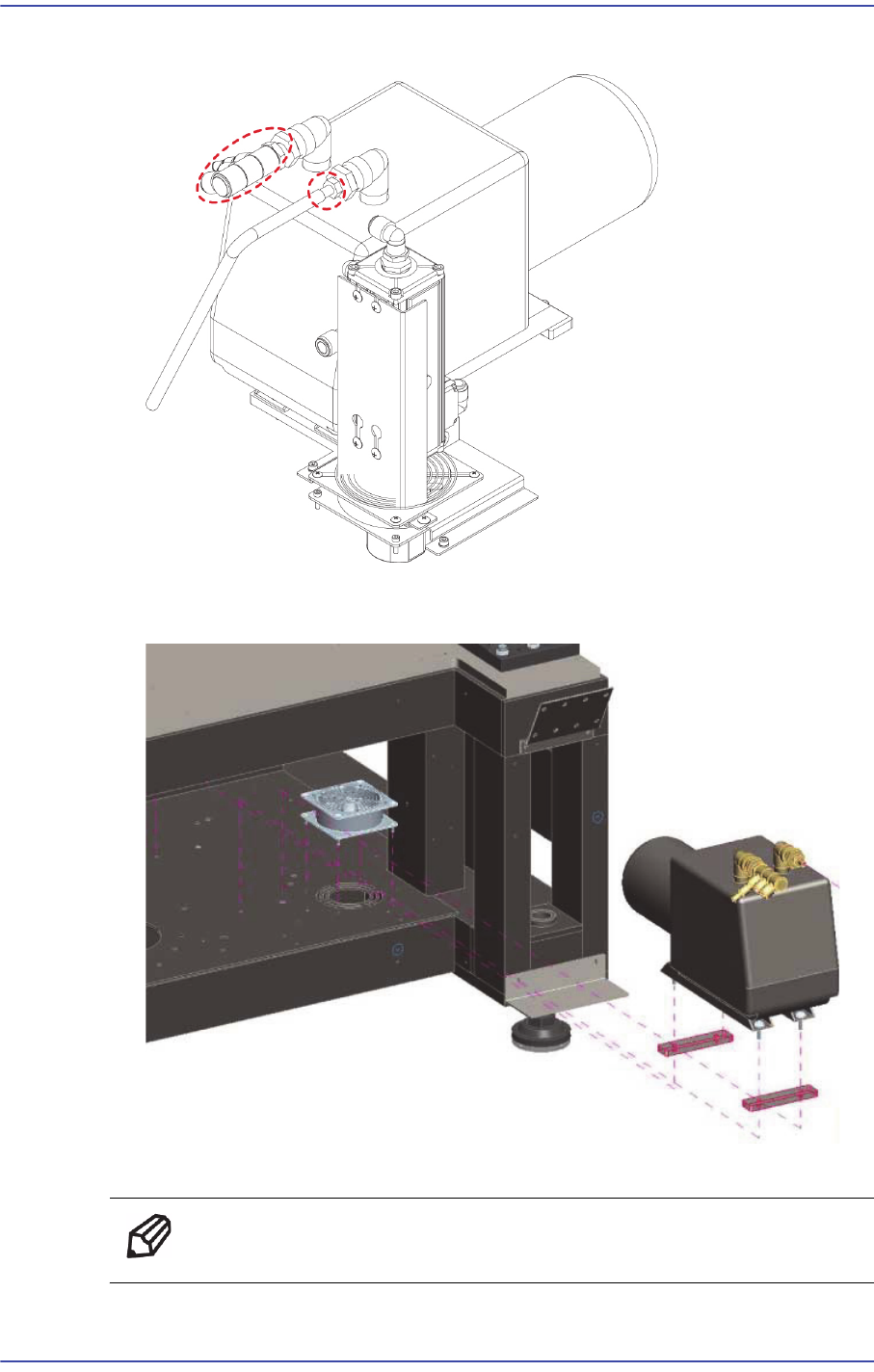
3) Remove the tube connected to the fitting.
4) Unscrew the fixing bolts (4 -M6*30) securing the Vacuum Pump using a hex wrench
to remove the vacuum pump.
5) Assemble in the base frame a new vacuum pump.
Ref The part number of the new Board is HP11-000193.
11-9
Vacuum
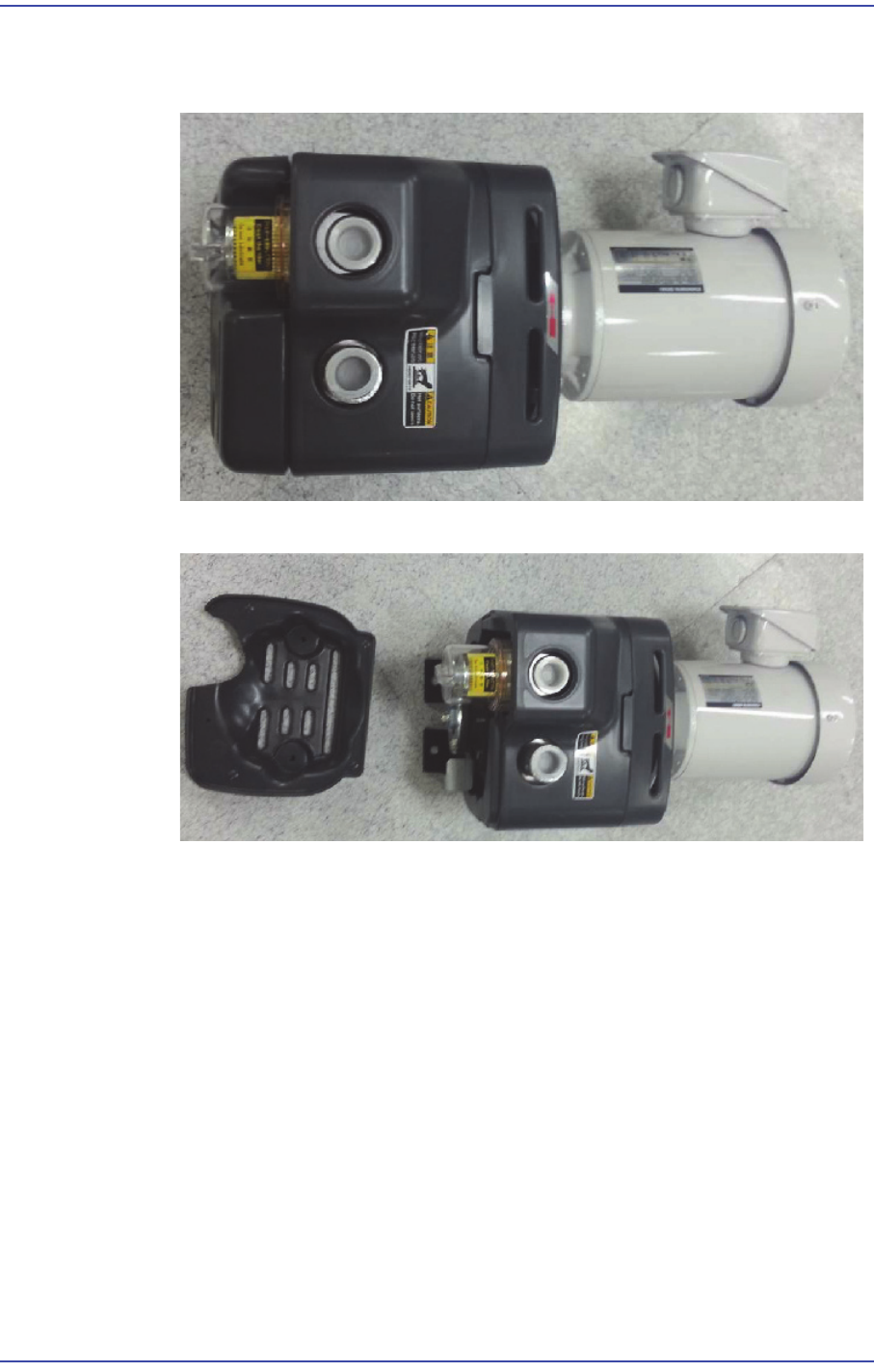
6) During assembly, please note the following points.
Remove the wooden plates and packing materials in the box.
Remove the front cover. (Keep the screws since they are reused.)