DECAN_F2_Service(Eng_Ver1).pdf - 第85页
3-23 Installation & Operation
3-22
Fast & Flexible Chip Shooter DECAN F2 Service Manual
PCB.
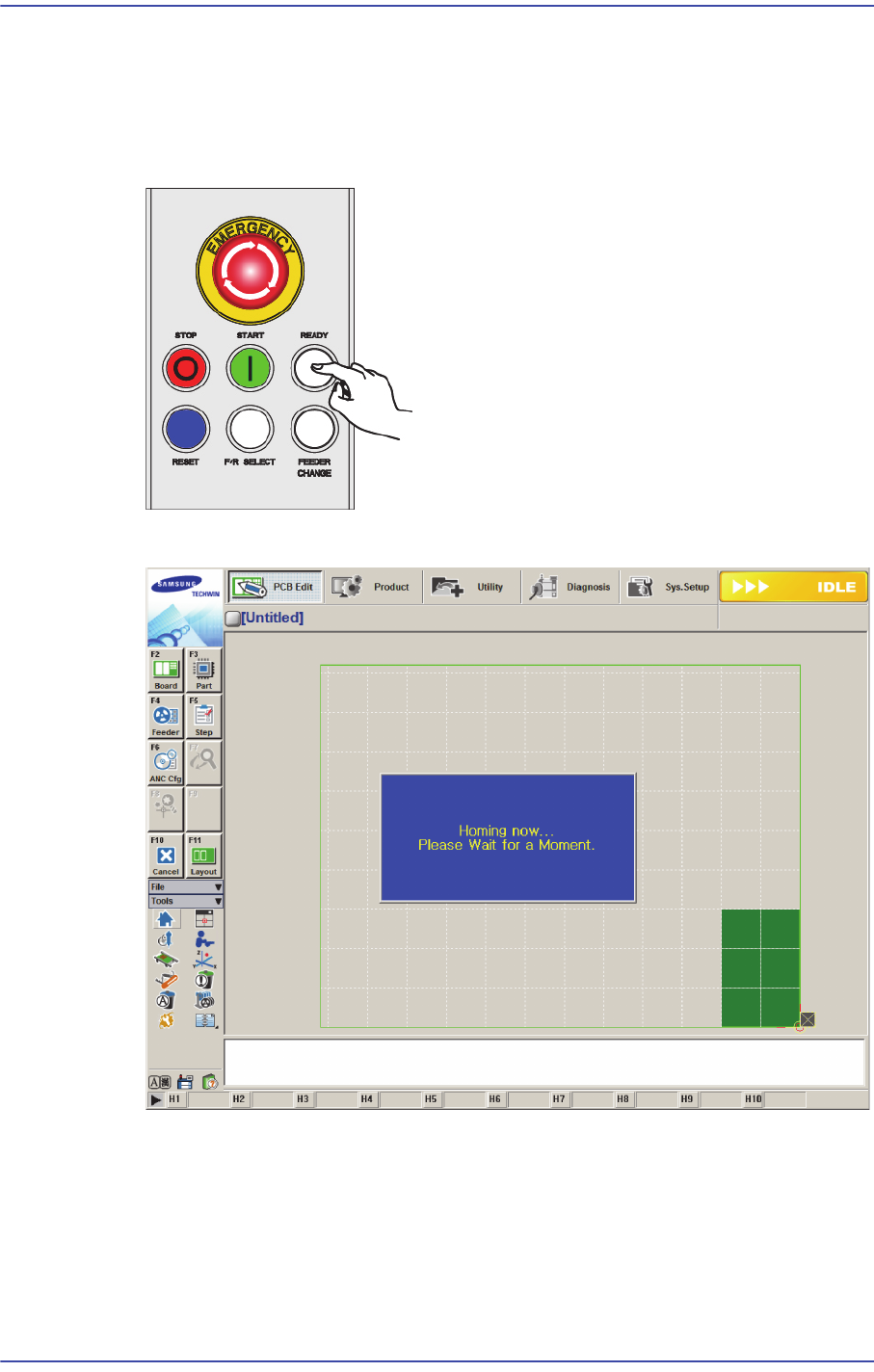
3.2.4. Checking Manual Operation
1) Press the ‘READY’ button on the OP panel.
2) Click the Home menu to home the machine.
3) 각 항목의 동작을 실행햐여 각 항목이 정상적으로 동작하는지 확인하십시오.
4) 정상인 경우 생산 절차에 따라서 장비를 가동하십시오.
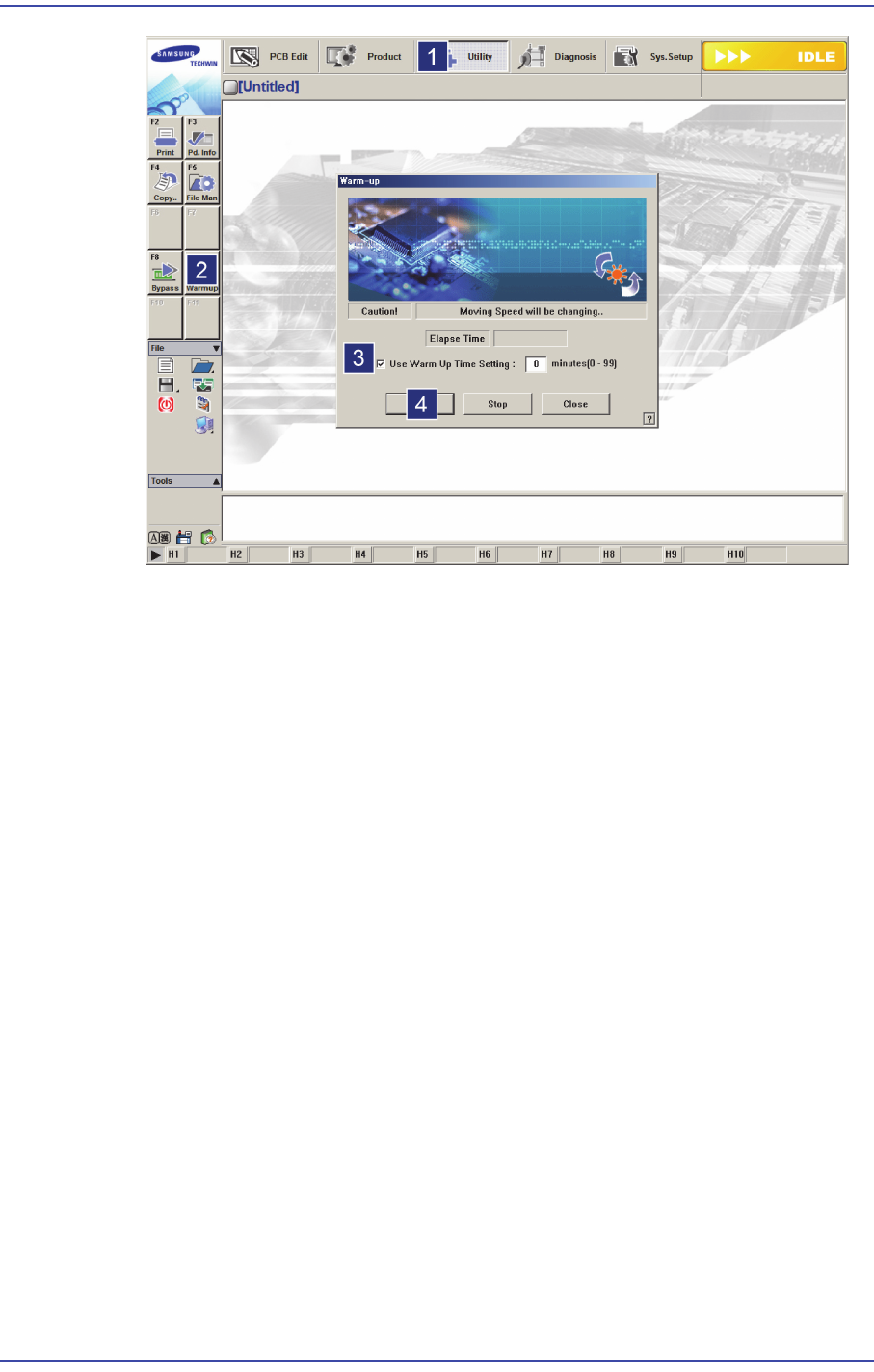
3.2.5. Warming Up
1) After the machine installation, warm up the machine for 30 minutes.
3-23
Installation & Operation
3-24
Fast & Flexible Chip Shooter DECAN F2 Service Manual
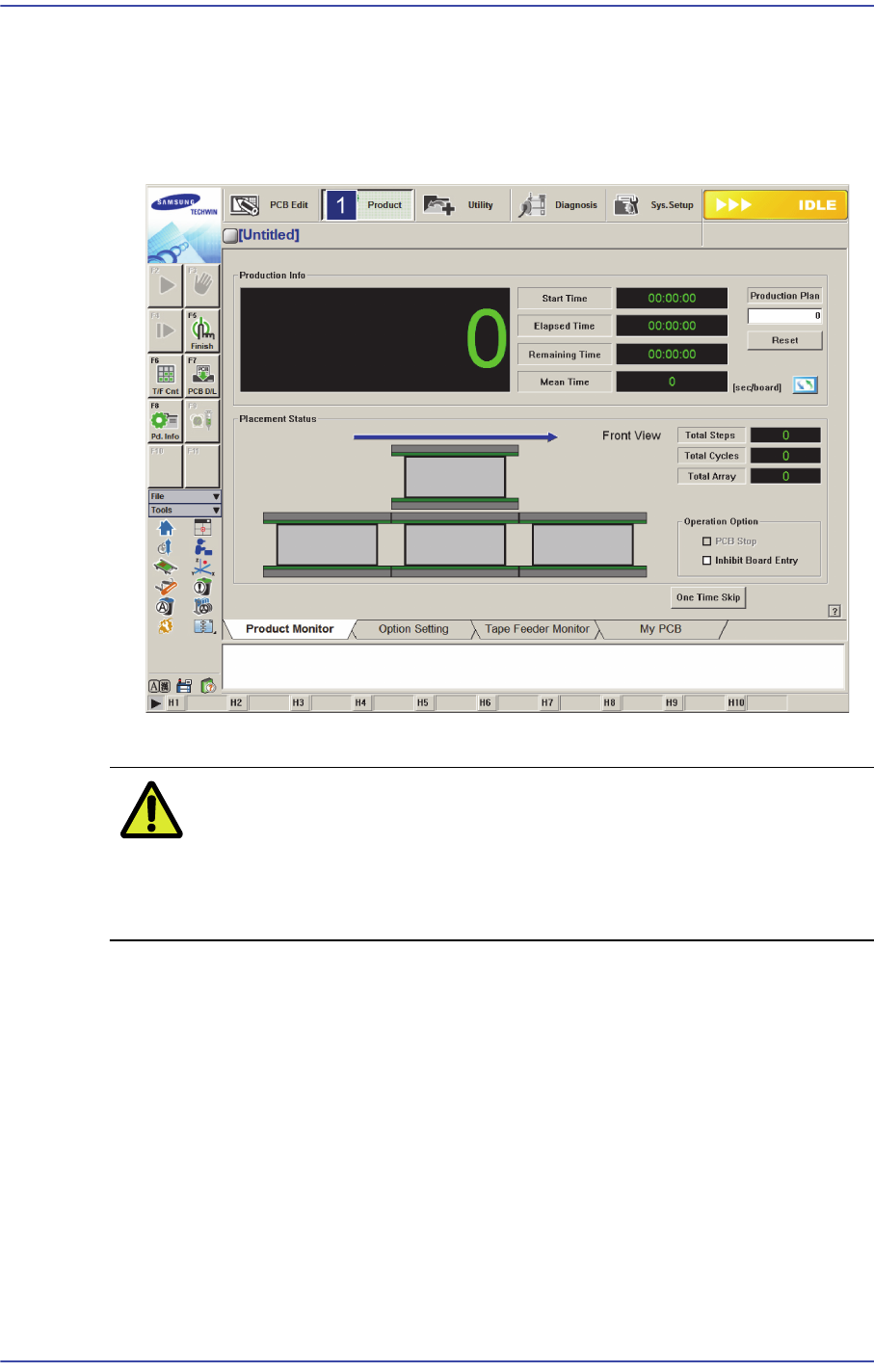
3.3. Calibration and Final Check
1) Perform machine calibration. Perform calibration referring to Administrator manual.
2) Feed the test PCB in the ‘Conveyor Diagnosis’ dialog box and check if the board
detection sensor in each station and other input operates properly.
3) If the machine functions correctly, operate it according to the production procedure.
Caution In order to move the machine, exit the PC and turn off the
power supply switch and then pack the machine in the
reverse order of installation. Once the machine is moved,
repeat the installation process again.