DECAN_F2_Service(Eng_Ver1).pdf - 第486页
17-74 Fast & Flexible Chip Shooter DECAN F2 Service Manual E0E06 The feeder is not re moved and installed smoothly [Cause] Defective machine of the feeder base hole [How to Check] 1. The feeder is installed and r…
17-73
Troubleshooting
2. Clean and check the vacuum line of the head.
3. Clean the inside of the nozzle.
1. Clean the folding mirror.
2. Clean the Fly Camera lens.
3. Modify the Nozzle Check Setting Data.
1. Check the vacuum pressure.
2. Clean and check the vacuum line of the head.
3. Clean the nozzle.
1. Check the ANC shutter Guide position.
2. Adjust the ANC shutter Guide position.
[Measures]
Clean the air line and replace the filter.
Change the outer brightness of the Nozzle Check setting from 5 to 4.
When assembling the Vacuum Filter, pay attention to the direction.
Reassemble the ANC shutter and cylinder using 4 sets of cylinder bolts so that there
will be no interference between them.
E0E05 When the machine is turned on, feeders feed a part first
[Cause]
The right board of the feeder base is defective.
The feeder I/O board is defective.
The 24V power supply is defective.
The relays #3~#6 are defective.
[How to Check]
1. Check the relay operation of the feeder base board.
2. Replace the feeder I/O board.
3. Replace the feeder base board.
4. Replace the 24V power supply.
[Measures]
Replace the right board of the feeder base.
Replace the feeder I/O board.
Replace the 24V power supply.
Replace or reinstall the relay.
17-74
Fast & Flexible Chip Shooter DECAN F2 Service Manual
E0E06 The feeder is not removed and installed smoothly
[Cause]
Defective machine of the feeder base hole
[How to Check]
1. The feeder is installed and removed stiffly.
2. Check the external shape of the feeder.
3. Replace the feeder base.
[Measures]
Replace the feeder base.
E0E07 Failed to move up the front docking cart
[Cause]
The D-CART Probe Pin is damaged.
[How to Check]
Replace the D-CART Inner I/F cable assembly.
[Measures]
Replace the D-CART Inner I/F cable assembly.
E0E08 Only one part in the vibration feeder is continuously picked up
[Cause]
The feeder is used with its link function being cleared.
[How to Check]
Set the ‘Successive Link’ function of the ‘Stick Auto Link Opt’ in the system.
[Measures]
Set the ‘Successive Link’ function of the ‘Stick Auto Link Opt’ in the system.
E0E09 The [Open Error] of the Feeder Part $P Clamp is cleared. (Vibration feeder Index is
defective)
[Cause]
The white pin is disconnected (disconnected inside the shield).
[How to Check]
1. Check the operation of the vibration feeder.
2. Check the probe pin of the vibration feeder.
3. Check the inner board and connector of the vibration feeder.
[Measures]
Solder and connect the disconnected pin.
17-75
Troubleshooting
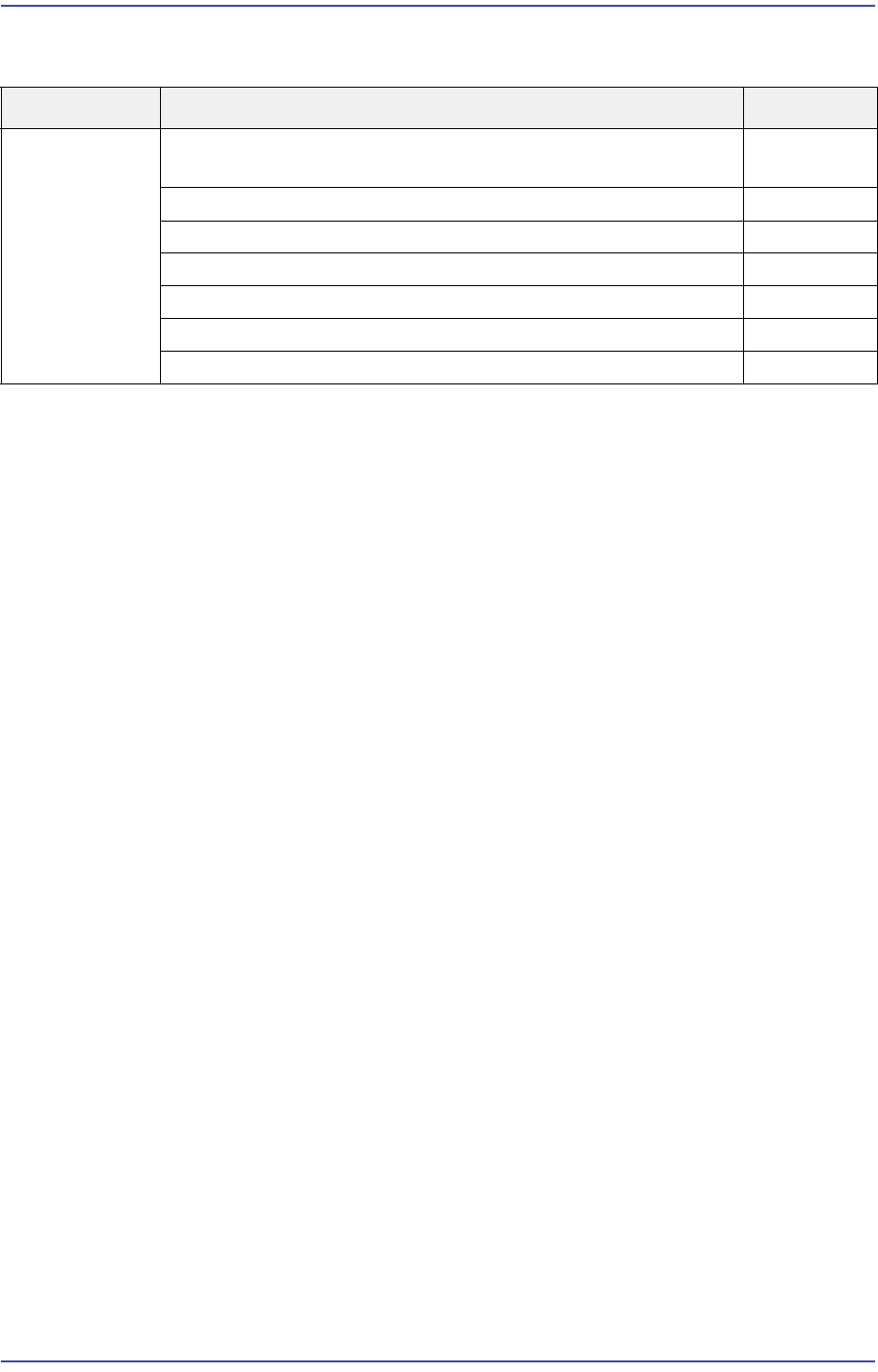
17.3.11. Defective operation of OP panel, teaching box and door switches (E0F)
E0F00 OP The OP Panel Switch does not work properly (LED not turned on, etc.)
[Cause]
The panel switch itself is defective.
[How to Check]
1. Check the OP Panel Switch input in the MMI.
2. Replace the corresponding switch and LED.
[Measures]
Replace the switch or LED.
E0F01 Front/Rear Teaching Box or OP Switch cannot be operated
[Cause]
The F/R Operate Board is defective.
The teaching box is defective.
The PMC NVRAM board is defective.
(Applicable only to SM series machines excluding DECAN F2, SLM, SM471 and
SM48X)
Defective contact of the F/R Operate Board
Defective contact of the CAN Conveyor Board connector
Defective contact of the NVRAM Board
(Applicable only to SM series machines excluding the DECAN F2, SLM, SM471 and
SM48X.)
[How to Check]
1. Check the Select Switch LED on the F/R panel (LED On/Off, I/O operation).
2. Check the teaching box operation state.
3. Replace the F/R Operate Board.
Cause Description Remarks
Defective
operation of
OP panel,
teaching box
and door
switches
The OP Panel Switch does not work properly (LED not turned
on, etc.)
E0F00
Front/Rear Teaching Box or OP Switch cannot be operated E0F01
F/R keyboard or mouse does not work E0F02
Recognition error of the keyboard, mouse and USB memory E0F03
The Motor Free switch of the teaching box is pressed E0F04
No response when opening the door E0F05
Ready Off when opening the door E0F06