DECAN_F2_Service(Eng_Ver1).pdf - 第499页
17-87 Troubleshooting NODE 1 1: BF SILL NODE 12: BF Camera Switch Board NODE 13: BF Head Memory Board NODE 14: BR Camera Switch Board NODE 15: BR Head Memory Board [Measures] Replace the bo ard of the corresponding no …
17-86
Fast & Flexible Chip Shooter DECAN F2 Service Manual
17.3.16. Abnormal inline and CAN communication (E14)
E1400 An error occurred to the Can communication
[Cause]
Defective Can board power cable
[How to Check]
Check the +24V Power Supply output
Check the the operation state and cables of the base control board as well as GIOEX
and NCIO boards
[Measures]
Replace the power supply unit.
Replace the cable and board.
E1401 Defective MPU-STOP IO node
[Cause]
Defective board of the corresponding node or defective cable
[How to Check]
Check the board of the AF and AR nodes.
NODE 1: AF SILL
NODE 2: AF Camera Switch Board
NODE 3: AF Head Memory Board
NODE 4: AR Camera Switch Board
NODE 5: AR Head Memory Board
Check the board of the BF and BR nodes.
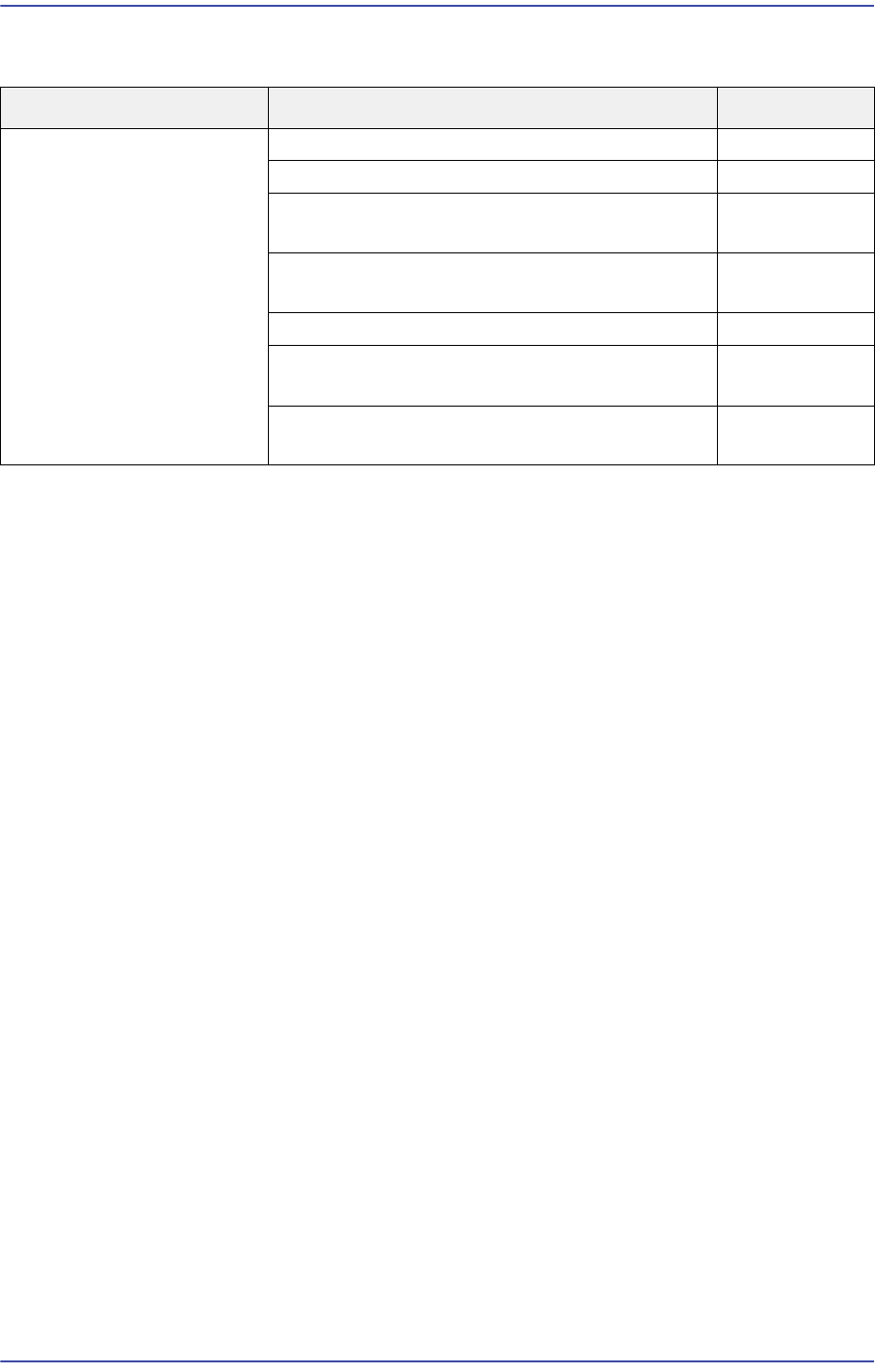
Cause Description Remarks
Abnormal inline and CAN
communication
An error occurred to the Can communication E1400
Defective MPU-STOP IO node E1401
Defective operation of the Can communication
board
E1402
Abnormal Can communication board operation
and communication error
E1403
Can communication error - I/O Node "0" E1404
Defective communication with the machine at
the previous stage
E1405
Defective communication with the machine at
the next stage
E1406
17-87
Troubleshooting
NODE 11: BF SILL
NODE 12: BF Camera Switch Board
NODE 13: BF Head Memory Board
NODE 14: BR Camera Switch Board
NODE 15: BR Head Memory Board
[Measures]
Replace the board of the corresponding node.
E1402 Defective operation of the Can communication board
[Cause]
Defective connection of the Can cable
[How to Check]
Check whether the I/O of the specific board works properly
Check the LED light and power supply of the corresponding board
Check the Can communication cable
Replace the corresponding board
[Measures]
Check whether the I/O works properly.
Check the LED light and power supply.
Check the connection of the Can communication cable.
Replace the board.
E1403 Abnormal Can communication board operation and communication error
[Cause]
Abnormal Can node setup
[How to Check]
Check whether the I/O of the specific board works properly
Check the LED light and power supply of the corresponding board
Check the node select switch of the corresponding board
Check the Can communication cable
Replace the corresponding board
[Measures]
Check whether the I/O works properly.
Check the LED light and power supply.
Check the Can communication cable.
17-88
Fast & Flexible Chip Shooter DECAN F2 Service Manual
Replace the board.
E1404 AE-Link communication error - I/O Node "0"
[Cause]
Defective NICO board operation
[How to Check]
After checking whether the NCIO board is inserted into the back plane board slot,
check whether the NCIO board cable is properly connected
Replace the NCIO board and check whether the same problem occurs
[Measures]
Insert the NCIO board into the back plane board slot or connect the NCIO board cable
again.
Replace the NCIO board.
E1405 Defective communication with the machine at the previous stage
[Cause]
Incorrect MMI setup
Defective SEMEA cable
Defective Base Control board
Defective I/F protocol with the previous machine
[How to Check]
Defective base control board
Check the SMEMA cable connection
Check the I/F connection with the previous machine (supplied by others) (contact
type, SEMEA type, etc.)
Replace the general I/O board and check whether the same problem occurs
[Measures]
Check the SMEMA I/F setup of the MMI setup.
Check the SMEMA cable connection.
Check the I/F connection with the previous machine (supplied by others).
Replace the general IO board.
E1406 Defective communication with the machine at the next stage
[Cause]
Incorrect MMI setup
Defective SEMEA cable