DECAN_F2_Service(Eng_Ver1).pdf - 第569页
18-49 Machine Calibration Offset X : -208.5mm ~ -210.5mm Offset Y : -1.0mm ~ -1.0mm Gantry2 Offset X : -208.5mm ~ -210.5mm Offset Y : -1.0mm ~ -1.0mm 18.3.10.2. Head Z / R Offset Calibration The distance from the upper…
18-48
Fast & Flexible Chip Shooter DECAN F2 Service Manual
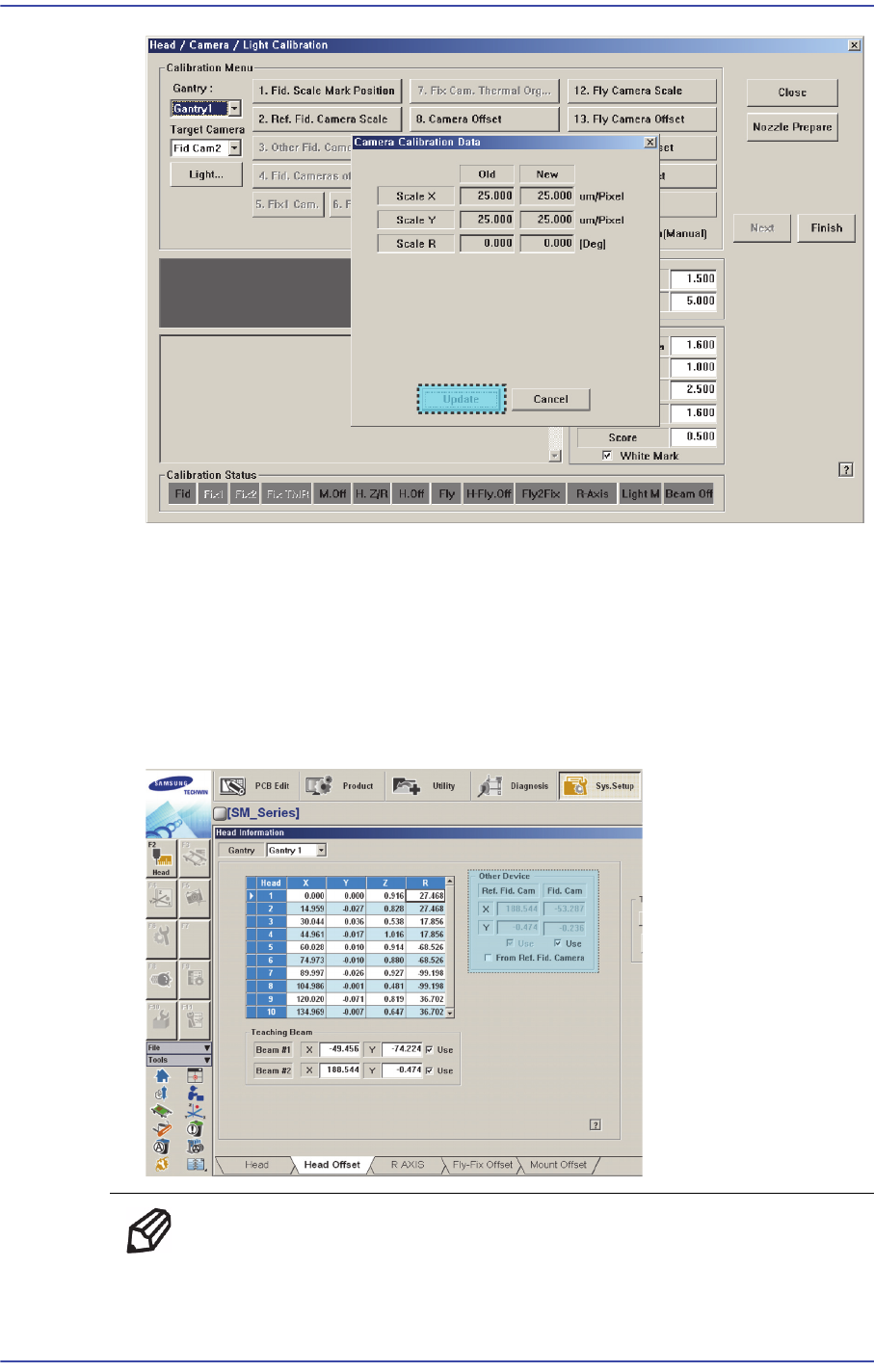
7. If the calibration procedure is completed properly, the result as shown in the following
figure is displayed and then the message, “Next, Remove the Calibration Nozzle from
Head1. Click [Next] for Moving Down Head. After Moving, Remove the Nozzle
Manually.”
Click the <Next> button to remove the nozzle inserted into the nozzle holder of Head
1 manually. Then remove the calibration tool on the ANC.
The measurement result can be confirmed in the Head Offset dialog box.
Memo The reference values for the calibration of the Fiducial Camera
Offset(FOV 12)is as follows.
Gantry1
18-49
Machine Calibration
Offset X : -208.5mm ~ -210.5mm
Offset Y : -1.0mm ~ -1.0mm
Gantry2
Offset X : -208.5mm ~ -210.5mm
Offset Y : -1.0mm ~ -1.0mm
18.3.10.2. Head Z / R Offset Calibration
The distance from the upper surface of the PCB to the Z axis home is set mechanically. For
the Z offset calibration, measure the offset for this distance based on the upper surface of
the PCB by using pneumatic pressure.
For the R offset calibration, measure the offset of the angle to align the nozzle holder
based on zero (0) degrees.
The following is the process that the Z offset calibration is performed. The nozzle used for
calibration is the CN040 nozzle.
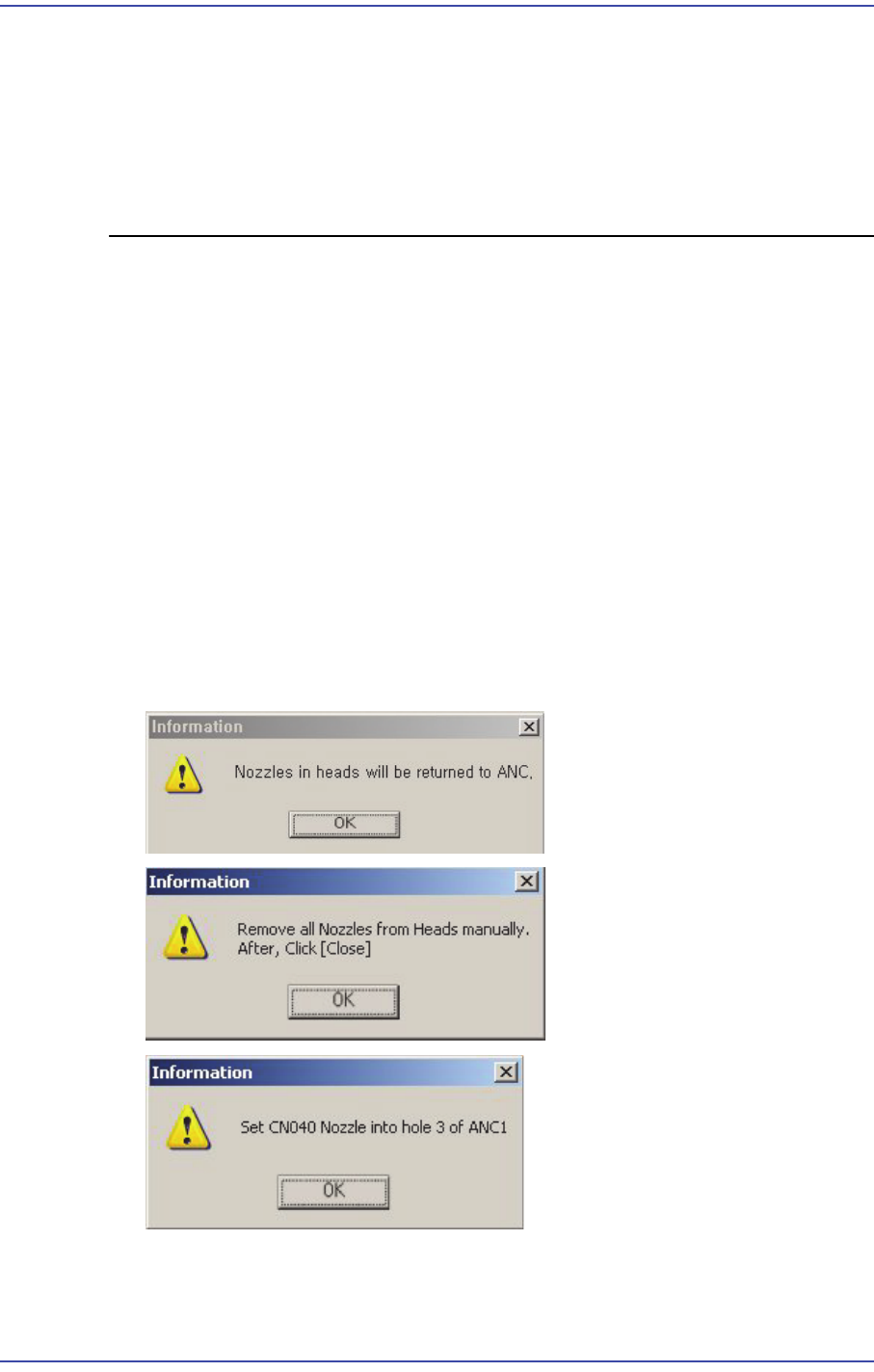
1. Click the <Nozzle Prepare> button and remove all nozzles inserted in the nozzle
holders of all heads. Insert the CN040 nozzle into the No. 3 hole of the ANC.
For Gantry 1, insert the CN040 nozzle into the No. 3 hole of the front ANC. For
Gantry 2, insert it into the No. 3 hole of the rear ANC.
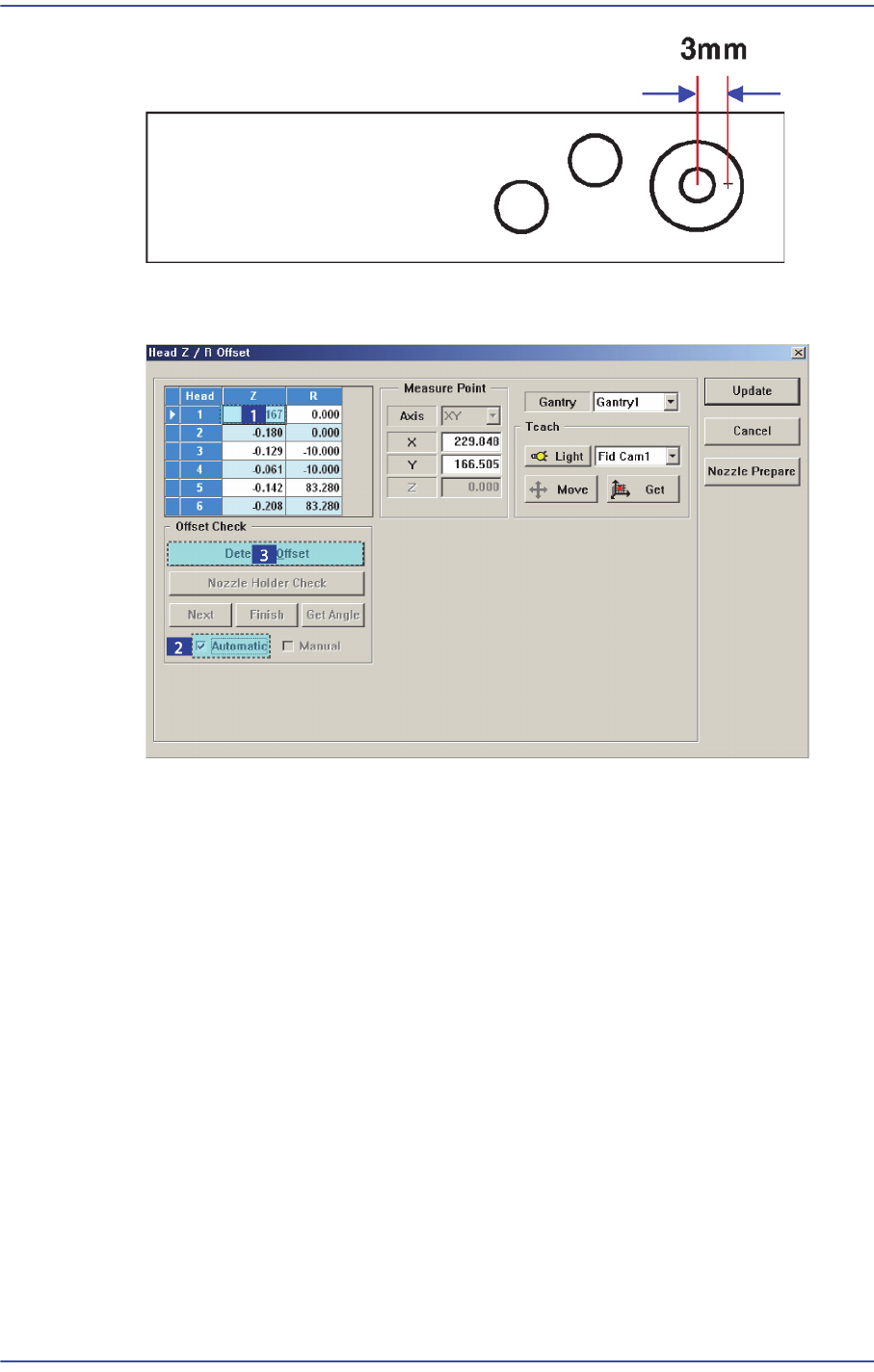
Since the position at which the Z offset is measured deviates from the calibration tool
position (center) by 3mm, if any foreign material on the calibration tool is present,
remove it.
18-50
Fast & Flexible Chip Shooter DECAN F2 Service Manual
2. In the <Grid> group, select the Z axis for which the calibration is to be performed and
click the <Detect Z Offset> button after selecting the <Automatic> check box.
3. The head moves to the designated position on the ANC automatically. Then the
machine creates pneumatic pressure and performs calibration while moving the
spindle down from Head 1 to Head 10 in order.
4. If the calibration is completed, the calibration result is reflected on the Z column of the
<Grid> group automatically. When performing calibration manually, insert the CN040
nozzle into each head in order manually and move down the spindle to perform
calibration while checking the pneumatic pressure of the head in the Vacuum dialog
box.
5. Once the calibration is completed for Gantry 1, select ‘Gantry2’ in the <Gantry>
combo box and perform calibration in the same manner.