DECAN_F2_Service(Eng_Ver1).pdf - 第260页
12-10 Fast & Flexible Chip Shooter DECAN F2 Service Manual 4) In order to connect the AMP in the manu facturer mode, enter the password (3470448) in the current screen. 5) Select the Series. 6) 'Click ‘Parameter…
12-9
Motor Driver
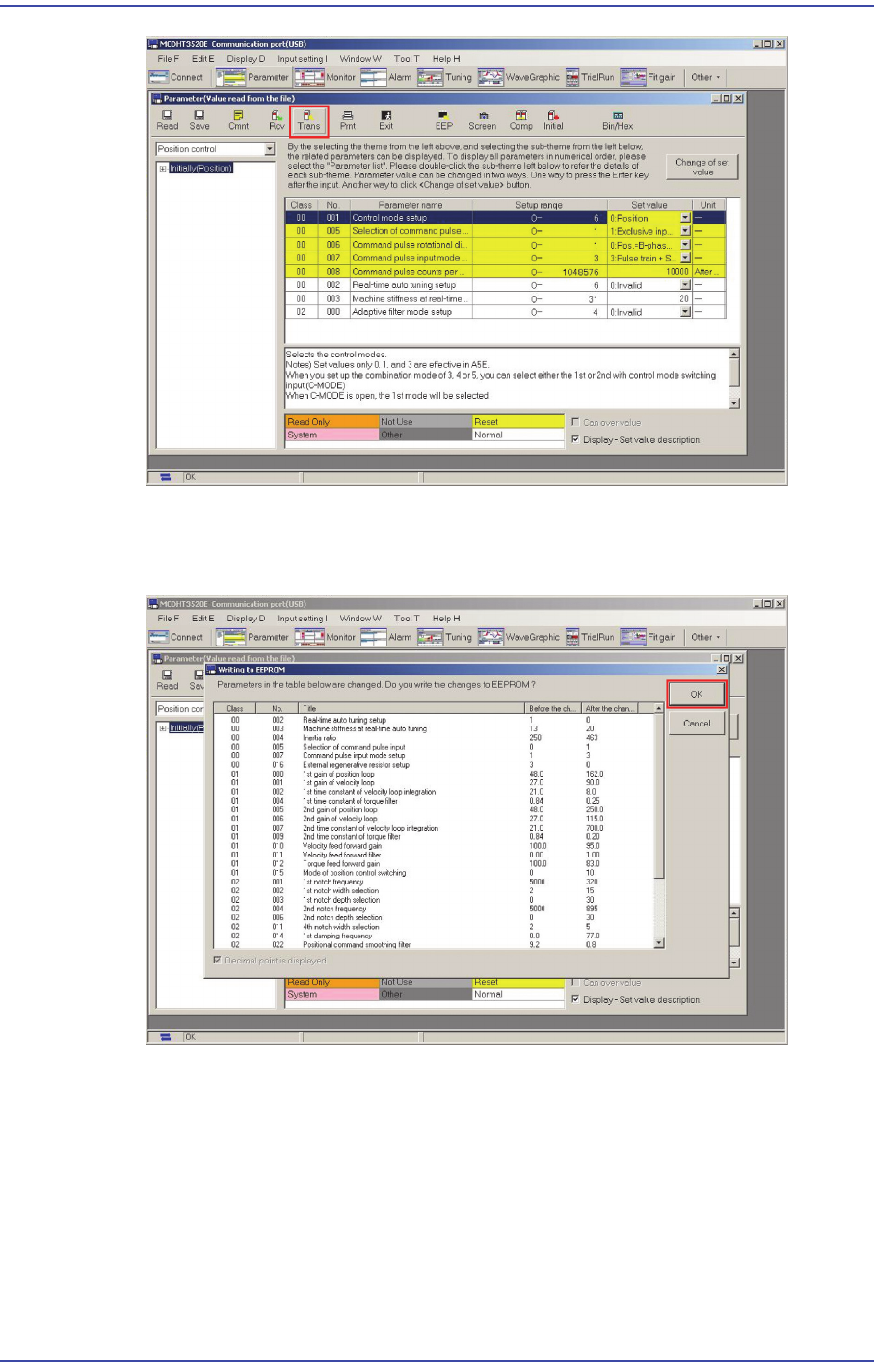
11) Once ‘Trans’ is finished, click ‘EEP’. Then the ‘Writing to EEPROM’ window
appears since the parameter inside the existing amplifier is different from the file
parameter. Click ‘OK’.
12.4.3. How to set the Y-axis parameter (including magnetic pole estimation
method)
1) Press the Emergency switch to prevent any malfunction of the machine.
2) Run the PANATERM.
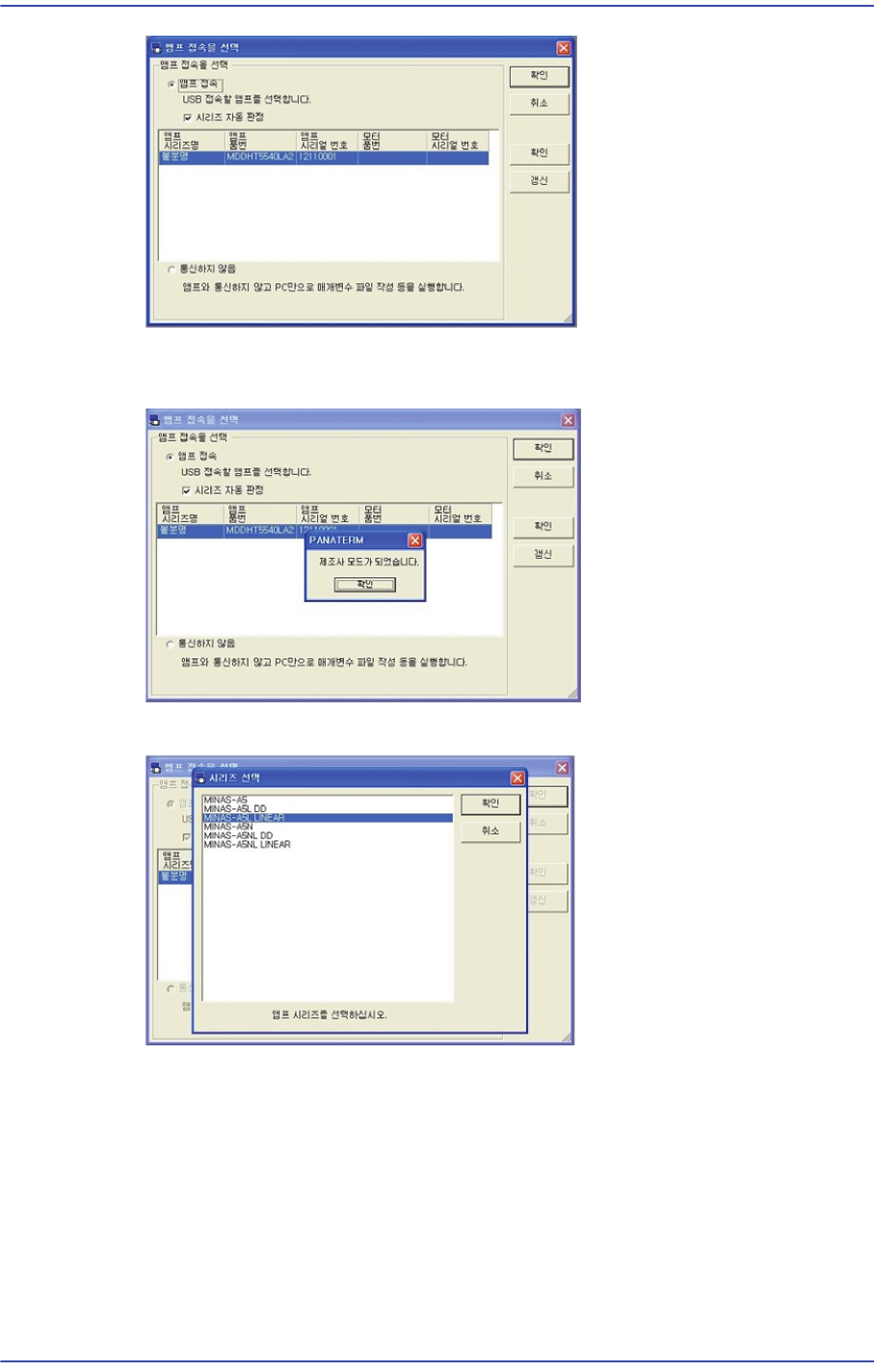
3) 'Select ‘Connect AMP’.
12-10
Fast & Flexible Chip Shooter DECAN F2 Service Manual
4) In order to connect the AMP in the manufacturer mode, enter the password (3470448)
in the current screen.
5) Select the Series.
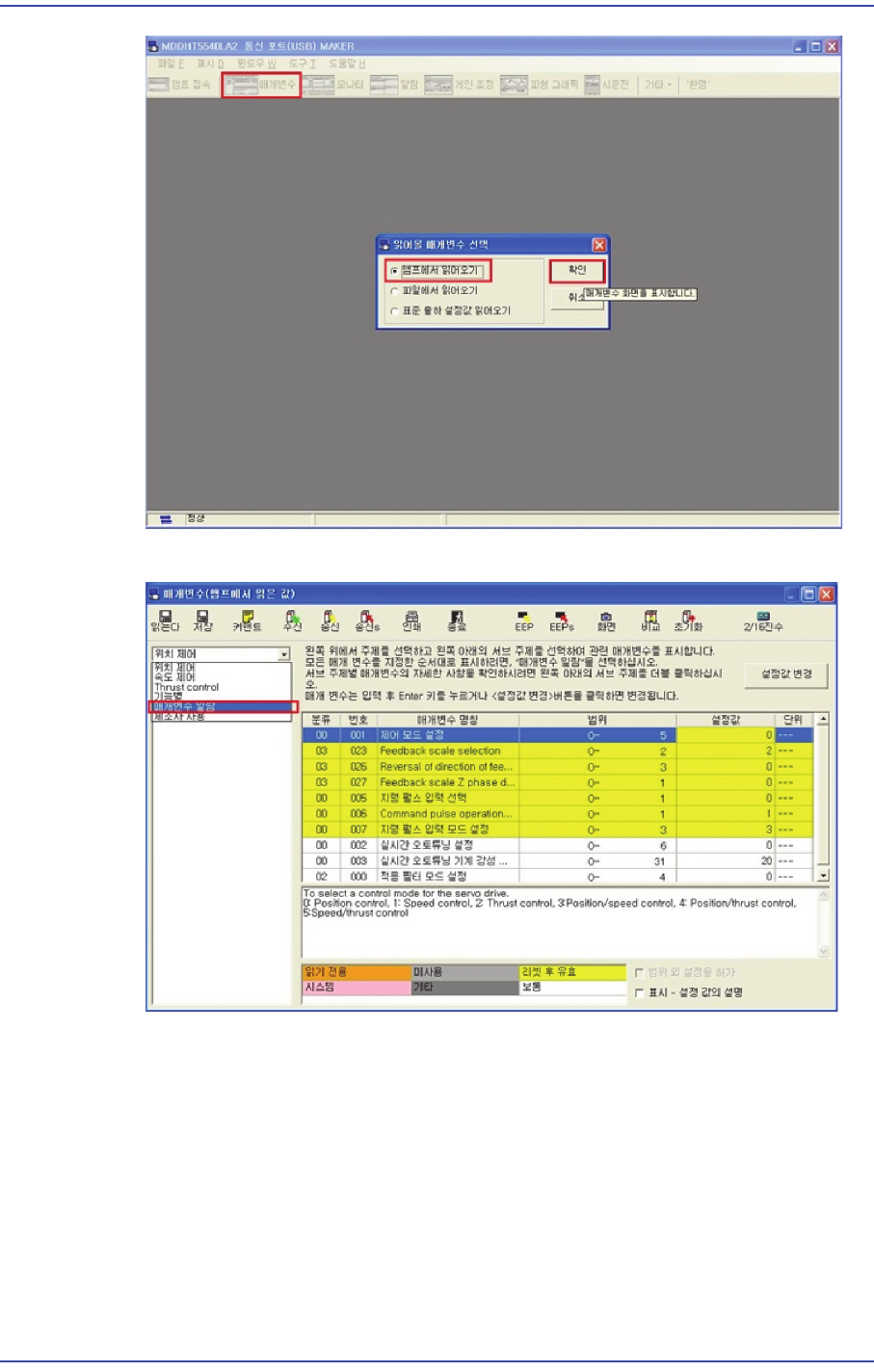
6) 'Click ‘Parameter'->'Read from AMP'->'OK' in order.
12-11
Motor Driver
7) Click the ‘Parameter List’ tab.
8) Change the No. 20 of Classification 9 to ‘2’.