DECAN_F2_Service(Eng_Ver1).pdf - 第396页
16-2 Fast & Flexible Chip Shooter DECAN F2 Service Manual 4) Change the Date and T ime to the pr esent date and time in the main menu. 5) Select the CPU Configuration in the Advanced menu. 6) Select Hyper-threading a…
16-1
Recovery
Chapter16. Recovery
16.1. CMOS
16.1.1. Changing CMOS Setup
1) After supplying power to the PC, press the <Delete> key of the key board to execute
the CMOS SETUP.
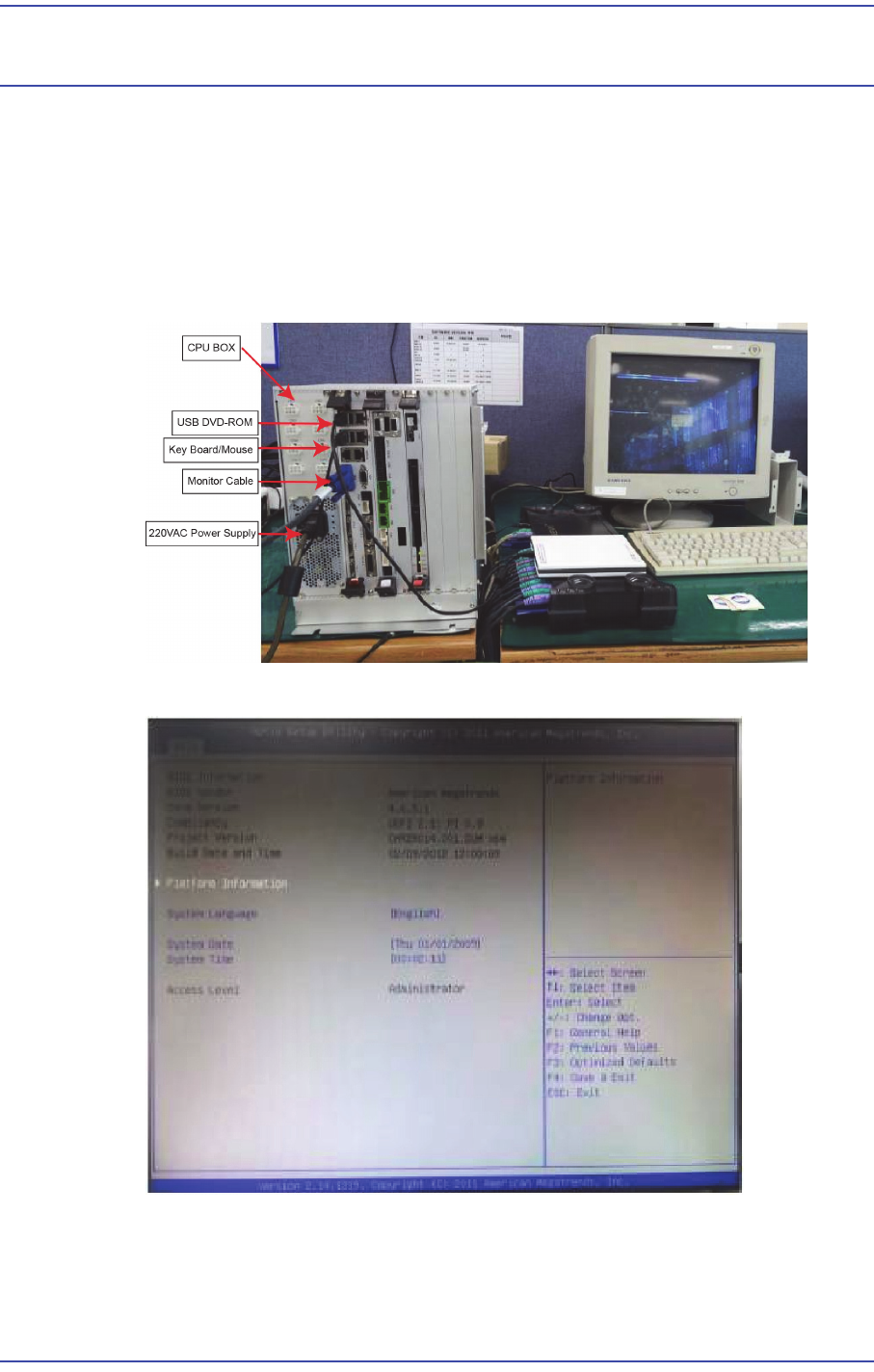
2) Connect the cables referring to the following image.
3) If the CMOS Setup is executed, press the "DEL" key to return to CMOS.
16-2
Fast & Flexible Chip Shooter DECAN F2 Service Manual
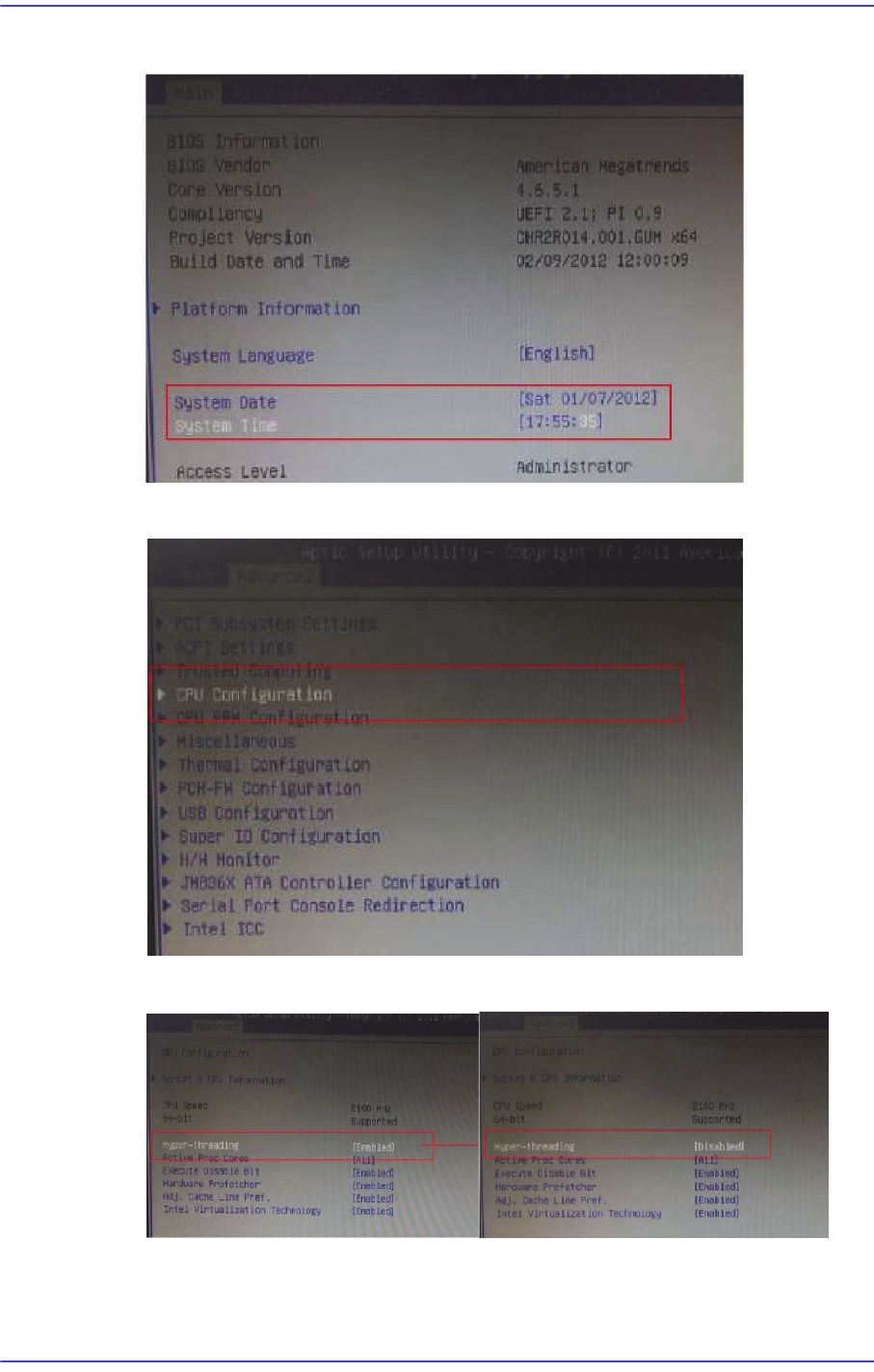
4) Change the Date and Time to the present date and time in the main menu.
5) Select the CPU Configuration in the Advanced menu.
6) Select Hyper-threading and change [Enabled] to [Disabled].
16-3
Recovery
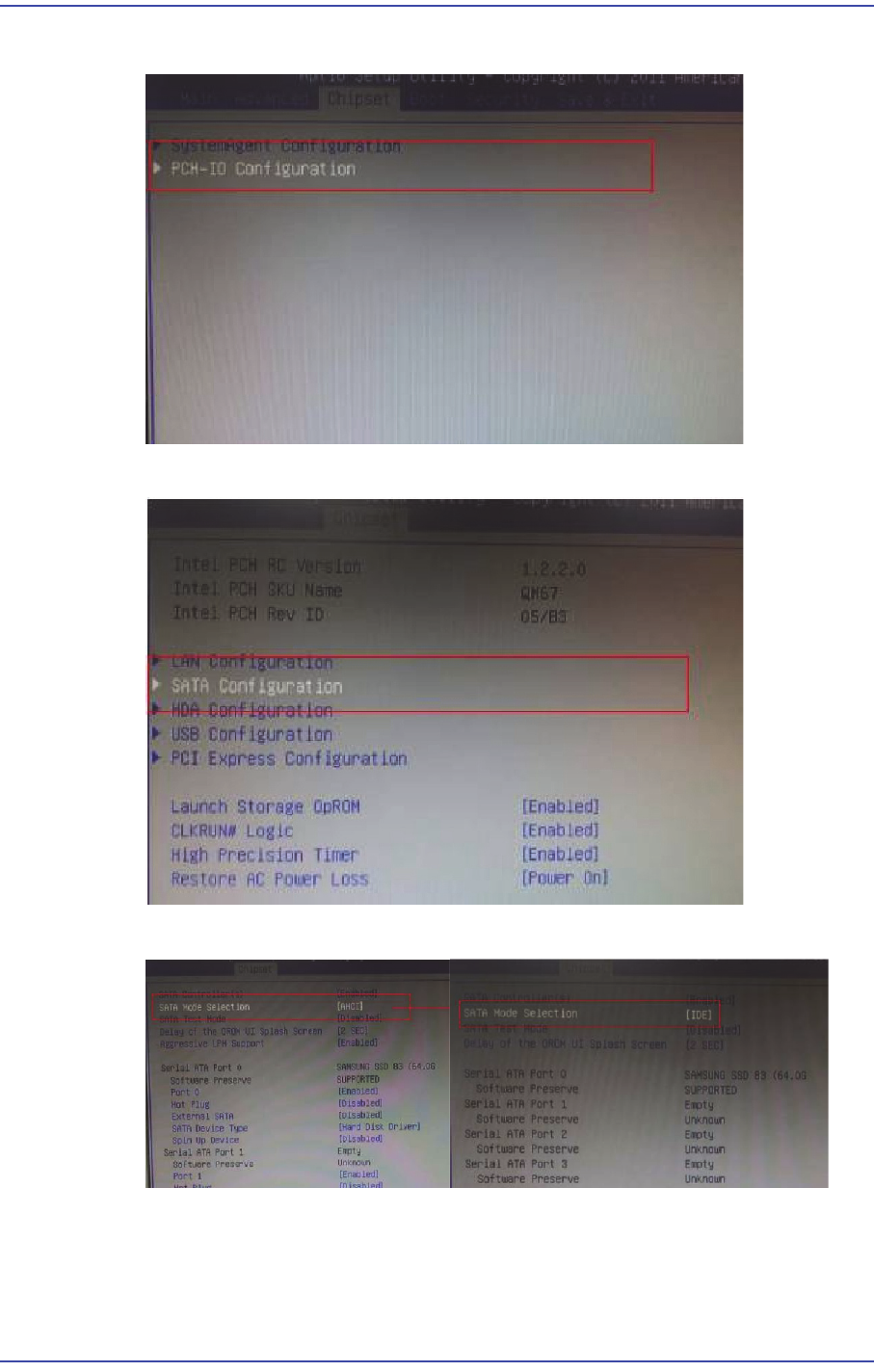
7) After moving to the Chipset menu, move to the PCH-IO Configuration tab.
8) Move to the SATA Configuration tab.
9) Change [AHCI] to [IDE] in the SATA Mode Selection.