DECAN_F2_Service(Eng_Ver1).pdf - 第142页
5-42 Fast & Flexible Chip Shooter DECAN F2 Service Manual 1: Run the W indcom+ Program and click the ‘Error ’ button. 2: Click the ‘Alarm Read’ button to read the alarm of the currently connected Head AMP . 3: When t…
5-41
Head
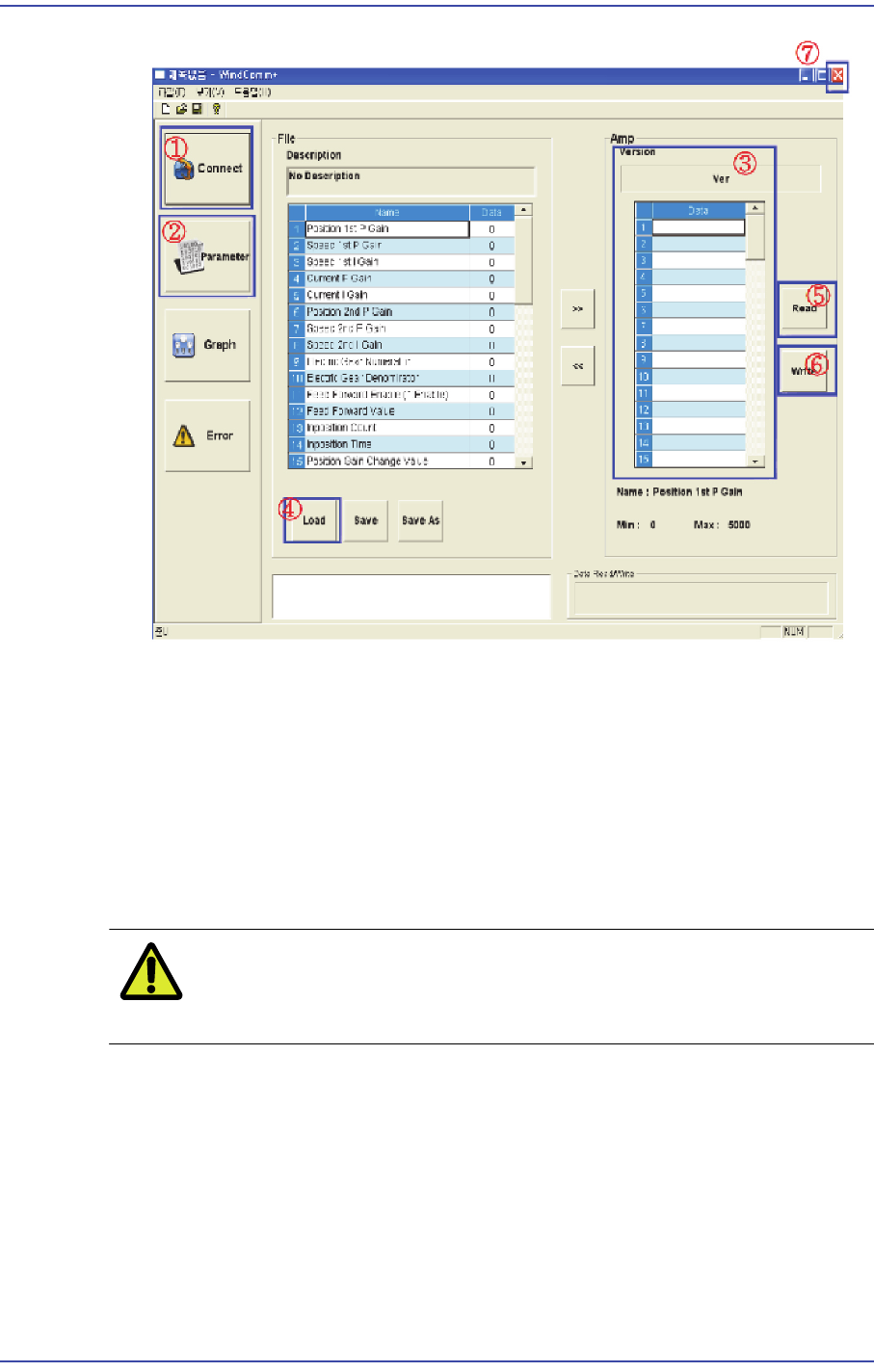
1: Move to the connector section and set and initialize the RS232 communication port.
2: Move to the section where the parameter is loaded and written.
3: Check the firmware version and whether the inputted parameter value is loaded.
4: Select the XXX.prm file to be loaded.
5: Write the parameter to E2PROM.
6: If it is written correctly, load the parameter.
7: If it is written correctly, exit WindComm+’.
Caution Use the parameter file supplied by us. Do not change the
parameter value at your discretion.
7) Check the MMI WindComm+ Alarm download screen dedicated for the new dual
head amp in the following manner.
5-42
Fast & Flexible Chip Shooter DECAN F2 Service Manual
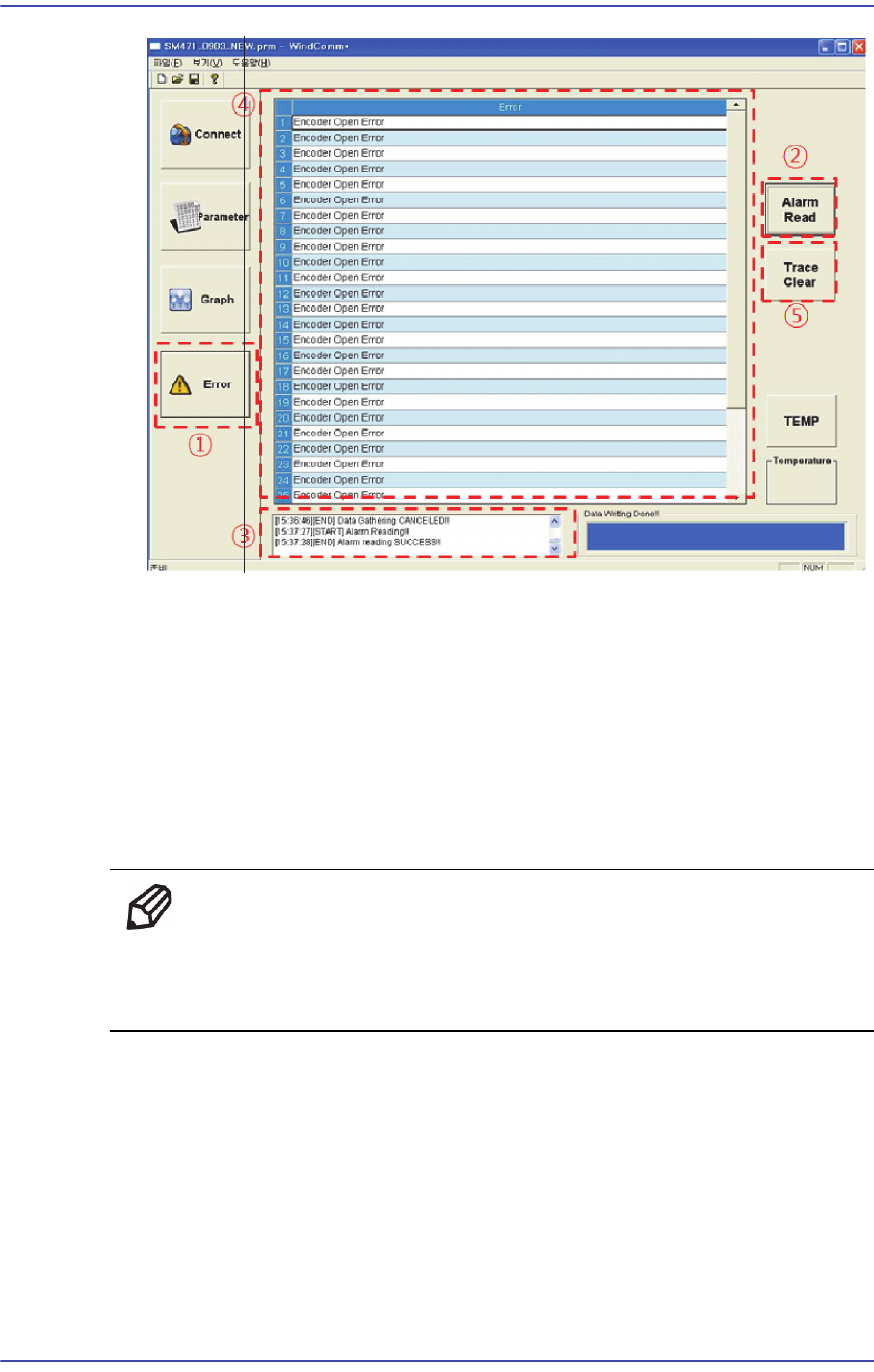
1: Run the Windcom+ Program and click the ‘Error’ button.
2: Click the ‘Alarm Read’ button to read the alarm of the currently connected Head
AMP.
3: When the alarm is read correctly, the ‘Alarm Read Success’ message is outputted in
the status window and the error message can be checked in the Error display window.
4: After checking the error, capture and save the screen according to the file saving
rule as specified in the manual.
5: Click ‘Trace Clear’ to delete the alarm history saved in the Head AMP.
Ref 'When the Alarm Read / Clear Failed message is outputted in the
status window using the ‘Alarm Read' and 'Trace Clear' buttons, set
the Windcomm+ and Head AMP communication.
5.9.4. Sensor Replacement Procedure
1) Manipulate the teaching box to move the head module to the front.
2) Close the PC as usual and turn off the main switch at the front of the machine.
3) Remove the spindle at the location where the spindle is replaced referring to the
Spindle Replacement Procedure.
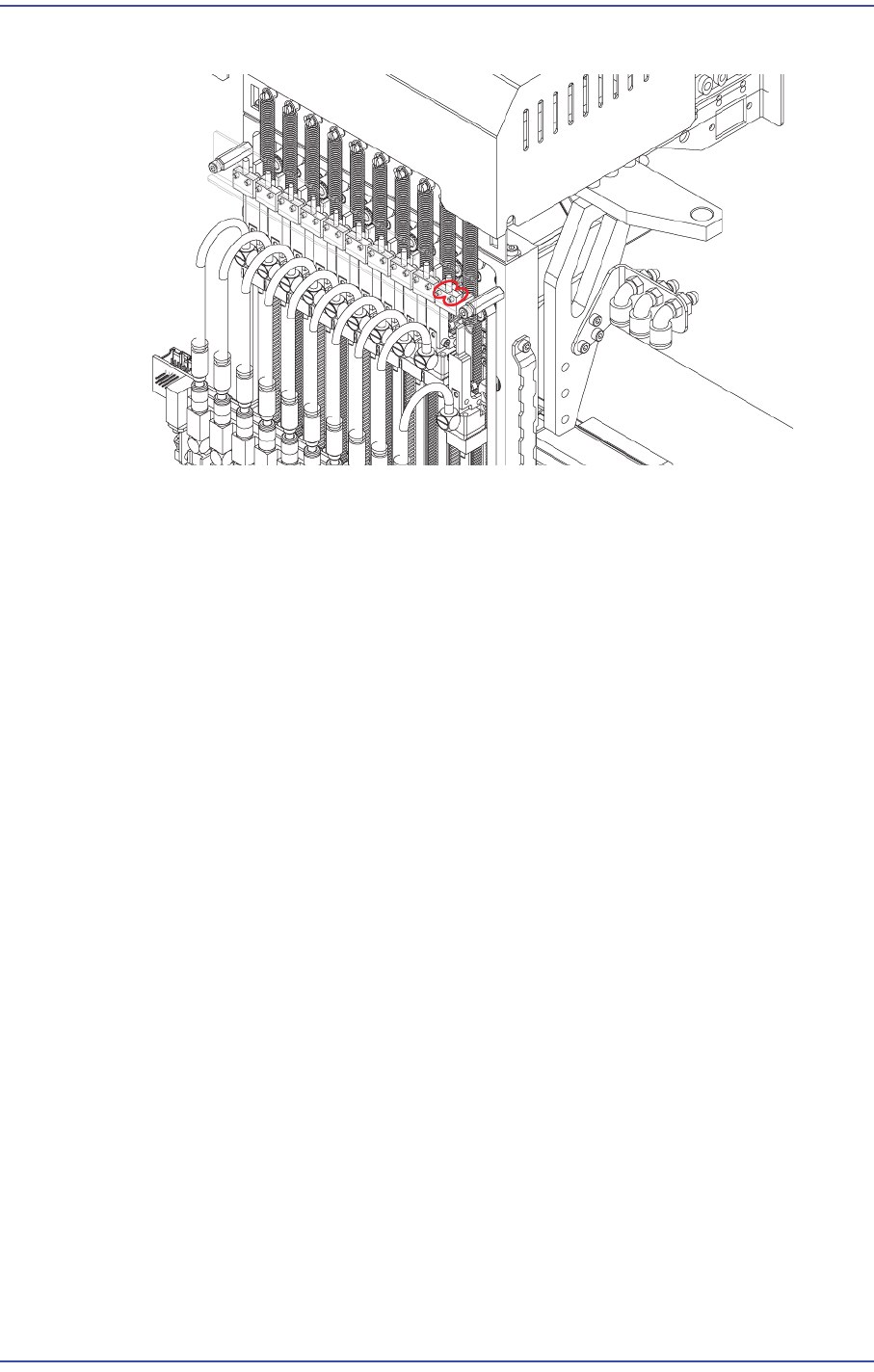
4) Remove the connector connected to sensor.
5-43
Head
5) Unscrew the fixing bolts(2-M2*6) securing sensor and remove it.
6) Once the assembling is completed, turn on the main switch on the front of the machine
and boot the PC.